Jump Cut Definition: What It Is and How to Use It

If you've ever watched a YouTube vlog and noticed the video suddenly skips forward in time without any fancy transition, you've already seen a jump cut in action. It's one of the most common editing techniques out there, and yet a lot of people have no idea what it's actually called or how to use it on purpose. That's what this post is all about.
A jump cut is when two shots from the same scene are cut together, but time has clearly jumped forward. The camera angle stays roughly the same, but something in the frame changes, whether it's the person's position, the words they're saying, or just the passing of a few seconds. It creates a quick, snappy feel that audiences have gotten very used to, especially online.
This technique might sound simple, and honestly it is. But knowing when to use it, and when to avoid it, can make a real difference in how your videos feel to watch. So let's break it all down.
Where jump cuts actually come from
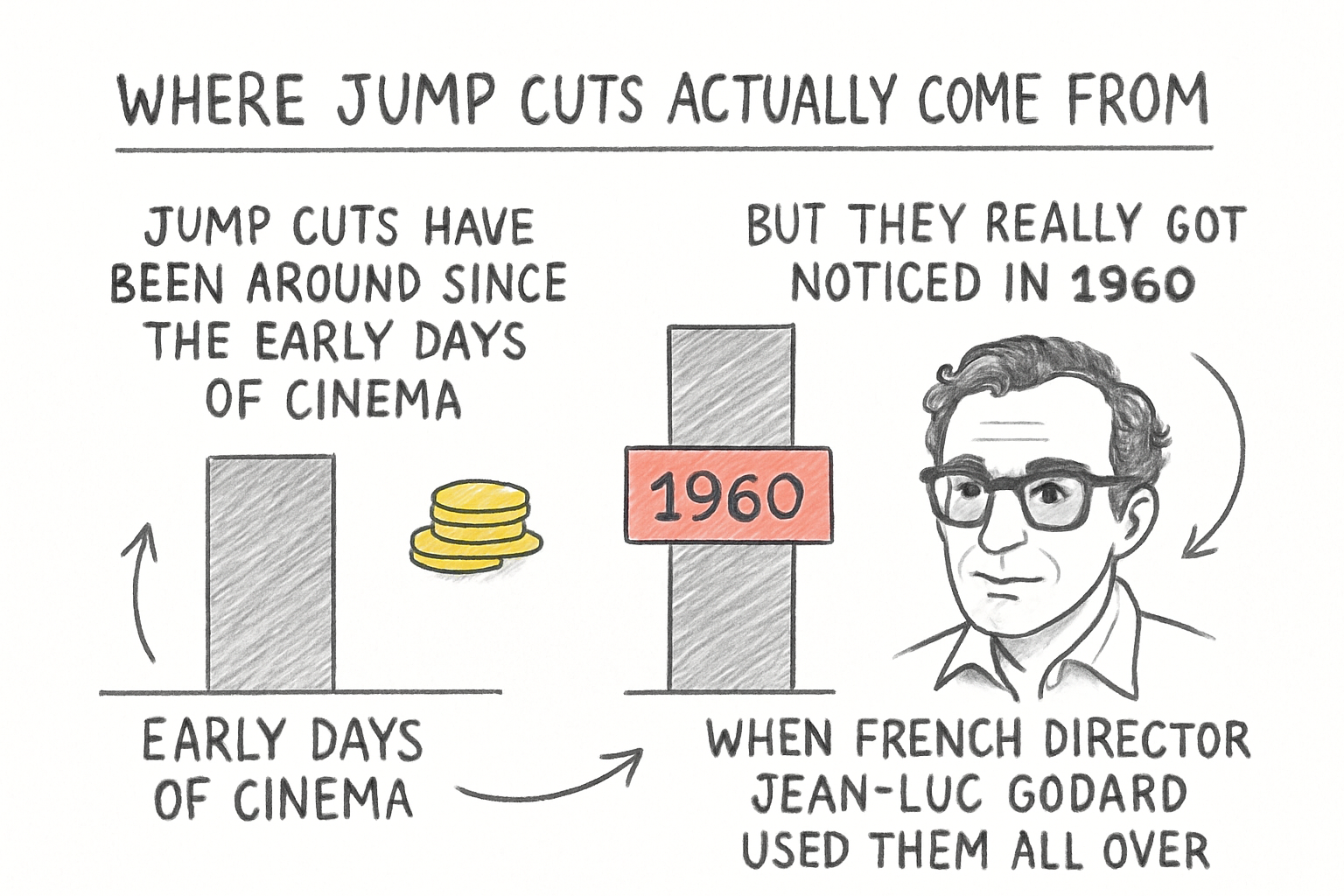
Jump cuts have been around since the early days of cinema, but they really got noticed in 1960 when French director Jean-Luc Godard used them all over his film 'Breathless.' Before that, editors tried hard to hide any awkward cuts and keep everything looking smooth. Godard basically threw that rule out the window, and audiences were surprised but intrigued.
For a long time, jump cuts were seen as mistakes, something that happened when a filmmaker ran out of footage or made an error. If you broke the so-called 180-degree rule or cut between two shots that were too similar, the edit felt jarring. Film schools used to teach students to avoid these cuts at all costs.
Then YouTube came along and changed everything. Early vloggers, working with limited equipment and no editing budget, started cutting out their mistakes and pauses by jumping straight to the next sentence. Viewers didn't mind. In fact, they liked the fast pace. What used to be a film school sin became a defining style of online video.
Now jump cuts show up everywhere, from YouTube tutorials to short-form social content. They're a sign that the creator values your time and wants to keep things moving. The technique went from accident to art form, and it didn't take long at all.
How to use jump cuts in your own videos
A lot of you have asked about the best way to actually add jump cuts to your editing workflow, so let's talk about that. The good news is that the process is pretty straightforward once you know what you're looking for in your footage. The tricky part is developing an eye for where a jump cut helps versus where it hurts.
The most common way to create a jump cut is during the filming stage. You just keep the camera rolling while you record the same scene multiple times or keep talking through pauses and mistakes. Then in editing, you cut out the parts you don't want. Because the camera position hasn't changed much, the edit will look like a jump forward in time. That's your jump cut, right there.
I personally think the best jump cuts are the ones that feel intentional rather than sloppy. There's a difference between cutting out a long pause and cutting mid-sentence in a way that feels choppy. Before I started paying attention to this, I used to trim my clips too aggressively, and the result felt like I was rushing the viewer instead of pulling them along. Taking a breath in your edit, even just a half second, can make a jump cut feel punchy instead of panicked.
If you're planning your videos before you shoot, it helps to think about this stuff early. A good shot list can help you plan coverage that gives you more options in the edit, including moments where a jump cut will land well. The more organized your shoot, the more creative you can be when you sit down to cut.
When jump cuts work and when they don't
Jump cuts shine in fast-paced, conversational content. Think talking-head videos, tutorials, vlogs, and anything where you want to keep the energy up and the information moving. If your goal is to get through a lot of material quickly without boring your audience, a well-placed jump cut is your friend.
They also work really well in montage sequences. If you're showing someone working through a long process, like building something or cooking a meal, a series of jump cuts can compress hours into thirty seconds and make it feel exciting instead of tedious. The viewer's brain fills in the gaps, and that's actually part of what makes the technique feel satisfying.
But jump cuts can work against you in certain situations. If you're telling a story that depends on emotional continuity, jumping around too much can break the mood. Documentaries often use jump cuts, but they're usually more careful about it. If you want to learn more about how pacing works in that format, our documentary script guide walks through a lot of related ideas about structure and flow.
One thing that helps smooth out a jump cut is changing something in the frame between shots. A slight change in framing, a cutaway to a related image, or even a zoom can soften the jolt. Some creators add a quick zoom punch on the jump cut itself, which has become its own recognizable style on social media. Whether you love that look or think it's overdone, it shows that jump cuts are flexible and can be shaped to fit your brand.
Ready to take the next step?
Jump cuts are one of those tools that look simple but actually take some practice to use well. Start paying attention to how your favorite creators use them, and you'll start to notice patterns you can borrow for your own work. If you're still building out your video production skills and want help with scripts, planning, or thumbnails, check out Cliptude and see what's there for you. Drop a comment below and let me know how you're currently using jump cuts in your videos. I'd love to hear what's working.