7 Best AI Video Editors for Turning Long Videos into Shorts in 2026

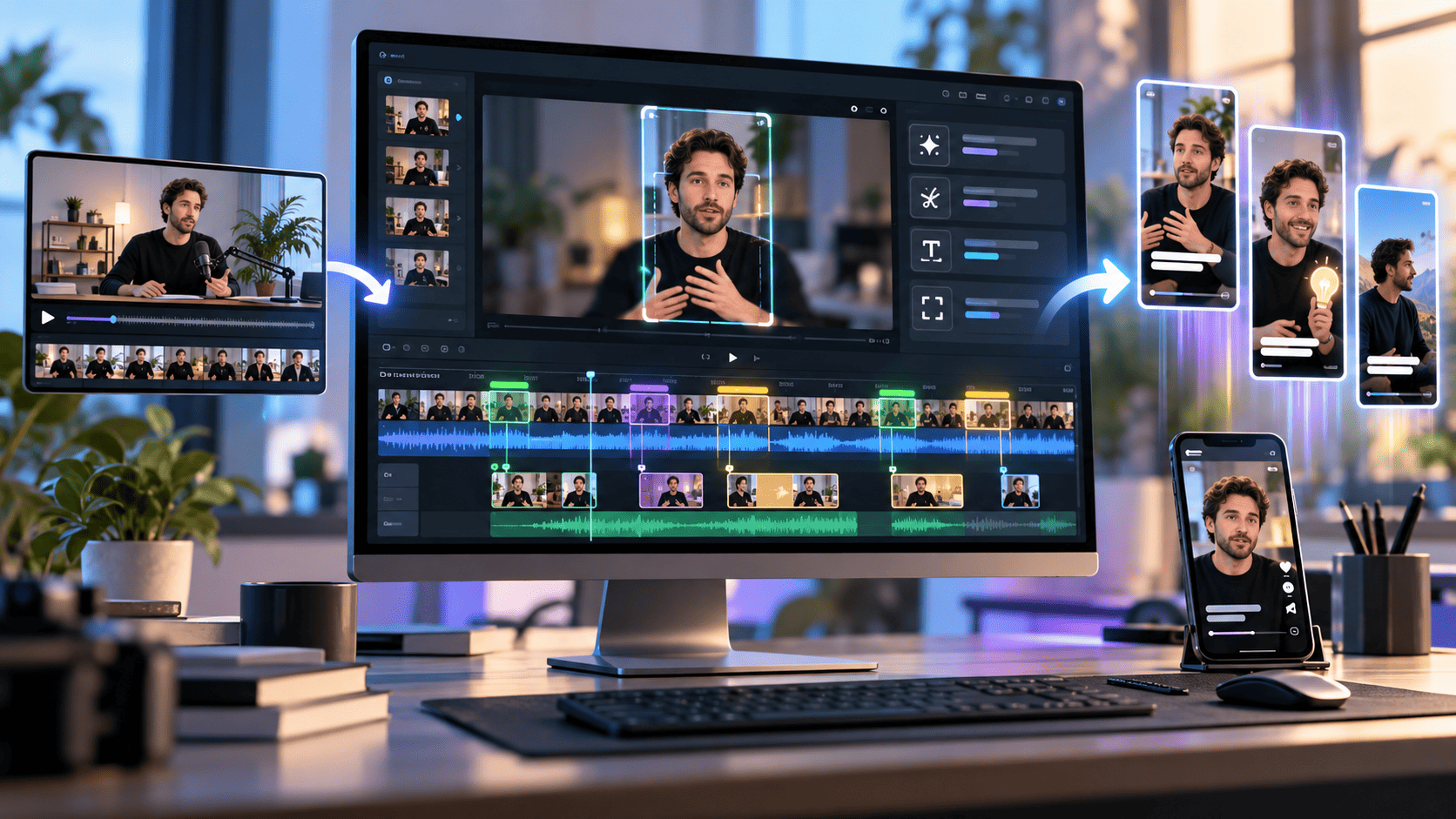
Creating short videos from long recordings can be time-consuming. Whether you're editing a podcast, YouTube video, webinar, or interview, finding the right moments, trimming unnecessary footage, and adjusting the final clip requires effort.
AI video editors make this process easier by helping creators select footage, remove pauses, arrange clips, and prepare videos for platforms like YouTube Shorts, Instagram Reels, and TikTok.
Some tools automatically identify highlights, while others offer AI editing agents that work directly on professional timelines. Here are seven AI video editors worth considering in 2026.
What Are the Best AI Video Editors for Turning Long Videos into Shorts?
The best AI video editors include invideo Editor, OpusClip, Descript, Vizard, Klap, Riverside, and VEED. Each offers different features for shortening videos, editing footage, and preparing content for social media.
1. Invideo Editor: Best for Professional AI Video Editing with Creative Control
Invideo Editor is a professional video editor that combines AI editing agents with a powerful multitrack timeline. It helps creators turn long recordings into shorter, polished videos without having to perform every editing task manually.
Unlike basic clipping tools, invideo Editor gives creators an AI agent that understands their footage and carries out editing instructions directly on the timeline. You can simply describe what you want, and the agent helps complete the task while keeping every cut and adjustment editable.
For example, if you have a 30-minute podcast, you can ask the agent to find a particular discussion, shorten it to 60 seconds, remove unnecessary pauses, and assemble a tighter sequence.
The agent can examine footage, identify relevant moments, and arrange clips according to your instructions. Once the first cut is ready, you can review it, adjust the pacing, change individual shots, or make further requests.
Key Features of invideo Editor
- AI editing agents: Assign editing tasks using natural-language instructions, from creating rough cuts to refining sequences.
- Footage understanding: The agent analyzes uploaded footage and remembers what's in different clips, making it easier to find specific moments.
- Professional multitrack timeline: Edit video, images, music, dialogue, and sound effects across separate tracks with frame-level control.
- Automated editing tasks: Ask the agent to remove pauses, shorten sections, rearrange footage, or apply changes across multiple clips.
- Advanced audio editing: Mix dialogue, background music, and sound effects while maintaining clear audio.
- Color grading and visual effects: Adjust colors, apply effects, and create a consistent visual style across shots.
- AI media generation: Generate additional shots, voiceovers, music, and other creative elements within your project.
- Real-time collaboration: Invite teammates to work together on the same editing timeline.
- Flexible exports: Export finished MP4 videos or transfer editable projects to Premiere Pro, Final Cut Pro, and DaVinci Resolve.
How Does invideo Editor Help Turn Long Videos into Shorts?
Imagine recording a 45-minute YouTube interview and wanting to create several short clips from it.
With invideo Editor, you can upload the footage and ask an AI editing agent to locate specific topics or important moments. You can then instruct it to create a shorter sequence, remove pauses, and improve the flow.
The changes appear directly on the timeline, where you can inspect every clip and make adjustments.
You can also ask the agent to improve sound levels, match colors between shots, or add supporting visuals. This makes it easier to create short videos that feel thoughtfully edited rather than simply cut from a longer recording.
One of invideo Editor's biggest strengths is that the creator remains in control. AI handles the repetitive work, while you decide how the final video should look, sound, and tell its story.
Why Choose invideo Editor?
Invideo Editor is particularly useful for creators who want professional editing capabilities without a complicated workflow.
Its browser-based workspace means you can begin editing without installing traditional desktop software. The combination of AI agents, creative controls, and collaborative editing makes it suitable for YouTubers, podcasters, marketing teams, agencies, and professional editors.
Another standout benefit is its free manual editor. You can upload footage, arrange clips, refine cuts, adjust audio and colors, and export videos without a watermark. AI agent work and AI-generated media use credits.
Best for: Content creators and professional teams who want AI-assisted editing, detailed timeline controls, and faster post-production.
Pricing: Free manual timeline editing and watermark-free video exports. AI editing agents and AI media generation use credits, with paid plans available.
2. OpusClip: Best for Automatic Highlight Extraction
OpusClip is an AI video clipping tool that helps creators convert long recordings into short, social-ready videos.
It analyzes video content and identifies moments that could work as standalone clips. This makes it useful for podcasts, interviews, educational videos, and other recordings containing multiple discussion points.
Users can upload footage or provide a supported video link, and the AI generates shorter clips with captions and formatting suitable for social media.
Key Features
- AI-powered highlight selection.
- Automatic video clipping.
- AI-generated captions.
- Automatic video reframing.
- AI B-roll and audio enhancement.
- Social media publishing options.
Best for: Creators who want to automatically extract multiple short clips from longer videos.
Pricing: Free and paid plans are available, with usage limits depending on the plan.
3. Descript: Best for Podcast and Interview Editing
Descript is an AI-powered video and audio editor that allows creators to edit recordings through text.
Its transcript-based editing makes it particularly useful for podcasts, interviews, tutorials, and other dialogue-heavy content.
Descript's AI assistant, Underlord, can analyze recordings, find interesting moments, and help create shorter clips. Creators can then refine those clips using the platform's editing tools.
Instead of manually searching through the entire recording, users can work with the transcript to locate and adjust specific sections.
Key Features
- AI-powered clip selection.
- Transcript-based video editing.
- Automatic short clip creation.
- Filler-word removal.
- Captions and visual customization.
- AI editing assistance through Underlord.
Best for: Podcasters, educators, and interviewers who regularly edit spoken content.
Pricing: Free and paid plans are available.
4. Vizard: Best for Repurposing Long Videos for Social Media
Vizard is an AI video editing platform designed to help creators repurpose longer recordings into short-form content.
It can analyze videos, identify useful sections, and create shorter clips suitable for platforms like TikTok, YouTube Shorts, and Instagram Reels.
This makes it useful for marketing teams and content creators who want to publish multiple social media videos from webinars, interviews, or podcasts.
Vizard also includes captioning and formatting features that help prepare clips for different platforms.
Key Features
- AI-powered video clipping.
- Automatic highlight selection.
- Caption generation.
- Social media video formatting.
- Video customization tools.
- Content repurposing features.
Best for: Marketers and content creators who want to repurpose long recordings across multiple social platforms.
Pricing: Free and paid options are available.
5. Klap: Best for Converting Long Videos into Vertical Shorts
Klap focuses on turning longer videos into short, vertical clips for social media.
Its AI analyzes video content to identify moments suitable for shorter videos and formats the results for mobile viewing.
Klap can automatically reframe footage, making it useful when converting horizontal YouTube videos into vertical clips.
Creators can review the generated clips, adjust captions, and prepare content for platforms such as TikTok and Instagram Reels.
Key Features
- AI highlight detection.
- Automatic video clipping.
- Vertical video reframing.
- Animated captions.
- Short-form video formatting.
- Basic editing and customization.
Best for: YouTubers and social media creators who want to convert long videos into vertical shorts quickly.
Pricing: Paid subscription options are available, with trial access depending on the current offer.
6. Riverside: Best for Creating Shorts from Podcasts
Riverside is a recording and editing platform with AI tools for turning longer conversations into shorter clips.
Its Magic Clips feature identifies highlights from recordings and helps creators prepare them for social media.
This is especially useful for podcasters, interviewers, and creators who regularly record conversations and want to share the most interesting moments.
Riverside also offers transcript-based editing, captions, and customization options for refining clips before publishing.
Key Features
- Magic Clips for automatic highlights.
- Video and audio recording.
- Transcript-based editing.
- Customizable captions.
- Multiple video formats.
- Clip editing and exporting.
Best for: Podcasters and interviewers who want recording, editing, and short-form content creation in one platform.
Pricing: Free and paid plans are available.
7. VEED: Best for Quick Social Media Video Editing
VEED is an online video editor that offers AI features for converting longer recordings into short clips.
Its AI Clips tool identifies highlights, adds subtitles, centers speakers, and formats videos for platforms such as YouTube Shorts, Instagram Reels, and TikTok.
Creators can also make further adjustments using VEED's online editing tools, making it useful for producing social content without traditional desktop software.
Key Features
- AI-powered highlight extraction.
- Automatic short clip creation.
- Subtitle generation.
- Speaker-focused framing.
- Filler-word removal.
- Online editing tools.
Best for: Beginners and social media creators who want straightforward AI-assisted video clipping.
Pricing: Limited free access is available, alongside paid subscriptions.
How to Choose the Best AI Video Editor for Long Videos
The right AI video editor depends on the kind of videos you create and how much control you want over the editing process.
AI capabilities: Choose a tool that helps with your most time-consuming tasks. Automatic clipping tools can identify highlights, while invideo Editor offers AI agents that handle editing work directly on a professional timeline.
Creative control: Look for an editor that lets you adjust cuts, audio, transitions, and pacing after the initial edit. This helps maintain your content's quality and style.
Ease of use: Browser-based tools with simple interfaces can make editing more accessible, especially for creators who don't want to install additional software.
Video quality: Consider audio mixing, color correction, visual effects, and other features that improve the final presentation.
Pricing: Compare free editing options, AI credit requirements, export conditions, and paid features before choosing a platform.
Conclusion
AI video editors make turning long recordings into short videos easier by reducing time spent on repetitive editing tasks.
OpusClip, Klap, and Vizard are useful for automatic clipping, while Descript and Riverside support podcast-focused workflows. VEED provides accessible online editing features.
For creators who want AI assistance alongside professional editing controls, invideo Editor is a compelling choice. Its AI editing agents, multitrack timeline, footage understanding, audio mixing, color grading, and collaboration tools provide a flexible way to create polished short-form content.
With free manual editing and the option to assign more complex work to AI agents, invideo Editor helps creators spend less time on repetitive tasks and more time shaping videos that connect with their audience.
Frequently Asked Questions
1. What is the best AI video editor for turning long videos into shorts?
Invideo Editor is a strong option for creators who want professional editing tools with AI assistance. Its AI editing agents can help identify footage, create shorter sequences, remove pauses, and refine cuts on a multitrack timeline. For automatic highlight extraction, tools like OpusClip and Klap are also useful.
2. Can invideo Editor turn long videos into short clips?
Yes. Invideo Editor lets you upload longer recordings and direct AI editing agents to find specific moments, shorten footage, and arrange clips into focused sequences. You can then review every change on the timeline and refine the video manually.
3. Is invideo Editor free to use?
Yes. invideo Editor provides free manual timeline editing and watermark-free exports. Creators can trim footage, arrange clips, adjust audio, and refine colors without spending AI credits on those manual actions. AI agent tasks and AI media generation use credits.
4. How is invideo Editor different from automatic video clipping tools?
Invideo Editor combines AI editing agents with a professional multitrack timeline. Instead of only generating short clips, it allows creators to direct editing tasks, review changes, and make precise adjustments. It also offers audio mixing, color grading, visual effects, and collaborative editing features.
5. Can AI video editors create YouTube Shorts, Instagram Reels, and TikTok videos?
Yes. AI video editors can help creators turn longer recordings into short-form content for YouTube Shorts, Instagram Reels, and TikTok. Depending on the tool, they can assist with selecting footage, shortening scenes, adding captions, changing layouts, and improving the final video. Invideo Editor also gives creators detailed control over the finished edit.