
Best AI Video Generators for YouTube Channels (Ranked & Reviewed)

Table of contents
1. How I ranked these AI video generators
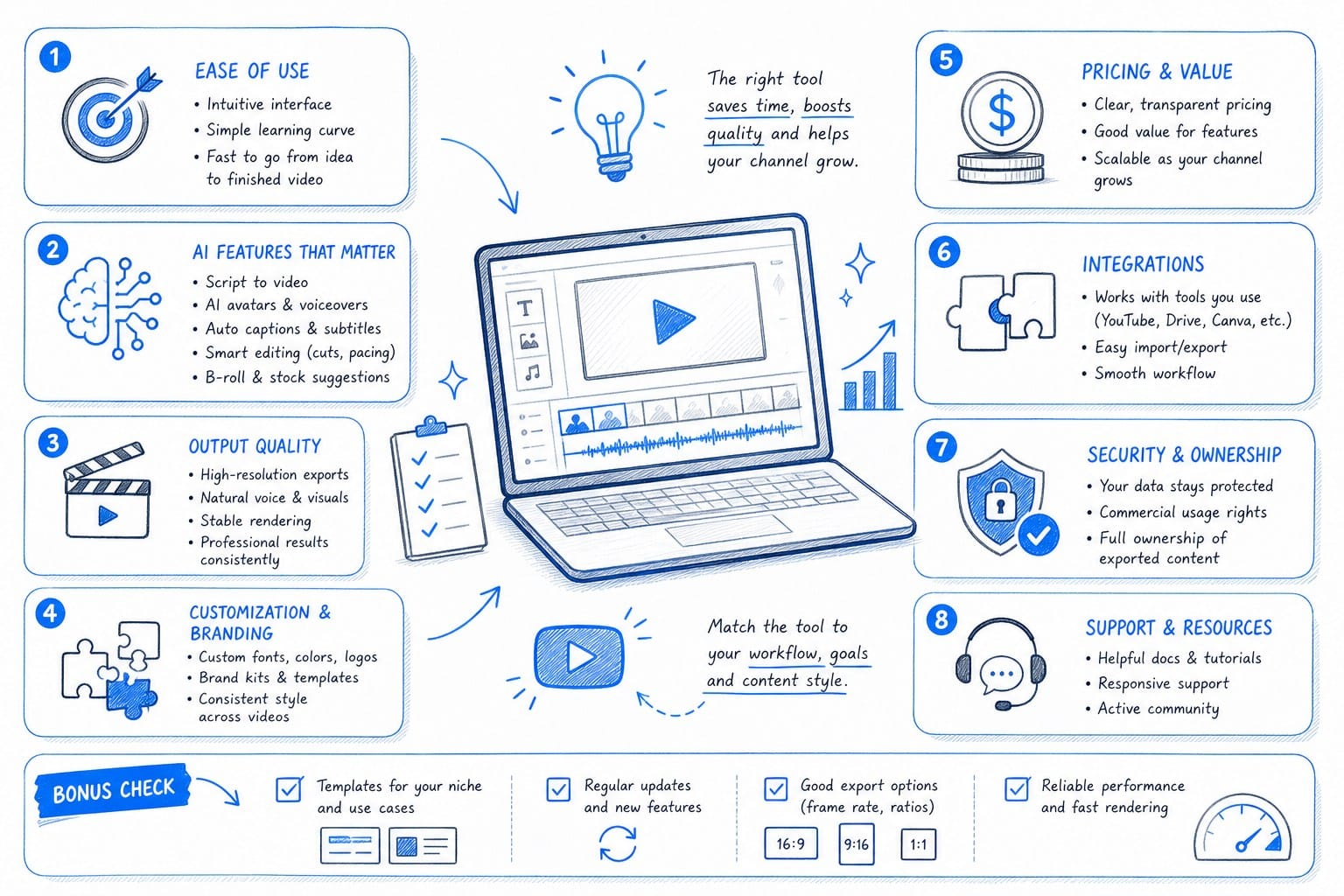
2. What to look for when choosing an AI video tool for your channel
3. Which AI video generator is right for your YouTube channel
Running a YouTube channel used to mean owning a camera, knowing how to edit, and spending hours in post-production just to publish one video. That has changed fast. AI video generators now handle scripting, voiceovers, B-roll sourcing, and editing — sometimes all in one platform. Whether you are just starting out or you already run multiple faceless channels, picking the right tool can save you dozens of hours every month. In this guide, I ranked and reviewed the best AI video generators for YouTube channels based on output quality, ease of use, long-form capability, and value for money. I also explain where each tool fits best so you can make a smart choice for your specific situation.
How I ranked these AI video generators
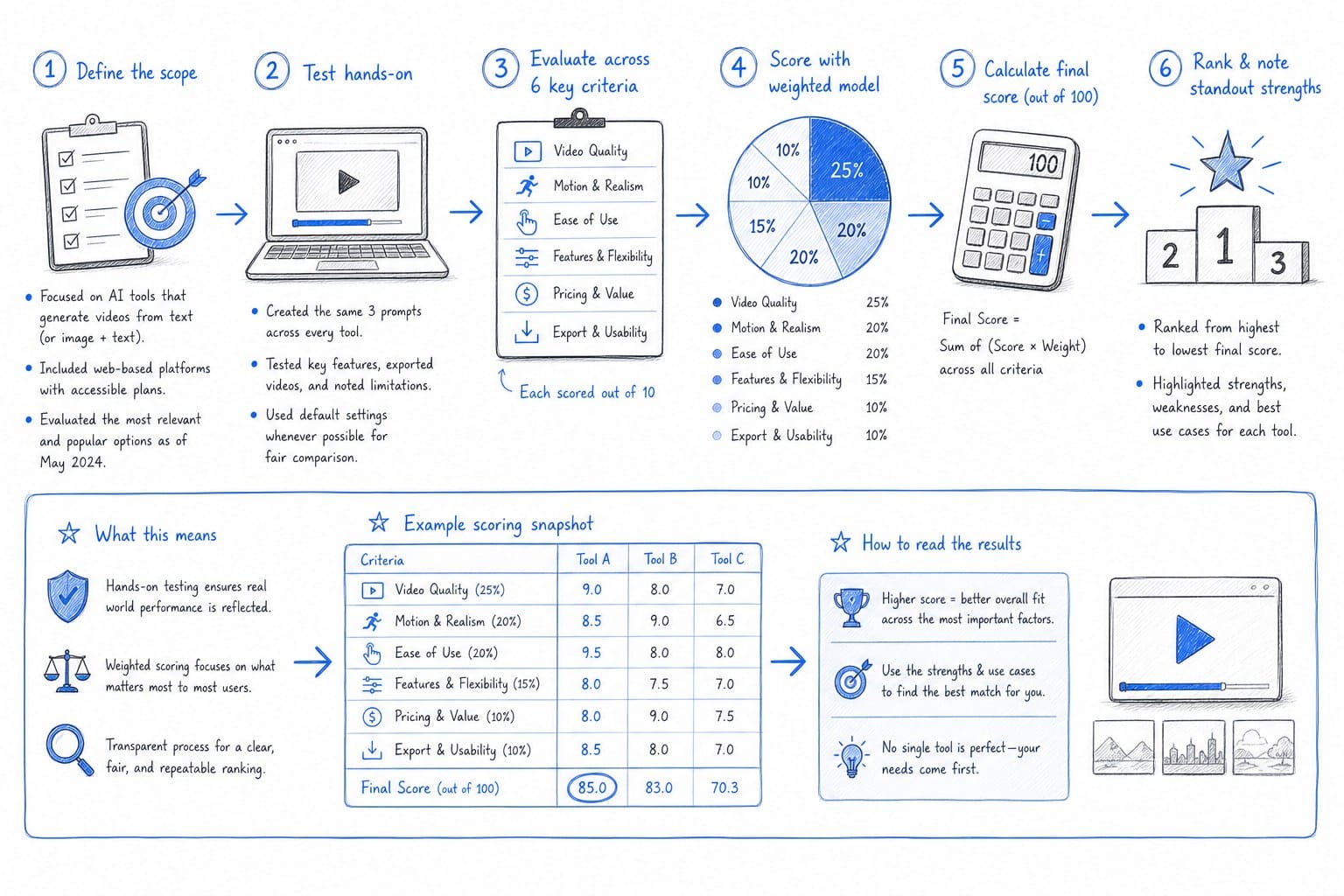
Before diving into the list, it helps to know how I evaluated each platform. I focused on five core factors that matter most to YouTube creators, especially those running faceless channels or working without a post-production team.
Output quality for YouTube. A tool might look impressive in a demo but produce low-resolution exports or stiff, robotic voiceovers that viewers click away from. I looked at whether the final video actually feels watchable on YouTube, where audiences are used to high production standards.
Long-form capability. Most AI video tools are built for short clips — 30 seconds to 2 minutes. That is fine for social media, but YouTube rewards longer content, especially in documentary, essay, and listicle formats. I paid close attention to which platforms can handle videos in the 5-to-40-minute range without the workflow falling apart.
Ease of use for non-editors. Many people exploring AI video tools have no editing background. They are technical professionals, subject-matter experts, or entrepreneurs who want to publish on YouTube without learning Premiere Pro or hiring a freelancer. I rated each platform on how much prior skill it demands.
Automation depth. Some tools automate one step, like adding subtitles or converting text to speech. Others handle the entire pipeline from script to finished video. The more of that pipeline a tool covers automatically, the higher I ranked it for creators who want to work efficiently at scale.
Pricing and scalability. Launching a single channel on a tight budget is one use case. Scaling to three or four channels simultaneously is another. I considered whether each platform's pricing makes sense at different levels of output.
With those five factors in mind, here is how the top platforms compare.
1. Cliptude — Best overall for faceless long-form YouTube channels
Cliptude is the platform I recommend most strongly to creators building faceless YouTube channels that publish documentary-style, essay, or listicle content. It is purpose-built for this exact format, which puts it in a different category from the more general-purpose tools on this list.
Here is what makes Cliptude stand out. The platform handles the full production pipeline in one place. You start with a topic or a script, and Cliptude generates the script if you need one, adds a voiceover from a library of realistic AI voices, sources relevant B-roll footage automatically, and assembles the edit. The output is a video that can run anywhere from five to forty minutes — a range that most competing tools simply cannot reach without things breaking down.
The B-roll sourcing is one of the most practical features here. Instead of spending hours searching stock footage sites and downloading clips manually, Cliptude matches footage to your script automatically. This alone removes one of the most time-consuming parts of faceless video production.
The voiceover quality is solid. It is not perfect — no AI voice sounds exactly like a seasoned human narrator — but it is natural enough that viewers stay engaged, which is the real test. You can also bring your own voice or use a cloned voice if you want more control over the audio.
For creators building multiple channels or producing a high volume of content, Cliptude's workflow is genuinely fast. You are not stitching together five different tools or reformatting files between steps. The pipeline is contained, which reduces errors and saves real time.
The platform is designed for non-editors. You do not need to know how to use a timeline editor. You do not need to understand audio mixing or color grading. If you can write or outline a topic, you can produce a finished video.
If you are just getting started and want a clear walkthrough of the channel setup process alongside the production side, the How to Start a Faceless YouTube Channel in 2025 (Step-by-Step Guide) is a useful companion to this review.
2. Pictory — Best for repurposing written content into short to mid-length videos
Pictory has been around long enough to build a solid reputation among content marketers and YouTubers who primarily work with text. The core workflow is simple: you paste in a script or a blog post, and Pictory turns it into a video by matching your text to stock footage and adding captions.
It works well for videos in the two-to-ten-minute range. If you run a channel based on repurposed articles, newsletters, or podcast transcripts, Pictory handles that conversion smoothly. The caption styling is clean, and the stock footage library is large enough that most topics get decent visual coverage.
Where Pictory falls short is at the longer end of the YouTube format spectrum. Videos running twenty or thirty minutes require a lot of manual correction in Pictory's interface. The automation starts to feel thin past a certain length, and you end up doing more editing by hand than you would expect from a tool marketed as AI-powered.
The voiceover options are functional but not exceptional. Some voices sound noticeably synthetic in a way that can undercut credibility, particularly for documentary or educational content where the narrator's voice carries a lot of weight.
Pictory is a good fit for creators who want to batch-convert written content into YouTube videos quickly. It is less ideal for those building long-form original content from scratch.
3. InVideo AI — Best for creators who want flexible templates and social-first content
InVideo AI is one of the most well-known names in AI video generation, and for good reason. The template library is massive, the interface is accessible to beginners, and the platform supports a wide range of content formats from YouTube Shorts to longer videos.
The AI-driven workflow in the newer version of InVideo lets you describe what you want in plain text, and the platform generates a video with footage, music, and captions. It is fast and the results are generally presentable.
For YouTube channels, InVideo AI works best for shorter, fast-paced content — product reviews, news summaries, top-ten lists in the five-to-eight-minute range. The platform's strength is speed and variety, not depth or long-form precision.
The stock footage quality can be inconsistent. Some clips feel generic or overused, which can make your channel look similar to dozens of other AI-generated channels. Differentiating your content visually takes extra effort.
If you are building a channel around shorter, trend-responsive content or you want to test multiple content angles quickly without heavy investment, InVideo AI is worth trying. If your goal is a premium-feeling documentary channel with videos running fifteen to thirty minutes, you will hit the platform's limits fairly quickly.
4. Synthesia — Best for talking-head AI avatar videos
Synthesia takes a different approach from the other tools on this list. Instead of sourcing stock footage, it generates videos featuring photorealistic AI avatars that lip-sync to your script. The result looks like a professional talking-head video without any camera, lighting setup, or human presenter required.
For certain YouTube formats — explainer videos, training content, company-focused channels — this approach works well. The avatars have improved significantly over the past couple of years and no longer look as uncanny as early versions did.
The main limitation for most YouTube channel operators is that avatar-based videos have a very specific look. Viewers recognize the format, and while it works for educational or corporate content, it does not suit documentary, travel, history, or nature channels where real-world footage is part of the appeal.
Synthesia is also priced at a level that assumes business or enterprise use. For a solo creator running a hobby channel or even a small monetized channel, the cost may be difficult to justify compared to tools that include footage sourcing.
5. Runway — Best for creators who want generative AI video clips
Runway is a powerful generative AI tool that lets you create original video footage from text prompts. It is genuinely impressive technology, and it is getting better quickly. You can describe a scene — a mountain at sunrise, a city street in the rain — and Runway generates a short clip.
For YouTube creators, Runway's most practical use right now is supplementing stock footage with custom-generated clips for moments where stock libraries fall short. It is not yet a complete video production platform on its own. Generating a twenty-minute video entirely from Runway prompts would be extremely time-consuming and expensive.
The clips are short, typically four to ten seconds, and generating consistent visuals across an entire video is still challenging. But for adding unique, custom-looking footage to a channel that wants to stand out from pure stock-footage competitors, Runway is a legitimate creative tool.
Expect to spend time learning the prompting technique and expect some trial and error. Runway rewards creators who approach it experimentally rather than those looking for a plug-and-play solution.
6. HeyGen — Best for multilingual and branded avatar content
HeyGen is similar to Synthesia in concept — AI avatars presenting your script — but it has carved out a strong niche in multilingual video production. You can record or generate a video in English, and HeyGen will translate and lip-sync it into dozens of other languages, including Spanish, Portuguese, French, German, and more.
For YouTube creators targeting international audiences or running channels in multiple languages, this is a genuinely useful capability. Localizing content manually is expensive and slow. HeyGen makes it possible to publish the same video in five or six languages without hiring translators and voiceover artists.
The avatar quality is high, and the platform has improved its voice naturalness considerably. Like Synthesia, it is best suited for talking-head formats rather than documentary or footage-heavy content.
Pricing is reasonable for the multilingual use case. If your growth strategy involves expanding to non-English YouTube markets, HeyGen deserves serious consideration.
What to look for when choosing an AI video tool for your channel
Ranking tools is useful, but the right choice depends on what your channel actually needs. Here are the key questions to ask before committing to any platform.
What format does your channel use?
Format is the first filter. A channel publishing five-minute product reviews has different needs than one publishing thirty-minute history documentaries. If your content runs long and relies heavily on narration with supporting footage, you need a platform built for that workflow. Cliptude, for example, is specifically designed for documentary-style long-form content, which is why it ranks first for that use case. InVideo AI or Pictory will serve you better if you are making shorter, template-driven content.
Avatar-based tools like Synthesia and HeyGen fit formats where the presenter's face and delivery are the focal point, such as educational series, product walkthroughs, or corporate explainers. They are not a good match for channels where real-world footage tells the story.
How much control do you need over each step?
Some creators want full automation — input a topic, receive a finished video. Others want automation for the tedious parts but manual control over things like pacing, music selection, or specific clip choices. Most tools offer some middle ground, but the balance differs.
Cliptude automates the full pipeline but lets you adjust the output. Runway gives you maximum creative control over individual clips but does not automate a complete video. Pictory sits somewhere in between — it automates the text-to-video conversion but requires more hands-on editing for longer content.
Think about where you want to spend your time and where you want the tool to take over.
What does the voiceover situation look like?
Voiceover quality has a huge impact on viewer retention. A robotic or flat AI voice trains your audience to tune out. The best platforms now offer voices that have natural pacing, appropriate emphasis, and expressive range.
Listen to actual output samples from any platform before you subscribe. Most tools offer demos, but the demo voices are usually the best ones. Try running a sample script and evaluating the result honestly. Does it sound like something you would want to listen to for twenty minutes?
Also consider whether the platform lets you bring your own voice, use a cloned voice, or choose from a range of styles and accents. Channels targeting specific geographic audiences benefit from accent options. Educational channels may want a calmer, more measured delivery than entertainment channels.
How important is B-roll footage sourcing?
For faceless channels, footage quality is one of the biggest factors separating professional-looking content from amateurish content. Generic, overused stock footage makes viewers feel like they are watching filler rather than content.
Platforms that automate B-roll sourcing — like Cliptude — save enormous amounts of time, but you should check what footage library they draw from and how relevant the matches are. Some tools make poor visual choices automatically, and correcting them one by one defeats the purpose of automation.
If you are using a tool that does not include footage sourcing, budget time for manual sourcing from libraries like Pexels, Pixabay, or paid services, and factor that into your actual production time.
Can you scale with this tool?
If your plan is to run one channel and publish two videos per month, almost any tool on this list will work at a basic subscription tier. If you want to run three channels and publish three to four videos per week, you need to think about batch production, export limits, and per-video costs.
Some platforms charge per minute of video exported. Others offer unlimited plans at a higher flat rate. Do the math based on your actual planned output before committing, not based on what you might produce at peak ambition.
The honest reality of AI-generated YouTube content
AI video tools have gotten genuinely good. The gap between AI-assisted content and fully human-produced content has narrowed considerably. But a few things are worth saying plainly.
AI tools do not replace editorial judgment. Choosing the right topic, structuring an argument clearly, deciding what information matters and what does not — those decisions still require a human. The best AI-assisted channels I have seen use these tools to eliminate production friction, not to eliminate thinking.
YouTube's algorithm still rewards content that serves viewers well. That means watch time, click-through rate, and engagement signals. A video produced with AI tools but with strong research, clear structure, and a compelling hook will outperform a video produced with the same tools but weak content. The tool is a means, not an end.
Also, AI voiceovers and AI-sourced footage are becoming more recognizable to regular YouTube viewers. This is not necessarily a dealbreaker — many successful channels use them openly — but it does mean the bar for content quality is rising as more creators adopt these tools. Standing out requires genuine value in the content itself.
Combining tools strategically
Many experienced faceless channel creators use more than one tool. A common workflow might look like this: use Cliptude for the full production pipeline, use Runway to generate custom footage for scenes where stock clips are unavailable or overused, and use a separate tool for thumbnail creation and SEO research.
The goal is not to use as many AI tools as possible but to remove the specific friction points in your workflow. Start with one platform that covers most of your pipeline, get consistent with your production schedule, and add tools only when a specific bottleneck becomes obvious.
For creators new to this space, starting with an end-to-end platform like Cliptude makes more sense than assembling a complex multi-tool workflow before you have found your rhythm. Simplicity in the early stages lets you focus on the content decisions that actually drive channel growth.
Pricing comparison at a glance
Pricing changes frequently in this industry, so I am not going to list specific dollar amounts that may be outdated within a few months. Instead, here is a general framework.
Cliptude is priced for content entrepreneurs and serious creators who are treating their channel as a business. It is not the cheapest option on a per-month basis, but the value per video produced — when you factor in the time saved — is strong for creators publishing consistently.
Pictory and InVideo AI both offer entry-level plans that are accessible to hobbyists and early-stage creators. The per-video cost is low, but the capability ceiling is lower too.
Synthesia and HeyGen are enterprise-adjacent in their pricing, though both offer individual creator plans. They make the most financial sense when you are producing a high volume of videos or running a business where video production is a core operating cost.
Runway charges based on credits used for generating footage. If you use it sparingly as a supplement to a main platform, the cost is manageable. If you try to build a full channel around generated footage, the credits add up quickly.
For more details on how Cliptude fits into a complete channel-building strategy, you can explore More from Cliptude directly.
Which AI video generator is right for your YouTube channel
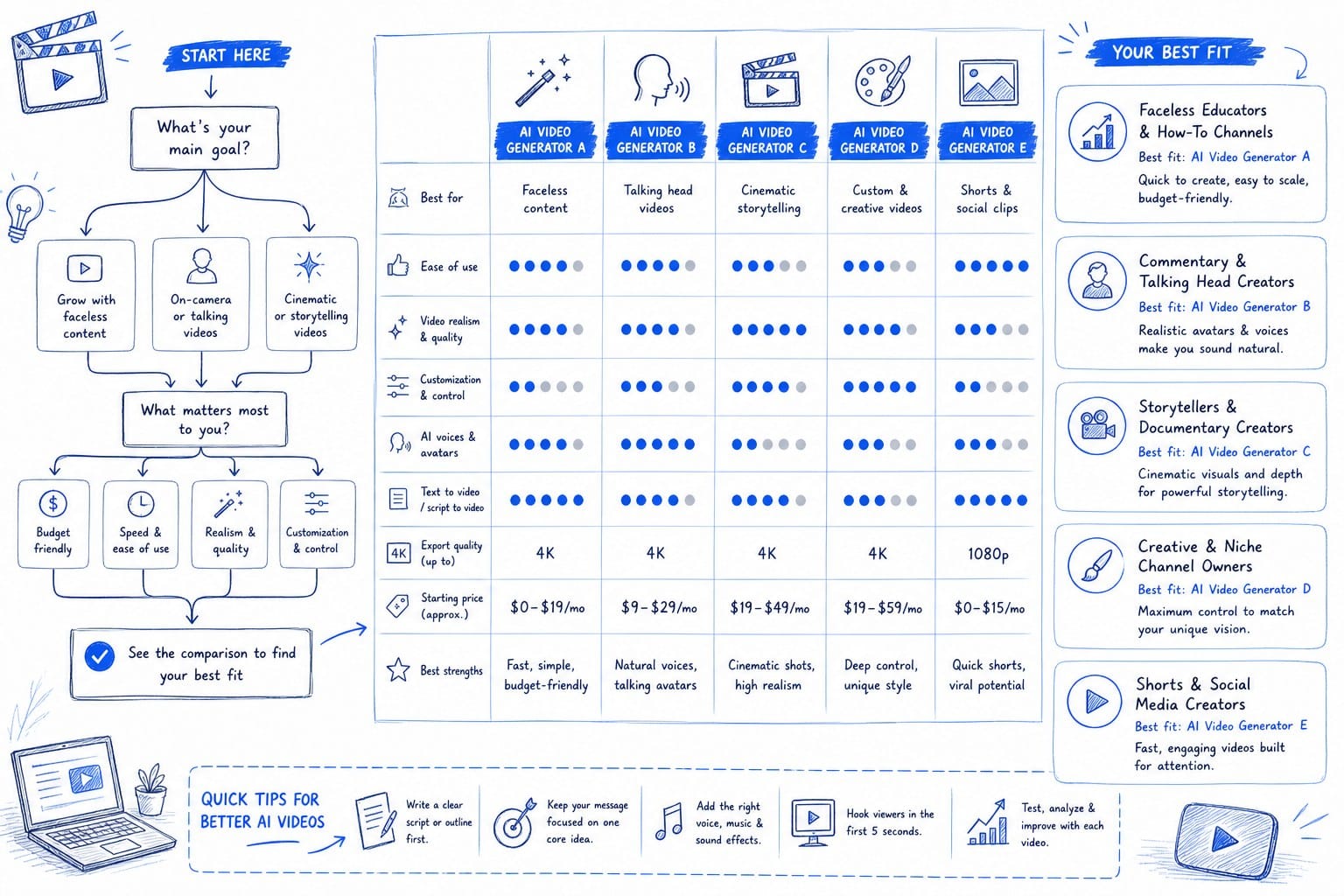
After going through all the platforms, here is a plain summary of which tool fits which situation.
If you are building a faceless documentary, essay, or listicle channel and want full automation: Cliptude is the strongest option available right now. It is purpose-built for this format, handles the complete production pipeline, and outputs videos in the length range that YouTube's algorithm rewards. If your goal is to run a serious faceless channel without a production team, this is where I would start.
If you want to turn blog posts, newsletters, or transcripts into YouTube videos: Pictory handles this conversion well for short to mid-length content. It is a time-saver for repurposing written content you have already created.
If you want fast, template-driven videos for trend-responsive or short-form content: InVideo AI gives you speed and flexibility. It is a good starting point if you are testing topics and formats before committing to a niche.
If your channel format centers on a visible presenter and you do not want to appear on camera: Synthesia produces the most polished AI avatar videos available and is a credible choice for educational or professional content.
If you are targeting multiple language markets: HeyGen's multilingual lip-sync capability is genuinely useful and puts it ahead of Synthesia for international expansion.
If you want to generate original custom footage to supplement stock clips: Runway is the most capable generative video tool currently available, though it requires more time investment and works best as a supplement rather than a standalone solution.
Common mistakes to avoid when using AI video tools
A few patterns tend to trip up new creators regardless of which platform they use.
Publishing the raw output without review is the most common mistake. AI tools make errors — wrong footage matches, awkward voiceover phrasing, factual inaccuracies in generated scripts. Always review the output before publishing. Even a thirty-minute review pass will catch the obvious problems that would otherwise hurt your channel's credibility.
Chasing production volume at the expense of content quality is another trap. It is tempting to publish every day when production is fast. But YouTube favors channels where each video performs well over channels that flood the platform with mediocre content. Publishing three strong videos per month will build a channel faster than publishing twenty weak ones.
Ignoring SEO while focusing on production is also common. AI tools handle the visual and audio production. They do not automatically optimize your titles, descriptions, tags, or thumbnails. Those elements still require attention and research, and they are often the difference between a video that gets found and one that does not.
Choosing a niche based on production ease rather than audience demand is a longer-term mistake. Some topics are easy to generate footage for. Others are harder. It is worth choosing your niche based on what people are actually searching for and what has a sustainable content angle, then figuring out the production approach from there.
What makes a faceless YouTube channel work long-term
AI tools lower the production barrier significantly, but the channels that succeed long-term on YouTube share a few characteristics that have nothing to do with production technology.
They serve a specific audience consistently. A history channel that posts every two weeks about obscure historical events builds a reliable audience over time. A channel that jumps between history, finance, self-help, and true crime confuses the algorithm and loses viewers who came for something specific.
They invest in strong hooks. The first thirty seconds of any YouTube video determine whether most viewers stay or leave. A strong opening — a compelling question, a surprising fact, a clear statement of what the viewer will learn — is one of the most important things you can optimize. AI tools can generate hooks, but you should evaluate and refine them, not just publish whatever the tool outputs first.
They treat the channel as a content library, not just a feed. Successful faceless channels think about how videos relate to each other, which ones will drive long-term search traffic, and how to structure playlists that keep viewers watching. This kind of strategic thinking is what separates channels that plateau from channels that keep growing.
For a full breakdown of how to set up and launch a faceless channel from scratch — choosing a niche, setting up your channel, planning your first videos — the How to Start a Faceless YouTube Channel in 2025 (Step-by-Step Guide) covers that process in detail.
Final thoughts on AI video generators in 2025
The tools in this category have improved faster than almost any other category of content creation software. What was mediocre two years ago is now genuinely useful, and what is useful now will likely be remarkable in another two years.
For YouTube creators, this is good news. The production barrier that once required a team, expensive equipment, and years of editing skill is now something a single person can manage with the right platform and a consistent work ethic.
The creators who will benefit most are not the ones who simply adopt the tools earliest. They are the ones who combine strong editorial judgment with smart use of automation — who know what makes a good video, use AI to produce it efficiently, and keep improving based on what their audience actually responds to.
Cliptude sits at the top of this list because it was built with that specific creator in mind — someone serious about faceless long-form YouTube content, working without a team, and looking for a platform that handles the full production pipeline without requiring years of technical skill. If that describes you, it is the most direct path from idea to published video that I have found.
Ready to take the next step?
Ready to start producing long-form faceless YouTube videos without a production team? Cliptude handles the scripting, voiceover, B-roll sourcing, and editing in one platform — built specifically for creators like you. Visit Cliptude to see how it works and start your first video today.



