The Best Produce.so Alternative

If you've been using Produce.so to create whiteboard animations or explainer videos, you already know the drill. It works, sure. But at some point you start wondering if there's something better out there. Maybe the features feel limited. Maybe the price is creeping up faster than the value is. Or maybe you just want a tool that fits the way you actually work instead of forcing you to bend your whole workflow around its quirks. That frustration is real, and it's more common than you might think.
A lot of you have asked about this very thing in the comments and through email, so I figured it was time to sit down and write it all out properly. I spent a good chunk of time testing different tools, reading through user reviews on places like G2 and Capterra, and comparing what each platform actually offers day to day. Not the marketing fluff, not the feature comparison tables that make every tool look identical. Just what it's actually like when you sit down and try to make something real with it. What breaks your flow, what surprises you, what makes you close the tab and go back to the drawing board.
The short version is this: there are some genuinely solid alternatives to Produce.so, and one of them stands out clearly from the pack. But before we get to that answer, let me walk you through the full picture so you can make the right call for your own situation. Whether you're a solo creator pumping out content twice a week, a small business owner trying to explain a product without hiring an agency, or someone managing a content team with deadlines and deliverables, there's an option here that fits. Let's get into it.
What produce.so actually does and where it falls short
Produce.so is an AI-powered video creation tool that's been aimed mostly at marketers and content creators who want to turn written content into videos without a ton of effort. The concept is genuinely solid. You drop in a script or some text, pick a visual style, and the platform tries to do the heavy lifting for you. Add a voiceover, swap a few elements, export. For simple projects that don't need a lot of personality, it can get you something usable pretty quickly. If all you need is a slideshow-style video with some stock footage and a narration track, Produce.so will handle that fine.
But here's the thing. A lot of creators find that the output feels pretty generic after a while, and that's not a small problem. The animations are limited in range and flexibility. The customization options don't go very deep once you get past the surface-level stuff like colors and fonts. If you want to build something that actually feels like your brand, something that a viewer would recognize as yours without seeing your logo, you're going to hit a ceiling pretty fast. The template library sounds impressive in the sales pitch and looks fine in the screenshots, but it starts to feel repetitive once you've been using the platform for a few weeks. You start to see the same layouts, the same motion patterns, the same visual language showing up in your work over and over again. That's a real problem if consistency and originality matter to your audience.
The pricing is another sticking point that comes up constantly in user reviews. Produce.so isn't the cheapest option in this space, especially when you factor in what you're actually getting at each plan level. The features you actually want, things like longer video exports, access to the full template library, higher resolution output, tend to sit behind the higher-tier plans. For a solo creator or a small team watching their budget, that math doesn't always work out in your favor. You end up paying for a bundle of stuff you don't use while the one capability you actually need is locked behind a plan upgrade. That's a frustrating place to be, especially when you're trying to build a sustainable content workflow.
There's also the question of whiteboard-style animation, which is a format a ton of creators love because it's clean, focused, and genuinely great for explaining ideas in a way that holds attention. Educational channels use it. Software companies use it. Coaches and consultants use it. Produce.so's support for that style is thin at best. The hand-drawn look is either missing entirely or executed in a way that feels like an afterthought rather than a core part of the product. I personally think the biggest gap in Produce.so is exactly that: it tries to cover too many video formats at once and ends up doing none of them exceptionally well. That's a classic case of a product spreading itself too thin. And that's precisely where the alternatives start to look a lot more interesting.
The top alternatives worth your time
Let's get into the actual options. I'll be straight with you about what each one does well and where it stumbles, because that's the only way this is actually useful to you. Nobody needs another post that says every tool is great in different ways and leaves you more confused than when you started.
Powtoon has been around for a while and it carries a decent reputation, especially among teachers and corporate trainers who discovered it back when it was one of the few accessible animated video tools on the market. It covers animated explainer videos, presentation-style content, and some basic whiteboard-adjacent looks. The interface is drag and drop, which makes the initial learning curve pretty gentle. You can get something on the screen fast, which matters when you're on a deadline or just trying to figure out if the format works for your content. The problem is that Powtoon has started to feel a little dated compared to what else is available now. The animation styles haven't evolved much over the years, and some of the character designs look like they belong in a 2015 corporate training video. If you're creating content for a modern audience that's used to polished visuals, some of the output can look a bit stiff and unconvincing. It's still a workable tool, especially if you're on a tighter budget and your audience isn't particularly design-sensitive, but it's not going to make your content stand out in a crowded feed.
Renderforest is another one that pops up in this conversation a lot, and for good reason. It covers a wider range of video types than Powtoon and the quality ceiling is noticeably higher. You can make logo animations, branded intros, explainer videos, music visualizers, and more, all from one platform. The template quality has improved a lot in recent years and some of the output genuinely looks professional. But the free plan is pretty restrictive. The watermark is aggressive and highly visible, which means you can't really use the free tier for anything client-facing or public without it undermining your brand. Getting genuinely custom results, the kind where someone couldn't tell you used a template, takes time and a fair amount of experience with how the platform is structured. If you need something fast for a client or a campaign launch, the learning curve might feel like a real obstacle rather than a minor inconvenience.
Visme and Animaker round out the usual suspects in this space. Visme leans much more toward infographic and presentation content than video, so if video creation is your main focus it might not be the right fit at all. It's a great tool for what it does, but what it does is more in the visual communication space than the video production space. Animaker is decent for character-based animation and has a solid library of pre-built assets, but the interface can feel cluttered and harder to navigate than it should be. Some users report that the rendering is slower than they'd like, which is a real problem when you're working on a tight turnaround. I tried Animaker once for a quick client project and ended up spending more time wrestling with the timeline editor than actually creating anything. The characters were fun, but getting them to do exactly what I needed was more work than the project warranted.
For creators who are specifically focused on whiteboard-style video, the field narrows fast. If you've read our earlier breakdown of the best Doodly alternatives for whiteboard animation, you already know that the whiteboard space has some real contenders worth paying attention to. The tools that do whiteboard well tend to be the ones that were designed for it from the ground up, not the ones that added it as a feature to an existing platform that was built around something else entirely. There's a real difference between a whiteboard animation tool and a general video tool that has a whiteboard mode, and that difference shows up clearly in the final output. The hand-drawn effect, the pacing, the way characters and elements appear on screen, all of it feels more natural and intentional when it comes from a platform that was actually designed around that format. That distinction matters more than most comparison articles give it credit for, and it's worth keeping in mind as you evaluate your options.
Why Cliptude is the best produce.so alternative
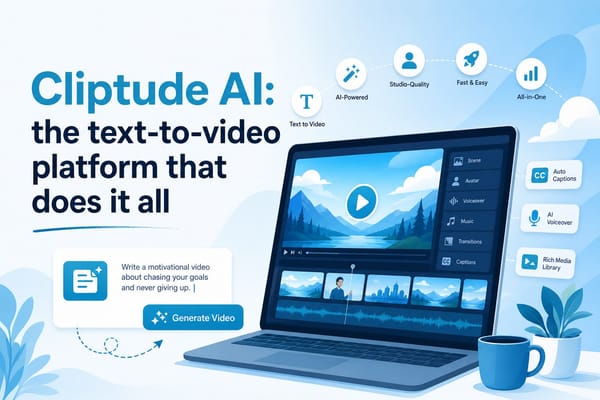
Here's where the real answer lives. Cliptude was built specifically for whiteboard animation and explainer video creation, and that focus shows in every part of the experience. It's not trying to be a logo maker and a social media video tool and a slideshow builder all rolled into one. It's trying to do one category of content exceptionally well, and that discipline is actually one of its biggest strengths. From the moment you start a new project, everything in the interface is designed around helping you make great-looking animated content without requiring you to have a design background or hours of free time to figure out the software.
The character library in Cliptude is one of its most immediately impressive features. You get expressive, customizable characters that you can match to your story, your brand, or whatever scenario you're trying to depict. That might sound like a small thing, but it makes a massive difference in the final output. When a character can convey the right emotion, look the right direction, or react to what's being said in the narration, your video stops feeling like a template and starts feeling like something that was actually made with intention. The hand-drawing animation style is smooth and realistic, which is exactly what you want if you're going for that classic whiteboard look. You're not stuck with rigid, robotic motion that makes your video feel like it was assembled rather than created. The assets feel alive in a way that's hard to describe until you see it, and that quality is what separates a video people actually watch from one they skip after five seconds.
Cliptude also wins on price transparency, which is something that matters a lot more than people usually admit when they're evaluating software. You know what you're getting and what it costs before you start. There aren't surprise paywalls that appear mid-project right when you're trying to export, or features that quietly disappear when you need them most. For creators who are building a consistent content workflow and need to plan their tools budget month to month, that kind of reliability is genuinely valuable. The pricing structure is honest, and that builds trust in a way that affects how comfortable you feel relying on the platform long term. When you're building a content operation, the last thing you need is a tool that surprises you.
The platform is also fast in ways that matter for real work. Rendering times are competitive with the best tools in this space. The interface is clean and logically organized so you spend your time creating rather than hunting through menus. The asset library is extensive enough that you can usually find what you need without having to import outside elements, which keeps the workflow tight and efficient. If you've spent time digging into top whiteboard animation tools or reading about what whiteboard animation actually involves technically and creatively, you'll recognize pretty quickly that Cliptude checks all the boxes that actually matter for professional-quality output. It's not trying to be everything to everyone. It's trying to be the best at one specific thing, and it pulls that off consistently.
For faceless content creators in particular, the combination is hard to beat. You're not on camera. Your voice and your visuals do all the work. That means the quality of your animation, the clarity of your characters, and the pacing of your hand-draw effects carry more weight than almost anything else in the video. Pairing a tool like Cliptude with smart scripting and structural discipline, like the kind covered in detailed guides on how to write a script for a long-form YouTube video, creates a production workflow that's genuinely hard to beat at this price point. You get professional results without a professional team, and you get them consistently enough to actually build an audience around.
One thing that doesn't get talked about enough in these comparisons is what it feels like to use a tool repeatedly over time, not just on your first project. A lot of platforms feel impressive on day one and start to show their limitations by week three. Cliptude is the opposite. The more familiar you get with it, the faster you work and the better your output gets, because the platform's logic is consistent and the asset library rewards exploration. That kind of depth is what makes a tool a real part of your workflow rather than just something you tried once and filed away.
Ready to take the next step?
If you've been on the fence about leaving Produce.so, this is a pretty good time to take the leap and actually test something new. The alternatives are strong, the prices are reasonable, and you genuinely don't have to settle for a tool that only kind of does what you need it to do. The gap between a video that looks fine and a video that actually performs well with your audience often comes down to the quality of the animation and the clarity of the visuals, and that's exactly where picking the right tool pays off. Start with the free trial and see how it feels to work in an environment that was actually designed around your format. If whiteboard animation is part of your content strategy, or if you've been wanting to add it and just haven't found the right entry point, there's a clear front-runner here that's worth your time. Go check out Cliptude and see why so many creators have made the switch and stayed. And if you've got questions about any of the tools mentioned here, or if you've tried one of these alternatives yourself and have thoughts worth sharing, drop them in the comments below. I read every one and I'd genuinely love to hear what's been working, or what hasn't, in your own video creation setup.