Why Your Faceless YouTube Channel Isn't Growing (5 Hidden Reasons Beginners Miss)

A lot of you have asked about this exact problem, and honestly, it's one of the most frustrating things a new creator can go through. You started a faceless YouTube channel, you've uploaded a handful of videos, and... nothing. The views trickle in slowly. The subscribers stay flat. You keep refreshing YouTube Studio hoping the algorithm finally noticed you, but it hasn't. Sound familiar?
Here's the thing most people won't tell you. It's usually not about effort. Most beginners work really hard on their channels. They pick a niche, they gather footage, they edit for hours, and they upload with high hopes. But working hard in the wrong direction gets you nowhere fast. There are five specific reasons faceless channels stall out early, and most beginners have no idea any of them are even happening. They just see the flat numbers and assume they need to post more, or try a different niche, or buy better software. None of that fixes the real problem.
I remember when I first started paying close attention to why certain faceless channels blew up while others sat completely dormant, I kept noticing the same handful of mistakes showing up over and over again. The channels that were struggling weren't putting out bad content necessarily. They were just making the same structural errors that made it nearly impossible for YouTube to know who to show their videos to, or for viewers to feel any reason to stick around once they landed on one. Once you see these mistakes clearly, you can't unsee them.
This post is going to break all five of them down in plain language. No vague advice. No 'just be consistent' pep talks. We're getting into the actual, fixable problems that are quietly killing your channel's growth right now. If you can spot even two or three of these in your own channel, you're already ahead of most people who are still wondering what they're doing wrong. Let's get into it.
You're treating YouTube like a content dump, not a search engine
Most beginners think YouTube is about uploading and waiting. They finish a video, give it a decent title, slap on a thumbnail, and hit publish. Then they wait for the algorithm to do its thing. But YouTube isn't magic. It's actually one of the world's biggest search engines, second only to Google. And if your videos aren't built around what people are actually searching for, they're basically invisible no matter how good the content inside them is.
This concept is called search intent, and it matters more than almost anything else on YouTube, especially when your channel is new and has zero audience momentum behind it. Think about it from a viewer's perspective. If someone types 'how to invest $500 as a beginner' into YouTube's search bar, they want a clear, step-by-step answer to a very specific question they have right now. If your video title says 'Money Tips Episode 12,' even if the content inside is genuinely helpful, YouTube has no idea what your video is actually about and won't serve it to that person. You haven't told YouTube what problem you're solving or who you're solving it for. The platform can only work with the signals you give it.
The fix is simpler than most people expect, but it does require changing how you approach the idea stage of every video. Instead of thinking 'what do I want to make a video about this week,' start by asking yourself what someone would literally type into YouTube to find this video. Open YouTube's own search bar and start typing your topic. Look at what autocomplete suggestions come up. Those aren't random. They're pulled from real search data, meaning real people are actually looking for those things right now. A finance channel, for example, might find that 'how to save money on a $40,000 salary' has strong autocomplete results, while 'money tips for adults' shows almost nothing. That difference tells you everything about which video has a built-in audience waiting for it.
Tools like TubeBuddy or VidIQ take this a step further by showing you estimated search volume and competition scores for specific keywords. For a new channel with very few subscribers, targeting lower-competition keywords matters a lot. Ranking on the first page for a medium-volume keyword that not many creators have covered is far more valuable than making a video about a popular topic where you're competing against channels with millions of subscribers. The smaller win is still a win, and those early views compound over time.
I personally think this is the single biggest mistake beginners make, and it's also the most invisible mistake, which makes it so hard to catch. You don't feel like you're doing anything wrong when you're in the middle of making the video. You put in the hours, you made something you're proud of, and you uploaded it. But if nobody's searching for it, nobody's going to find it. Think of it like opening a great restaurant on a road that has no traffic and no signs pointing to it. The food might be amazing. But if people don't know to look for you, the dining room stays empty. Every video you make should start with keyword research, not end with it. Build the video around a real search term that real people are using, then make the best possible version of that video.
Your thumbnails and titles aren't doing their actual job
Here's a cold truth about how YouTube actually works. When you upload a video, YouTube doesn't push it to everyone at once. It shows your video to a small test group of people first, maybe a few hundred or a few thousand depending on your channel size. If those people click on your video when they see it, YouTube reads that as a signal that the video is worth watching and starts showing it to more people. If they don't click, YouTube slows down or stops the rollout entirely. The whole machine lives or dies on your click-through rate, which is the percentage of people who see your thumbnail and title and actually decide to click.
Most faceless channel thumbnails are terrible at this job, and the creators making them often don't realize it. A lot of beginners make thumbnails that look like screenshots grabbed at a random moment in the video, or generic stock photo collages with tiny text crammed into a corner. The colors are dull. There's no clear focal point. Nothing about the image creates any feeling in the viewer. Nothing makes someone think 'I need to watch that right now.' And when a viewer is scrolling through their YouTube homepage seeing dozens of thumbnails at the same time, yours has maybe a half-second to catch their eye before they've already moved past it.
The best thumbnails do one of a few specific things. They create curiosity, they show contrast or tension, or they promise the viewer something they clearly want. A thumbnail showing a before-and-after result works because it raises a question in the viewer's mind about how the change happened. A thumbnail with a bold, simple image and a short phrase that adds context to what the image can't say on its own tends to stop people mid-scroll. Look at the top-performing faceless channels in your niche and notice what their thumbnails have in common. You'll usually find they use high-contrast colors, clear focal points, very little text, and images that create an emotional reaction even before you read the title. That's not an accident. Those thumbnails got tested and refined.
Your title has the exact same job as the thumbnail. It's not a description or a summary. It's a hook. It should create a question in the viewer's mind or make a promise so specific that the viewer feels like they'd be missing out if they skipped the video. Compare the title 'The History of the Roman Empire' to 'Why Rome's Collapse Happened Faster Than Anyone Expected.' Both are about Rome. Both are accurate. But one makes you feel something and the other just sits there. The second one wins almost every single time because it implies a mystery and creates a gap between what the viewer knows and what the video promises to tell them.
Spend real time on your thumbnails and titles. Don't treat them as the last five minutes of your production process. Some creators spend more time on the thumbnail than on any other single part of the video, and there's a real logic to that when you understand how much the click-through rate affects everything downstream. YouTube's built-in A/B testing tool, which lets eligible channels test two versions of a thumbnail against each other, is worth using if your channel qualifies for it. Even small improvements in click-through rate compound over weeks and months into a significant difference in total views.
Your audio, pacing, niche clarity, and posting habits are all working against you
Let's talk about four things at once, because they're all connected by the same root cause: when any one of them is off, viewers leave early, and YouTube stops pushing your video. And once YouTube stops pushing a video, it's very hard to revive.
Start with audio. Viewers will forgive a lot when it comes to video quality. Shaky footage, slightly dark lighting, basic editing, these things don't kill channels. But bad audio does. If your narration sounds muffled, robotic, or flat and monotone, people leave within the first 30 seconds. And when people leave that quickly, your audience retention tanks, which tells YouTube that viewers aren't finding value in your content. It's a chain reaction that begins the moment someone decides the voice they're hearing isn't worth their attention. Faceless channels carry this risk more than face-to-camera channels because you're already not showing your face, so the voice is doing all of the emotional heavy lifting. It needs to sound confident, clear, and paced in a way that pulls people forward through the video.
A lot of creators making faceless content are switching to AI voiceover tools for this reason, because they offer more consistency and control than recording yourself in a room with echo issues and background noise. If you want to understand which tools are actually worth using, we put together a detailed guide comparing AI voice generators for YouTube videos that breaks down the real differences honestly. And if you're torn between using an AI voice or hiring a human voice actor, the AI voice generator vs human voice actor breakdown covers that comparison in real depth, including when each option actually makes sense depending on your budget and channel type.
Pacing matters just as much as audio quality, and it starts at the script level. Watch the first 30 seconds of one of your own videos right now and be completely honest with yourself. Is anything happening in those 30 seconds? Are you getting to the point, or are you warming up, restating the title, playing a long logo animation, or telling people what you're about to tell them? Most faceless channels lose viewers before the first minute is even over because the opening doesn't give viewers any reason to stay. Hook them in the first five seconds. Not with a flashy intro, but with a statement or a question that immediately connects to what they came to find out. If the title promised them something, the first few seconds should confirm that promise is coming. If you want to understand how your script is shaping the feel of your entire video, the breakdown of why documentary and listicle videos feel generic and what you can fix at the script level is worth reading in full.
Now let's talk about niche clarity, because this is where a huge number of faceless channels quietly fail without ever knowing why. A niche is a topic. An audience is a group of real people with specific problems and questions they care about. Most beginners pick a topic and call it done. 'I'm doing a finance channel.' But who exactly is watching your finance channel? College students trying to avoid going into debt? Parents trying to save for their kids' education? Freelancers figuring out quarterly taxes for the first time? Each of those groups has completely different needs, different vocabulary, different fears, and different reasons to click on a video. When your channel tries to serve all of them at once, it ends up speaking clearly to none of them. Viewers don't feel like the channel is for them specifically, so they don't subscribe. They watch one video and leave.
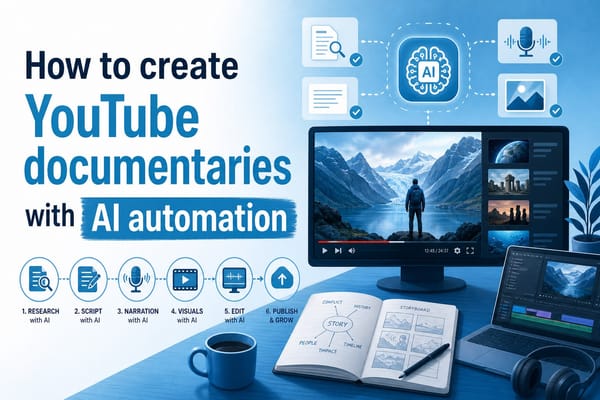
When you get specific about who your audience actually is, everything downstream gets easier. You know what topics to cover next. You know what tone to use. You know what problems your viewers are dealing with when they open YouTube. And when viewers feel like a channel truly understands them and speaks directly to their situation, they subscribe. They come back. They leave comments and share videos with people they think would get something from them. That's the kind of engagement signal that tells YouTube your channel is worth recommending to more people. If you're making documentary-style content and want a faster workflow for researching your topics, the guide on how to research a YouTube documentary faster has a practical process that can cut your research time way down without sacrificing depth.
Finally, posting consistency is something almost every beginner underestimates until they've already lost months of momentum. YouTube rewards predictable upload patterns more than sporadic bursts of great content. A channel that posts one solid video every single week will almost always outperform a channel that posts three exceptional videos in one month and then goes quiet for six weeks. The algorithm tracks your activity patterns. Your subscribers do too. When you go quiet, both move on. If you want specific guidance based on video length and niche, the post on how often you should post long YouTube videos gets into real detail on what makes sense depending on your production setup.
The most practical solution to the consistency problem is batching. Instead of making one video from scratch every week, set aside a few focused days every few weeks and produce three or four videos back to back, then schedule them to go out one at a time on a steady cadence. This takes the pressure off your weekly schedule and keeps your publishing pattern strong even when life gets unpredictable. If production time is what's slowing you down most right now, the breakdown of why one faceless video takes so long to make has specific time-saving methods that a lot of beginners haven't come across yet. Fixing your workflow can be just as powerful as fixing your content strategy.
Ready to take the next step?
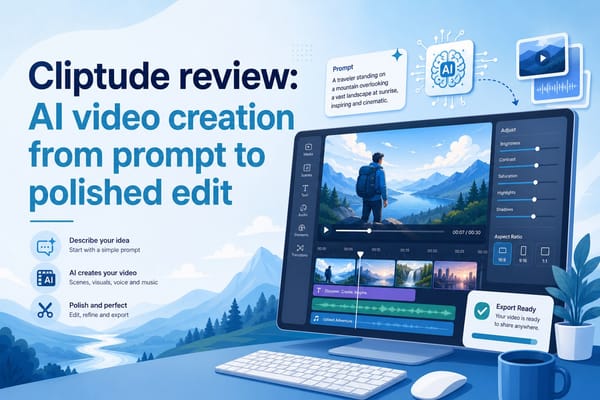
Growing a faceless YouTube channel isn't about working harder or uploading more. It's about identifying which specific things are broken and fixing them one at a time. If you spotted two or three of these problems in your own channel while reading this, that's actually great news. It means you know exactly where to focus instead of guessing. The channels that grow aren't always the most talented ones. They're the ones that caught their blind spots early and corrected course before too much time slipped by. Drop a comment below and let me know which of these five reasons hit closest to home for you. And if production time and voiceover quality are the things holding you back most right now, check out Cliptude and see how it can help you build better faceless videos faster, without needing a microphone, a camera, or a full studio setup. It removes the friction so you can put your energy into the parts of your channel that actually move the needle.