How To Write a YouTube Script in Minutes Using AI: The Complete Guide for 2026

If you've ever stared at a blank document trying to figure out what to say in your next YouTube video, you're not alone. Writing a script from scratch can eat up hours of your day, and honestly, most creators don't have that kind of time. You've got thumbnails to design, videos to edit, comments to reply to, and somehow you're also supposed to produce a polished, well-structured script that keeps people watching past the first 30 seconds. It's a lot. That's where AI comes in, and in 2026, it's changed the game in a way that even skeptics can't really argue with anymore.
A lot of you have asked about this exact topic, and the questions keep rolling in, so I wanted to put together a full, no-fluff guide on how to write a YouTube script using AI tools, what actually works in practice, and how to make the final product sound like you and not a chatbot that learned English from Wikipedia. Whether you're running a faceless channel, building a coaching brand, trying to teach something you know really well, or just trying to pump out more content without completely burning out, this guide walks you through the whole process from start to finish. No vague advice. No 'just use AI and profit.' Real steps, real examples, and real talk about where AI falls short.
The truth is, using AI to write scripts isn't about being lazy or cutting corners. It's about working smarter with the time and energy you actually have. You still bring the ideas, the creative angle, the personal experience, and the personality that makes your channel yours. AI just helps you build the structure and fill in the words faster than you ever could starting from a blank page. Once you understand how to give it the right instructions, you can go from a rough idea to a complete, ready-to-record script in under 20 minutes. That used to sound like a sales pitch. Now it's just Tuesday. Let's get into it.
Why AI scripting actually works (and when it doesn't)
Here's the thing about AI script tools: they're not magic, and they're definitely not a vending machine where you drop in a topic and out comes a great video. A lot of people download a tool, type in something vague like 'fitness tips' or 'how to save money,' and then get frustrated when the output sounds like it was written for a school newsletter in 2009. That's not the tool failing. That's a prompting problem, and it's way more common than people admit. AI is only as good as what you feed it, full stop.
When you give an AI tool a clear topic, a well-defined audience, a specific tone, and a concrete goal for the video, the results get really good, really fast. Think of it like hiring a freelance writer who has never met you and knows nothing about your channel. If you walk up to them and say 'write me something about budgeting,' you're going to get a generic article that could have been written for anyone. But if you sit down with them for ten minutes and explain who your audience is, what problem they're trying to solve, what tone you use, and what you want the viewer to do at the end of the video, you get something you can actually use. The exact same logic applies to AI. The brief is everything.
That said, AI does have real weak spots, and being honest about them will save you a lot of frustration. It's not great at injecting personal stories, because it doesn't know your life. It can miss niche-specific nuance, especially in technical fields where word choice really matters. It sometimes defaults to a weirdly formal tone that no real person uses when talking to a camera. And it occasionally gets facts wrong in subtle ways that sound plausible until you actually check them. None of these are dealbreakers, but they do mean that the AI draft is a starting point, not a finished product. Your job after the AI generates the script is to go through it line by line, read it out loud, and make it sound like a real human being who actually knows what they're talking about. Add a joke where you'd normally crack one. Swap out stiff phrases for the words you'd actually say. Cut anything that feels like padding. That editing step is where the script goes from decent to genuinely good.
I personally think the biggest mistake creators make is treating AI-generated scripts as finished products. They're not. They're first drafts, and a solid first draft is honestly one of the hardest things to produce when you're tired and staring at a blank screen at 10 p.m. with zero momentum. AI handles that cold-start problem, gives you something to react to and shape, and that makes the whole process dramatically faster even with the editing pass included. If you're curious how AI stacks up against hiring a real writer for this kind of work, we actually broke that down in our comparison of AI script generators vs human writers and the results might surprise you. There are some cases where hiring a human still makes more sense, but for volume and speed, AI wins pretty consistently.
There's also the question of whether you can even use AI-generated scripts on YouTube without getting penalized or losing monetization. This comes up constantly in creator communities, and the short answer is yes, you can, as long as you're adding real value and not just uploading raw AI output with zero human touch. YouTube's position has been pretty consistent: they care about whether the content is useful and original in some meaningful way, not about whether a human typed every single word. For a deeper look at exactly where the lines are in 2026, the complete guide on YouTube's AI content policies covers everything you need to know before you start posting at scale. Read it before you build a workflow, not after.
How to write your YouTube script step by step using AI
Let's walk through the actual process in real detail. I've tested a bunch of different workflows across different types of channels and content formats, and this is the one that consistently gives the cleanest output with the least amount of cleanup needed afterward. It's not complicated, but most creators skip at least one of these steps and then wonder why their scripts feel flat.
Step one is figuring out your topic and your angle before you touch any AI tool. This sounds obvious, but a surprising number of creators skip it and jump straight to the tool, which is exactly why they end up with generic content. You need to know what your video is about and, more importantly, why someone should watch your video instead of the dozens of other videos on the same subject. Write this down in one or two sentences before you do anything else. For example, if you're making a video about meal prepping, your brief might be: 'This video is for busy parents who have tried meal prepping before but gave up because it felt like too much work. The angle is that you only need 45 minutes on Sunday and five ingredients per meal to make the whole week easier.' That brief is specific. It has an audience, a problem, and a concrete promise. It also becomes the backbone of your AI prompt in the next step. Without it, your prompt will be vague and your output will match.
Step two is writing your prompt, and this is where most of the quality is determined. Most AI tools have a basic input box, and most creators type their topic and hit enter. That's the baseline mistake. Instead, write a full, structured prompt that includes your topic, your target viewer description, the tone you want (casual and conversational, educational but engaging, high-energy and entertaining), the approximate video length you're aiming for, and any specific points you need covered. If there's something you absolutely need in the video, like a specific statistic, a particular product mention, or a call to action at the end, put it in the prompt. The more context you provide, the more the output will feel tailored rather than generic. Here's a template that works across almost any video type: 'Write a YouTube script for a [length] video about [specific topic]. The target viewer is [detailed description of who they are and what problem they have]. Keep the tone [casual/educational/energetic/etc.]. Open with a strong hook in the first 30 seconds that speaks directly to their problem. Cover these main points in order: [list your points]. End with a call to action encouraging viewers to [your specific goal, like subscribe, comment, click a link, or download something].' That prompt will get you something usable almost every time.
Step three is reviewing and editing the draft, and this step is non-negotiable no matter how good the output looks. Read the entire script out loud from start to finish before you change a single word. Reading out loud is the single fastest way to catch sentences that look fine on paper but are genuinely awkward to say, transitions that don't flow, sections that drag, and words that you'd never actually use in conversation. Once you've done a full read-through, go back in and start making changes. Swap in your natural vocabulary everywhere the AI used formal or stiff language. Add personal examples, real numbers, and specific anecdotes wherever the script is abstract or vague. Cut any section that's repeating something already covered or that doesn't actually move the video forward. A solid AI draft will typically need somewhere between 15 and 35 percent editing depending on how detailed your prompt was, and that's still dramatically less work than writing from a blank page. The goal is to make it sound like you recorded yourself talking through the topic and someone cleaned it up, not like a content farm produced it on autopilot.
Step four is formatting the script for actual use during recording. This part gets ignored way too often, and it makes a real difference when you're standing in front of a camera or reading into a microphone. Break the script into short paragraphs, and break those paragraphs into individual sentences on separate lines wherever you'd naturally pause. This makes it much easier to read while you're recording without losing your place or reading in that slightly robotic cadence that happens when people try to follow a wall of text. Add notes to yourself in brackets throughout. Something like [pause here for effect], [cut to B-roll of the product], [slow down here, this part is important], or [show screen recording] turns the script from a writing document into an actual production document that guides your delivery. Once your script is locked and formatted, check out our step-by-step guide on turning your AI script into a full video to carry the momentum straight into production without losing your flow.
One more thing worth saying here: the first few times you go through this process, it's going to feel a little clunky because you're building a new habit and figuring out how to brief an AI tool in a way that fits your style. That's completely normal. The prompts you write for your third video will be noticeably better than the ones you wrote for your first, because you'll start to see patterns in what the AI does well when it's briefed clearly and where it needs more guidance. Keep a running document of prompts that worked well and ones that produced weak output. That library becomes one of the most valuable assets in your content workflow over time.
The best AI tools for writing YouTube scripts in 2026
Okay, so which tools should you actually use? This is probably the question I get the most from creators who are just starting to explore AI scripting, and the honest answer is that there are a lot of good options in 2026, and the best one for you depends on your workflow, your budget, how much customization you want, and whether you're building a solo operation or managing a small content team.
I remember when I first tried AI scripting back in 2024. I opened up one of the big general-purpose AI platforms, typed in my topic, and got back something that sounded like a textbook entry written by someone who had never watched a YouTube video in their life. It was technically accurate. It covered the topic. But it had no hook, no energy, no conversational pull, and it was structured like a five-paragraph essay, which is exactly the wrong format for video. That experience taught me something important: general-purpose AI writing tools aren't always built with YouTube in mind. They're built for text. You want tools that understand video script structure, know what a hook is supposed to do in the first 30 seconds, can write in a dialogue-forward style meant to be spoken rather than read, and ideally have some awareness of things like pacing, chapter breaks, and calls to action.
The good news is that 2026 has a lot more specialized options than 2024 did. Some tools now come with built-in templates specifically for YouTube intros, hooks, mid-roll transitions, calls to action, and chapter breakdowns. Others let you define your own voice by uploading a few past scripts, setting tone preferences, or describing your channel persona in detail so the tool can match your style more closely over time. Some integrate directly with video creation platforms so you can move from script to production inside the same tool without exporting files and starting over. The more specialized the tool is for video content, the better the output tends to be out of the box, which means less editing on your end. We put together a full comparison in our list of the best free AI script writing tools for 2026 if you want to look at specific options side by side with real examples of their output.
Beyond the script itself, a lot of creators in 2026 are pairing AI-written scripts with AI voice generators to produce complete voiceovers without ever sitting in front of a microphone. This is a huge deal for faceless channels specifically, because it means one person can realistically manage five, seven, or even ten uploads per week without building a production team. The quality of AI voices has improved to the point where a lot of viewers genuinely can't tell the difference on a first watch, especially when the voice is paired with strong visuals and well-paced editing. If that's part of how you want to run your channel, it's worth spending some time understanding how AI voice generators actually work and why so many creators are using them before you pick a tool, because the way you write the script needs to account for how the voice generator handles punctuation, pauses, and emphasis. Scripts written for AI voiceover are slightly different from scripts written for a human recording, and knowing that upfront will save you a lot of back-and-forth.
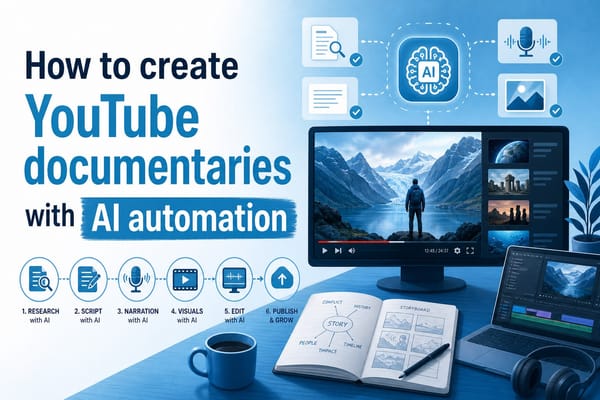
The other thing worth thinking about is how these tools fit together in a single workflow. One of the most common pain points I hear from creators is that their process is fragmented: they use one tool to generate the script, a different platform to create the voiceover, another one to produce the video, and then they're manually stitching everything together and losing time to file transfers, reformatting, and compatibility issues. The creators who are really scaling efficiently in 2026 are the ones who've found platforms that handle multiple steps of this process in one place, so they can go from a script idea to a published video with as few interruptions as possible. That kind of end-to-end workflow isn't just about convenience. It's about keeping creative momentum alive from ideation all the way through to publishing, and that matters more than it sounds when you're trying to stay consistent over weeks and months.
Ready to take the next step?
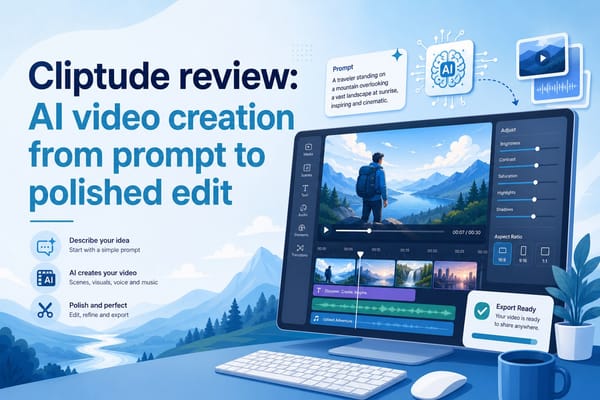
Writing YouTube scripts doesn't have to be a four-hour nightmare anymore. With the right process, a well-written prompt, and one solid editing pass, you can go from a rough idea to a complete, ready-to-record script in a fraction of the time it used to take. The creators who are growing the fastest right now aren't necessarily the most talented writers. They're the ones who figured out how to move from idea to published video without spending three days on each piece of content. Drop a comment below and tell me what topic you're planning to script next. I'd genuinely love to see what you're working on and what kind of channels you're building. And if you want a tool that's designed to handle this entire workflow in one place, including scripting, voiceover, and video creation without stitching together five different platforms, check out Cliptude. It's built for creators who want to move fast without sacrificing quality, and it's one of the most complete all-in-one solutions out there for anyone serious about growing a YouTube channel in 2026.