
AI video generator in Urdu: a practical guide

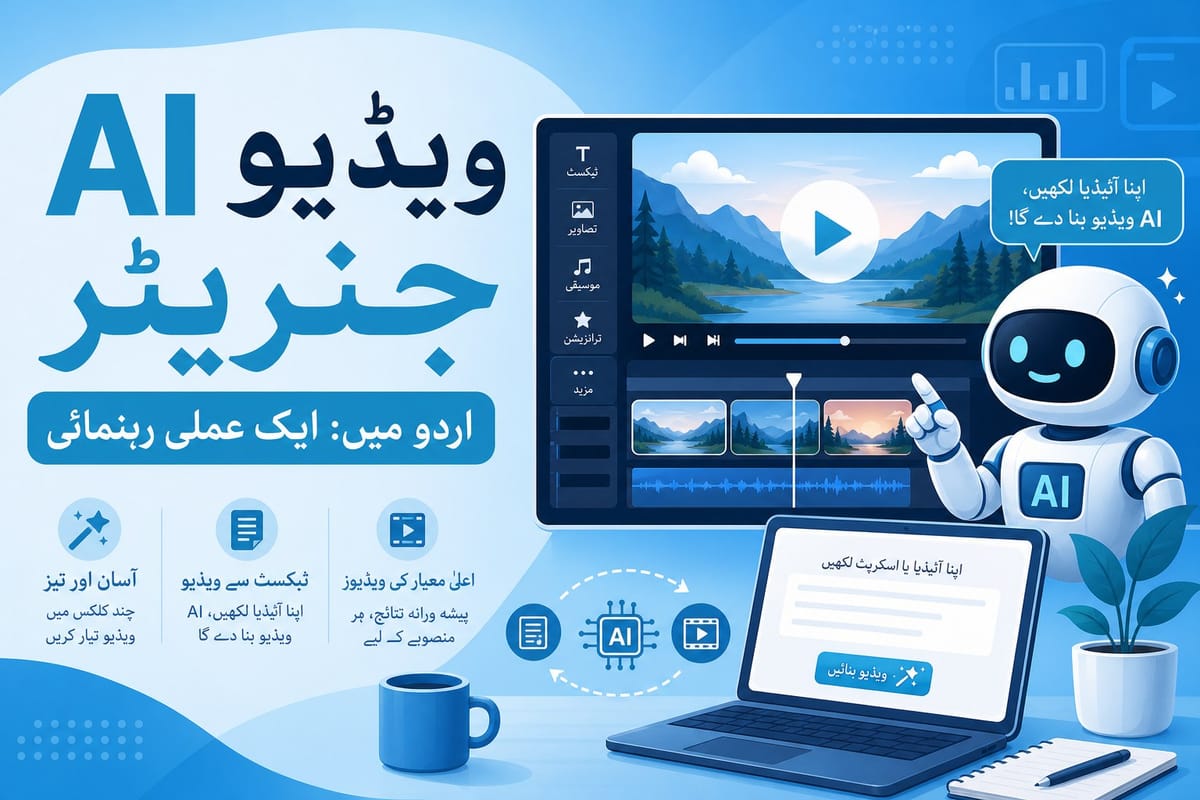
Table of contents
1. Why Urdu content creators need AI video generation right now
2. What to look for in an AI video generator that supports Urdu
3. A practical workflow for producing Urdu videos with AI
Urdu-language content is growing fast on YouTube, TikTok, and Instagram Reels. Millions of viewers across Pakistan, India, and Urdu-speaking diaspora communities around the world actively search for videos in their native language. But producing those videos has always been the hard part. Recording voice-overs, writing scripts, sourcing footage, and editing everything together takes time and skill most solo creators simply do not have. That is where an AI video generator in Urdu changes everything. In this guide, I will walk you through exactly how AI video generation works for Urdu content, what to look for in a platform, and how tools like Cliptude help you go from a simple idea to a finished, polished video without ever turning on a camera.
Why Urdu content creators need AI video generation right now
Let me start with the opportunity before I get into the tools.
Urdu is spoken by over 230 million people worldwide. It is the national language of Pakistan and widely understood across large parts of India. Yet if you search for Urdu-language educational content, documentary videos, or explainer channels on YouTube, you will quickly notice that the space is far less crowded than English-language content. That gap is an opening.
Creators who move into Urdu video content now are building audiences in a market where competition is still relatively low. A well-produced Urdu documentary channel or an Urdu educational shorts channel can grow much faster than a similar English-language channel starting from zero today.
The problem is production.
Most Urdu-speaking creators I have spoken with share the same frustrations. They have great ideas. They know their audience. But they do not have a video editing background, they cannot afford to hire a production team, and they definitely do not want to appear on camera. Traditional video production requires you to either learn a steep set of technical skills or pay someone who already has them.
AI video generation removes that barrier entirely.
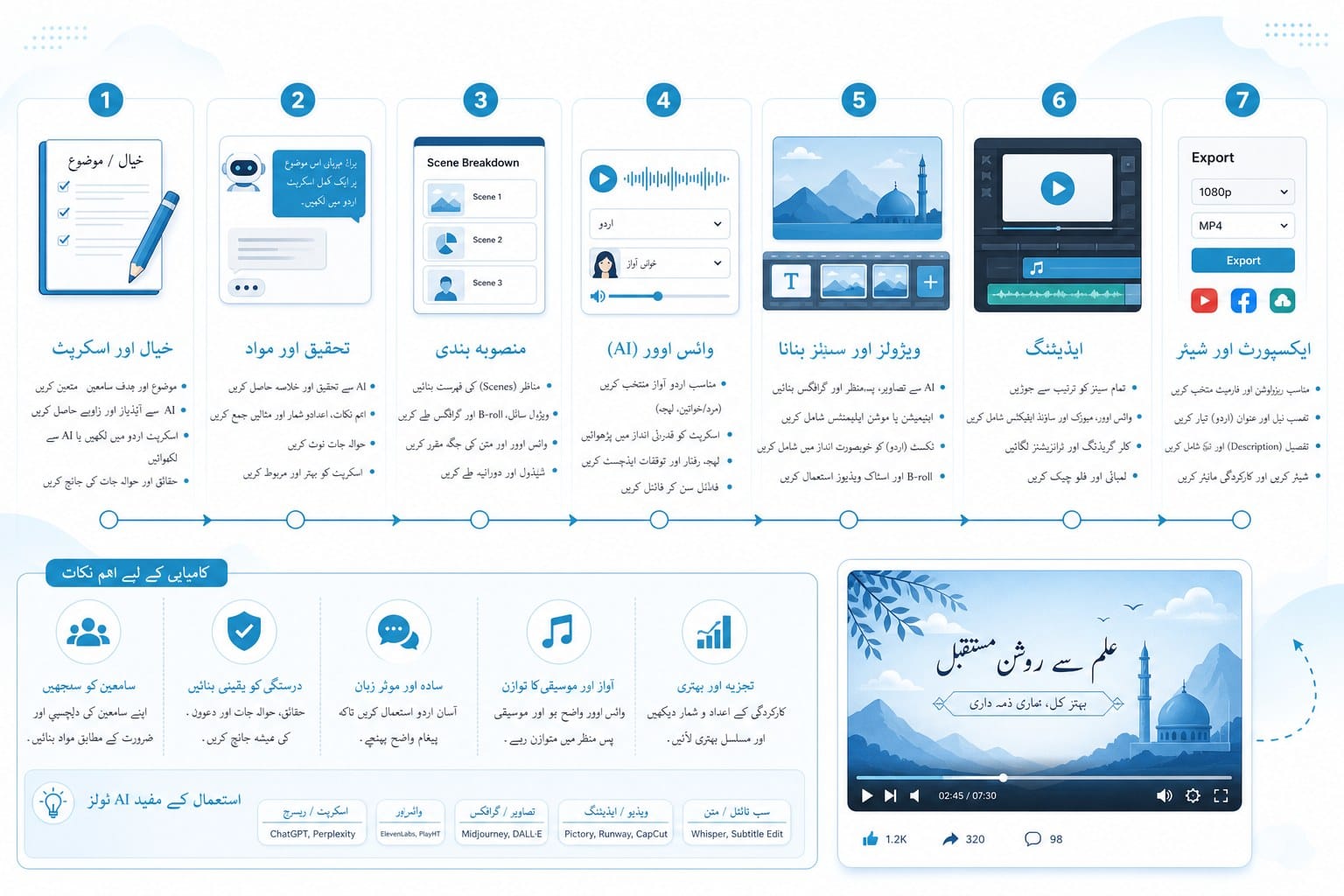
With an AI video generator designed to support Urdu content, you can type a script or a simple topic prompt, and the platform handles the research, the scripting, the footage sourcing, the motion graphics, and the final edit. The result is a video that looks professionally made, even if you have never opened a video editor in your life.
Urdu faceless channels are a particularly strong fit for this workflow. Faceless channels do not require on-camera talent. They rely on narration, footage, text overlays, and music. That format maps almost perfectly onto what modern AI video generation tools can produce automatically.
Here is a concrete example of the opportunity. A creator running a faceless Urdu history channel can produce a 10-minute documentary about the partition of 1947 without recording a single second of original footage. The AI researches the topic, writes a factual script, pulls relevant stock footage and archival images, generates motion graphics for maps and timelines, and delivers a finished video ready to upload. That same creator can publish five or six videos a week at that pace, which is the kind of output that drives real YouTube growth.
The same logic applies to shorter formats. Urdu Shorts on YouTube and Reels on Instagram are performing well in South Asian markets. Brands targeting Pakistani or Indian audiences are increasingly looking for Urdu-language content to run alongside their campaigns. Creators who can produce consistent, high-quality Urdu videos at scale are in a strong position to attract those sponsorship deals and ad revenue.
So the question is not whether to create Urdu video content. The question is how to do it efficiently enough to stay consistent.
That is exactly where an AI video generator in Urdu fits into your workflow. It is not about replacing creativity. It is about removing the production bottleneck so your creative ideas actually make it onto screen.
What to look for in an AI video generator that supports Urdu
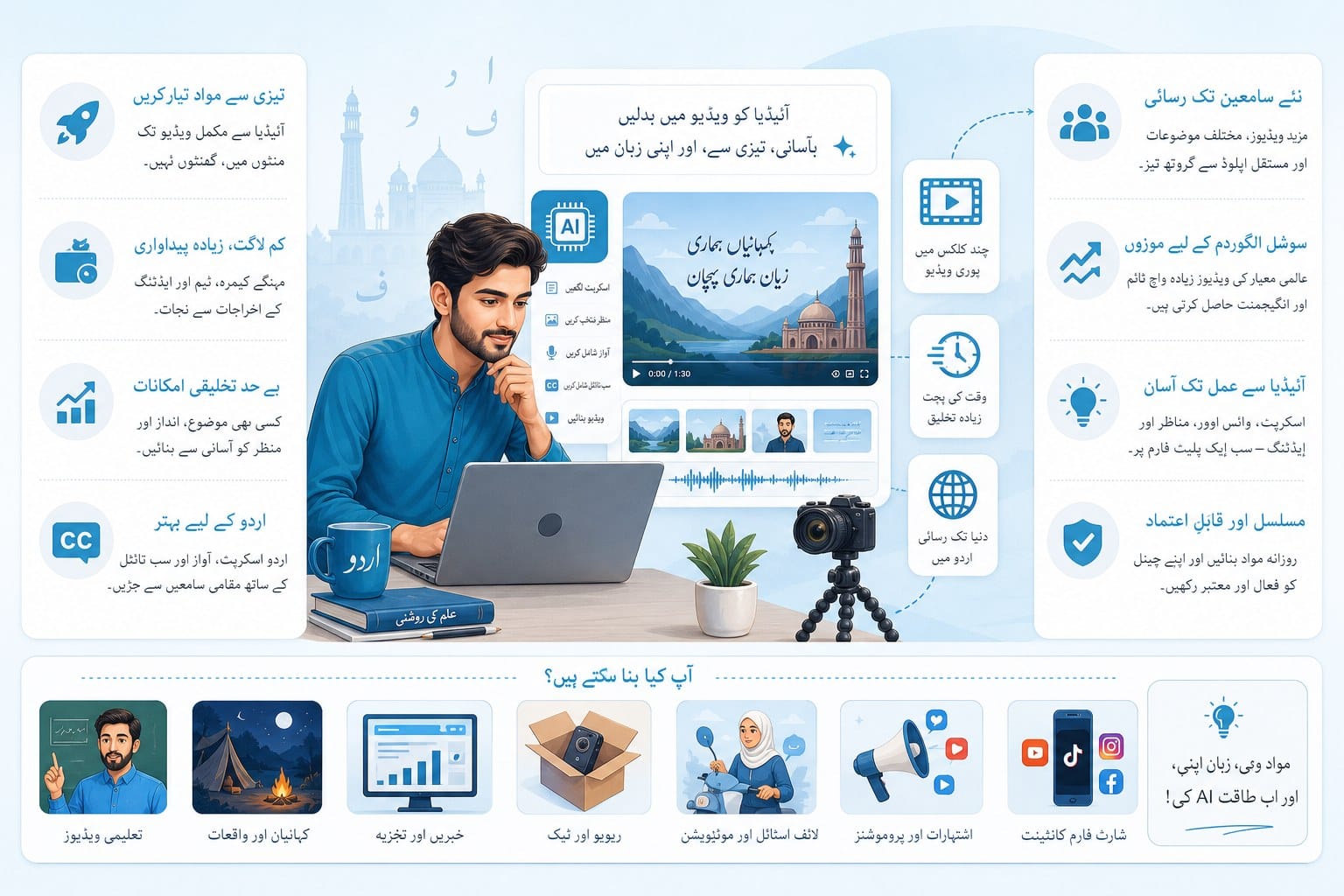
Not all AI video platforms are built the same way, and not all of them handle non-English languages well. Before I get into how to actually use these tools, let me walk through the features that matter most when you are creating Urdu-language content.
Script and language input flexibility
The first thing to check is how the platform handles input. Some AI video generators only accept English prompts and then translate or adapt the output. That approach often produces awkward phrasing or culturally tone-deaf content. A better setup lets you input your topic or script in Urdu directly, or at minimum lets you write the script yourself and import it into the platform.
If you are writing your own Urdu script and feeding it into the tool, the platform needs to handle Urdu text correctly. That means right-to-left text rendering, proper Unicode support, and accurate reading order. These are technical requirements that some platforms handle poorly.
Cliptude takes a practical approach here. You can work from a prompt in English to guide the AI research and scripting, then customise the output script before the video is generated. That gives Urdu creators control over the final language and phrasing while still getting the benefit of automated research, footage sourcing, and editing.
Voice-over and narration options
For Urdu content, narration is critical. A video with no voice-over or with an obviously robotic English narrator will not connect with an Urdu-speaking audience.
When evaluating any AI video generator in Urdu workflows, look at the voice-over options carefully. Some platforms offer Urdu text-to-speech voices. Quality varies significantly between providers. Listen to sample outputs before committing. A voice that sounds natural and clear in Urdu makes an enormous difference in how viewers receive the content.
If the platform's built-in Urdu voice options are limited, check whether you can upload your own audio. Many creators prefer to record their own Urdu narration and then let the AI handle every other aspect of production. That hybrid approach gives you full control over the voice while still saving enormous time on the editing side.
Cliptude's platform is built around the idea that creators bring the direction and the platform handles the production. That philosophy works well for Urdu creators who want to record their own narration in a natural Urdu voice and let the tool take care of footage, motion graphics, and assembly.
Footage and visual relevance
This one matters more than people realise. If you are making a video about Pakistani street food, Mughal architecture, or the history of the Indus Valley, you need footage that actually reflects those topics. A generic stock footage library full of Western cities and American office workers is not going to serve your content.
Look for platforms that source footage intelligently based on the actual topic of your video, not just generic keywords. The difference between relevant footage and irrelevant footage is the difference between a video that feels authoritative and one that feels cheap.
Cliptude automatically researches and sources footage based on the content of your script. For Urdu documentary or educational content, that automated sourcing is a serious time saver because it pulls clips that actually match what is being discussed rather than making you hunt through a library manually.
Motion graphics and text overlays
Urdu content often uses text overlays for key points, quotes, statistics, and translations. If you are creating educational content, whiteboard or animation styles can work well for illustrating concepts that are harder to show with footage.
Check whether the platform supports right-to-left text in its motion graphics and overlay system. Some tools render Arabic script incorrectly because they default to left-to-right text layout. This is a technical issue that surfaces in real production, and it is worth testing before you commit to a platform for a full production run.
For Urdu educational or explainer content, stickman and whiteboard animation formats available on platforms like Cliptude are particularly effective. They let you visualise abstract ideas, historical events, or step-by-step processes in a clean, engaging way that translates well across age groups and educational backgrounds.
Pricing and commercial rights
If you plan to monetise your Urdu channel through YouTube ad revenue, brand deals, or content licensing, you need to make sure you hold commercial rights to the videos you produce.
Cliptude uses usage-based credit pricing, which means you pay for what you actually produce rather than committing to a fixed monthly output. For solo creators or small teams building an Urdu channel from the ground up, that flexibility is practical. You can scale production up when you have more projects and dial it back when things are slow.
Always read the commercial rights terms of any platform before publishing monetised content. You should own the output or hold a clear commercial licence for everything that ends up in your video, including footage, music, and graphics.
For more detail on how to actually take AI-generated video through to publication on a platform like YouTube, the guide on how to create and publish polished video content with AI tools walks through the full workflow from prompt to published video.
A practical workflow for producing Urdu videos with AI
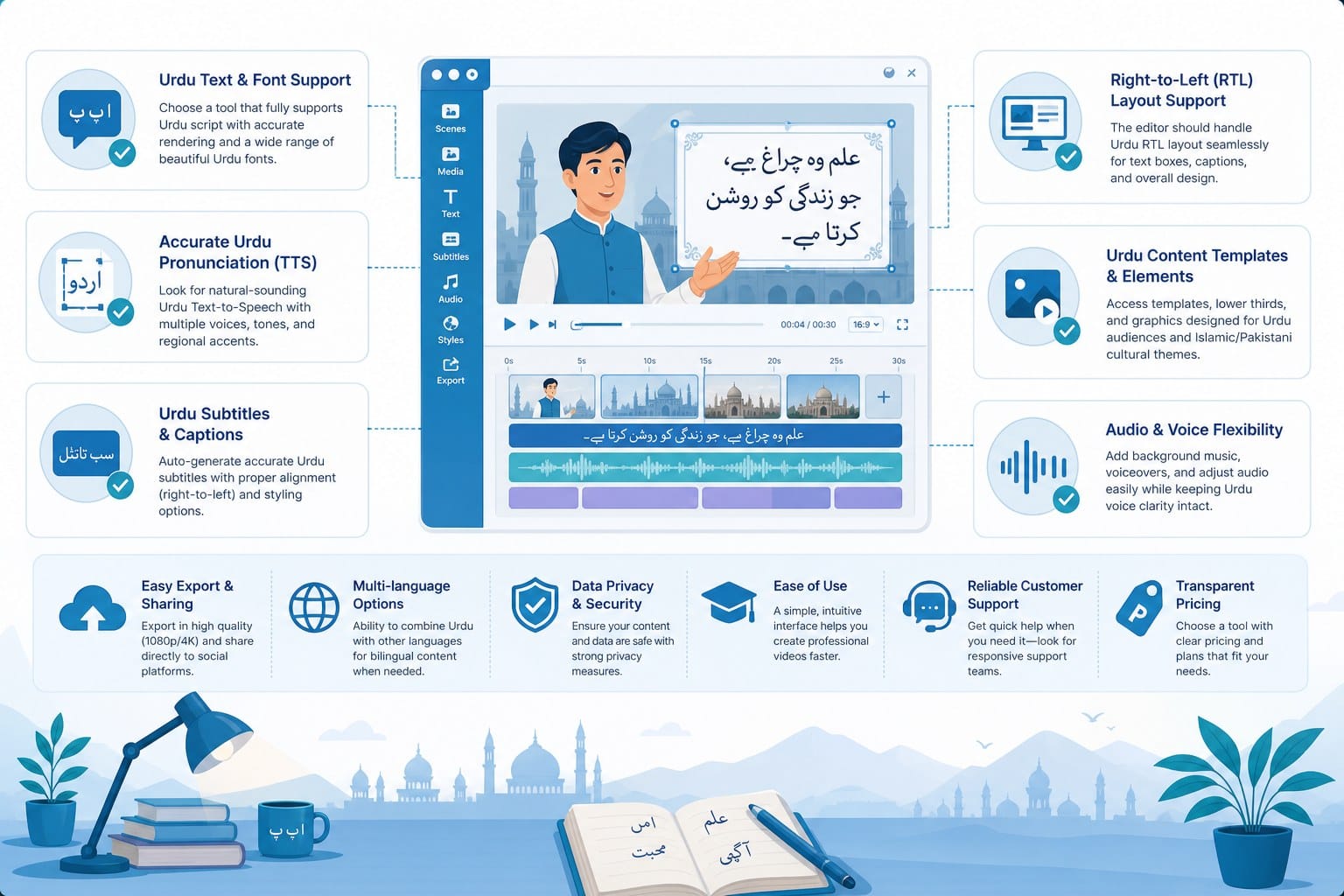
Now let me walk through what a real production workflow looks like for an Urdu creator using an AI video generator. I will keep this concrete and step-by-step so you can actually apply it.
Step 1: Choose your topic and format
Start with a topic that has clear audience demand. For Urdu content, strong-performing formats include historical documentaries, Islamic history, geography of South Asia, science explanations in simple Urdu, current events breakdowns, and motivational or self-improvement content.
Decide on the format before you start. Are you making a long-form documentary-style video of ten to twenty minutes for YouTube? A listicle-style video with five or ten points? A short under sixty seconds for YouTube Shorts or Instagram Reels? The format shapes everything that comes after, including script length, footage density, and pacing.
For example, a video titled something like "دنیا کے 10 سب سے بڑے سمندر" (The ten largest oceans in the world) is a simple listicle format that works well as a ten-minute educational video or can be broken into a short series of clips for Reels and Shorts.
Step 2: Write or generate your script
This is the most important step. The script is the foundation of everything else. If the script is weak, the video will be weak regardless of how good the footage and graphics are.
You have two main options here. First, you can write the script yourself in Urdu. This gives you full control over phrasing, tone, and cultural references. For creators who are fluent in Urdu and understand their audience well, this is often the best approach because the result sounds authentic.
Second, you can use the AI to generate a draft script from a prompt and then revise it. Type your topic into the platform, let the AI research and draft a script, and then go through it carefully to correct any factual errors, adjust the phrasing for natural Urdu flow, and add any specific details you want to include.
Either way, the script should be reviewed by someone who speaks fluent Urdu before it is finalised. AI tools trained primarily on English data sometimes produce Urdu that is technically correct but stilted or overly formal in ways that native speakers will notice immediately.
Pay attention to sentence length and pacing when writing for voice-over. Short sentences read better out loud. Aim for a conversational tone rather than an academic one. Urdu has a natural rhythm and formality range that you should match to your audience. A children's science channel sounds very different from a political history documentary.
Step 3: Record or generate the narration
For Urdu content, I recommend recording your own narration wherever possible. Authentic Urdu voice-over builds a stronger connection with viewers and avoids the robotic quality that some AI voices still carry.
If you record your own narration, use a decent microphone in a quiet room. You do not need professional studio equipment. A good USB microphone and a room with soft furnishings to reduce echo will produce clean enough audio for YouTube and social platforms.
Record your narration as a single audio file or in segments that match your script sections. Keep a copy of the script in front of you while recording and read slowly enough that the words are clear. Urdu contains sounds that are easy to rush and hard to understand when the audio is compressed for streaming.
If you prefer to use an AI-generated Urdu voice, test several options and listen critically for naturalness. Some AI voices handle the pronunciation of specific Urdu letters better than others. The letters like kha, ghain, and qaf can sound distorted in lower-quality text-to-speech systems.
Step 4: Generate the video
With your script ready and your narration recorded or generated, you are ready to produce the video. On a platform like Cliptude, you upload your script and audio, select your video format and style, and the AI handles the rest.
The platform will source relevant footage based on your script content, generate motion graphics and text overlays, sync the visuals to your narration, add background music at an appropriate volume level, and deliver a finished video file.
Review the output carefully before publishing. Check that the footage is actually relevant to what is being said at each point in the narration. Check that any text overlays are correctly rendered and accurately reflect the script. Check that the pacing feels right and that music does not overpower the narration.
If something does not look right, most platforms allow you to regenerate specific sections or swap out footage clips. Use that flexibility. A second look at the output almost always surfaces at least one or two small things worth fixing.
Step 5: Optimise and publish
Once your video is ready, do not skip the optimisation step. A well-optimised video gets found by more viewers, which is the whole point.
For YouTube, this means writing a strong title in Urdu or a bilingual title that includes relevant search terms your audience would actually type. It means writing a detailed description that summarises the video and includes relevant keywords naturally. It means selecting accurate tags and placing the video in the right category.
For the description specifically, writing a compelling, SEO-aware description makes a measurable difference in how YouTube recommends and ranks your videos. The guide on YouTube description generator: a practical guide covers exactly how to approach this so your Urdu videos get the visibility they deserve.
For Shorts and Reels, hook the viewer in the first two seconds. Urdu short-form content that performs well usually opens with a striking visual or a direct question that creates immediate curiosity. The algorithm on both platforms rewards completion rate, so keep Shorts tight and purposeful.
Thumbnails deserve special attention for Urdu content. Bold, readable Urdu text on the thumbnail combined with a compelling image significantly increases click-through rate. Tools that let you add Urdu text overlays to custom thumbnail images are worth finding and using consistently.
Building a sustainable Urdu channel with AI
The creators who build successful Urdu channels using AI video generation are not just using the tools once. They build a repeatable system.
That system usually looks something like this: a fixed set of content pillars (the three to five topic areas the channel covers), a weekly production schedule with specific days for scripting, recording, and generation, a review checklist to catch common issues before publishing, and a publishing calendar that keeps the channel active consistently.
Consistency matters more than perfection. A channel that publishes two solid Urdu videos per week every week will outperform a channel that publishes one perfect video per month. AI video generation makes that consistency achievable for solo creators and small teams because it removes the production bottleneck that would otherwise slow everything down.
If you are building a faceless Urdu channel specifically, the combination of AI research, AI scripting, your own Urdu narration, and AI video production gives you a complete workflow that requires no on-camera presence and no large team. You are essentially running a small media operation from your laptop.
Creators who want to understand how other AI platforms compare and what makes Cliptude specifically useful for this kind of workflow can find a direct comparison in the Vidrush AI alternative: what Cliptude offers instead article, which breaks down the differences in a practical way.
The bottom line is that producing high-quality Urdu video content at scale has never been more accessible. The tools exist. The audience exists. The gap in the market exists. What it takes now is a clear workflow and the discipline to execute it consistently.
Ready to take the next step?
Ready to build your Urdu video channel without spending weeks on production? Cliptude gives you everything you need to go from a simple topic to a polished, publish-ready video in one automated workflow. Whether you are making long-form Urdu documentaries, educational explainers, or short-form Reels content, the platform handles the research, scripting, footage, graphics, and editing so you can focus on growing your audience. Visit https://cliptude.com to start your first project today.



