How to create and publish polished video content with AI tools

Table of contents
1. Understanding the full video production pipeline and where AI fits in
2. Building a repeatable workflow for consistent, high-quality output
3. Choosing the right AI video tool and avoiding common mistakes
Creating polished video content used to mean hiring a full production crew, renting equipment, and spending weeks in post. That is no longer the case. AI tools have changed the process so much that a solo creator can go from a single idea to a finished, professional-looking video in a fraction of the time. Whether you run a faceless YouTube channel, manage social media for a small business, or want to launch a documentary series without ever stepping in front of a camera, the workflow is more accessible than it has ever been. In this guide, I will walk through how to build that workflow from the ground up, covering everything from scripting and footage sourcing to editing and publishing, so you can produce content that looks like it came from a full team even when it did not.
Understanding the full video production pipeline and where AI fits in
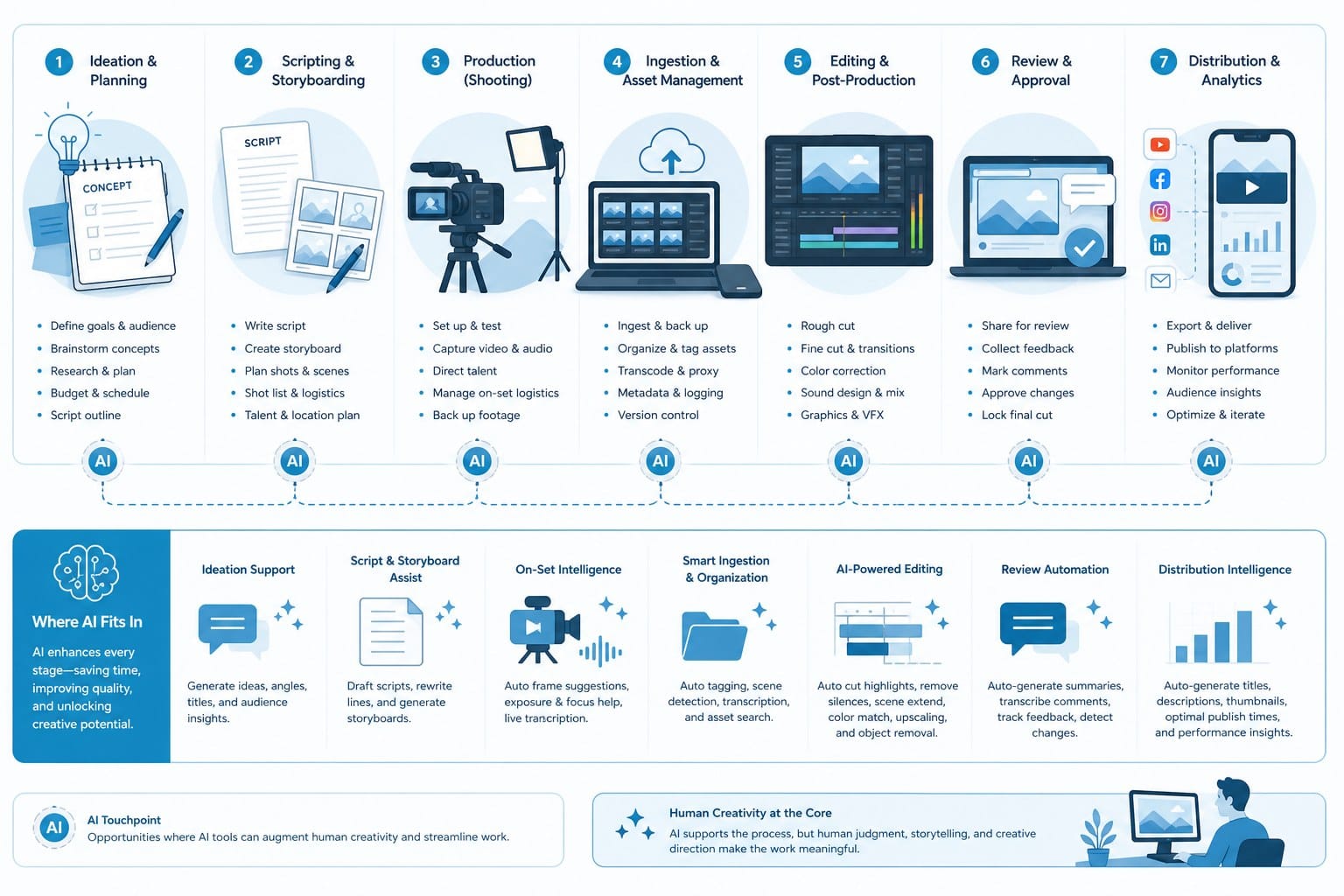
Before you start clicking buttons in any tool, it helps to understand what a video production pipeline actually looks like. Most people think of video creation as three phases: pre-production, production, and post-production. Pre-production covers your research, scripting, and planning. Production is where you capture or source footage. Post-production is editing, color grading, adding music, motion graphics, and exporting the final file. Traditionally, each of those phases required different specialists. A researcher would find the facts. A writer would shape the script. A videographer would shoot or source footage. An editor would cut it together. A motion graphics artist would handle animated text and titles. That is a lot of people and a lot of cost.
AI tools collapse that pipeline. Instead of handing tasks between specialists, a single platform can handle research, scripting, footage sourcing, animation, and editing in one connected workflow. The result is that a solo creator or a tiny team can now produce content at a volume and quality level that used to require a full agency.
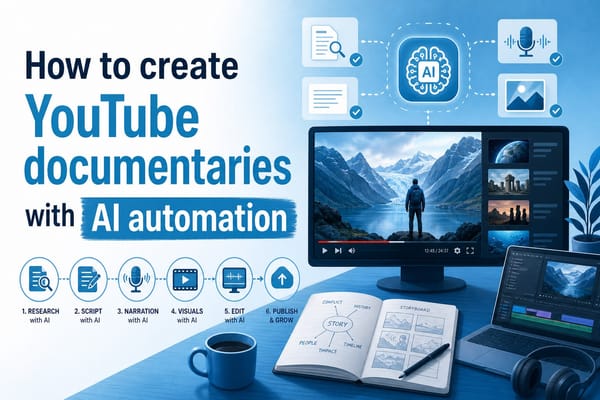
Here is what that looks like in practice. You start with a prompt or a script. The AI researches the topic, builds a structured narrative, finds or generates relevant footage, creates motion graphics for titles and transitions, and assembles it all into a finished video. The creator's job shifts from doing every task manually to guiding the AI with clear inputs and reviewing the output with a critical eye.
Understanding this shift matters because it changes how you should think about your own role. You are not replacing creativity with automation. You are removing the friction between having an idea and seeing it fully realized. A good idea is still the foundation. The AI handles execution.
Let's get specific about what each part of that pipeline looks like when you use AI tools well.
Research and scripting are the starting point. When I begin a new video project, I think about what question the video is answering and who is watching it. A faceless YouTube documentary about deep sea creatures needs a different tone and structure than a 60-second TikTok explainer about personal finance. Getting clear on format, audience, and core message before you write a single word saves you time later.
Once I have that clarity, I feed it to the AI as a prompt. A strong prompt includes the topic, the intended platform (YouTube long-form, Instagram Reels, YouTube Shorts), the tone (educational, conversational, dramatic), and any specific angle I want to take. The more specific the prompt, the better the output. Vague prompts produce generic scripts. Specific prompts produce scripts that feel intentional.
For example, instead of typing 'write a video about the Amazon rainforest,' I would type something like: 'Write a 10-minute documentary-style script about the Amazon rainforest focused on the economic pressures driving deforestation, aimed at a general adult audience interested in environmental topics. Use a serious but accessible tone.' That extra detail shapes everything downstream.
After the script is generated, I always review it before moving to the next step. AI-generated scripts are a starting point, not a finished product. I check for factual accuracy, confirm that the narrative flows logically, and adjust the language to match the voice I want for the channel. This editing pass is where a creator's judgment still matters a great deal.
Footage sourcing is the next challenge. For creators running faceless channels, finding the right visuals to match a script line by line is one of the most time-consuming parts of the process. AI tools solve this by automatically pulling relevant stock footage, licensed clips, or AI-generated visuals based on the script content. Instead of searching a stock library manually for every scene, the platform reads the script and assigns footage to each segment automatically.
This does not mean every clip will be perfect on the first pass. I still review the footage selections and swap out anything that does not fit the mood or the moment. But the starting point is far better than a blank timeline, and the time saved is significant.
For animation formats like whiteboard videos or stickman animations, AI tools can generate those visuals entirely from scratch based on the script. This opens up a whole category of educational content that previously required an animator. A solo creator can now produce a clean whiteboard-style explainer about a complex topic without any design skills at all.
Motion graphics and audio are the final layer that separates a rough cut from a polished video. AI tools handle lower thirds, title cards, transitions, and background music based on the tone of the content. These small details make a big difference in perceived quality. A video with clean typography and well-timed transitions looks professional even when the underlying footage is simple stock material.
Background music is one area where creators often underestimate the impact. The right track sets an emotional tone that supports the narration. AI tools can select or generate music that matches the pacing and mood of the script, which removes another manual task from the workflow.
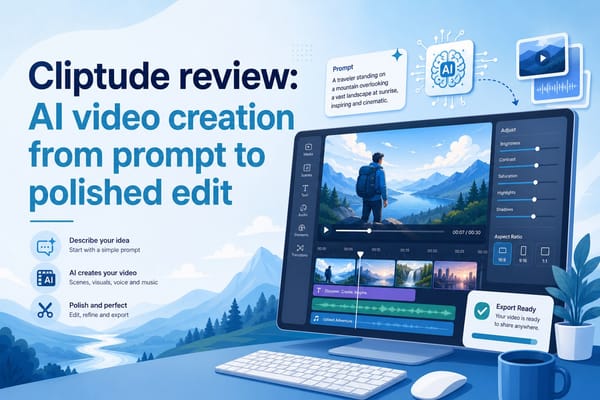
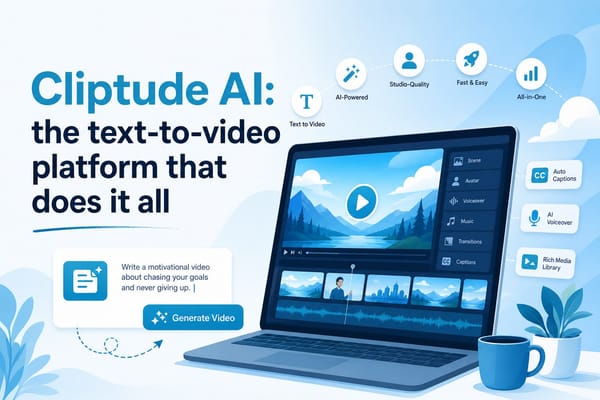
Platforms like Cliptude bring all of these steps into a single pipeline. You enter a prompt or upload a script, and the platform handles research, scripting, footage sourcing, motion graphics, and editing automatically, producing a video you can review and publish. This is what makes the modern AI video workflow genuinely different from earlier tools that only handled one part of the process.
Building a repeatable workflow for consistent, high-quality output
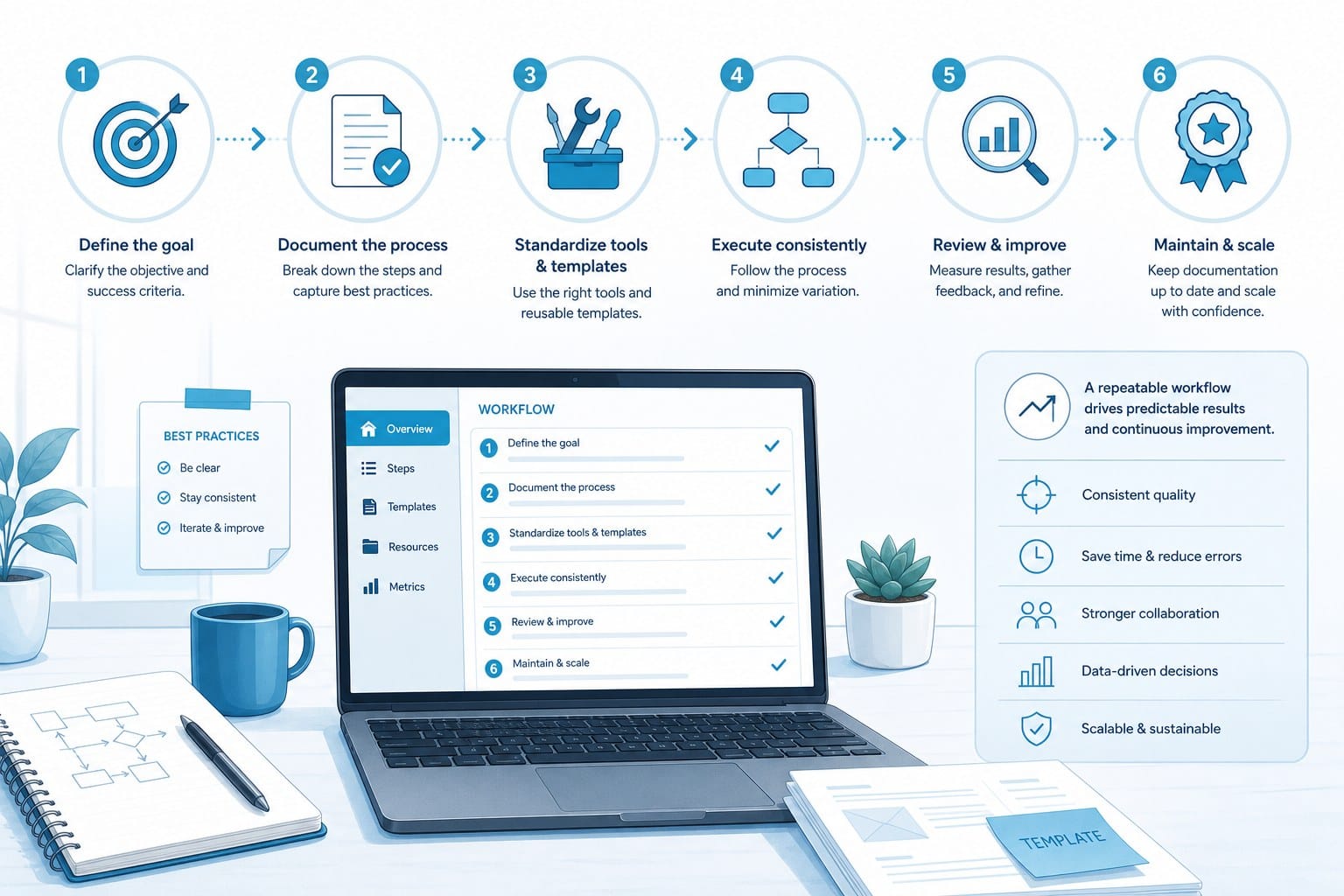
One video is a nice result. A sustainable content operation requires a repeatable workflow. The creators who build successful channels at scale are not reinventing the process for every video. They have a system. AI tools make it much easier to build that system without burning out.
Here is the workflow I recommend for creators who want to produce consistently polished content.
Step one is your content calendar. Before you open any tool, decide what you are making and when it needs to be ready. A content calendar does not need to be complex. A simple spreadsheet with video topics, target publish dates, and target platforms is enough. The discipline of planning ahead means you are never scrambling for ideas at the last minute, and it gives you a clear backlog to work from.
For faceless YouTube channels focused on long-form documentary or listicle content, I suggest planning at least four to six videos ahead. That buffer gives you time to review AI-generated drafts carefully without rushing to hit a publish deadline. For short-form content on TikTok, Instagram Reels, or YouTube Shorts, you can plan further ahead because the production time per video is shorter.
Step two is topic research and angle selection. AI tools are helpful here, but I still spend time thinking about what angle will make a video worth watching. Search volume and trending topics are useful signals, but the most successful videos usually have a specific point of view or an unexpected angle on a familiar topic. Before I prompt the AI, I ask myself: what does this video offer that someone could not get from a generic article on the same subject?
For educational and explainer content, the best angles are often the ones that simplify something complicated or correct a common misunderstanding. For documentary-style content, a strong narrative arc makes the difference between a video people click away from and one they watch all the way through.
Step three is prompting and script generation. As I mentioned earlier, the quality of your prompt directly determines the quality of the script. I have found it useful to keep a document of prompt templates for different video formats. A template for a 10-minute YouTube documentary looks different from a template for a 60-second Reels script, and having those saved saves time at the start of each project.
When I generate a script, I review it in three passes. The first pass checks the overall structure: does it have a clear opening, a logical middle, and a satisfying conclusion? The second pass checks facts: are any claims vague, unsupported, or potentially inaccurate? The third pass checks voice: does this sound like the channel, or does it need adjustment to match the established tone?
This three-pass review adds maybe 20 minutes to the process but significantly improves the final output. Skipping this step is how AI-generated content ends up feeling generic or off-brand.
Step four is footage and asset selection. Once the script is approved, I move into the platform to review the automated footage and asset selections. My approach here is to watch through the auto-assembled version first without stopping, just to get a sense of the overall feel. Then I go back and flag any clips that are clearly wrong, any that feel too generic for the moment, or any where the audio and visual are slightly out of sync.
For animation formats, I review the generated visuals to make sure they are accurate representations of the concepts in the script. An AI-generated animation of a scientific process, for example, should be checked to confirm it is not misleading even if it looks clean.
Step five is final editing and audio review. Even with AI handling most of the editing, I spend time on the final cut listening carefully to the narration. AI-generated voiceovers have improved dramatically, but there are still moments where pacing is off or emphasis lands on the wrong word. I adjust those moments manually before export.
I also listen to the background music at full volume to make sure it does not overpower the narration. This is a common mistake in AI-assembled videos. The music level should support the content, not compete with it.
Step six is export and platform optimization. Different platforms have different technical requirements. YouTube long-form videos perform best at 1920x1080 resolution with a standard aspect ratio. YouTube Shorts, TikTok, and Instagram Reels use vertical 9:16 framing. Exporting the wrong format for a platform is a basic mistake that affects how the algorithm treats your content.
Beyond technical specs, platform optimization includes writing a strong title, crafting a description that includes relevant keywords, selecting a compelling thumbnail, and adding chapters for longer videos. These elements are not part of the video file itself, but they directly affect discoverability and click-through rates. If you want practical guidance on the description side of this, the YouTube description generator: a practical guide is worth reading before you publish your next video.
Step seven is publishing and performance review. After publishing, I track basic performance metrics for each video: views in the first 48 hours, average view duration, click-through rate on the thumbnail, and audience retention at key points in the video. These numbers tell me what is working and what needs adjustment in future videos.
Average view duration is the metric I pay closest attention to. If viewers are dropping off at the same point in every video, that tells me something about the pacing or structure that I need to fix. AI tools can help me identify these patterns over time by analyzing which types of scripts or formats retain viewers better.
Repeating this workflow consistently is what separates creators who grow their channels from those who produce a few good videos and then plateau. The system matters as much as any individual video.
One more thing worth mentioning: commercial rights. If you are planning to monetize your AI-generated content, you need to confirm that the platform you use grants full commercial rights to the output. Some tools produce content with licensing restrictions that make monetization complicated. Cliptude grants full commercial rights to videos produced on the platform, which removes that concern for creators who want to run ads, sell the content, or use it in client work.
Choosing the right AI video tool and avoiding common mistakes
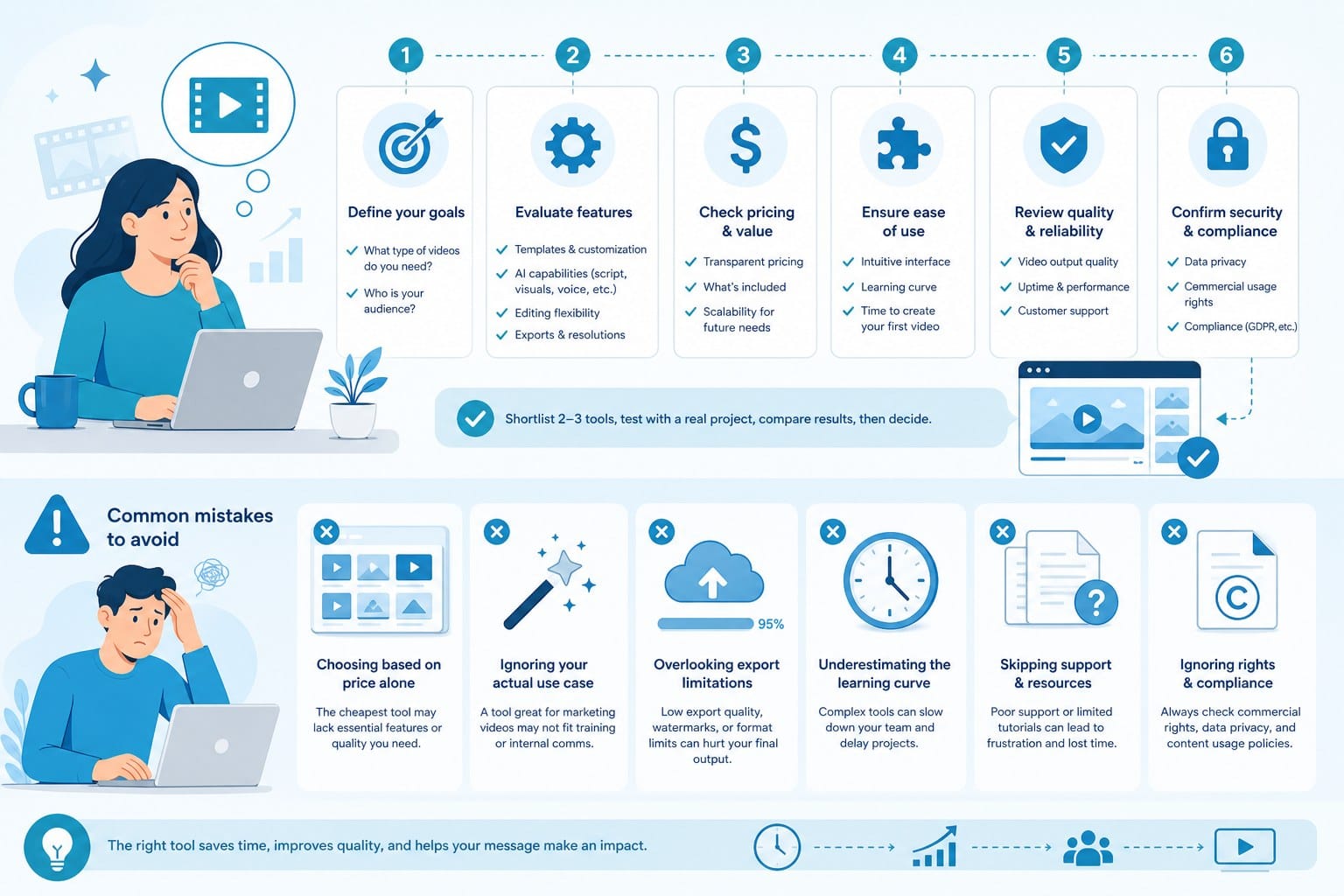
The market for AI video tools is crowded and growing fast. Choosing the right platform is not about finding the most feature-rich option. It is about finding the one that fits your specific workflow, content format, and production goals.
I think about AI video tools in terms of what they actually handle end-to-end versus what they require you to bring yourself. Some tools are script generators with export options. Others are footage sourcing libraries with basic editing. A smaller number of platforms handle the full pipeline: research, scripting, footage, motion graphics, narration, and editing in one place.
For creators who want to produce polished long-form content without assembling a separate stack of tools, an end-to-end platform is the practical choice. It reduces the number of handoffs between tools, which reduces the chances of something getting lost or inconsistent along the way.
Cliptude is built for this kind of full-pipeline production. You can go from a text prompt to a finished documentary, listicle, explainer, animation, or short without leaving the platform. The pricing is usage-based on a credit system, which means you pay for what you produce rather than a flat monthly fee regardless of output volume. For solo creators and small teams whose production volume varies month to month, that flexibility matters.
If you have looked at other tools in this space and are trying to understand how Cliptude compares, the Vidrush AI alternative: what Cliptude offers instead article breaks that down clearly. There is also a more detailed look at the differences in the Vidrush alternative: meet Cliptude for AI video creation post, which is useful if you are actively evaluating your options.
Beyond platform selection, there are several common mistakes I see creators make when they first start using AI video tools. Avoiding these early saves a lot of frustration.
The first mistake is treating AI output as a finished product. AI tools produce a strong starting point, not a final deliverable. Every AI-generated video needs a human review pass before it goes public. That review catches factual errors, awkward phrasing, footage mismatches, and audio issues that the AI does not catch on its own. Creators who skip this step often end up with content that looks polished on the surface but contains errors that undermine credibility.
The second mistake is using the same format for every platform. A 10-minute YouTube documentary and a 60-second TikTok are completely different formats with different audience expectations. Repurposing long-form content for short-form platforms requires more than just trimming the video. You need to restructure the narrative for a viewer who will decide in the first three seconds whether to keep watching. AI tools can help with this reformatting, but only if you give them clear instructions about the target platform and format.
The third mistake is ignoring the thumbnail. For YouTube, the thumbnail is the first impression. It is what determines whether someone clicks your video at all. AI tools generally do not produce thumbnails automatically, which means this is one of the few remaining manual tasks in an otherwise automated workflow. Investing time in a clear, high-contrast thumbnail with a readable title and a compelling visual is still one of the highest-return activities a creator can do.
The fourth mistake is producing content without a clear audience in mind. AI tools can generate content on virtually any topic, which means the limiting factor is no longer production capacity. The limiting factor is knowing what your audience actually wants to watch. Creators who try to cover every trending topic without a clear niche end up with channels that do not build loyal audiences. A tighter focus, even if it feels limiting at first, builds more sustainable growth.
The fifth mistake is underestimating the value of consistency. Algorithms on YouTube, TikTok, and Instagram reward channels that publish regularly. One great video every three months will not build momentum the way one solid video every week will. AI tools make it possible to maintain that publishing cadence without the burnout that typically comes from producing everything manually. That is one of the most compelling practical arguments for using these tools: not that they make you faster, but that they make consistency sustainable.
The sixth mistake is neglecting audio quality in AI-generated narration. AI voiceovers have become genuinely convincing, but the default settings do not always produce the best result for every type of content. A dramatic documentary benefits from a different vocal pace and tone than a lighthearted listicle. Most AI platforms give you control over voice selection, pacing, and emphasis. Taking a few minutes to adjust these settings for each project makes a noticeable difference in the finished video.
The seventh mistake is failing to build a content library. As you produce more videos, you accumulate scripts, prompts, footage selections, and performance data. Creators who organize this material build a compounding advantage over time. A well-organized content library lets you identify what is working, reuse strong structural elements in new videos, and spot gaps in your content calendar before they become problems.
Finally, a word on the topic of the createhljscontent il-tuto search context that brought you here. Whether you are working through a tutorial, trying to understand how syntax highlighting or code-adjacent tools connect to your video publishing workflow, or looking for a way to structure technical content into video format, the underlying answer is the same. AI video tools let you take complex, text-based information and transform it into visual content that is easier for an audience to absorb. That is valuable whether the subject matter is software development, science, history, finance, or any other field where dense information benefits from being shown rather than just described.
The creators who win with AI video tools are not the ones who automate the most. They are the ones who stay clear on what their audience needs, use AI to remove the friction between idea and output, and maintain the discipline to review and improve every video before it goes live. That combination of clear strategy, smart automation, and careful human review is what produces content that stands out in an increasingly crowded space.
Ready to take the next step?
If you are ready to start producing polished video content without a production team, Cliptude is built for exactly that workflow. You can go from a prompt to a finished documentary, short, explainer, or animation with full commercial rights and usage-based pricing that scales with how much you produce. Visit Cliptude to start your first project today.