AI whiteboard video maker that scripts and animates for you

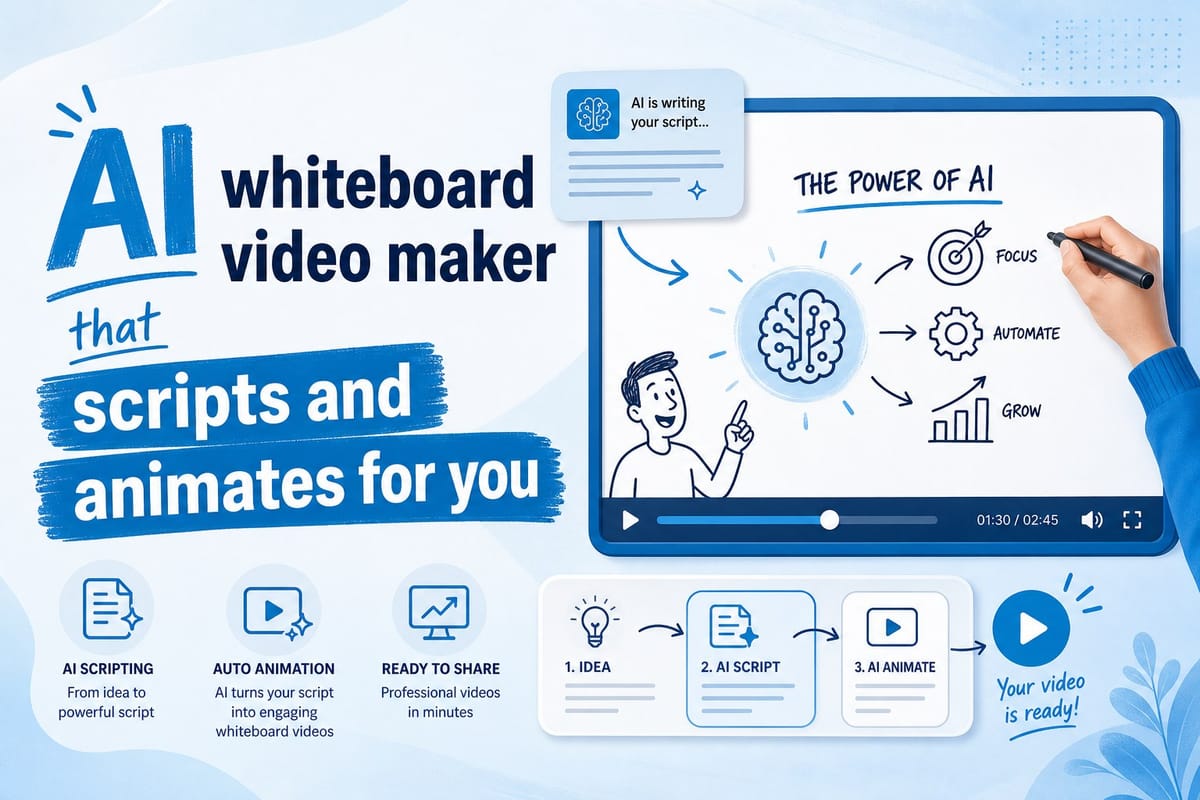
Table of contents
1. Why whiteboard videos still dominate educational and explainer content
2. How an AI whiteboard video maker handles scripting, animation, and editing together
3. Turning whiteboard videos into a consistent publishing strategy
Whiteboard videos are one of the most effective formats on YouTube. They hold attention, explain complex ideas clearly, and work just as well for a ten-minute explainer as they do for a short-form clip. The problem is that making them the traditional way takes a lot of time. You write a script, record a voiceover, hire an animator or spend hours in software you barely know, and then edit everything together. Most creators skip the format entirely because the production barrier is too high. That is where an AI whiteboard video maker changes the game. Instead of juggling five different tools, you describe what you want and let the AI handle the rest. In this guide, I will walk through exactly how that works, why whiteboard animation is worth your time, and how a platform like Cliptude makes the whole process faster than any traditional workflow I have seen.
Why whiteboard videos still dominate educational and explainer content
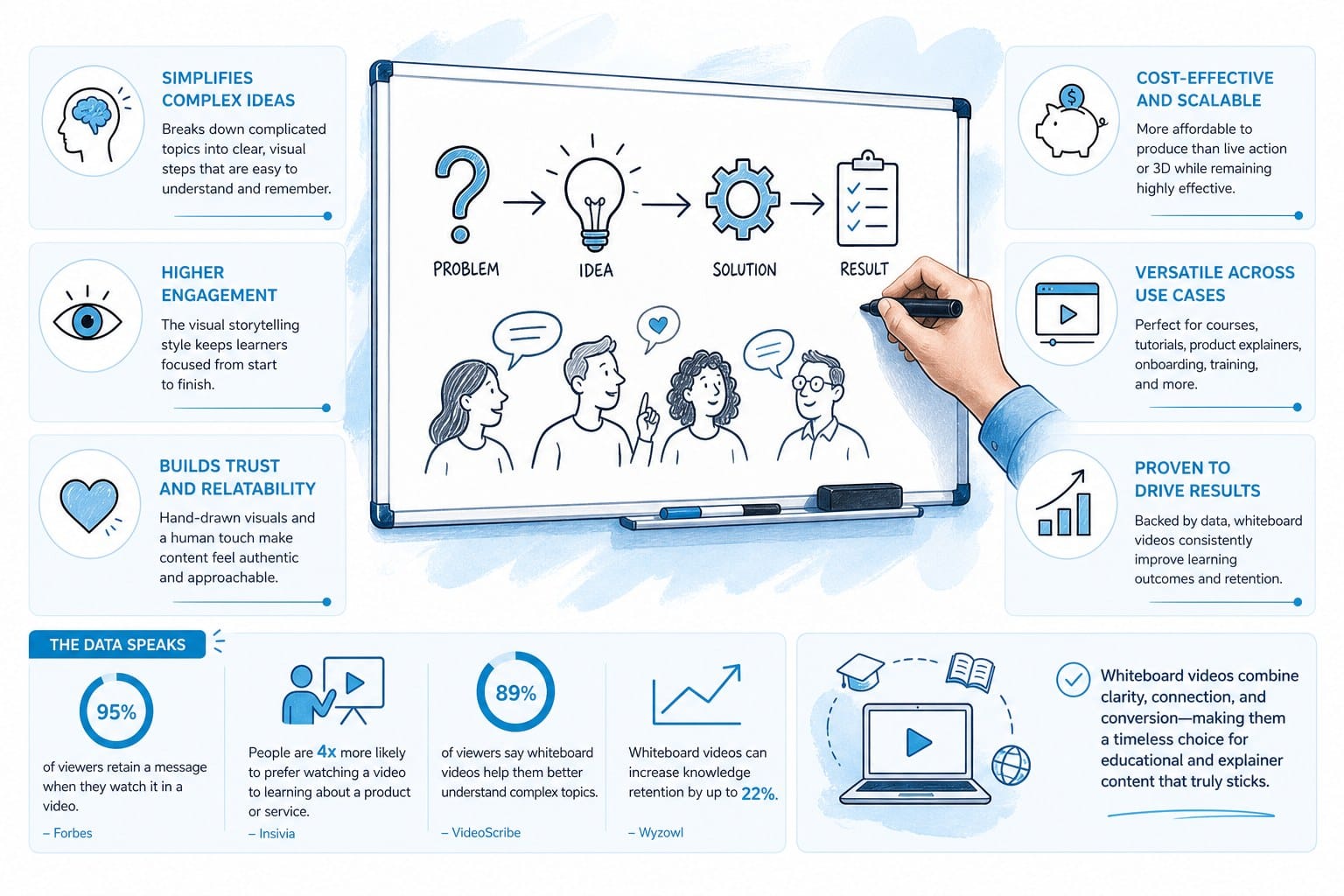
If you spend any time on YouTube looking up how things work, you have probably watched a whiteboard video without even thinking about it. The format has been popular for over a decade, and the reason is simple: it works. A hand drawing out a concept on screen keeps your eyes moving. There is always something new appearing, which means your brain stays engaged instead of zoning out. Retention rates on whiteboard animation tend to be higher than standard talking-head or slideshow videos because the visual storytelling matches the audio explanation point for point. Each new drawing lands exactly when the narrator introduces a new idea, so the two tracks reinforce each other instead of competing.
Educational channels use whiteboard videos constantly. Topics like personal finance, science, history, and self-improvement translate perfectly into this format. You do not need to show your face, you do not need a fancy camera setup, and you do not need to be a professional animator. The style is clean, minimal, and professional-looking by default. That makes it ideal for faceless YouTube channels, which are one of the fastest-growing content creation approaches right now. A creator who is camera-shy or who simply wants to protect their privacy can build a serious audience with nothing more than a good script and strong visuals.
Beyond education, whiteboard animation also performs well for how-to content, product explainers, and listicle videos. If you have ever watched a video titled something like "7 habits that changed my life" or "how compound interest actually works," there is a good chance it used whiteboard-style graphics to make the information easier to follow. The format signals credibility. Viewers associate it with clear thinking and well-organized information. That association is not accidental. When a creator takes the time to break a topic into sequential visuals, it shows that they understood it well enough to teach it. Viewers pick up on that signal, even if they never consciously name it.
The format also ages better than most. A talking-head video recorded in 2018 might look dated because of the camera, the background, or the presenter's style. A clean whiteboard explainer from the same year usually holds up fine. The visuals are abstract enough that they do not reference a specific moment in time, which means older videos can keep pulling search traffic without looking stale. For a creator building a channel with long-term monetization in mind, that evergreen quality matters. A video about how to read a pay stub or how the federal reserve sets interest rates can rank in search and earn ad revenue for years if it is well-made.
For small media teams and solo creators, the format is especially attractive because it removes the pressure of on-camera performance. You do not need to worry about lighting, makeup, or whether you look tired. The content itself carries the video. That is a significant advantage when you are trying to build a channel without spending hours on production every single day. It also means you can cover topics outside your immediate comfort zone without worrying about whether your facial expression matches your level of confidence. The animation speaks for you.
The challenge has always been execution. Writing a solid script takes time. Getting the pacing right requires experience. Animating even a simple whiteboard sequence used to mean learning software or hiring someone, and freelance animators charge accordingly. Entry-level whiteboard animation software has a steep learning curve, and the output quality varies widely depending on how much time you invest. Most creators who wanted to try the format ended up giving up before they finished their first video. They would spend a weekend learning the tool, produce something that looked amateurish, and quietly move on. That friction is exactly what AI tools are designed to eliminate, and the best ones do it without sacrificing quality.
It is also worth noting how the whiteboard format fits into the broader YouTube ecosystem right now. Short-form content like YouTube Shorts, TikTok, and Instagram Reels has pushed creators toward faster, more visual storytelling. Whiteboard animation is already built around that principle. Each new drawing is a micro-moment of visual interest. That makes the format adaptable to both long-form and short-form without requiring a fundamentally different approach. A 45-second whiteboard clip explaining one idea can perform just as well on Shorts as a 12-minute deep-dive does on the main feed. You are not locked into one length or one platform. You are building content that fits wherever your audience spends time.
Creators who master this format early tend to build durable channels. The combination of evergreen topics, professional-looking visuals, and no on-camera requirement creates a production model that scales. Once you have a workflow that reliably produces good whiteboard videos, you can increase your publishing frequency, explore new niches, or start a second channel without doubling your workload. That is the promise of the format, and AI tools are finally making it realistic to deliver on.
How an AI whiteboard video maker handles scripting, animation, and editing together
When most people hear "AI video tool," they think of something that automates one part of the process. Maybe it generates captions automatically, or it picks background music, or it clips your long video into shorts. Those tools are useful, but they still leave most of the heavy work to you. A proper AI whiteboard video maker does something more ambitious: it takes your idea from a single prompt or a rough concept and handles every stage of production, from research to final export. The distinction matters because partial automation still requires you to be a producer. Full pipeline automation lets you be a strategist.
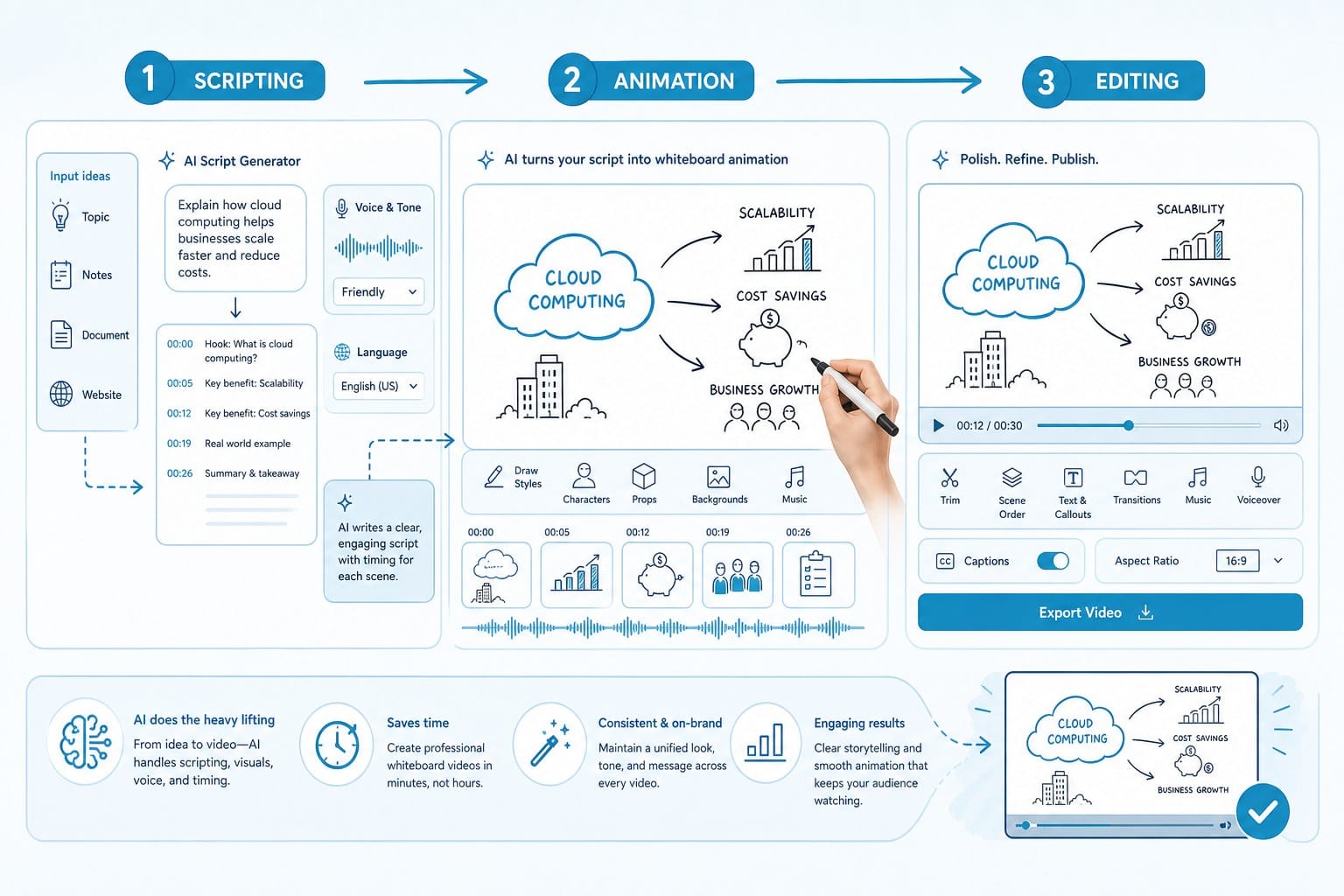
Here is how that works in practice with a platform like Cliptude. You start with a topic. Say you want to make a whiteboard explainer about how the stock market works for beginners. You type that prompt in, and the AI begins by researching the topic and building a structured script. It does not just string together random facts pulled from a search engine. It organizes the information into a narrative arc: an opening hook that gives the viewer a reason to keep watching, a series of clearly explained points that build on each other, and a conclusion that gives the viewer something actionable to take away. The script is written to match the pacing of animation, so each sentence connects to a visual beat rather than running ahead of or behind what appears on screen.
Once the script exists, the AI maps out the animation sequence. In a whiteboard-style video, this means deciding what appears on screen at each moment and in what order. The system generates motion graphics that match the script automatically instead of requiring you to place assets frame by frame. The whiteboard and stickman animation styles are built into the platform, which means you do not have to design anything from scratch. You choose the visual style, and the system handles the execution. If you want a cleaner, more corporate look, you lean toward whiteboard. If you want something lighter and more casual, stickman animation fits that register. Both are available within the same workflow.
Voiceover is generated alongside the animation. The timing is synced so that what the narrator says matches what appears on screen. This is one of the details that separates a polished video from an amateur one. When the audio and visuals drift out of sync, even slightly, it is distracting. Viewers may not consciously identify the problem, but they feel uncomfortable and often click away. Fixing sync issues manually is one of the most time-consuming parts of editing, and it requires a good ear and a steady hand in the timeline. Having it handled automatically saves hours per video and produces more consistent results than most manual edits.
The final step is assembly. The AI puts everything together into a complete video with transitions, text overlays, and any supporting motion graphics that reinforce the content. You end up with an export-ready file that looks like it took a full production team to make. For creators trying to publish consistently, that kind of output at that speed is a real competitive advantage. Your competitors who are still doing this manually are spending three days on a video you are producing in an afternoon.
If you are curious about how this applies to longer-form content more broadly, AI text to video for YouTube creators: a complete guide covers the process in depth. The same principles that apply to documentary and listicle content apply to whiteboard animation. The AI handles research, structure, and production so you can focus on topic selection, audience understanding, and channel strategy, which are the decisions that actually compound over time.
One thing worth clarifying is that using an AI whiteboard video maker does not mean you are completely hands-off. You can still guide the output by choosing your topic carefully, reviewing the script before the animation is generated, and making adjustments if something does not match your intended tone or brand voice. The AI accelerates the process, but your creative direction still shapes the result. Think of it less like outsourcing your channel and more like having a fast, reliable production assistant who handles execution while you focus on decisions. The final video reflects your thinking because you chose the topic, the angle, and the style. The AI just does the labor.
The research phase deserves more attention than it usually gets in discussions about AI video tools. A lot of AI-generated content fails not because the production is poor but because the script is thin. The AI pulls surface-level information, structures it generically, and produces a video that sounds fine but says nothing a viewer could not have found in thirty seconds on their own. A platform built for YouTube creators accounts for this by going deeper into the topic during the research phase, identifying the specific questions viewers are asking, and writing scripts that answer those questions directly rather than restating obvious information. That is the difference between a video that ranks and gets shared and one that gets a few views and disappears.
Script review is where your expertise adds the most value. If you know the topic well, you can catch anything the AI got wrong, flag claims that need more nuance, and add examples that come from your own experience. If you are covering a topic you are still learning, this is also a good opportunity to verify the key points before they go live. The AI is not a primary source. It is a structuring and production engine. Treat its output accordingly and you will produce better content than if you accept everything without looking at it.
Pricing is another point that comes up often. Cliptude uses usage-based credit pricing, which means you pay for what you produce rather than committing to a flat monthly subscription that may not match your actual output. For creators publishing one or two videos a week, this tends to be more cost-effective than traditional software subscriptions that charge the same amount whether you use the tool heavily or barely touch it. For teams scaling to daily publishing, the model still works because your credit usage grows with your output rather than running into a hard ceiling that forces you to upgrade plans you do not fully need.
Commercial rights are worth addressing explicitly because they matter for anyone treating this as a business. When you produce a video with Cliptude, you get full commercial rights to the output. You can monetize it through YouTube's partner program, run sponsorships against it, or deliver it as a client project if you are offering video production as a service. This is not always the case with AI tools, and the licensing terms can be buried in the fine print. Checking before you invest significant time in any platform protects you from discovering later that you do not actually own what you made.
Turning whiteboard videos into a consistent publishing strategy
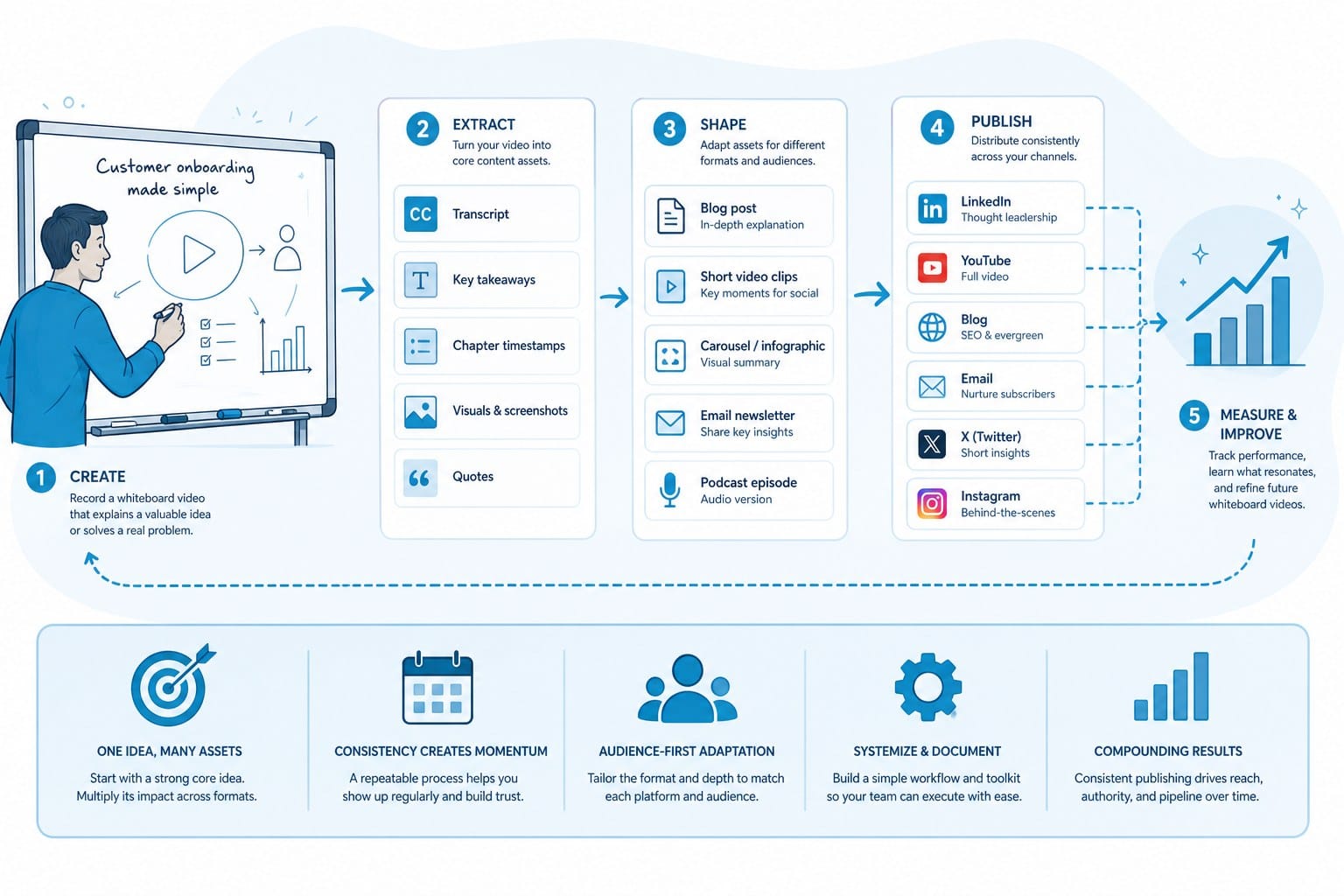
One of the biggest mistakes I see from new creators is treating each video as a one-off project. They put in a huge amount of effort for a single upload, burn out, and then go quiet for weeks. Whiteboard animation, especially when produced with an AI whiteboard video maker, is one of the best formats for building a consistent publishing schedule because the production time is so compressed. The bottleneck that used to force creators into a slow release cadence simply does not exist in the same way anymore.
Let me give you a concrete example. Suppose you are running a faceless YouTube channel about personal finance. You have identified ten topics your audience cares about: budgeting basics, understanding credit scores, how to start investing, emergency funds, the difference between a Roth and a traditional IRA, how to read a credit card statement, why most people overspend, how to negotiate a salary, what net worth actually means, and how inflation erodes savings. With a traditional workflow, each video might take two to three days to script, animate, voice, and edit. That means ten videos takes you three to four weeks of full-time work, assuming nothing goes wrong and you do not have to redo anything.
With an AI-powered platform, that timeline collapses significantly. You can generate a polished whiteboard video from a prompt in a fraction of the time that manual production requires. Ten videos that once took a month might now take a few days of focused work. You spend more of your time on strategy, on understanding what your audience is searching for, and on promoting your content across platforms. Those are the activities that actually drive growth, and they tend to get crowded out when production is slow and expensive.
Consistency matters enormously for YouTube channel growth. The algorithm rewards channels that publish regularly. Viewers subscribe because they expect more content, and if you disappear for two weeks because one video took too long to produce, you lose momentum that is hard to rebuild. Subscribers who signed up because they liked your first video will have moved on to other creators by the time your third video drops six weeks later. An AI whiteboard video maker removes the production bottleneck so that consistency becomes realistic rather than aspirational. You can commit to a schedule and actually keep it.
This approach also opens up scaling in ways that were not practical before. If you have been running one channel successfully, you might consider starting a second one in a different niche. The tools that used to make that feel impossible, because you simply could not produce enough content to keep two channels active, are now tools that make it manageable. Some creators run multiple faceless channels simultaneously, using AI video generation to keep each one active without burning through their entire week on production. The economics change when you can produce a complete, publish-ready video in the time it used to take to just write a script.
If you are thinking about starting from scratch, how to start a faceless YouTube channel with AI walks through the setup process in detail. It covers decisions like niche selection, channel branding, and monetization strategy. Whiteboard animation fits naturally into the faceless format because the entire visual approach is designed around not showing a person. Combining that format with AI video generation makes the whole thing accessible for someone who is starting with no audience, no equipment, and no animation experience.
For creators who already have a channel and want to add whiteboard-style content to their mix, the integration is straightforward. You do not need to rebuild your workflow from the ground up. Start with one whiteboard explainer video and see how your audience responds. Track the average view duration and compare it to your other recent uploads. Read the comments for signals about whether the format felt clear and easy to follow. If retention goes up and viewers mention how well-explained the topic was, that is a signal worth acting on. Add another whiteboard video the following week and keep tracking.
Shorter content is another opportunity the format handles well. A 45-second whiteboard clip explaining one idea performs on TikTok, Instagram Reels, and YouTube Shorts just as well as a longer version does on the main YouTube feed. The visual storytelling translates directly to short-form because each new drawing is already a moment of interest that fits the fast-paced expectation of those platforms. You can produce the long-form version first and then pull a key segment for short-form distribution, or you can produce short-form clips specifically designed for a single point. The platform handles both without requiring you to build two separate workflows.
Listicle content is where whiteboard animation shows some of its clearest advantages as a format. If you are making a video titled "5 reasons most people never reach their financial goals" or "10 things you should know before starting a business," the whiteboard format helps organize each point visually. The viewer can follow along easily, and the structure of the animation reinforces the structure of the script. Each numbered point gets its own visual moment, which makes the content feel organized rather than rushed. I covered listicle production in more depth in how to make top 10 YouTube videos with AI and no editing skills, which is worth reading if that kind of content calendar matches your niche.
Thumbnail strategy is one more piece of the publishing puzzle that often gets overlooked when creators are focused on production. Whiteboard videos have a natural advantage here because the visual style is distinctive and recognizable. A thumbnail that features a clean hand-drawn graphic alongside a strong text hook signals to the viewer what kind of video they are about to watch, and it stands out in a feed full of face-cam thumbnails and stock photo backgrounds. The whiteboard aesthetic reads as educational and organized, which attracts the kind of viewer who is specifically looking for that type of content.
Monetization options expand as your library grows. A channel with fifty well-made whiteboard explainer videos on related topics has real asset value. You can monetize through YouTube AdSense, through affiliate links in the description for products relevant to your niche, through direct sponsorships from brands that want to reach your audience, or by repurposing the videos into a paid course or newsletter. The content you produce does not disappear after it posts. If it ranks in search, it keeps earning. Whiteboard explainers on evergreen topics, produced consistently over six to twelve months, can build a passive income stream that pays out long after you finished making those videos.
Quality is the final thing I want to address directly, because some creators worry that AI-generated videos look generic or low-effort. That concern is fair when applied to the earliest generation of AI video tools, which often produced stiff animation, robotic voiceovers, and scripts that felt like they had been written by a search algorithm. The output from a current platform like Cliptude is designed to clear a different bar. The motion graphics are smooth, the voiceover sounds natural, and the editing holds together. Most viewers watching your whiteboard video will not know or care that AI was involved in the production. What they will notice is whether the information is useful, whether the pacing keeps them engaged, and whether the video answered the question they came in with. Those are the outcomes the platform is built to deliver, and they are what actually drive the metrics that matter: watch time, subscriber growth, and long-term channel health.
Ready to take the next step?
If you are ready to start producing whiteboard videos without the production headache, Cliptude is built for exactly that. You bring the topic, and the AI handles the script, animation, voiceover, and editing from start to finish. Head to cliptude.com to explore the platform and see what your first video could look like.