
AI YouTube Shorts automation: best tools for hands-free creation

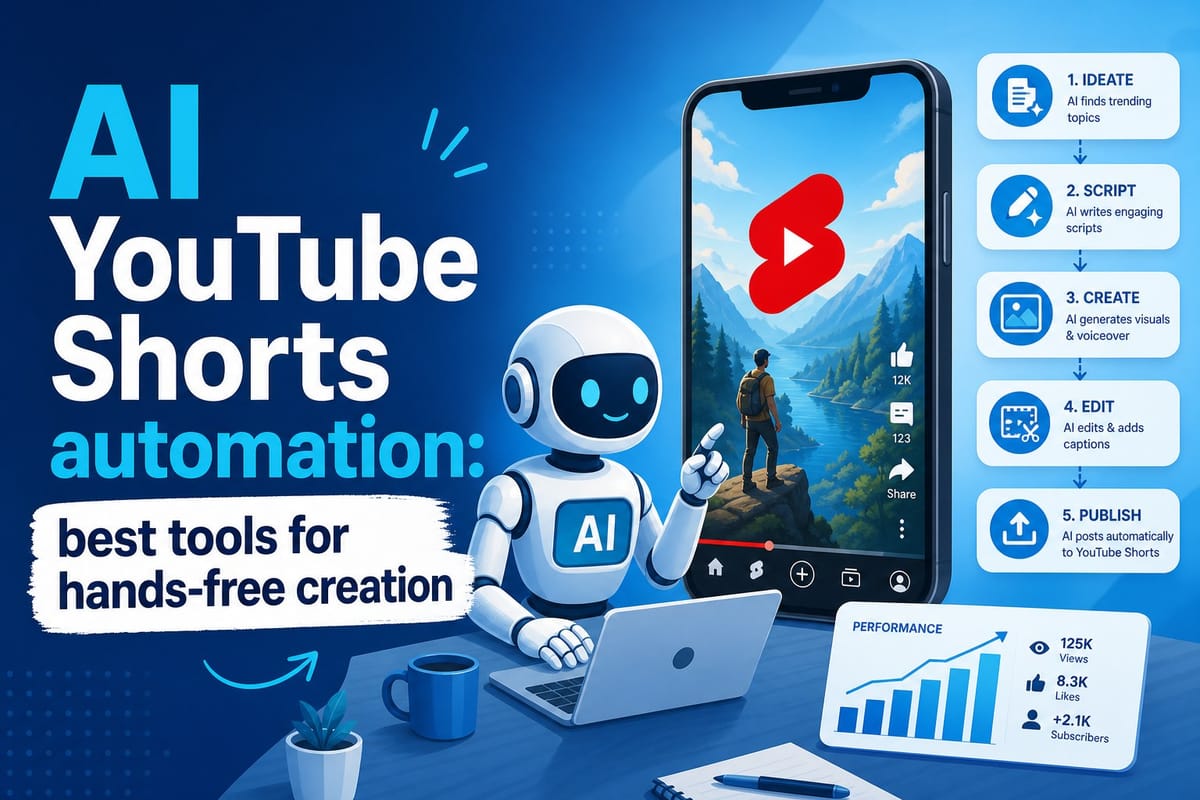
Table of contents
1. What ai youtube shorts automation actually does (and why it matters)
2. The features that separate useful tools from ones that waste your time
3. How to build a real hands-free Shorts workflow using Cliptude
I want to save time making YouTube Shorts, and I know most creators do too. Short-form video is one of the fastest ways to grow a channel right now, but producing Shorts consistently is a grind. You need a script, footage, captions, music, and tight editing, all for a clip that might be under 60 seconds. That is a lot of work for a small output. That is exactly why ai youtube shorts automation has become such a popular topic in the creator community. Tools that handle research, scripting, editing, and rendering automatically are changing what is possible for solo creators and small teams. In this article, I will break down how the automation process actually works, which features matter most, and how platforms like Cliptude fit into a real production workflow.
What ai youtube shorts automation actually does (and why it matters)
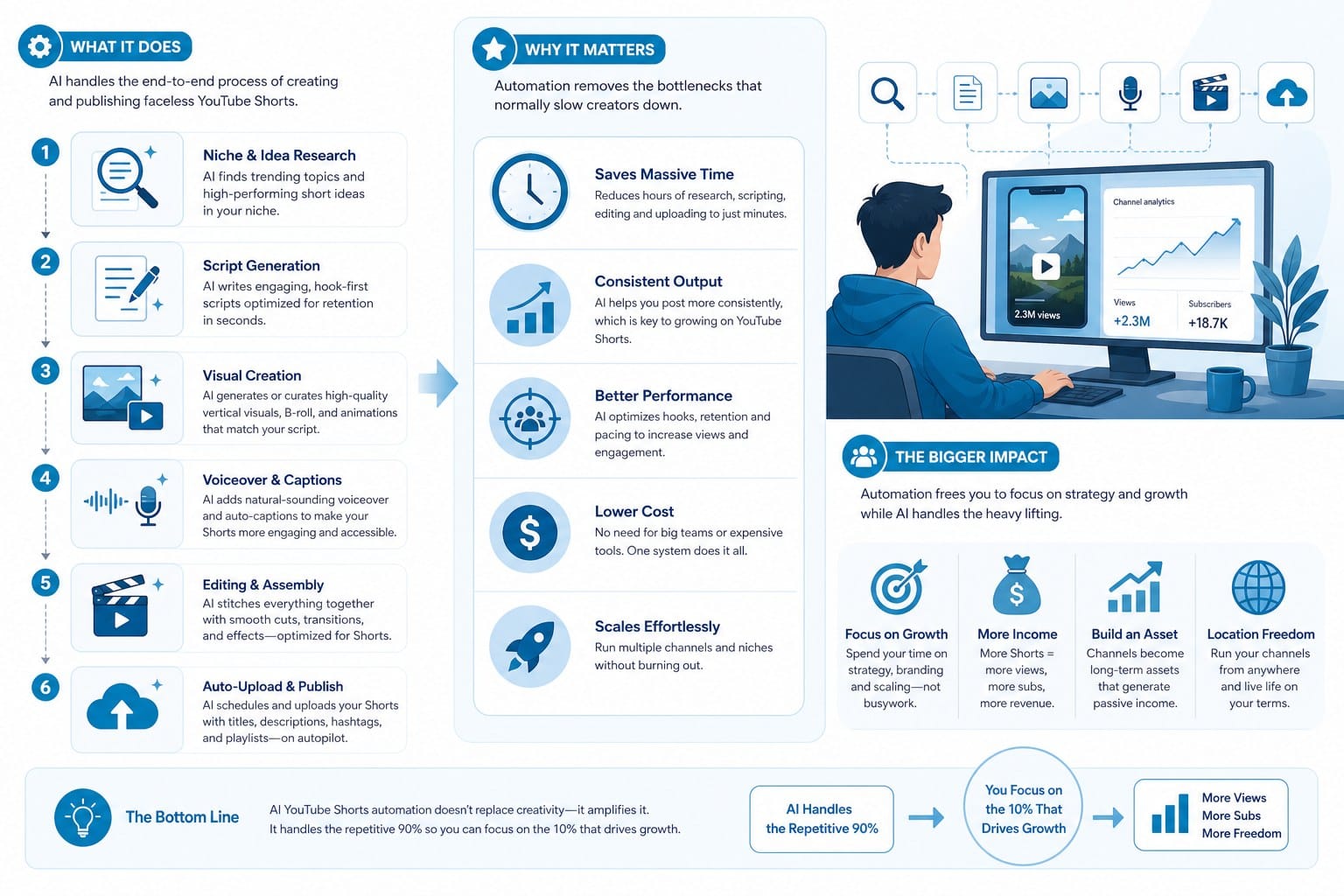
Let me start with a clear definition. AI YouTube Shorts automation refers to using software to handle some or all of the steps involved in creating a Short, from idea to finished video, without you doing every task by hand. That can mean different things depending on the tool you use.
At the basic level, some tools only help with one step. A caption generator, for example, automates the subtitle layer but leaves everything else to you. A script assistant can write your hook and talking points, but you still have to film, edit, and export. These partial automation tools save some time, but they do not change the overall production burden that much.
Full-pipeline automation is a different story. These platforms take a prompt or a topic and handle research, scripting, footage sourcing, motion graphics, voiceover, captions, and final export in one flow. You input an idea and get back a finished video. That is the kind of automation that actually lets a solo creator or a small media team publish at a meaningful scale.
Why does scale matter for Shorts specifically? YouTube's algorithm rewards consistent publishing. Channels that post Shorts several times a week tend to see better reach than those that post once in a while. But most creators, especially those running faceless channels without on-camera presence, hit a ceiling because production takes too long. Automation breaks that ceiling.
Here is a concrete example. Say you run a faceless educational channel about personal finance. Without automation, producing one polished Short might take two or three hours: researching a stat, writing a punchy script, finding stock clips, cutting and syncing everything, adding captions, and exporting in the right aspect ratio. Do that five times a week and you have spent 10 to 15 hours just on Shorts. With a full-pipeline AI tool, that same output could take a fraction of the time, because the platform is doing the heavy lifting.
This matters even more for creators who are scaling to multiple platforms. The same Short you publish on YouTube can often go to TikTok and Instagram Reels with minimal adjustment. If production is fast and cheap, cross-posting becomes a realistic strategy instead of a distant goal.
The other dimension worth understanding is the skill gap. Not every creator knows how to edit video. Not every entrepreneur who wants to grow a YouTube presence has the budget to hire an editor. AI automation tools lower the barrier to professional-looking output. You do not need to know how to use a timeline editor or how to color grade footage. The platform handles the technical decisions so you can focus on your topic and your audience.
I also want to be honest about what automation does not do. It does not replace genuine subject matter knowledge. If you are producing educational content, the ideas, the angle, and the accuracy still need your attention. Automation speeds up execution, but it does not substitute for having something worth saying. The best results I have seen come from creators who use AI tools as a production engine while they stay focused on strategy and content quality.
One more thing to understand: not all AI video tools are built the same. Some are optimized for short-form content specifically, with templates sized for vertical video and settings tuned for the fast pacing Shorts requires. Others are general-purpose tools that can output Shorts among other formats. Knowing what you need before you pick a tool saves a lot of trial and error.
For creators who want to understand the full landscape of AI video production before diving into Shorts specifically, the guide on AI text to video for YouTube creators: a complete guide is a solid starting point. It covers the broader mechanics of how these platforms work across different video types.
The features that separate useful tools from ones that waste your time
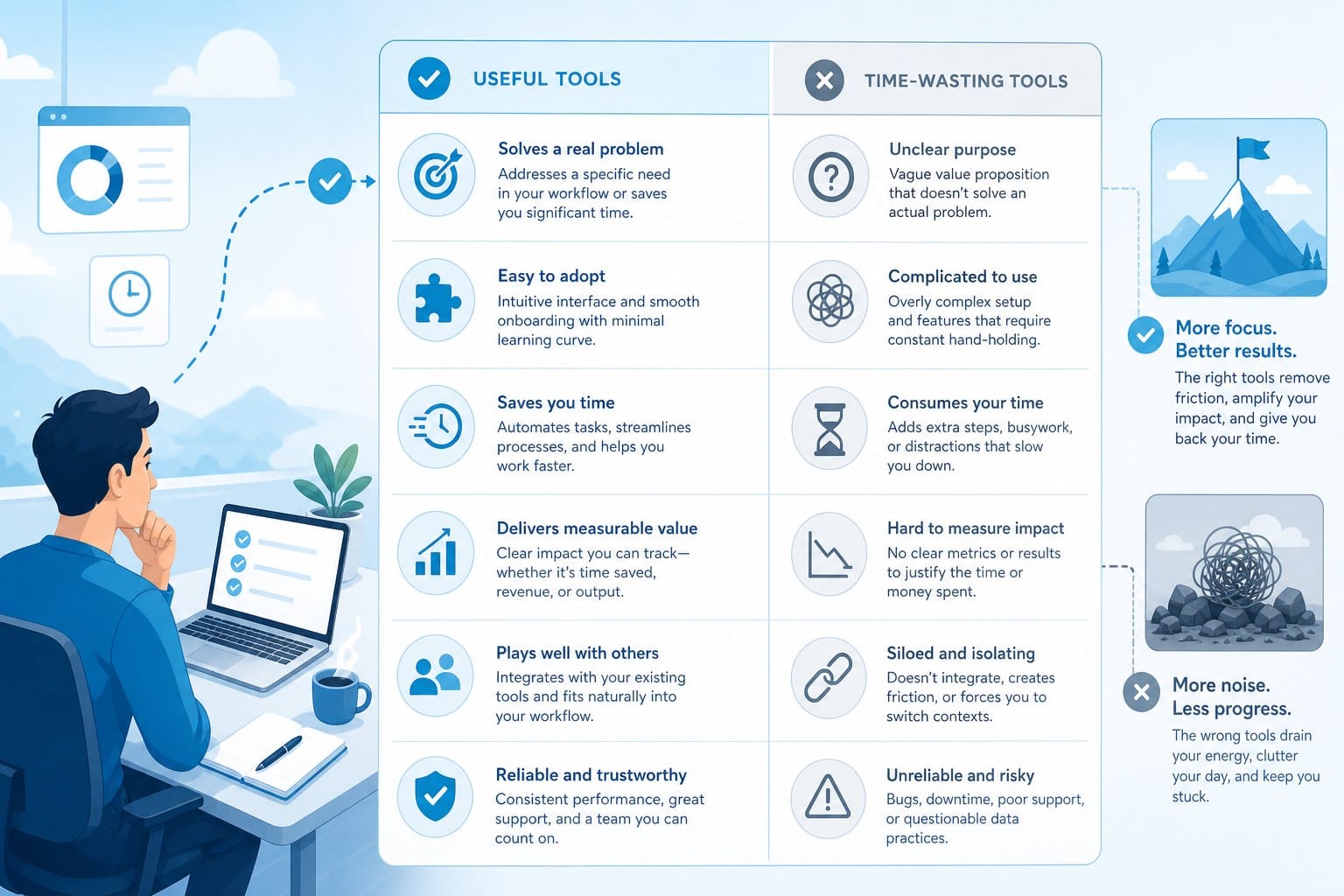
Not every AI tool marketed for YouTube Shorts automation is worth your time or money. I have found that the ones that actually deliver come down to a specific set of features. When I evaluate any platform in this space, I look at five core capabilities.
The first is end-to-end scripting with context awareness. A good AI scripting engine does not just produce generic sentences. It researches the topic, understands what kind of Short you are making, educational, listicle, opinion-based, and structures the output accordingly. A finance Short needs a different hook than a travel Short. The tool should know that. Look for platforms that let you specify your niche, your tone, and your target audience before generating a script, because those inputs shape the quality of what comes out.
The second feature is automated footage sourcing. Writing a script is one thing. Finding the right visuals to match each line is another job entirely. Tools that connect to licensed stock footage libraries and automatically pull relevant clips based on your script save a significant amount of time. The key word here is licensed. Some cheaper tools source footage in ways that create copyright problems. If you are monetizing your channel, a copyright claim on a Short can strip out your ad revenue or get the video removed entirely. Always check that the footage pipeline is using cleared assets.
Third is motion graphics and text overlay generation. Shorts live and die on visual energy. Static footage with nothing happening on screen loses viewers fast. Tools that can automatically generate animated captions, lower thirds, kinetic text, and simple motion graphics give your video the dynamic quality viewers expect. This is especially important for educational content where you want to highlight key facts or stats visually.
For creators making educational or explainer Shorts specifically, the ability to generate animation-style visuals matters a lot. Whiteboard and stickman animation formats, for example, are a proven format for breaking down complex ideas quickly. If that format interests you, the article on AI whiteboard video maker that scripts and animates for you goes deep on how those pipelines work.
The fourth feature is voiceover generation and audio control. Many Shorts use AI voiceover rather than a creator's own voice, particularly on faceless channels. The quality of AI voices has improved significantly in the last couple of years. The best tools offer multiple voice options, let you adjust pacing and tone, and sync the voiceover automatically to your footage and captions. Some also layer in background music with volume control so the audio mix is done for you. Bad audio ruins an otherwise good Short, so this feature carries a lot of weight.
The fifth is export settings for vertical video. This sounds basic, but it trips up a lot of creators. YouTube Shorts requires 9:16 aspect ratio, typically at 1080x1920 pixels. Tools that are not built specifically for short-form video sometimes export in landscape format or at the wrong resolution, which creates extra editing work before you can upload. A good Shorts-focused tool defaults to the right settings and handles the technical output without you needing to configure it.
Beyond these five, there are a few extra features that separate good tools from great ones. Batch production is one of them. If a platform lets you input multiple prompts at once and generate several Shorts in a single session, you can build a content queue in one sitting. That kind of efficiency is what makes a five-videos-per-week publishing schedule actually manageable.
Commercial rights are another factor that matters more than people realize. If you plan to monetize your YouTube channel, you need to own or have full commercial rights to the content the AI produces. Some tools include this clearly in their terms. Others restrict usage in ways that can create problems if your channel starts earning significant revenue. Read the fine print before you commit to a platform.
Credit or usage-based pricing is also worth paying attention to. Flat monthly subscription models can work well if you produce at a consistent volume. But if your production needs vary, a credit system gives you more control. You pay for what you use rather than paying the same rate whether you produce two videos or twenty. Cliptude uses a usage-based credit model, which makes it a reasonable fit for creators whose output fluctuates.
Finally, I want to flag the importance of template variety. Different Shorts formats perform differently depending on your niche. A countdown-style top 10 Short works well for entertainment channels. A definition-and-example format works better for educational content. A tool with a range of templates lets you match your format to your audience's expectations rather than forcing every idea into the same structure.
If you are in the listicle or documentary category, where you want to produce structured top-10 or ranked-list content quickly, the article on how to make top 10 YouTube videos with AI and no editing skills is directly relevant. The principles apply to Shorts as much as they do to long-form.
How to build a real hands-free Shorts workflow using Cliptude
Let me walk through what a practical, repeatable workflow looks like when you are using an AI platform like Cliptude for YouTube Shorts production. I am going to be specific here because vague advice about workflows does not actually help anyone.
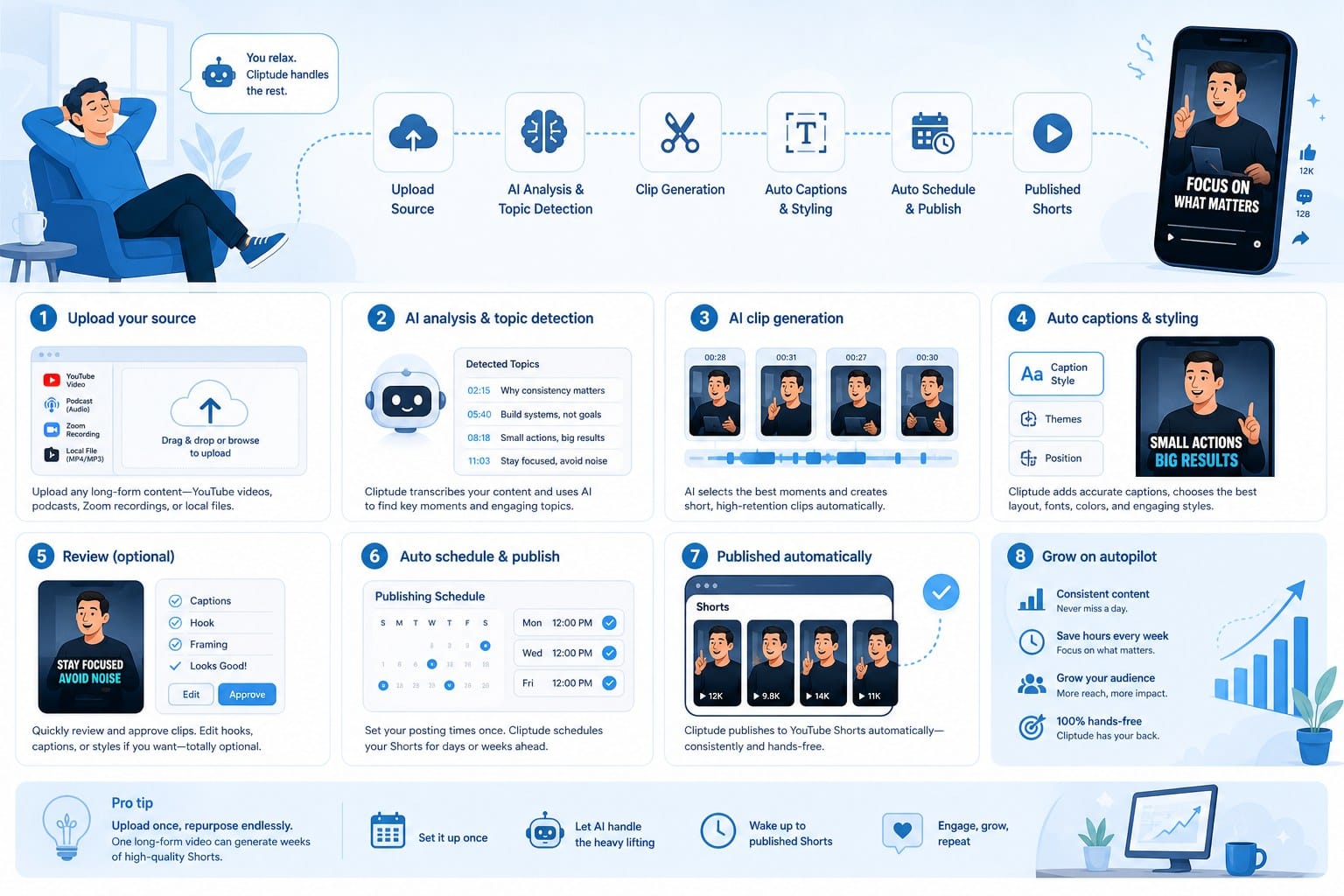
Step one is topic input and research. The workflow starts with you giving the platform a prompt. This can be as simple as a topic, 'three habits that hurt your credit score', or as developed as a full outline or script you have already written. If you start with a topic, Cliptude's AI researches the subject, pulls relevant information, and builds a script around it. The research step is one of the most underrated parts of this process. Good Shorts need accurate, specific information, not generic filler. An AI that can pull real context rather than inventing vague claims produces a meaningfully better script.
Step two is script generation and editing. Once the research is done, the platform generates a script formatted for a Short. This means a punchy opening hook in the first two or three seconds, a fast-paced middle section that delivers the value, and a clean close. You can review the script before production starts and edit anything that does not sound right for your channel's voice. This step is where your expertise matters most. If the AI gets a fact slightly wrong or uses phrasing that does not match your style, catching it here saves problems later.
Step three is footage and visual sourcing. After the script is locked, the platform sources footage that matches each section. For Shorts, this often means fast cuts with visually clear imagery. If you are making an animation-style Short, the platform generates the animation assets instead of pulling stock footage. Cliptude handles both modes, which matters for creators who use different formats for different content types.
Step four is motion graphics and caption generation. This is where the visual polish comes from. The platform adds animated captions synced to the voiceover, overlays any motion graphic elements, and applies whatever visual style you have selected. For educational Shorts, highlighting key numbers or terms with text callouts is standard. The automation handles the positioning, timing, and styling so you are not manually placing every text element.
Step five is voiceover and audio. Cliptude generates a voiceover from the script using AI voice synthesis. You can select from different voice options depending on what fits your channel's tone. Background music is layered in at a level that supports rather than competes with the voiceover. The final audio mix is handled automatically.
Step six is export. The finished Short exports in the correct vertical format ready for upload. You review it, make any last adjustments if needed, and upload directly to YouTube. The total time from prompt to upload-ready file is a fraction of what manual production would take.
Now let me talk about volume and batching. One of the most powerful uses of this workflow is batching. Instead of producing one Short at a time, you can queue up five or ten prompts in one session. Each one runs through the pipeline and you end up with a week's worth of content ready before the week even starts. That is what hands-free Shorts production actually looks like in practice. You spend a focused block of time on input and review, and the platform does the production work.
For faceless channel operators, this workflow is especially valuable. Faceless channels, where no one appears on camera and the content is driven by narration and visuals, live or die on volume and consistency. If you can publish quality Shorts regularly without spending hours in an editing timeline, you have a real competitive advantage over creators doing everything manually.
I want to address the quality question directly because it comes up a lot. Can AI-generated Shorts compete with manually produced ones? The honest answer is that it depends on how you use the tools. AI automation produces a solid baseline. The creators who get the best results are the ones who treat the AI output as a strong draft rather than a finished product. They review the script, check the facts, and watch the final render before uploading. That quality-check step takes maybe ten or fifteen minutes per Short, but it makes a real difference in the final product.
Commercial rights matter a lot here too. If you are building a channel to monetize through YouTube's Partner Program, you need to know that the content you are producing gives you full rights to the ad revenue. Cliptude provides commercial rights with the content it produces, which makes it usable for monetized channels without the legal gray areas you get with some other platforms.
For small media teams or solo entrepreneurs who are producing content across multiple formats, the same workflow scales. A piece of research that goes into a Short can often feed a longer documentary or explainer video with more depth. Cliptude handles those longer formats too, so you are not managing two completely different production pipelines.
One practical tip I have found useful: build a topic bank before you start batching. Spend 20 to 30 minutes brainstorming 20 or 30 Short ideas in your niche. Write them down. Then when you sit down to batch produce, you already have a queue of prompts ready. You are not starting from scratch each time. Combined with AI production automation, this approach makes it genuinely possible to run a consistent Shorts channel without it consuming your week.
For creators who are newer to AI video tools and want a broader understanding of the landscape before building a workflow, starting with a foundational resource is a smart move. The AI text to video for YouTube creators: a complete guide covers the full range of what these platforms can do and helps you understand which features matter for your specific goals.
The bottom line is this: ai youtube shorts automation is not a gimmick. It is a real production strategy that is working for a growing number of creators who need to publish consistently without spending all of their time editing. The tools have reached a level of quality where the output is genuinely competitive, especially when you add your own expertise to the research and review steps. If you have been putting off building a Shorts strategy because production felt too slow or too technical, the tools available now make it realistic to start.
Ready to take the next step?
If you are ready to start producing YouTube Shorts without spending hours editing, Cliptude is built for exactly that. You can take a topic, run it through a full AI production pipeline, and have a polished Short ready to upload faster than most creators can finish their first rough cut. Head over to Cliptude to see how the platform works and start producing with your first credits.



