Best InVideo alternative for fully automated AI video production

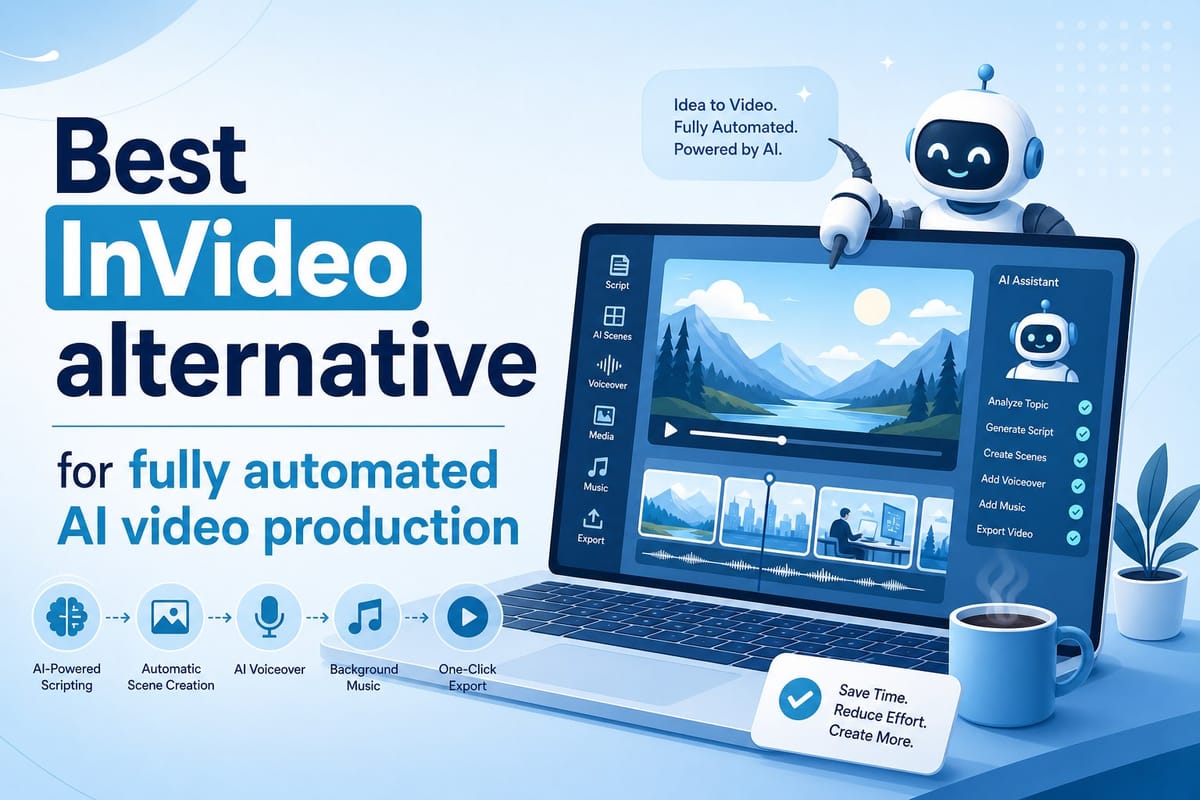
Table of contents
1. Why creators keep looking for a better InVideo alternative
2. What Cliptude does differently as a fully automated AI video platform
3. Who gets the most value from switching to Cliptude
If you have been searching for an InVideo alternative that does more than hand you a blank timeline and a stock footage library, you are in the right place. Most video tools still expect you to do the hard work: write the script, find the clips, arrange the scenes, and export a finished file. That workflow is fine if you have a production team. If you are a solo creator or running a faceless YouTube channel on your own, it is a different story entirely. Cliptude is built for that second group. It takes a prompt or a script and handles every step of production automatically, from research and scripting all the way through footage sourcing, motion graphics, and final editing. This article breaks down exactly why that matters, who benefits most, and how the platform stacks up against the typical template-based editor you might have tried before.
Why creators keep looking for a better InVideo alternative
Template-based video editors changed the game when they first arrived. Suddenly, anyone could open a browser tab, drop in some text, swap out a background clip, and export something that looked reasonably professional. For simple social posts or quick promotional videos, that workflow works well enough.
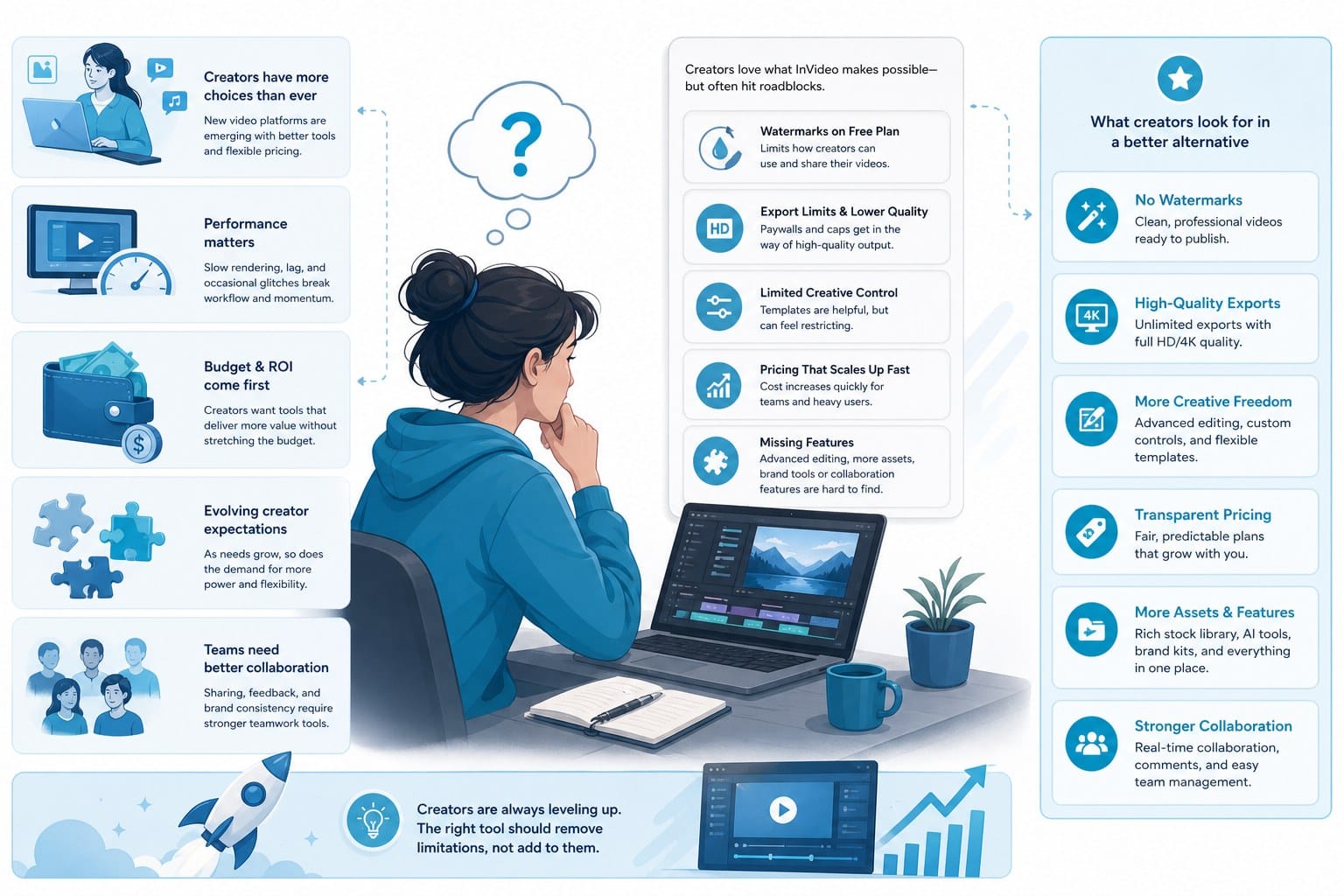
But a lot of creators have outgrown it. The problems tend to cluster around the same three pain points, and once you recognize them, you start to understand why so many people are searching for a better option.
The time problem is worse than it looks
Even in a tool with hundreds of templates, you still have to pick one, customize it, source your own b-roll, write or paste your script, sync everything to the timeline, and then render. For a five-minute documentary-style YouTube video, that process can easily eat up four to six hours. Scale that to two or three videos a week and you have a full-time job that produces part-time output.
That math does not work for solo operators. Most faceless channel creators are not running a media company. They are one person with a niche idea, a laptop, and limited hours. When the production process consumes most of those hours, there is nothing left for strategy, community, or the research that makes content worth watching in the first place.
The issue compounds fast. A creator publishing twice a week and spending five hours per video is putting in forty or more production hours every month before accounting for thumbnail design, keyword research, or responding to comments. That pace is not sustainable, and most people who try it either burn out or quietly stop uploading.
The quality ceiling hits sooner than expected
Templates look like templates. Viewers on YouTube have seen the same stock footage packages and the same motion graphic presets enough times to recognize them on sight. The reverse zoom on a city skyline. The handshake in the boardroom. The animated checkmark appearing next to bullet points. When your content looks like it came off an assembly line, watch time suffers because viewers do not feel like they are getting anything they have not already seen.
This is a real ceiling, not just an aesthetic complaint. YouTube's algorithm rewards watch time and engagement. If your template-based video loses viewers in the first thirty seconds because the visuals feel generic, the algorithm notices. Lower watch time means lower distribution, which means fewer new viewers, which means slower channel growth. The production shortcut ends up costing you downstream.
Quality also shapes perceived authority. If you are covering finance, health, history, or any topic where credibility matters, a video that looks thrown together undercuts your message even if the information itself is solid. Viewers make judgments about content quality within the first few seconds, and those judgments are hard to reverse.
The skill gap does not close on its own
Lots of creators know exactly what kind of video they want to make. They have the ideas and the niche knowledge. What they do not have is the editing background to execute a polished production. A drag-and-drop editor lowers the barrier, but it does not eliminate it. You still need a good eye for pacing, cuts, and visual hierarchy. You still need to know when to cut away from a talking head, how long a title card should stay on screen, and whether your audio levels are consistent from clip to clip.
Those are learnable skills, but learning them takes time, and the learning curve is steeper than most template-based tools let on. Many creators spend months producing mediocre content while they get better at the mechanics of editing, time they could have spent building an audience if the production side were handled for them.
The skill gap is especially sharp for faceless channel creators. There is no on-camera personality to carry the video. Everything depends on the footage, the narration, the pacing, and the visual storytelling. Getting all of those elements right consistently, without spending all day in an editor, is the core challenge of running that kind of channel.
What the next generation of tools is trying to fix
Those three problems, time, quality ceiling, and skill gap, are exactly what the next generation of AI video platforms is designed to address. But there is an important distinction that gets lost in the marketing: the difference between a tool that automates one or two steps and a platform that automates the entire pipeline.
A basic AI tool might write a script for you or suggest a template. That saves some time, but it still leaves most of the work on your plate. A fully automated platform handles research, scripting, footage selection, motion graphics, voiceover, timing, and export without requiring you to manage any of those steps manually. That distinction matters enormously when you are evaluating any InVideo alternative for serious content production.
Creators running faceless channels feel this most sharply because every element of the video has to work without the crutch of an on-camera presence. When you find a platform that handles all of those elements automatically and produces something you can publish with confidence, the entire economics of running a channel change.
What Cliptude does differently as a fully automated AI video platform
Cliptude is not an editor with an AI assistant bolted on. It is an end-to-end production system that starts from a prompt or a script and finishes with a complete video ready for upload. Understanding exactly how that pipeline works is the clearest way to see why it belongs in a different category from most tools that claim to be an InVideo alternative.
The production pipeline from prompt to finished video
You start by entering a topic or pasting a script. If you just have a topic idea, Cliptude conducts its own research on the subject before writing anything. That step alone separates it from tools that generate text based on your prompt without checking facts or gathering context first.
For educational content, documentaries, and listicle videos, accurate and detailed research is not optional. It is the foundation everything else is built on. A video about the history of the Roman Empire or the basics of compound interest needs to get the facts right. Generating a script without a research phase is how you end up with content that is confidently wrong, which is one of the fastest ways to lose viewer trust and get called out in the comments.
Once the research is complete, the platform generates a structured script. The script is organized into logical sections, each one mapped to a visual treatment. This is not a block of text you then have to manually break into scenes. The structure is already there, and it is designed for video, not for an article or a presentation slide deck.
From the script, Cliptude moves into footage sourcing. It pulls relevant video clips from licensed libraries and matches them to each segment. The goal is visual coherence, not just filling the timeline with random stock footage. The system evaluates what kind of shot fits the information being presented and selects accordingly. A segment explaining population density gets urban aerial footage. A segment about financial stress gets something more personal and immediate. The matching is not perfect every time, but it is meaningfully better than grabbing clips at random.
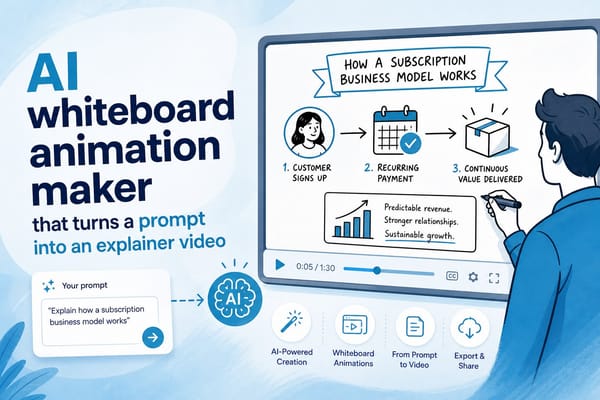
Motion graphics and text overlays are generated and placed automatically. For certain formats, like whiteboard animations or stickman explainer videos, the visual style is entirely AI-generated rather than sourced from stock. You can read more about how that process works in this breakdown of the AI whiteboard animation maker that turns a prompt into an explainer video.
Voiceover narration is generated from the script using AI voices that are natural enough to hold attention through a ten or fifteen minute video. The pacing, the cuts, and the timing of on-screen text are all synced to the narration automatically. You are not manually dragging audio clips to match your timeline. The platform handles that synchronization as part of the same pipeline.
When the render is complete, you get a polished, exportable video file. Not a project file you still have to open and tweak. A finished video you can upload directly.
The animation formats are worth more attention than they usually get
Whiteboard and stickman animation styles are popular for educational content because they focus viewer attention on the explanation rather than on flashy visuals. They work especially well for topics where clarity matters more than spectacle: personal finance, health and wellness, science, history, technology, and similar niches.
Generating those animations manually requires specialized software like VideoScribe or Vyond, real familiarity with animation principles, and hours of production time. Generating them through Cliptude requires a prompt and a few minutes of processing. The output is not identical to hand-crafted animation, but for informational content where the goal is explanation rather than artistic showcase, it is more than sufficient and dramatically faster.
The animation format also helps with audience retention in specific ways. Viewers who are learning something often find it easier to follow a clean animated explanation than a talking-head video with b-roll. The visuals are designed to support the words rather than compete with them. For channels in educational niches, that retention advantage has a direct effect on algorithm performance.
Format flexibility across platforms
Cliptude supports a range of formats beyond standard horizontal YouTube videos. You can produce YouTube Shorts, TikTok-ready vertical clips, Instagram Reels content, animated explainer videos, documentary-style long-form content, and music videos. The format flexibility matters because many creators run content across multiple platforms simultaneously and do not want to maintain separate production workflows for each one.
Producing a vertical short from the same research and script as a longer horizontal video is a real efficiency gain. You are not starting from scratch for each platform. You are adapting a single piece of content into multiple formats within the same production system.
Pricing that matches how solo creators actually work
Pricing follows a usage-based credit model. You pay for what you produce rather than committing to a flat monthly seat fee whether or not you use it. For solo entrepreneurs and small teams, that makes the economics easier to justify, especially during periods when you are testing topics or scaling output gradually.
Flat monthly subscriptions make sense when you have predictable, high-volume production. Credit-based models make more sense when your output varies from week to week or when you are still figuring out your content strategy. Having the option to produce more in a heavy month and less in a lighter one without paying the same amount regardless is a meaningful advantage for independent creators.
Commercial rights for monetized channels
If you are building a faceless channel with the goal of monetizing it, you need to be confident that the content you produce with an AI platform is actually yours to monetize. Cliptude includes full commercial rights with the videos it generates. You can run ads, join the YouTube Partner Program, and earn from your content without running into licensing conflicts.
This matters more than it might seem at first. Some AI-generated content tools have ambiguous terms around commercial use, which can create problems when you apply for monetization or when a rights holder disputes a claim. Clear commercial rights is a non-negotiable for anyone building a channel with revenue as the goal. If you want to understand how monetization works in practice for AI-generated content, this is a useful resource: can you monetize AI-generated YouTube videos.
Why listicle formats are a natural fit
Listicle videos are among the most consistently high-performing formats for faceless channels, and they are also among the formats best suited to automated production. The structure is predictable: an intro hook, a numbered sequence of items with explanations, and a closing segment. That structure maps naturally to how automated production pipelines work.
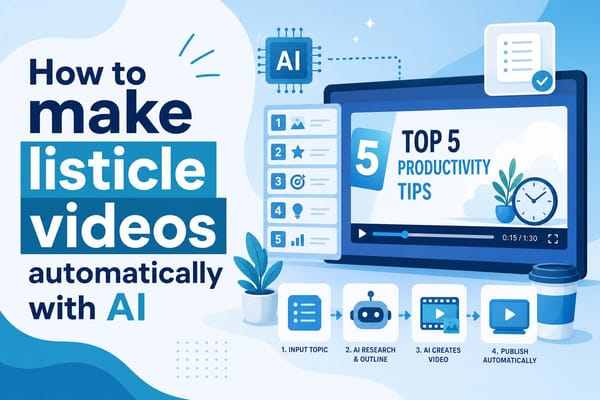
Each numbered item becomes a discrete script section with its own visual treatment. The research phase fills each section with accurate detail. The footage sourcing matches each section to relevant clips. The motion graphics label each item clearly. The whole thing comes together cleanly because the format was designed for exactly this kind of modular production. You can read more about producing this format efficiently in this guide on how to make listicle videos automatically with AI.
What full automation actually means in practice
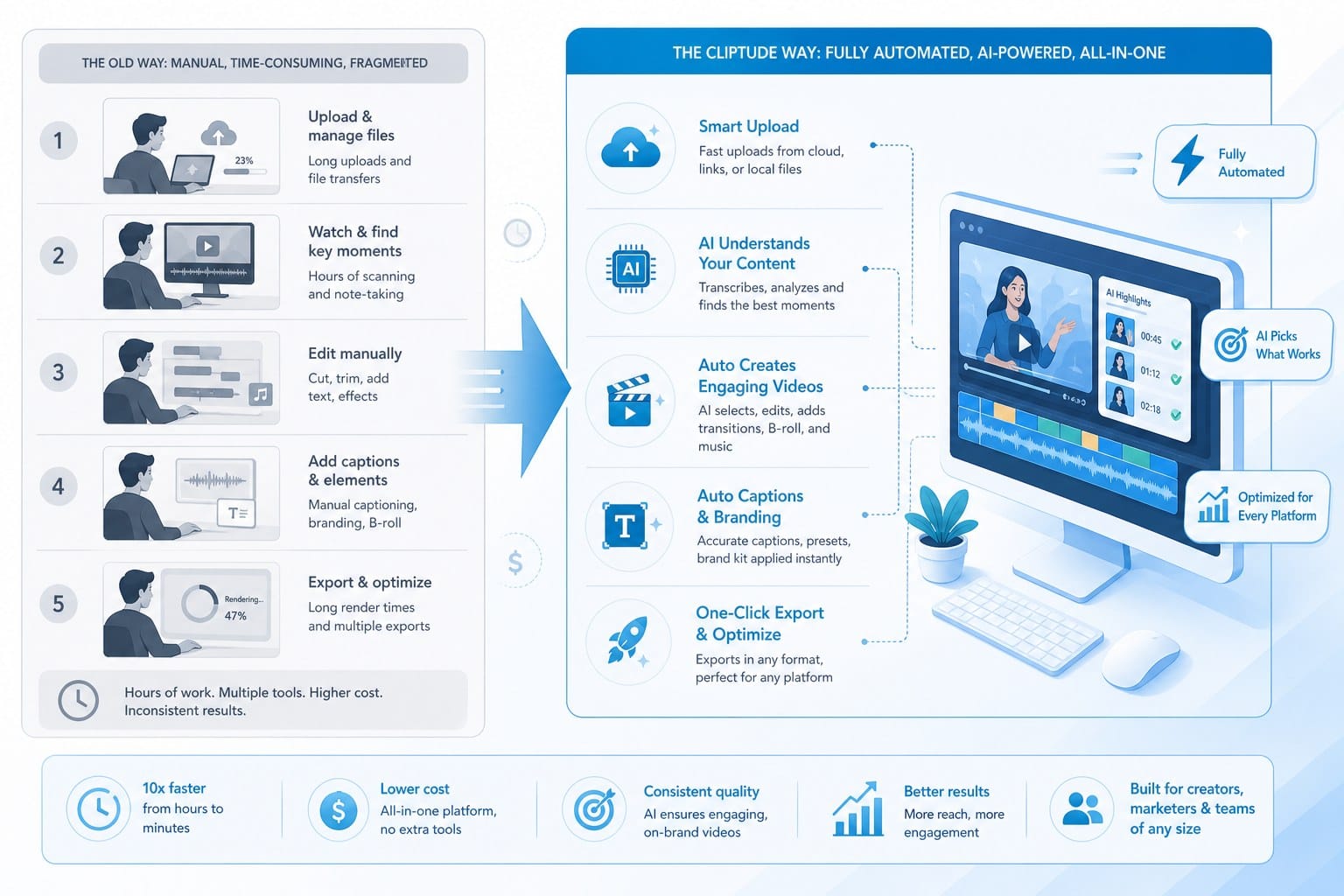
Full automation is the core difference between Cliptude and most tools that get labeled as InVideo alternatives. Most alternatives automate one or two steps of the production process. Cliptude automates the entire pipeline from research through export.
That distinction changes what the tool is actually useful for. Automating script generation saves you an hour of writing. Automating the entire production pipeline saves you the four or five hours that come after the script is done. For a creator publishing two or three times per week, those are very different tools with very different impacts on how much time they spend in production versus everything else.
Who gets the most value from switching to Cliptude
Not every creator has the same problem. The right tool depends on what you are actually trying to build, what your bottlenecks are, and what kind of content you produce. Here is a clear breakdown of who benefits most and where the platform fits best.
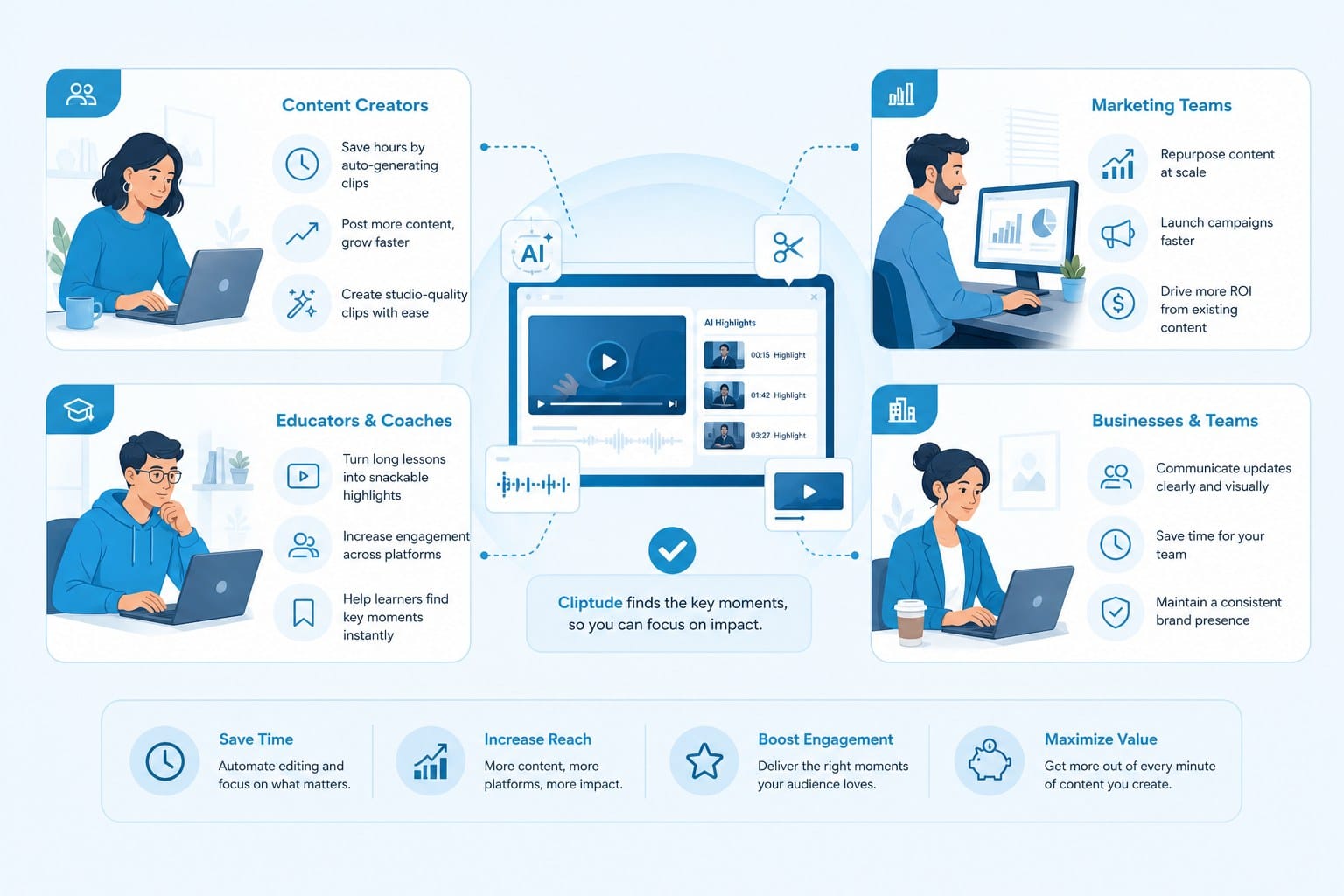
Faceless YouTube channel operators
Faceless channel creators are probably the most natural fit for what Cliptude does. The entire premise of a faceless channel is that you produce high-quality content without appearing on screen. The content has to carry the video entirely on its own. That means research, writing, footage, and editing all have to be solid and consistent. One weak element undermines the whole thing.
Doing all of that manually for a single video is a grind. Doing it for twenty videos a month is not sustainable without either a team or a production system that handles the heavy lifting. Cliptude removes most of that grind. You submit a prompt, the platform produces a video, you review it, publish it, and move on to the next one.
The topics that perform best on faceless channels, history, science, finance, self-improvement, true crime, health, technology, geography, are almost all topics where quality stock footage exists and where the content is driven by information and explanation. That is exactly the territory where Cliptude's production pipeline works most effectively.
Content creators scaling for short-form platforms
TikTok, Instagram Reels, and YouTube Shorts all reward consistency and volume in a way that long-form YouTube does not. The creators who grow fastest on those platforms are not necessarily the ones making the most elaborate videos. They are the ones who show up every day with content that is relevant, clear, and watchable.
Producing that volume manually is hard. Even a short-form video takes time to script, record or source footage for, edit, and caption. Producing ten or fifteen of them per week manually is a part-time job on its own. Producing that volume through an automated platform is manageable for a single person, and it leaves time for the strategic work of analyzing performance, testing formats, and refining your approach.
The vertical format support in Cliptude means you are not adapting a horizontal workflow to short-form. The platform produces vertical content natively, which matters for pacing, text placement, and the visual rhythm that short-form audiences expect.
Solo entrepreneurs and small media teams
Solo entrepreneurs and small teams often have video on their marketing to-do list but lack the production skills to execute it themselves. Hiring a video editor costs money and requires ongoing management. Learning to edit is a long-term investment that does not always pay off for someone whose core focus is their product, service, or client work rather than content production.
Cliptude lets a solo operator produce professional-looking videos without either hiring out or spending months learning Final Cut or Premiere. For a business owner who wants to publish educational content about their industry, explain their service in video format, or build an audience around their expertise, the ability to go from idea to finished video without a production background is genuinely useful.
The credit-based pricing also fits better with how small teams budget. You are not paying a monthly seat fee for a tool you use heavily one month and barely touch the next. You pay for what you actually produce, which makes the line item easier to justify when output varies.
Educational and explainer content creators
Creators focused on teaching something have a particularly strong match with Cliptude's animation formats. If you are explaining how compound interest works, why historical empires collapsed, how the immune system responds to infection, or what causes inflation, clarity is everything. A well-paced whiteboard animation that walks through a concept step by step often outperforms a live-action video with a talking head because there are no visual distractions from the explanation itself.
The problem has always been that creating those animations is technically demanding and time-consuming. Professional whiteboard animation services cost hundreds of dollars per minute of finished video. DIY animation software has a steep learning curve. Cliptude removes that barrier and lets you focus on the quality of the explanation rather than the mechanics of producing the animation.
For educational channels trying to establish authority in a niche, publishing consistent, clear, well-structured videos matters more than any single viral hit. The ability to produce that kind of content regularly, without the production bottleneck, is what makes a steady publishing schedule achievable.
Creators building toward monetization
Creators focused on monetizing AI-generated content need two things: a tool that produces content at scale and clear commercial rights over what it produces. Cliptude covers both. The credit-based pricing keeps costs proportional to output, and the commercial rights policy means you can pursue monetization through ads, sponsorships, or the YouTube Partner Program without running into licensing conflicts.
The economics are worth thinking through clearly. If you are producing one video per week manually and it takes six hours, that is six hours of time you could apply to other parts of your channel or business. If automated production cuts that down to one hour of prompt crafting and review, you have freed up five hours per video. At two or three videos per week, that adds up to ten to fifteen hours recovered every week. For someone trying to build a channel while also managing other responsibilities, that is a meaningful shift.
The faster iteration cycle also matters for channels in the early stages. Instead of spending a week producing a video in a format you are not sure about, you can generate one in a fraction of the time, publish it, see how it performs, and adjust. Channels find their footing faster when they can test ideas quickly rather than betting six hours of production on every hypothesis.
Being realistic about what the platform does and does not do well
Fully automated video production is not a magic button that produces perfect content with zero input. The quality of what you get out depends meaningfully on the quality of what you put in. A vague or poorly framed prompt will produce a vague or poorly framed video. Spending a few minutes thinking through your topic, the key points you want to cover, and the angle you want to take will consistently improve the result. The platform handles the production work. The strategic thinking about what to make and why is still yours to do.
If you are making videos that require highly specific proprietary footage, such as behind-the-scenes content from your own company, very niche subject matter with no stock library coverage, or footage of specific real-world events, fully automated sourcing will have limits. The platform works best for topics where quality stock footage exists and where the content is driven by information and explanation rather than exclusive visual access.
For the large majority of content categories that perform well on YouTube and short-form platforms, though, those are not real constraints. Listicles, documentaries, history content, science and health explainers, finance and investing topics, motivational and self-improvement content, travel, culture, and similar evergreen niches all fit naturally into what the platform does well.
The comparison that actually matters
The best InVideo alternative for you depends on what you are trying to accomplish. If you want more template variety or slightly more manual control over a drag-and-drop interface, there are tools built for exactly that. But if you are trying to build a real content operation on your own or with a small team, and you want professional-quality output without a professional production workflow, Cliptude is genuinely different from what most tools in this category offer.
The automation is not a feature layered on top of a traditional editor. It is the entire product. That difference is what makes it worth evaluating seriously if you have been frustrated by the time cost, the quality ceiling, or the skill gap that comes with template-based production.
Ready to take the next step?
Ready to see how fully automated AI video production actually works? Visit Cliptude and start turning your prompts into finished videos without the manual production grind.