Best Synthesia alternative for AI video without avatars or green screens

Table of contents
1. Why avatars and green screens are not always the right fit
2. What a fully automated AI video platform actually does differently
3. How to choose the right tool for your specific content goals
If you have been searching for a Synthesia alternative, you probably already know the frustration. You want AI-generated video, but you do not want a talking avatar standing in front of a fake corporate background. You do not want to spend hours picking a virtual presenter, recording a voiceover script, and hoping the lip sync looks natural. You want something faster, more flexible, and built for the kind of content that actually gets watched on YouTube, TikTok, and Instagram.
Synthesia is a solid tool for certain use cases, but it was designed around one core idea: a human-looking avatar delivers your message on screen. That works great for internal training videos and product demos. It does not work as well when you want to produce a ten-minute documentary, a listicle countdown, an animated explainer, or a faceless YouTube channel that pulls in real footage and motion graphics.
This article covers what to look for in a true alternative, why avatars and green screens can actually hold creators back, and how a platform like Cliptude approaches the whole process differently. By the end you will have a clear picture of which tool fits your content goals, your workflow, and your budget.
Why avatars and green screens are not always the right fit
Synthesia built its reputation on making it easy to put a presenter on screen without hiring an actor or booking a studio. That is genuinely useful in specific situations. Corporate onboarding videos, compliance training, and sales demos all benefit from a human face delivering structured information. Nobody disputes that.
But a large and fast-growing segment of video creators needs something completely different, and avatar-centric platforms are not designed to serve them.
Faceless channels have changed what viewers expect
Faceless YouTube channels have become one of the most popular formats online. Channels covering history, science, true crime, personal finance, and world events routinely hit millions of subscribers without ever showing a human face. They rely on stock footage, archival clips, motion graphics, narration, and tight editing. That combination creates an immersive, documentary-style experience that audiences trust and return to.
An avatar standing in front of a looping background does not fit that format at all. It looks out of place and actually reduces the production quality viewers expect from those genres. If you run a history channel and suddenly drop in a virtual presenter explaining the fall of the Roman Empire in front of a gradient backdrop, you have broken the visual contract your audience came for.
The production standard in faceless content has risen sharply over the past few years. Channels like those covering geopolitics, financial explainers, or science deep-dives use footage that matches the narrative beat by beat. Viewers in these niches have trained eyes. They notice when the footage is generic or when the visual logic does not track with what the narrator is saying. An avatar tool does not solve that problem because it was never designed to.
The green screen credibility problem
Even when a virtual background looks technically clean, it signals something to the viewer. It signals that the video was produced quickly using a template. For internal business communication, that is perfectly acceptable. For content competing on YouTube where viewers scroll past dozens of options in seconds, it can cost you the click before you even make your first point.
This is not a subjective judgment. It reflects how viewers actually behave. They make quality assessments in the first few seconds of a video. A green screen background or an obviously synthetic presenter is a fast signal that the production did not invest heavily in the viewing experience. Creators trying to build authority in competitive niches cannot afford that first impression.
There are contexts where a polished avatar genuinely works. A software company producing onboarding walkthroughs does not need cinematic footage. A compliance team rolling out mandatory training does not need documentary-quality editing. For those use cases, Synthesia is a reasonable fit. But the creator economy runs on different expectations, and avatar tools were not built for that economy.
Animation formats expose the limits further
Whiteboard explainers and stickman animation styles have built loyal audiences in the educational content space. These formats communicate complex ideas visually without expensive production resources. Teachers, coaches, and educators have used animation for years to break down topics that are hard to show with real footage, things like economic models, biological processes, or mathematical concepts.
Avatar-centric platforms are not built for animation workflows. If you want a whiteboard explainer, you either piece together a workaround using the avatar tool's limited customization options, which rarely produces clean results, or you bring in separate animation software. That second option defeats the purpose of using an AI video platform. You end up with two production stacks instead of one, twice the learning curve, and twice the opportunity for output to feel inconsistent.
The creator profiles that feel this most sharply
The creators who feel most constrained by avatar-based platforms tend to fall into a few clear categories.
Solo entrepreneurs who want to publish educational content consistently but cannot be on camera. They have expertise worth sharing but no interest in managing a studio setup or appearing on screen. They need a tool that takes their knowledge and produces something that looks professionally made.
Faceless channel operators producing documentary-style videos about history, finance, or science. Their audience expects a specific visual and narrative standard. An avatar disrupts that standard immediately.
Small media teams trying to scale output without hiring editors or animators. They need full production automation, not a tool that handles one slice of the process and leaves the rest to manual work.
None of these creators need a better avatar. They need a fundamentally different approach to video production, one that starts from the content and builds the whole video around it rather than building the video around a virtual presenter.
Why this distinction matters more than feature lists
When people compare AI video tools, they tend to focus on feature checklists. Does it support 4K export? How many voice options does it have? What languages does it support? Those details matter at the margin, but they are secondary to a more fundamental question: is the tool designed around your content format in the first place?
If your format is documentary, listicle, animated explainer, or short-form faceless content, then a platform designed around avatar presentation is solving a different problem than the one you have. No amount of extra voice options or export resolutions changes that core mismatch. The right Synthesia alternative for these use cases is a platform that starts from your idea and builds the entire video around real footage, motion graphics, and narrative structure rather than around a virtual presenter. That distinction matters more than anything else in the comparison.
What a fully automated AI video platform actually does differently
When I describe a fully automated approach, I mean a platform that handles the entire production pipeline, not just one slice of it. That distinction is more significant than it sounds.
Most AI video tools help with one or two production steps. Some generate scripts from a prompt. Some source stock footage from a library. Some add automatic captions or background music. Each of those individual capabilities is useful. But stitching them together still requires significant manual work and creative judgment. You are still the editor making decisions about footage selection, timing, pacing, and transitions. The tool reduced some of the labor, but it did not reduce the complexity.
What full pipeline automation looks like in practice
A fully automated platform treats your prompt or script as the starting point for a complete workflow that it executes on your behalf. You describe what you want, and the platform researches the topic, writes the script, sources relevant footage, generates motion graphics, adds narration, and delivers an edited video that is ready for publishing.
That is not a linear checklist where you approve each step manually. The system makes the creative decisions that would normally eat hours of your production time. You still control the inputs and can adjust the output, but the heavy lifting of assembly and sequencing happens automatically.
Cliptude works this way. The starting point is a prompt or an existing script. The platform researches the topic, generates a structured narrative, sources footage that matches each beat of the script, applies motion graphics and transitions, adds a voiceover, and produces a finished video. The output is not a rough cut you still need to spend two hours finishing. It is production-ready content.
Why the research layer matters as much as the script
For documentary-style content, the quality of the research behind the video is just as important as the quality of the writing. A sentence about the space race needs footage of rocket launches, mission control rooms, or astronaut training, not a generic stock clip of someone looking at a monitor. The contextual match between what the narrator says and what appears on screen is what makes documentary content feel authoritative.
Avatar tools do not have this problem because they do not try to solve it. The background behind the presenter is decorative rather than informational. But for content formats where the footage carries meaning, the sourcing intelligence behind the platform matters enormously.
Cliptude sources footage with contextual relevance in mind. That means a video about the economics of rare earth minerals gets footage of mining operations, industrial processing facilities, and global supply chain logistics, not a generic montage of charts and office environments. That specificity is what separates content that feels researched from content that feels assembled.
Listicle videos as a concrete example
Listicle formats are one of the most reliable content structures on YouTube. Countdown videos covering the top ten most dangerous jobs, the five largest economies by GDP, or the seven deadliest military conflicts in history consistently attract views because they are easy to watch and easy to share. The format is familiar and the curiosity loop is built in.
Producing a listicle manually is a multi-hour job even for an experienced editor. Each entry in the list needs its own visual sequence with appropriate footage, titles, graphics, and timing. A ten-entry listicle might require sourcing twenty to thirty distinct clips, writing section headers, timing narration to footage, and rendering the whole thing cleanly. Done well, it takes most of a day.
When the AI handles research, scripting, footage sourcing, and editing together as a single automated workflow, that same video can be produced in a fraction of the time. The output quality depends on the platform, but the time savings are structural. They do not depend on how fast you work. They come from eliminating the manual assembly steps entirely.
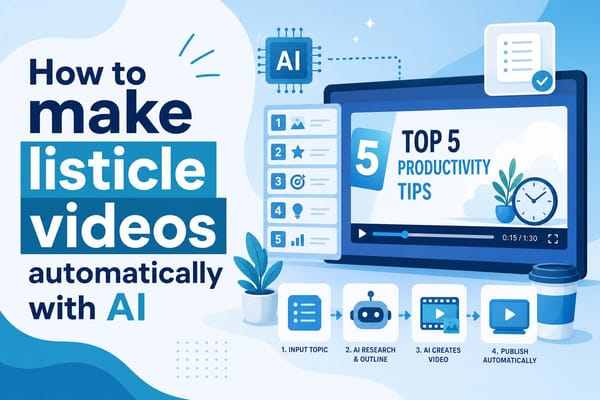
If you want to understand how that process works in more detail, I covered it in depth in this piece on how to make listicle videos automatically with AI, which walks through the workflow from prompt to finished video.
Animation as a first-class output format
Animation formats deserve specific attention because they represent a use case where avatar tools fall completely short and even most stock-footage editors offer nothing useful.
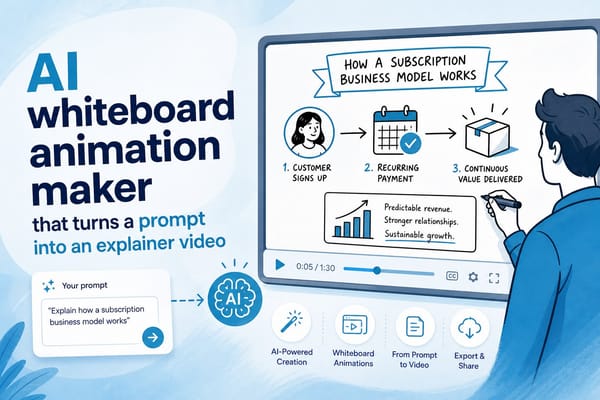
Whiteboard and stickman animation styles have built loyal audiences because they communicate abstract or complex ideas in a visual and engaging way. Educational channels explaining economic theory, biological processes, mathematical concepts, or psychological frameworks use animation because real footage often cannot show what they need to show. You cannot film supply and demand curves intersecting. You cannot film a neuron firing. Animation fills that gap.
Synthesia does not support animation workflows. Neither do most platforms that position themselves as AI video generators. They are built around footage libraries and talking heads, which means animation creators either use a completely separate tool or go without.
Cliptude supports animation as a native output format. You choose whiteboard or stickman style the same way you would choose documentary or short-form. The workflow is the same. The interface is the same. The output is optimized for that style. That means animation creators do not need a separate production stack or a different tool. Everything lives in one place.
Monetization and rights structure
For creators building channels with revenue in mind, the rights structure of the content they produce matters as much as the visual quality. Content produced with full commercial rights can run ads, be licensed to third parties, or be sold directly without legal gray areas. Content produced with restrictive licensing creates complications as soon as you try to scale or diversify income.
This is a practical consideration that often gets overlooked during tool evaluations. Creators focus on the feature set and the price and forget to check what they are actually allowed to do with the output. I covered the monetization angle specifically in this piece on whether you can monetize AI-generated YouTube videos, which is worth reading before you build a content strategy around any AI video platform.
Usage-based pricing and why it matters for creators
Subscription pricing with seat limits or fixed monthly video caps creates friction when your production schedule varies month to month. Some months you publish two videos. Other months you produce fifteen because you are running a campaign or building up a backlog. Under a capped subscription, you either pay for capacity you do not use or you hit your limit at the worst possible time.
Usage-based credit pricing matches your spending to your actual output. You buy credits and spend them when you produce. There is no penalty for a slow month and no ceiling forcing you to upgrade mid-campaign. For creators who are still figuring out their publishing cadence, this flexibility removes a real source of financial friction.
For creators and teams scaling output aggressively, it also means the economics stay predictable. You know what each video costs in credits. You can budget per video rather than per month. That is a cleaner mental model for anyone running content production as a business.
The combination that changes the comparison
Full pipeline automation, diverse output formats including animation, contextually intelligent footage sourcing, and flexible usage-based pricing together describe a different category of tool than Synthesia. It is not a better avatar generator. It is a platform designed from the ground up for formats that avatar-based video was never meant to serve. That is the comparison that actually matters when you are choosing where to build your content operation.
How to choose the right tool for your specific content goals
Choosing a Synthesia alternative is not really about finding a tool with a longer feature list. It is about matching the platform to the type of content you actually want to produce and the workflow that fits your situation. The right answer differs depending on your format, your publishing schedule, your production skills, and what your audience expects.
Let me work through the most common creator profiles so you can identify where you land and what to look for.
If you run or want to start a faceless documentary-style channel
Your priority is footage quality and narrative coherence. You need a tool that can take a complex, research-heavy topic, the history of the space race, the collapse of a financial system, the rise of a political movement, and build a video that feels authoritative and well-sourced.
That requires more than dropping stock clips onto a timeline. The research layer matters. The script needs to be accurate and logically structured. The footage needs to match the narrative at every point, not just thematically but contextually. A sentence about Nixon's resignation needs footage from that era, not a generic clip of a government building.
Avatar platforms are not attempting to solve this problem. They were built for a different format entirely. A platform like Cliptude was built specifically for long-form, research-heavy content, which means the automation is designed around the decisions that matter most to documentary creators: sourcing accuracy, narrative structure, and visual coherence.
If documentary content is your goal, the evaluation criterion is simple. Take your most complex planned topic and run it through the platform. Look at whether the footage matches the script beat by beat. Look at whether the narrative holds together as a piece of journalism rather than a collection of loosely related clips. That test will tell you whether the tool is actually built for your format.
If you are producing short-form content for TikTok, Instagram Reels, or YouTube Shorts
Your constraints are different. Speed matters more than depth. You need to turn around multiple pieces of content per week to stay relevant in the algorithm. Publishing one video takes you nowhere in short-form. Publishing five to ten per week starts to build momentum.
An avatar-based tool slows you down because you have to configure a presenter for each video, manage the script input interface, and manually adjust timing and transitions. Even if each of those steps is minor, they add up across a weekly production schedule of ten to fifteen videos.
A platform that generates a finished short from a prompt, including captions and pacing optimized for vertical video, fits your workflow much better. You focus on generating good prompts and reviewing output. The platform handles everything in between. That ratio of human input to finished output is what you need when volume is your competitive advantage.
Pacing is especially important in short-form. Viewers in that format make decisions in the first two seconds. The hook needs to land immediately. The cuts need to be fast. The captions need to be large and readable on a phone screen. An AI platform that understands short-form conventions as a native output format, rather than exporting a landscape video and leaving you to reformat it, saves significant production time.
If you are a solo entrepreneur producing educational content in your area of expertise
You likely have subject matter knowledge but limited production skills. You know what you want to say and you probably have opinions worth sharing. What you do not have is the time or inclination to learn video editing, motion graphics, color grading, and audio mixing.
The right tool for your situation takes your input, whether that is a prompt, a rough outline, or a completed script, and produces something that looks professionally made. The production layers happen automatically. You stay focused on content strategy, topic selection, and the ideas themselves, which is where your expertise actually lives.
This is a different kind of automation than what an avatar tool offers. Avatar tools automate the presenter layer. You still have to make production decisions about timing, pacing, and visual elements. A full-pipeline platform automates those production decisions, which is the part you have no interest in spending time on.
Solo educators benefit particularly from the consistency that automation provides. When the production quality is handled by the platform, every video you publish meets the same baseline standard. You are not having off days where the editing is rushed or the footage feels generic. The output is consistent because the process is consistent.
If animation is your preferred format
Either because your topic is abstract and hard to visualize with real footage, or because you have built an existing channel identity around whiteboard or stickman style, you need a platform that treats animation as a real output format rather than a novelty add-on.
Animation workflows require specific timing logic, illustration sequencing, and pacing that do not translate from stock footage production. A platform that bolts animation onto a footage-first workflow produces results that feel like footage videos with doodles on top. That is not what animation audiences expect.
Having animation as a native format in the same tool you use for everything else simplifies your production stack significantly. You do not manage two interfaces. You do not export from one tool and import into another. You do not deal with inconsistent branding or style drift between formats. One prompt input produces one finished video in the style you chose, whether that is documentary, short-form, or whiteboard animation.
Thinking through the cost comparison concretely
Synthesia and similar avatar tools typically price around seat-based subscriptions with limits on video minutes or resolution at each tier. The entry-level tiers often restrict you to shorter videos at lower resolution. Moving up costs more per month regardless of whether you actually hit the limits.
For a creator producing a mix of content, a ten-minute documentary one week and a set of YouTube Shorts the next, those limits create real friction. You either upgrade to a tier you do not fully use or you manage around the caps.
Usage-based pricing means you pay for what you produce. Slow months cost less. Heavy production months cost more, but you were generating more output during those months so the per-video economics stay consistent. For creators figuring out their publishing cadence or running seasonal content schedules, that flexibility removes a genuine source of financial stress.
It also makes the cost per video easier to calculate and compare. You know what a ten-minute documentary costs in credits. You know what a short-form video costs. You can budget per project rather than trying to average across a monthly subscription that may or may not fit your actual usage.
How to run a real evaluation before you commit
The most useful thing you can do before choosing any platform is run a test with your actual content, not a generic demo topic.
Pick the subject matter you actually plan to cover. Give the tool the kind of prompt or script you would genuinely use in production. Then evaluate the output on the criteria your audience cares about.
For documentary content: does the footage match the narrative at every beat, or does it feel loosely assembled? Does the script read as researched and credible, or does it feel templated?
For short-form content: is the pacing right for the platform? Does the hook land in the first two seconds? Are the captions formatted for mobile viewing?
For animation: does the illustration logic make sense for the topic? Does the timing of the animation match the narration in a way that feels intentional?
Those questions will tell you more than any feature comparison chart. They measure whether the tool is actually built for your format or whether it handles your format as an afterthought.
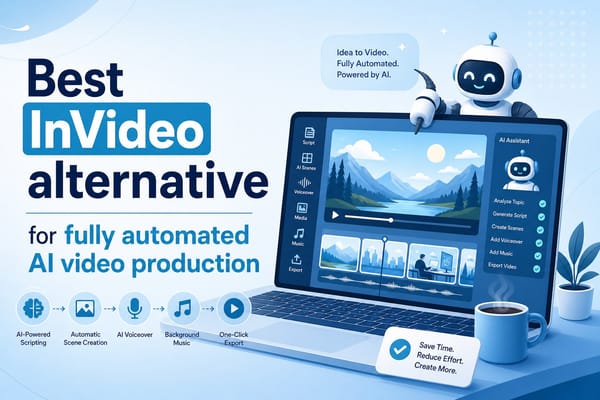
For creators who have already tried basic automated tools and found them limiting, it is also worth reading about how platforms compare across the full automation spectrum. I looked at this in depth in this article on the best InVideo alternative for fully automated AI video production, which covers similar workflow questions from a different starting point.
The broader shift happening in AI video right now
The direction the industry is moving is clear. Early AI video tools automated one step of production and left the rest to manual work. The next generation of platforms automates the entire pipeline. Research, scripting, footage sourcing, graphics, narration, and editing all happen together as a single workflow.
Avatar-based video was an early version of that idea applied narrowly to the presenter layer. Full pipeline automation applies it to everything. For creators who want to publish more content without spending more time in post-production, that full-pipeline approach is not a nice-to-have. It is the entire value proposition.
Cliptude sits in that full-pipeline category and was built specifically for the formats that avatar tools cannot serve: long-form documentary, listicle, short-form, animation, and music video. If you have been looking for a Synthesia alternative because you want AI video without a virtual presenter in front of a green screen, that is exactly the use case this platform was designed for.
Ready to take the next step?
Ready to produce your first video without avatars, green screens, or a complicated production workflow? Visit Cliptude and start creating from a simple prompt or script today.