Pictory AI vs InVideo alternatives for YouTube creators

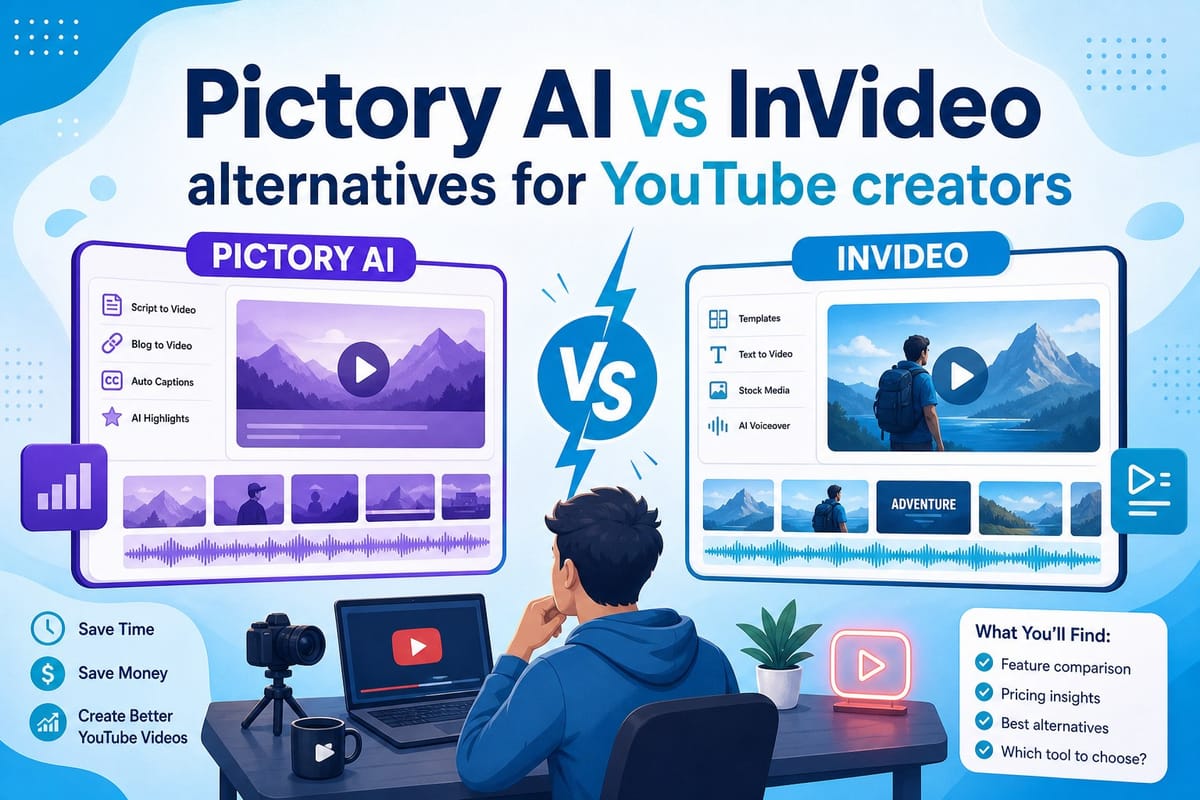
Table of contents
1. What Pictory AI and InVideo actually do well
2. Where both tools hit real walls for YouTube creators
3. What a true end-to-end alternative actually looks like
If you have spent any time searching for video creation tools, you have probably run into the same two names over and over: Pictory AI and InVideo. Both are popular, both have solid reputations, and both show up constantly in YouTube creator forums and Reddit threads. But neither one does everything a modern faceless YouTube creator actually needs. This guide walks through what each tool genuinely offers, where they hit hard limits, and why so many creators searching for pictory ai vs invideo alternatives for youtube end up looking well beyond both platforms once they try to scale their output.
What Pictory AI and InVideo actually do well
Before getting into the limitations, it is worth giving credit where it is due. Both tools have helped a real number of creators get videos published faster than traditional editing workflows, and that matters.
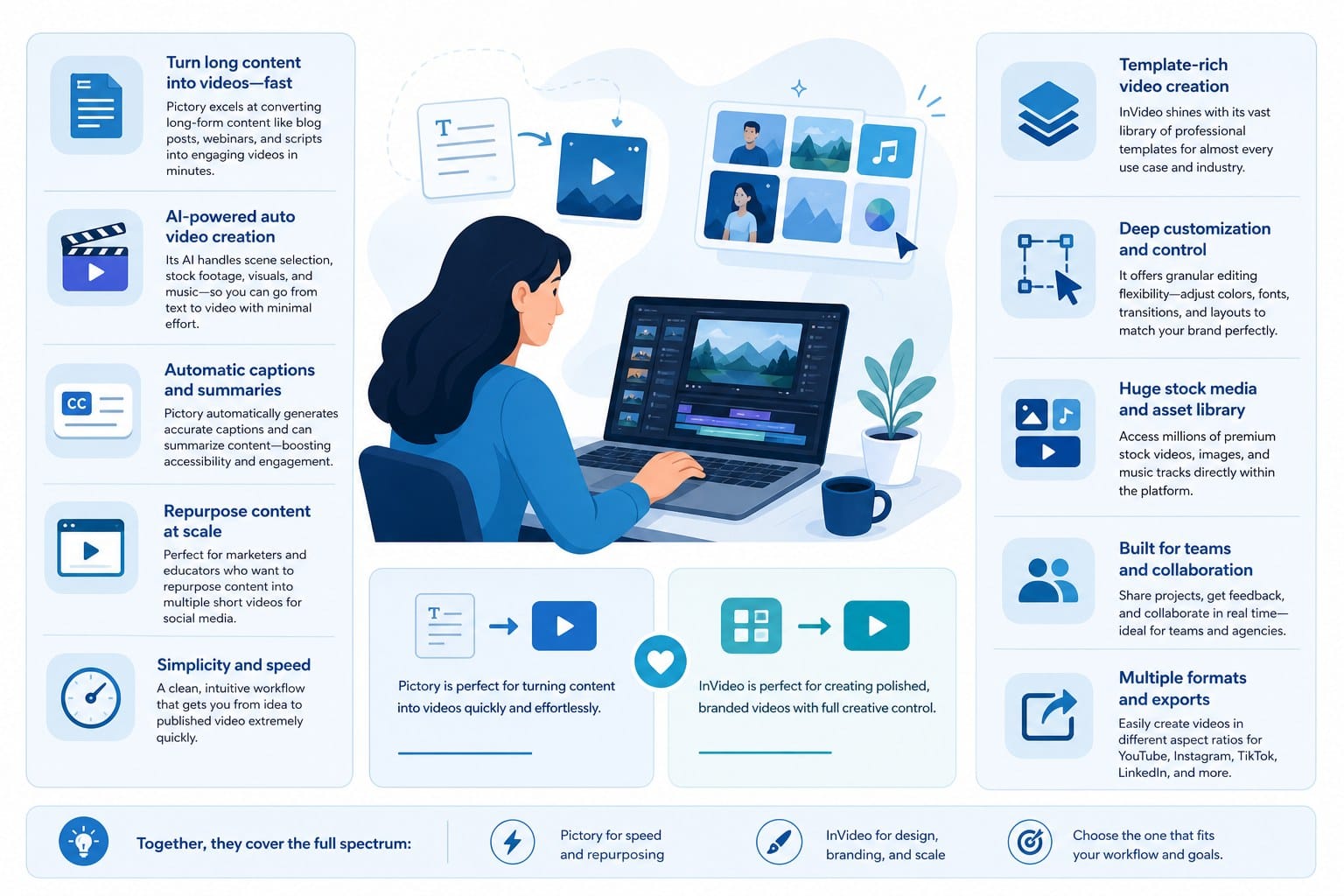
Pictory AI built its reputation on one specific workflow: turning long-form text into short highlight clips. You paste in a blog post, a podcast transcript, or a written script, and the platform pulls out key sentences, pairs them with stock footage, adds captions automatically, and returns a watchable video in a fraction of the time it would take to do that manually. For repurposing content you have already created, that pipeline is genuinely fast and low-friction.
The visual editor is simple enough that someone with zero editing background can finish a video in under an hour. Pictory's caption styling is one of its strongest features — you get solid control over font, positioning, animation style, and timing without needing to touch a timeline. The AI voice options have also improved considerably over the past two years, moving away from the robotic cadence that plagued early text-to-speech tools toward something that sounds natural enough for most niches. If your primary goal is taking written content you already have and converting it into clips at speed, Pictory does that job cleanly.
InVideo takes a different approach. It started as a template-based editor and has added AI features that let you type a prompt and receive a rough video draft in return. The template library is large and covers a wide range of niches — news roundups, motivational content, product explainers, social media clips — which is useful when you want a consistent visual style without designing every element from scratch. InVideo also has strong text-to-speech options and a polished built-in stock media library that makes the early stages of video production faster.
For small teams or solo creators who want a starting point they can customize rather than a blank canvas, InVideo's template system is a real time-saver. You are not rebuilding your visual identity every time you start a new video, which matters a lot when you are trying to maintain a consistent publishing schedule.
InVideo's AI prompt feature is worth examining more closely because it represents where the platform has tried to evolve. You describe a video — topic, tone, length, target audience — and the system generates a rough cut with footage, narration, and text overlays already in place. For short promotional content or social media clips, that starting point can be good enough to publish with minor adjustments. For longer YouTube content, you will almost always need to rebuild significant portions of the draft.
Both platforms handle captions well, which matters for YouTube visibility and for viewers watching without sound. Both integrate with standard stock libraries including Storyblocks and Shutterstock-adjacent sources. Both support voiceover either through their built-in AI voices or by letting you upload a recorded file. These are table-stakes features for video tools in 2024, and both platforms deliver them at a level that justifies their pricing for light use cases.
So where is the catch?
Both Pictory and InVideo are fundamentally clip-assembly platforms. They take assets — footage, text, audio, captions — and combine them in ways that are faster than a traditional editing timeline. What they do not do is handle the creative and intellectual work that comes before the assembly stage. You still have to bring the concept, the structure, the research, the script, the pacing decisions, and the quality judgment. The tool speeds up the mechanical steps. The thinking, the sourcing of ideas, and the storytelling are still entirely on you.
For a creator who is just starting out and wants to repurpose a few existing articles into short clips, that division of labor is fine. For a creator trying to build a faceless YouTube channel around original long-form content published consistently at volume, that division of labor becomes the bottleneck. The gap between what the tool covers and what the video actually needs stays wide, and that gap is exactly why so many creators searching for pictory ai vs invideo alternatives for youtube keep searching after trying both.
It is also worth noting the way both platforms handle their limitations in their own marketing. The demos and case studies tend to feature short-form content, repurposed text, or template-based videos that play to the tools' genuine strengths. When you try to push either platform toward longer documentary formats, niche educational content, or animated explainers, you will discover quickly that you are working outside the design parameters. That is not a failure of the tools — it is a mismatch between what the tools were built to do and what a broader category of YouTube creators actually needs.
Where both tools hit real walls for YouTube creators
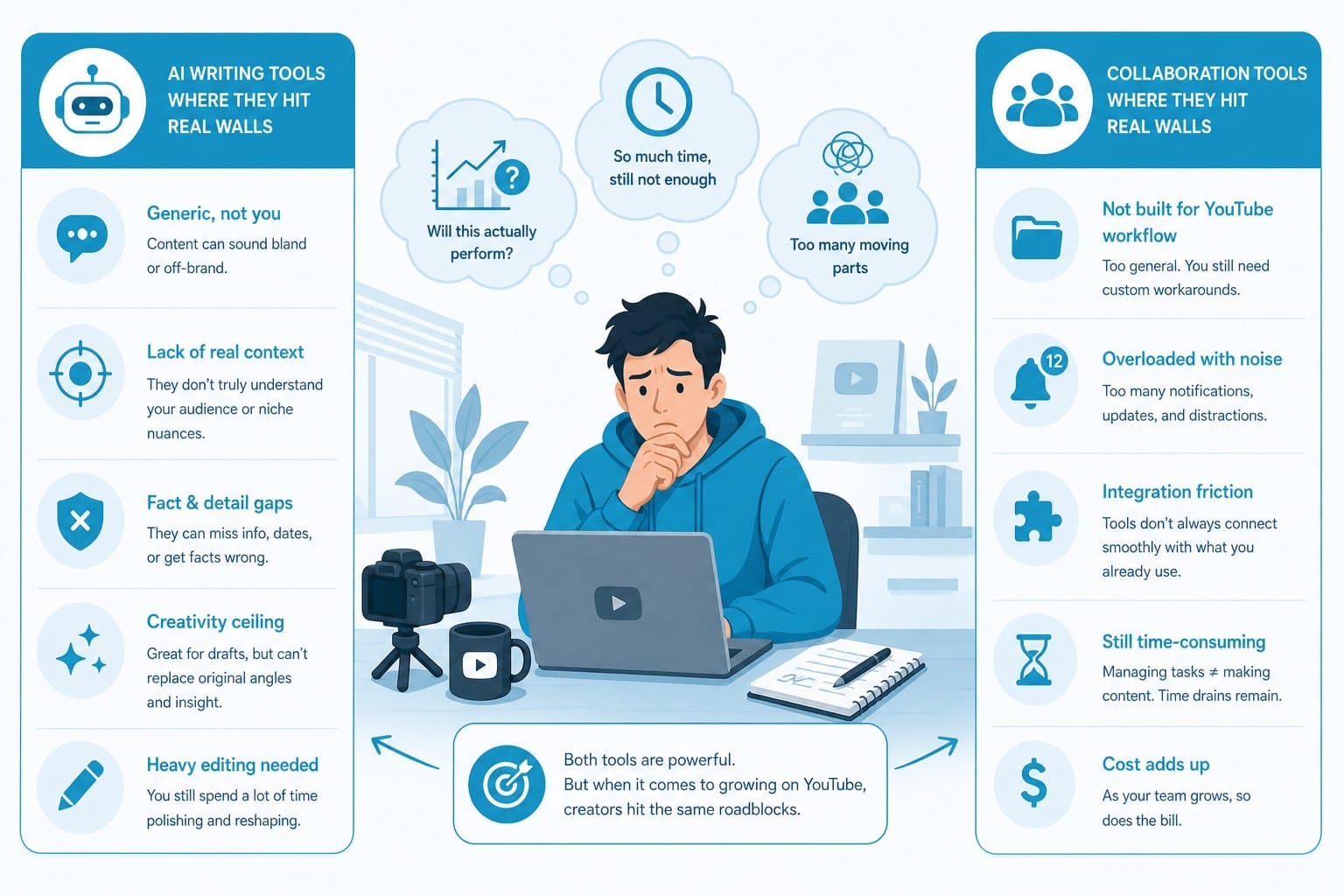
The limitations become obvious once you try to scale your output, move into longer content formats, or work in specialized niches where generic stock footage falls flat.
Research is not part of the package.
If you want to produce a 15-minute documentary-style video about the history of a major technology company, a breakdown of a scientific concept, or an investigation into a niche topic your audience cares about, you have to arrive at Pictory or InVideo with all of that information already prepared. You have to gather the facts, verify them, decide what to include and what to cut, and structure the information into a logical narrative. Only after all of that work is done can you hand the finished script to the platform and let it handle the visual assembly.
For faceless YouTube channels built around educational or documentary content, that upstream work is substantial. It might represent 60 to 70 percent of the total production effort for a single video. Both tools skip that entire phase. What looks like AI-powered video creation is, in practice, AI-powered video assembly — a meaningful distinction once you understand how much work sits outside the tools' scope.
Stock footage has a hard ceiling.
Pictory and InVideo both pull from stock libraries, and those libraries are built around broad commercial appeal rather than specialized educational content. If your channel covers topics like ancient engineering, obscure historical events, niche scientific fields, or regional economics, you will hit the ceiling quickly. You end up cycling through the same generic aerial shots and office environment footage because the library simply does not have anything more specific.
This is a problem that compounds over time. Your tenth video on a specialized topic starts to look like a remix of your first nine because the underlying footage pool is the same. Viewers notice repetition even when they cannot name it, and it affects how long they watch and whether they come back. For faceless channels where the visuals carry the full weight of the viewer experience — no on-camera host to hold attention — footage quality and variety are not optional.
Animation is handled by a completely separate tool.
Neither Pictory nor InVideo handles animation natively in any meaningful way. If you want whiteboard-style explainer videos, stickman animations, motion graphic sequences, or animated data visualizations — all of which perform well on educational YouTube channels — you are looking at a separate platform, a separate learning curve, a separate subscription, and a workflow that requires you to move assets back and forth between tools.
For creators in the explainer content space, this is a significant gap. Whiteboard and stickman formats work particularly well for topics in science, finance, history, and technology because the visual style itself communicates clarity. A platform that can generate both the script and the animation as part of a single workflow compresses what is normally a multi-day production process into something a solo creator can actually sustain. For a deeper look at how integrated animation tools work, the guide on AI whiteboard video maker that scripts and animates for you covers the specifics of that content format and what to look for in a platform that handles it well.
Scaling volume reveals the workflow bottleneck.
Pictory and InVideo can make producing one video feel manageable. They start to show their structural limits when you try to publish three, four, or five videos a week. The reason is that both tools accelerate specific steps — the clip selection, the caption generation, the audio sync — but leave the most time-intensive steps entirely in your hands. Research, scripting, structural editing, quality review, and asset sourcing do not get faster just because you have a clip-assembly tool running downstream.
For faceless channels trying to reach the volume thresholds that matter for YouTube growth, the math does not work. You would need to hire researchers, writers, or additional editors to keep up with a demanding publishing schedule, which changes the economics of the whole operation.
Subscription pricing does not match uneven publishing rhythms.
Both platforms use flat monthly subscription models. That structure works well if you publish consistently and predictably, but content creation rarely follows that pattern. You might produce eight videos in one month while testing a new niche, then publish almost nothing while you research your next content direction. A flat monthly fee charges you the same amount either way.
Usage-based or credit-based pricing, where you pay for the videos you actually produce rather than for access to a tool you may or may not use heavily that month, is a meaningfully better fit for the realities of content creation. It reduces the sunk-cost pressure that pushes creators to publish mediocre videos just to justify the subscription cost.
Faceless channels have higher visual standards, not lower ones.
This point gets overlooked in a lot of comparisons. When there is no on-camera host to hold viewer attention, every element of the video has to do more work. The script needs to be tighter. The footage needs to be more relevant. The pacing needs to be more precise. The audio quality and music selection need to be right. There is no charismatic presenter to smooth over rough edges, which means rough edges are more visible.
Clip-assembly tools were designed to speed up video production for general use cases. They were not specifically designed for the higher visual and structural standards that faceless educational content requires. That mismatch shows up most clearly in the final product when you compare a well-produced faceless channel to one built primarily with template-based clip-assembly tools.
For creators building listicle or top-10 format channels — one of the most consistent performers in the faceless YouTube category — the production requirements are specific and worth understanding in detail. The guide on how to make top 10 YouTube videos with AI and no editing skills breaks down that format tactically, including what the best-performing examples actually do differently from average ones.
What a true end-to-end alternative actually looks like
When creators start searching seriously for pictory ai vs invideo alternatives for youtube, they are usually asking one specific question: is there a tool that handles the entire process, from blank page to finished video, without requiring me to also be a researcher, writer, and video producer?
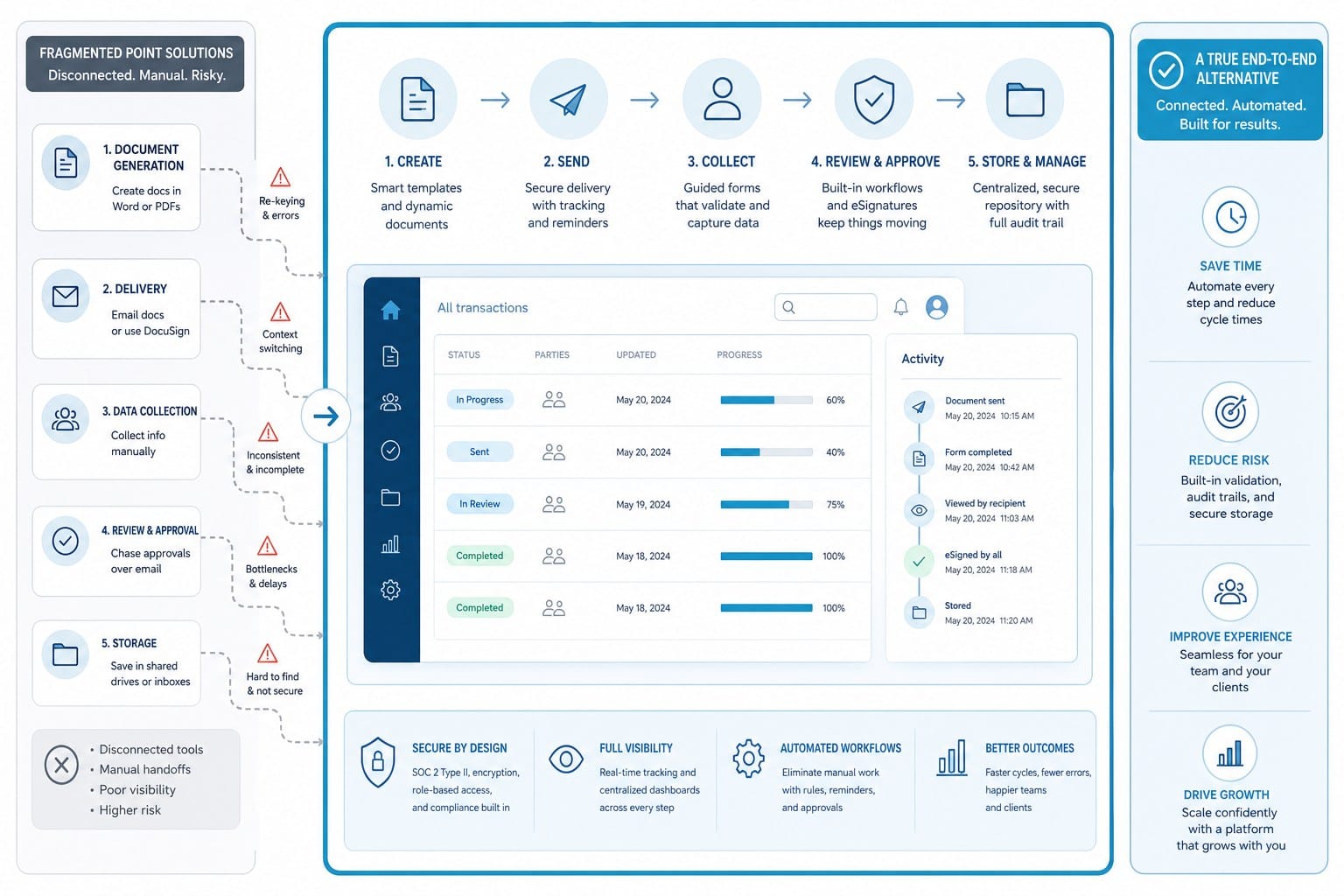
The honest answer is that true end-to-end AI video creation is a newer and more demanding category than clip assembly. It requires a platform capable of handling several simultaneous layers of production that clip-assembly tools were never designed to address.
Here is what full-pipeline video creation actually involves, broken down by layer.
Research.
The platform needs to gather, evaluate, and organize factual information about the topic before any scripting begins. This is not about pulling random sentences from the web. It is about building a coherent informational foundation so that the script is accurate, substantive, and capable of holding up to the kind of audience that watches educational YouTube content specifically because they want to learn something real. A tool that skips this step is a tool that requires you to do the hardest intellectual work before you even open the software.
Scripting with structure.
A real script for a 10 or 15-minute YouTube video is not a list of sentences with footage cues next to them. It has an opening hook designed to retain the viewer in the first 30 seconds. It has a narrative arc that builds across sections and maintains momentum. It has transitions that connect ideas logically rather than just cutting from one topic to the next. It closes in a way that encourages the viewer to watch more content or take a specific action. Writing that kind of script from scratch for every video, across every topic, is a full-time job. A platform that generates that structure automatically — and does it in a way that fits your niche and tone — compresses what would normally take hours into minutes.
Footage that actually fits the topic.
Generic stock footage is better than nothing, but relevant footage is what separates professional-feeling videos from amateur ones. A platform that can source footage specific to the actual subject matter of the video — not just the general category it fits into — produces results that look meaningfully different from what clip-assembly tools deliver. The difference is most visible in niche educational content where generic shots simply do not exist in standard stock libraries.
Integrated motion graphics and animation.
On-screen text, animated transitions, data visualizations, stickman sequences, and whiteboard-style explainers are not decorative features. They are functional tools that add visual interest, clarify complex ideas, and give faceless channels a visual identity that viewers recognize and return to. A platform that generates these elements as part of the same workflow — rather than requiring you to produce them in a separate tool and then import the results — reduces production time dramatically and eliminates a significant category of potential errors at the handoff point between tools.
Editing and pacing built into the output.
Even with all the right assets in place, a final cut needs rhythm. Individual clips need to be the right length. Music needs to sit at the right volume under narration — audible enough to set tone, quiet enough not to compete with the voice. Text overlays need to appear and disappear at a natural reading pace. These details are what separate a video that keeps viewers watching from one they close after 90 seconds. A platform that handles this layer as part of the automated output rather than leaving it to manual adjustment delivers a finished product that is genuinely closer to publish-ready.
Commercial rights coverage.
For any creator monetizing their channel or producing content for clients, this is not optional. Every element in a published video — footage, music, voice assets, generated imagery — needs to be cleared for commercial use. This is especially important when producing at volume across multiple channels, because the risk surface area is larger. A platform that explicitly covers commercial rights across all generated content removes a category of legal and financial risk that creators using patchwork tool stacks often leave unaddressed.
Cliptude is built to handle all of these layers as a unified workflow. You start with a prompt or a rough script concept, and the platform takes it through research, scripting, footage sourcing, motion graphics generation, and final assembly. The output formats cover long-form documentary and educational videos, YouTube Shorts, listicle and top-10 videos, whiteboard and stickman animations, and music videos. For faceless channel creators, that range of formats matters because successful channels often need to produce across multiple content types rather than staying locked into one style.
The credit-based pricing model at Cliptude is worth understanding in contrast to the flat subscription approach used by Pictory and InVideo. With a credit-based model, you pay for the videos you actually produce. If you publish heavily one month and barely at all the next, your cost adjusts accordingly. For creators who are still testing which content formats and topics perform best for their channel — a phase that can last months — that flexibility removes a financial pressure that often leads to premature decisions about niche and style.
For creators building cross-platform output strategies that include YouTube Shorts alongside long-form content, the automation question is worth examining separately. Short-form content has its own production logic, its own pacing requirements, and its own distribution dynamics. The breakdown in AI YouTube Shorts automation: best tools for hands-free creation covers how to build a sustainable short-form output pipeline without doubling the total production workload across your channel.
The practical difference between a clip-assembly tool and a full-pipeline platform becomes most visible at volume. One video produced with Pictory or InVideo can look fine. The tenth video of the month, produced under time pressure with the same generic footage and a script you wrote yourself after a full day of other work, looks different. Quality consistency at volume is a production infrastructure problem, and it requires infrastructure-level solutions rather than faster versions of the same clip-assembly approach.
For educational channels specifically, the animation capability deserves its own emphasis. Whiteboard and stickman formats are not just aesthetic choices — they are pedagogically effective for topics where abstract ideas need visual representation to land clearly. Finance concepts, historical timelines, scientific processes, and technical explanations all benefit from animation that moves through the idea at the same pace the narration does. A creator who can generate that style of animation from the same prompt that produces the script and the voiceover has a production capability that is fundamentally different from one using a clip-assembly tool and a separate animation platform.
Solo entrepreneurs and small media teams face an additional version of this problem. Every tool you add to your stack is another login to manage, another learning curve to climb, another monthly charge on the card, and another handoff point where assets can be lost, reformatted incorrectly, or misaligned with the final vision. Fewer tools with broader native capabilities means fewer failure points, less administrative overhead, and more time spent on the work that actually grows your channel.
The commercial rights question applies with particular force to anyone building a faceless channel as a business rather than a hobby. At the point where you are generating revenue from AdSense, from sponsorships, or from client work, the legal status of every asset in your videos is a business question, not just a creative one. Platforms that handle commercial rights as part of the default output remove a layer of due diligence that patchwork tool stacks often leave entirely to the creator.
Finally, consider the gap between what the AI produces and what actually goes live on your channel. With clip-assembly tools, that gap is wide because the platform handles only a narrow slice of the total production process. With a true end-to-end platform, the gap narrows to the point where your primary contribution is strategic direction — which topics to cover, how to position your channel in the niche, how to grow the audience — rather than execution tasks the AI could handle faster and more consistently.
That strategic shift is what creators are actually looking for when they search for pictory ai vs invideo alternatives for youtube. They do not want a tool that speeds up one step. They want a system that handles the whole job reliably enough that they can focus on building something rather than producing something.
Ready to take the next step?
If you are ready to move past clip-assembly tools and see what a full-pipeline AI video workflow actually produces, visit Cliptude and run your next video idea through the system. Start with a prompt, a topic, or a rough concept — and see a polished, publish-ready video come out the other side.