AI video generator in Urdu: how to create videos in your language

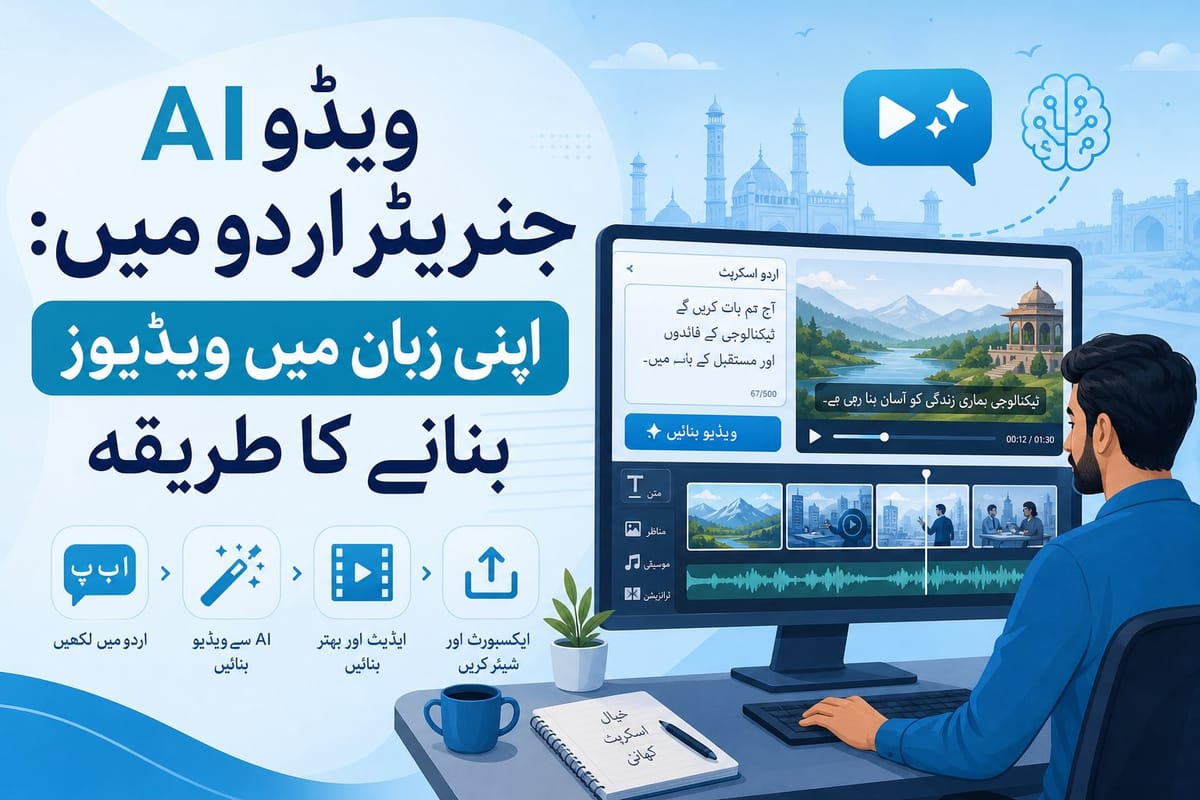
Table of contents
1. Why Urdu-language video is a wide-open opportunity right now
2. How an AI video generator in Urdu actually works, step by step
3. Building a consistent Urdu video channel with AI tools
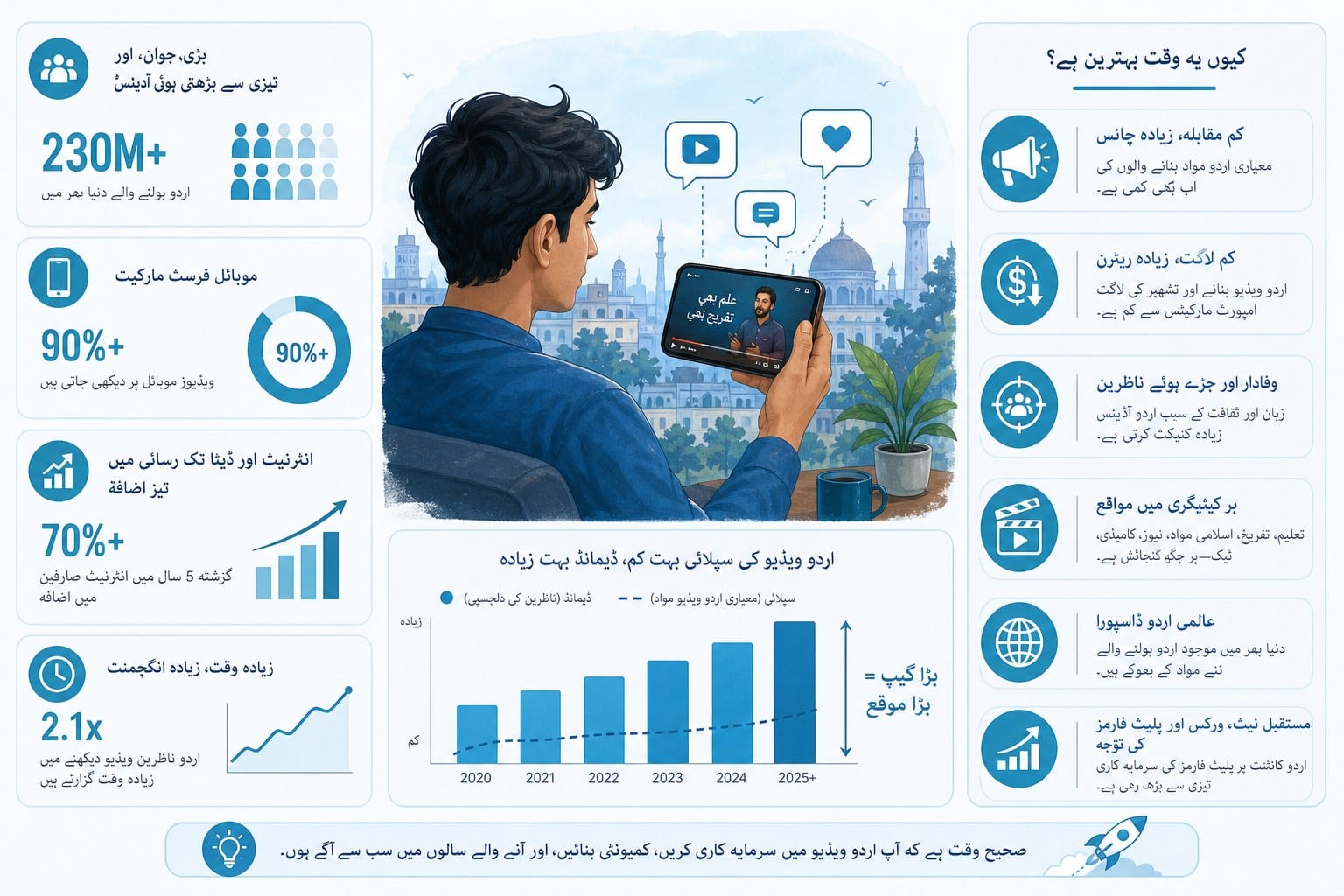
Urdu is spoken by more than 230 million people around the world, yet the overwhelming majority of online video content is still produced in English. That gap is a real opportunity. If you create videos in Urdu, you are reaching an audience that is hungry for content in their own language but is not being served well. The challenge has always been production. Recording voiceovers, editing footage, writing scripts, and putting everything together takes serious time and skill. That is exactly where an ai video generator in urdu changes the equation. Tools like Cliptude let you go from a simple prompt or script to a polished, finished video without needing a studio, a camera, or years of editing experience. In this article, I will walk you through how these tools work, what you can realistically create in Urdu, and how to build a consistent video workflow that actually scales.
Why Urdu-language video is a wide-open opportunity right now
Let me start with some context, because understanding the landscape helps you make smarter creative decisions.
Urdu is the national language of Pakistan and one of the official languages of India. It is also spoken widely in the United Kingdom, the United States, Canada, and the Gulf countries by large diaspora communities. Despite that reach, the volume of high-quality Urdu video content on YouTube, TikTok, and Instagram Reels is still relatively thin compared to English, Hindi, or even Arabic content.
That matters because YouTube's algorithm rewards channels that fill underserved niches. When fewer creators compete in a language, your videos have a better shot at ranking for search terms, getting recommended to viewers, and building a loyal subscriber base faster than you would in a saturated English-language category.
Think about the topics that perform well in English: history documentaries, science explainers, true crime recaps, top-ten listicles, motivational content, financial literacy, and technology breakdowns. Almost all of those formats are wide open in Urdu. A channel covering Pakistani history in a documentary style, or explaining personal finance concepts in simple Urdu, could grow quickly because competition is low and demand is real.
The production barrier has historically kept many creators out. Writing a solid Urdu script takes time. Recording a clean voiceover requires a quiet space and decent microphone equipment. Editing video, syncing audio, adding graphics, and sourcing footage can eat up an entire day for a single ten-minute video. If you have a full-time job or you are running a small business, that time cost alone is enough to kill the project before it starts.
This is the core problem that an ai video generator in urdu solves. Instead of spending hours on every step of production, you give the tool a prompt or a script, and it handles research, scripting, footage sourcing, motion graphics, and editing automatically. You get a finished video that looks professional without touching a timeline or hunting for stock clips.
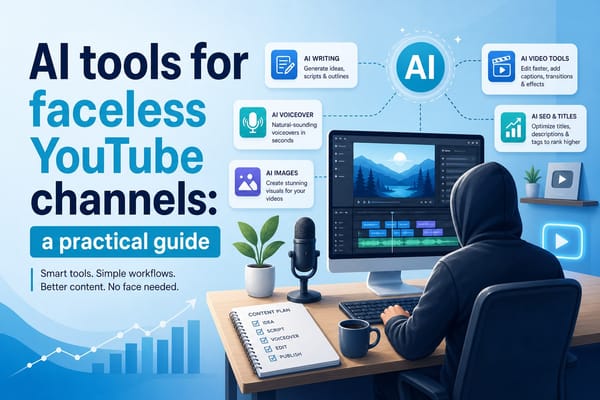
For faceless YouTube channels specifically, this is a major unlock. You never need to appear on camera. You do not need a voiceover artist. You just need to know what story you want to tell and have a tool that can tell it in Urdu. I cover this in more detail in my guide on AI tools for faceless YouTube channels: a practical guide, but the short version is that AI video platforms have made it genuinely viable to run a profitable channel without any on-camera presence at all.
Another angle worth considering is monetization. YouTube's Partner Program is available in Pakistan, India, and most countries with large Urdu-speaking populations. Once your channel hits the threshold for monetization, you earn ad revenue on every view. Because Urdu content often has less competition, it can generate strong watch time and consistent growth, which feeds directly into ad revenue. Creators who also sell digital products, affiliate partnerships, or sponsored content to Urdu-speaking audiences add even more income streams on top of that.
The window is open right now. In a few years, more creators will catch on and competition will grow. Building an Urdu channel today, using AI video tools to produce content consistently, puts you ahead of that curve.
How an AI video generator in Urdu actually works, step by step
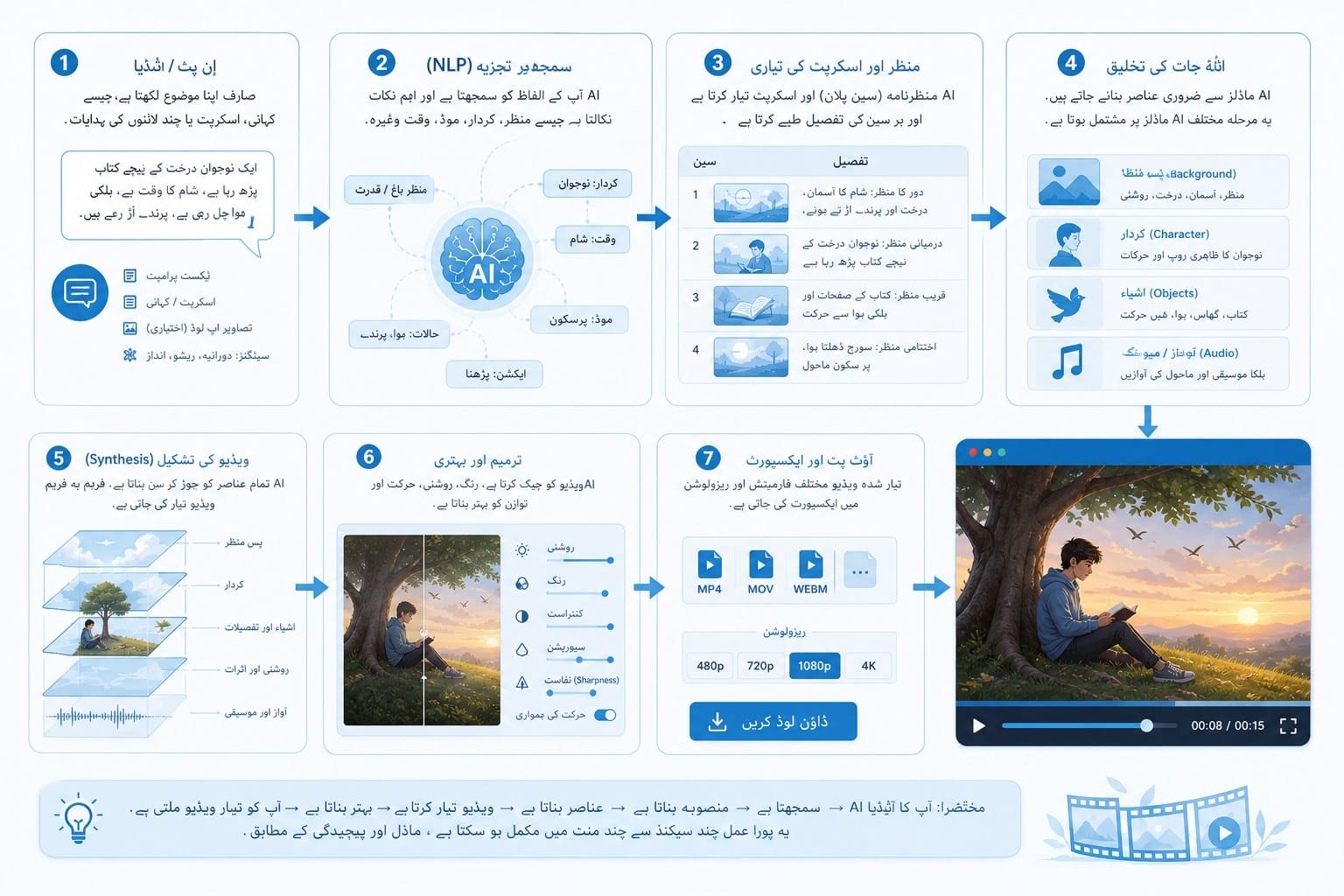
Understanding the workflow makes it much easier to get good results. Let me walk through exactly what happens when you use a platform like Cliptude to create a video in Urdu.
The process starts with your input. You either write a script yourself or give the tool a prompt describing the video you want. For Urdu content, you have two main approaches. The first is writing your script directly in Urdu before you paste it into the platform. This gives you full control over the language, the tone, and the specific vocabulary you use. If you are creating educational content and you want to use precise Urdu terminology rather than English borrowings, writing the script yourself is the best path.
The second approach is writing your prompt or script in English and then handling the Urdu adaptation yourself or using a translation step. Some creators prefer this because they think and plan in English but want the final product delivered to an Urdu audience. Either approach works, and you will find your preferred method after a few projects.
Once your input is in the system, the AI takes over several jobs that would normally require a team. It researches the topic if you have given it a prompt rather than a finished script. It structures the content into a coherent narrative with an introduction, body sections, and a conclusion. It identifies what kind of visuals would match each part of the script. It sources footage and images, generates motion graphics, and assembles the whole thing into a timed edit.
The voiceover is a critical piece for Urdu content. AI-generated voices have improved dramatically over the past few years. The key is choosing a voice that sounds natural in Urdu rather than a generic robotic tone. Some platforms offer voice options with regional accents, which matters because Urdu spoken in Lahore sounds different from Urdu spoken in Karachi, Delhi, or London. Pay attention to that detail because your audience will notice, and a voice that feels authentic to them builds more trust.
For visual style, you have real choices. Documentary-style videos work well for history, geography, and true crime content. They use a mix of archival footage, maps, images, and narration, which is exactly what an AI platform can assemble automatically. Whiteboard or stickman animation styles work well for educational and explainer content because they communicate complex ideas through simple visuals. These animation formats are particularly effective when you are explaining concepts that do not have obvious stock footage, like abstract financial ideas or scientific processes.
One format that is growing fast for Urdu creators is the short-form video, which runs between 60 seconds and three minutes and is designed for YouTube Shorts, Instagram Reels, and TikTok. These are faster to produce, easier to test, and can drive subscribers to your longer content. An ai video generator in urdu that handles both long-form and short-form output lets you run a cross-platform content strategy without doubling your production effort.
After the AI produces the initial edit, you review it. This review step is important and should not be skipped. Check that the Urdu text is accurate if the video includes on-screen text. Listen to the voiceover and confirm that the pronunciation is correct for the words you care most about. Watch the footage choices and make sure they match the story you are telling. Most good AI video platforms let you request changes or regenerate specific sections, so use that flexibility.
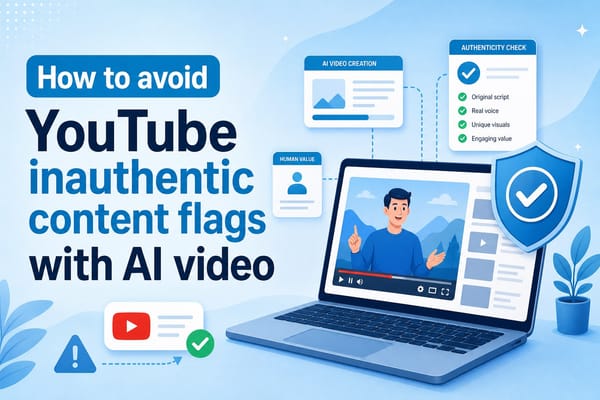
For creators who want to maintain authenticity and avoid the kind of issues that come with fully automated content, it is worth reading about how to avoid YouTube inauthentic content flags with AI video. The short version is that adding your own perspective, editing AI-generated drafts, and making real creative decisions protects your channel and makes your content genuinely better.
Cliptude's pricing model is credit-based, which means you pay for what you produce rather than committing to a flat monthly fee regardless of output. For a small creator just starting out, this is practical because you can produce a few videos, test what resonates with your Urdu audience, and scale up spending only after you see results. For a media team producing content at high volume, the same model lets you forecast costs based on actual output.
The commercial rights structure is worth flagging here too. When you use Cliptude to create a video, you get full commercial rights to the finished product. That means you can upload it to YouTube and monetize it, sell it to a client, license it, or use it in paid advertising without any additional permissions or royalty payments. For creators who are building a business around Urdu video content, that ownership structure is essential.
One technical element that often gets overlooked in video production is audio texture. The way a voiceover sounds in relation to the music and ambient sound in a video affects how professional the final product feels. I wrote about this in depth in Vox texture explained: what it is and how it works in video, but the practical takeaway is that the AI-generated voiceover should feel like it belongs in the same sonic space as the music and effects in your video. Good AI platforms handle this automatically, but it is useful to know what to listen for during your review.
Building a consistent Urdu video channel with AI tools
Producing one good video is satisfying. Building a channel that grows consistently requires a different kind of thinking. Let me share how to set up a workflow that makes publishing in Urdu sustainable over the long term.
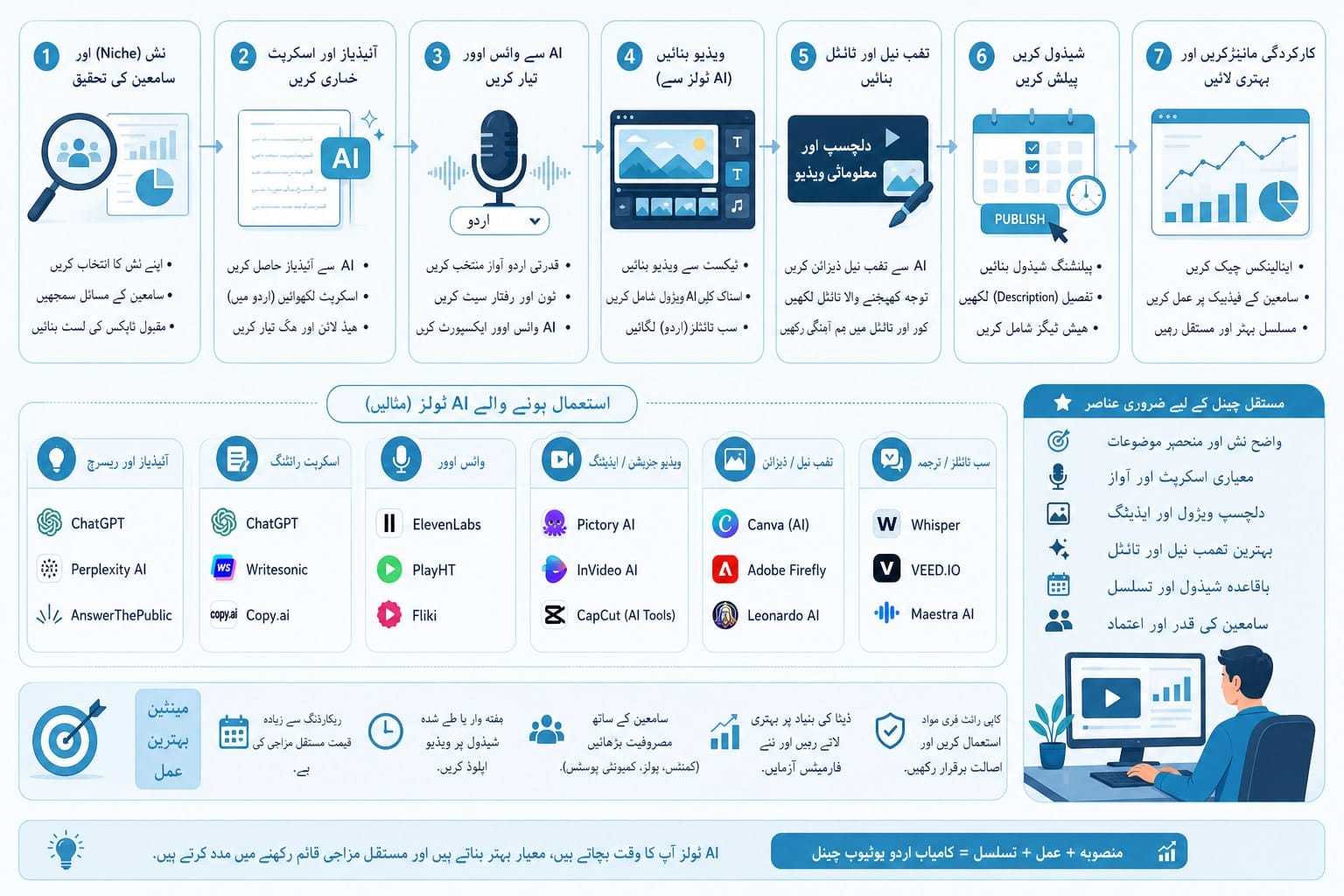
Start with a content plan before you produce a single video. Pick a niche that you understand and that has clear audience demand in Urdu. Some strong options include Pakistani and South Asian history, Islamic history and education, personal finance for Pakistanis and the diaspora, technology and gadget reviews, true crime cases from Pakistan or India, motivational and self-improvement content, and science explainers for school and college students.
Within your niche, brainstorm a list of at least twenty video topics before you start producing. This matters because consistent publishing is what drives channel growth, and running out of ideas after three videos is one of the most common reasons channels stall. Having a backlog of planned topics means you can produce steadily without hitting creative blocks.
For each topic, decide the format before you prompt the AI. A ten-minute documentary-style video on the history of the Mughal Empire requires different inputs than a two-minute animated explainer on how compound interest works. Knowing the format in advance helps you write a better prompt and get a better first draft from the AI.
When you write your Urdu scripts, pay attention to register and vocabulary. Urdu has a spectrum from very formal literary language to conversational everyday speech. Educational content for a general audience usually works best somewhere in the middle: clear and correct but not stiff or academic. If you are writing for younger audiences, lean more conversational. If your content is about religion, history, or law, a slightly more formal register may feel more appropriate to your viewers.
One practical tip for Urdu-specific production: Urdu is written right to left in the Nastaliq script, which is the traditional and most widely recognized form. If your video includes on-screen text, titles, or lower thirds in Urdu, check that the text renders correctly in the Nastaliq or Naskh font and that the alignment is right to left. This sounds like a small detail, but incorrectly rendered Urdu text looks unprofessional and can undermine trust with your audience immediately.
For voiceovers, consider what accent and dialect will feel most natural to your target viewers. A channel aimed at Pakistani audiences in Pakistan might prefer a voice with Pakistani pronunciation patterns, while a channel aimed at the diaspora in the UK or North America might be fine with a more neutral Urdu voice. Test a few options early and get feedback from people in your target audience before you commit to a voice style for the whole channel.
Thumbnails are as important for Urdu channels as they are for any other YouTube content. Even if the video itself is fully AI-generated, spend real time on thumbnail design. If you include Urdu text in the thumbnail, make sure it is large enough to read on a mobile screen, which is where most YouTube viewing happens in Pakistan and India. Use high-contrast colors and a clear focal image that communicates the video topic instantly.
Publishing frequency matters more than most creators realize. YouTube rewards channels that publish consistently. Two videos per week is a strong target for a growing channel. Using an ai video generator in urdu makes that frequency achievable without burning out, because you are not spending twelve hours editing each video by hand. You can produce a full week of content in a single afternoon once you have your workflow established.
Engagement signals like watch time, comments, and shares tell the algorithm your content is worth recommending. Urdu-language audiences tend to be highly engaged when they find content that speaks to them in their language and addresses topics they care about. Responding to comments in Urdu, asking questions at the end of videos to prompt discussion, and building a community around your channel all help those engagement signals grow.
For scaling beyond a single channel, solo entrepreneurs and small media teams are using AI video tools to produce content for multiple clients or run multiple channels simultaneously. A team of two or three people with access to Cliptude can realistically manage several Urdu channels in different niches, producing content at a volume that would have required a full production studio just a few years ago. The credit-based pricing model makes it easy to allocate production budget per channel and track return on investment clearly.
Monetization beyond ad revenue is worth planning from the start. Urdu-speaking audiences in Pakistan, India, and the diaspora are diverse in terms of income and spending habits, but they share a strong interest in content that improves their lives or entertains them meaningfully. Digital courses taught in Urdu, e-books, community memberships, and affiliate partnerships with products that your audience actually uses are all viable revenue streams that complement ad income.
The creators who will build the most valuable Urdu channels over the next few years are the ones who treat this as a real media business from day one. That means publishing consistently, understanding your analytics, reinvesting early revenue into better production, and always thinking about what your specific audience wants to watch next. AI video tools give you the production capacity to execute that vision. The strategy and the creative direction are still yours to own.
Ready to take the next step?
If you are ready to start producing Urdu videos without a studio or editing skills, Cliptude is built exactly for that. You bring the idea or the script, and the platform handles research, footage, graphics, voiceover, and editing automatically. Visit cliptude.com to explore how the tool works and start your first project today.