Synthesia vs InVideo: which AI video platform is right for you

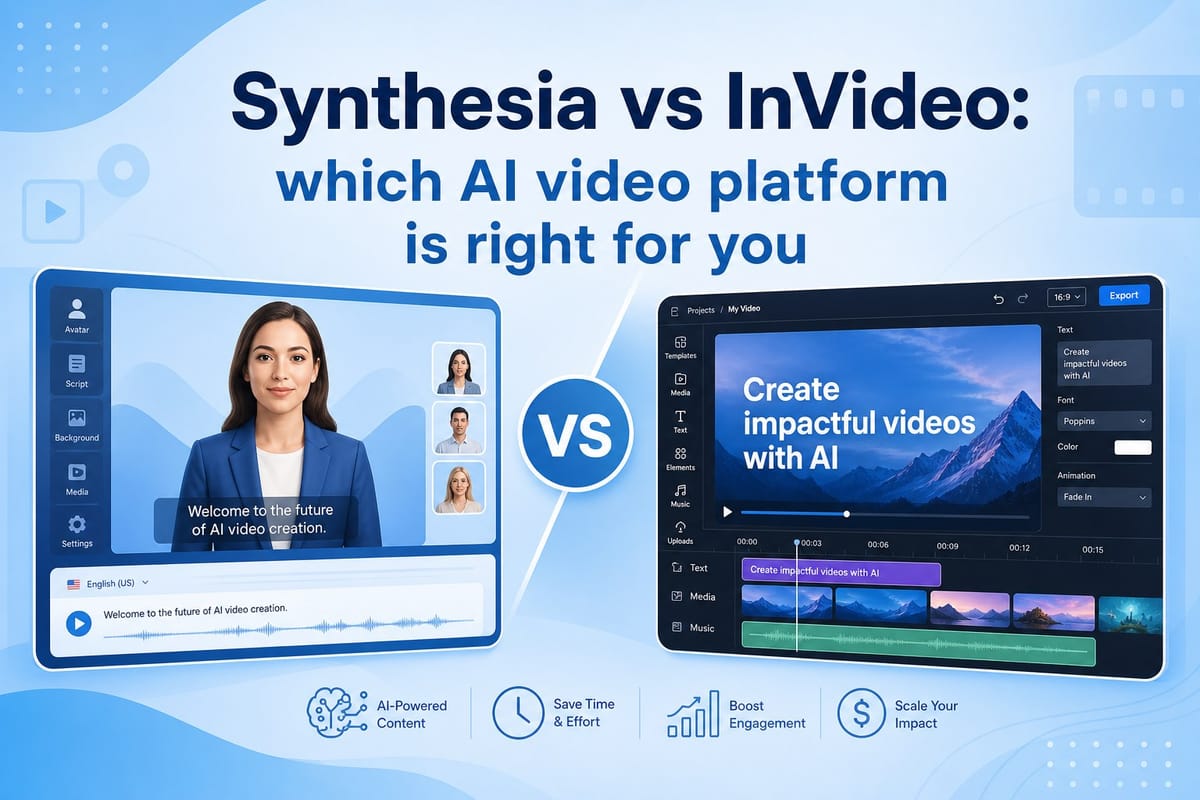
Table of contents
1. What Synthesia and InVideo actually do
2. Strengths, weaknesses, and who each tool fits best
3. What to look for when neither tool fully fits your needs
Picking the right AI video tool gets confusing fast when every platform promises to do everything. Two names that come up constantly in this space are Synthesia and InVideo. If you have been trying to settle the Synthesia vs InVideo question for your own workflow, you are in the right place. This post breaks down what each platform actually does, who it works best for, where both tools fall short, and what to look for when neither one fully fits. By the end you will have a clear picture and can stop second-guessing your choice.
What Synthesia and InVideo actually do
Before comparing the two tools, it helps to understand what each one was built for. Both platforms sit under the broad umbrella of AI video creation, but they solve very different problems. Treating them as direct competitors misses the point. They are aimed at different workflows and different users.
Synthesia: avatar-first video generation
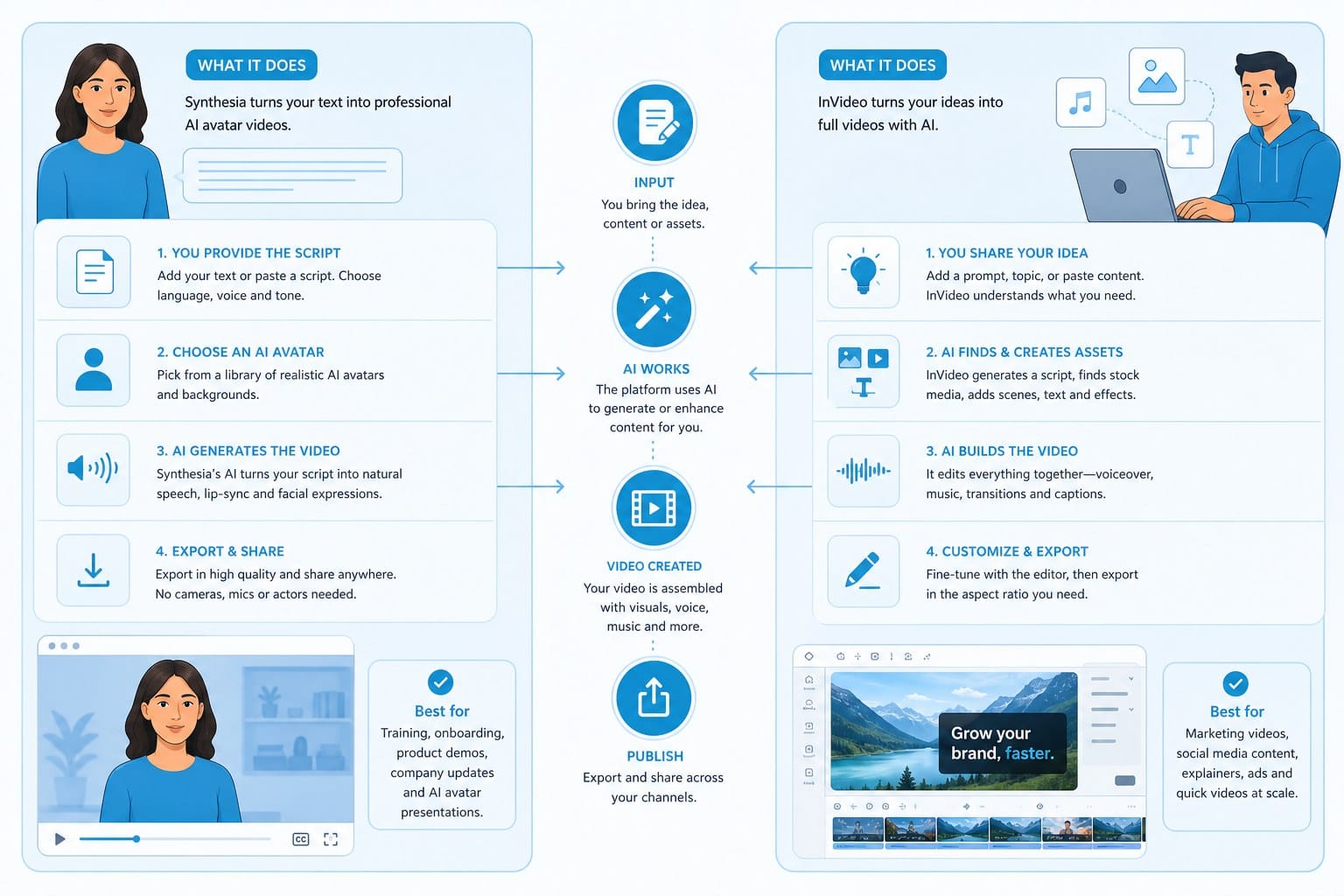
Synthesia is a platform built around AI avatars. You type a script, choose a digital human presenter from a library of pre-built options, and the platform generates a talking-head video where the avatar reads your script out loud. The avatars lip-sync across dozens of languages, which is one of Synthesia's most practical features for global organizations.
You can customize avatars with different outfits, skin tones, and backgrounds. For companies that want a consistent brand presence across video content without putting a real employee on camera every time, that flexibility matters. Synthesia also lets you create a custom avatar modeled on a real person, though that feature requires a recording session and sits behind a higher pricing tier.
The primary audience for Synthesia is corporate teams. Human resources departments use it for onboarding videos. Learning and development teams use it to build training modules. Product marketing teams use it for internal walkthroughs and external explainer content. The pitch is simple: produce professional-looking presenter videos without booking a studio, hiring talent, or waiting on a production schedule.
What Synthesia does not do is equally important. The editor is minimal. You can add text overlays, simple shapes, and slide-style backgrounds, but you cannot build visual sequences with motion graphics, B-roll footage, or dynamic editing. The output tends to look like an animated slide deck with a talking presenter rather than a produced video. That is fine for internal corporate content. It is a real limitation for public-facing channels.
Synthesia pricing runs on a per-seat subscription model. Plans scale based on video minutes, the number of custom features you need, and how many team members need access. The entry-level plan covers basic use, but costs climb quickly once you need custom avatars, more exports, or enterprise-grade features like brand kits and team collaboration tools.
InVideo: template editor with AI on top
InVideo started as a template-based video editor and added AI features over time. The core product lets you pick a pre-built video template, drop in your own clips or pull from a stock footage library, add text, and export a finished video. The AI layer helps you generate a rough script from a topic, automatically suggests stock clips based on your script text, and can convert a written article into a basic video structure.
InVideo has a large template library that covers YouTube intros, promotional ads, social media clips, explainer videos, real estate listings, and dozens of other formats. For marketers and small business owners who want something that looks polished and do not want to learn a full video editing suite, that library is genuinely useful.
Stock footage inside InVideo comes through integrations with services like Storyblocks and iStock. You can search the library directly inside the editor and place clips on your timeline. For short videos where generic footage works fine, that is a reasonable solution.
InVideo has a free tier that exports with a watermark. Paid plans remove the watermark, increase your monthly export allowance, and unlock the full stock library and premium templates. Like Synthesia, InVideo charges the same monthly fee whether you produce one video or twenty, which is a consideration if your output is inconsistent.
The important thing to understand about InVideo is that the AI features feel like additions to an existing editor rather than a system designed from the ground up around automation. You still do most of the assembly work yourself. You place clips, adjust timing, write or edit the script, choose transitions, and handle audio. The AI saves you some time on the front end but does not dramatically reduce the production workload.
Where the two platforms overlap and where they diverge
Both platforms are web-based, so you work inside a browser without downloading software. Both are subscription products. Both give you some AI assistance with scripts. That is roughly where the similarities end.
Synthesia is a narrow, specialized tool. It does one thing well: generate a talking-head video with a digital presenter. InVideo is a broader tool that handles multiple formats and content types but requires more hands-on work to produce anything polished.
Neither platform is a full end-to-end production system. Neither one takes a topic and returns a finished, edited video you can publish. Both require meaningful input and manual effort from the creator to produce something worth sharing. That gap matters enormously if you are building a content operation at scale, and I will get into that more in the third section.
For now, the key distinction is this: if you need an AI presenter on screen and your content is mostly corporate or B2B, Synthesia is the stronger fit. If you need a flexible template editor with some AI script help for short marketing content, InVideo is the stronger fit. If you need something built for long-form YouTube production or faceless channel content without heavy manual editing, you are looking at a third category of tool entirely.
It is also worth noting that the AI video space moves fast. Features that were unique to one platform six months ago are now available across several competing tools. The right question is not just which tool has the best features today, but which platform fits your actual production workflow and budget over the long term.
One format neither platform covers natively is 2D animation. If you are building a whiteboard-style educational channel or a stickman animation channel, Synthesia and InVideo are not built for that. The tools and workflow for that style of content are covered in this guide on how to create 2D animations for YouTube without drawing skills, which is worth reading if that format is part of your strategy.
Strengths, weaknesses, and who each tool fits best
Now that you have a clear sense of what each platform was built for, it is time to look at where they actually perform well and where they run into problems. I will start with Synthesia because its use case is narrower, which makes it easier to evaluate honestly.
Synthesia: what it gets right
Synthesia is genuinely good at producing clean, professional-looking presenter videos without putting a real person on camera. For the right use case, it removes a real bottleneck. If a company needs to produce a 15-part onboarding series in four different languages, Synthesia can localize each video by swapping the script while the avatar handles lip-sync automatically. That is a significant time and cost saving compared to hiring on-camera presenters, booking translators, and running four separate recording sessions.
The avatar quality has improved over the years. Most of the standard avatars look credible in a corporate or B2B context. They are not photorealistic in the way a high-end deepfake might be, but they are polished enough that viewers in a training module context accept them without distraction.
Language support is one of Synthesia's clearest strengths. The platform supports over 120 languages and accents, which makes it one of the more practical options for multinational companies that need consistent video content across regional teams. For that specific use case, the multilingual capability alone can justify the subscription cost.
Synthesia also integrates reasonably well into corporate content pipelines. You can upload a branded slide deck background, apply a consistent visual style across videos, and share projects with team members. For companies already running a structured L&D or HR content program, that workflow fits naturally.
Synthesia: where it falls short
Outside the talking-head corporate format, Synthesia hits a wall quickly.
The editing capabilities are limited. You cannot build sequences with B-roll footage, motion graphics, or visual storytelling. The platform is not designed for that. This means every Synthesia video has a similar visual structure: avatar on screen, slides or simple backgrounds behind them, text overlays for key points. That format works fine for internal training content. It becomes monotonous for public-facing content where viewers have high visual expectations.
For YouTube creators, particularly those running faceless channels in niches like history, science, finance, travel, or true crime, Synthesia is not practical. Those channels succeed because of engaging visuals, pacing, and editing that holds viewer attention across 8 to 15 minute videos. An avatar talking against a plain background will lose viewers within the first two minutes. Watch time and audience retention, which YouTube's algorithm weighs heavily, would suffer immediately.
Custom avatars, which let you model a digital presenter on a real person, are expensive and require an upfront recording session. For individuals or small teams, that investment is hard to justify unless the custom avatar is a core part of a long-term brand strategy.
Synthesia also does not give you meaningful control over pacing, visual rhythm, or audio production. You type a script, the avatar reads it, and that is essentially the full output. If your script is flat or your structure is weak, the video will reflect that. The tool cannot compensate for poor content strategy.
InVideo: what it gets right
InVideo is more flexible in terms of formats and use cases. The template library covers a wide range of content types, and the ability to pull stock footage directly into the editor saves time compared to downloading clips from a separate source. For social media marketers who need a 30-second promotional clip or a quick Instagram Reel, InVideo can get you to a finished product reasonably fast once you know the interface.
The AI script generator is useful for getting past a blank page. You enter a topic, it returns a rough script, and you can edit from there. For short videos where the script does not need to be highly detailed or deeply researched, that starting point is helpful.
InVideo's free tier also makes it accessible for creators who are testing the waters before committing to a paid plan. You can build a few videos, evaluate the workflow, and decide whether the tool fits before spending money on a subscription.
The platform supports both a standard timeline editor and a simplified storyboard mode, which makes it approachable for users who have never touched video editing software. That is a genuine advantage over professional tools like Premiere Pro or DaVinci Resolve, which have steep learning curves.
InVideo: where it falls short
The template-based approach has a ceiling. When thousands of creators use the same templates, the resulting videos start to look identical. If you are building a brand or a channel that needs to stand out, heavily template-driven content can work against you. Viewers begin to associate that visual style with generic marketing rather than with your specific voice or brand.
For long-form content, InVideo becomes genuinely tedious to use. Building a 12-minute YouTube video inside InVideo means placing clips one by one, timing each segment to match your audio, adding transitions, adjusting text positions, and managing the audio track manually. That process can take four to six hours for a single video. At that production pace, publishing consistently becomes very difficult, especially for a solo creator who is also managing a channel's strategy, SEO, thumbnails, and community.
The interface, while more approachable than professional editors, still has a meaningful learning curve. New users regularly report spending several sessions just understanding how the timeline works before they produce anything they are happy with. For creators who expected a push-button experience based on the AI marketing, that gap can be frustrating.
InVideo's AI features, while improving, still feel like additions to an older template engine. The automation does not extend to the full production process. You still make most of the editorial decisions manually: which clip goes where, how long each segment runs, how the pacing feels across the whole video. The AI helps with the script and suggests clips, but it does not make the video for you.
Matching tool to creator type
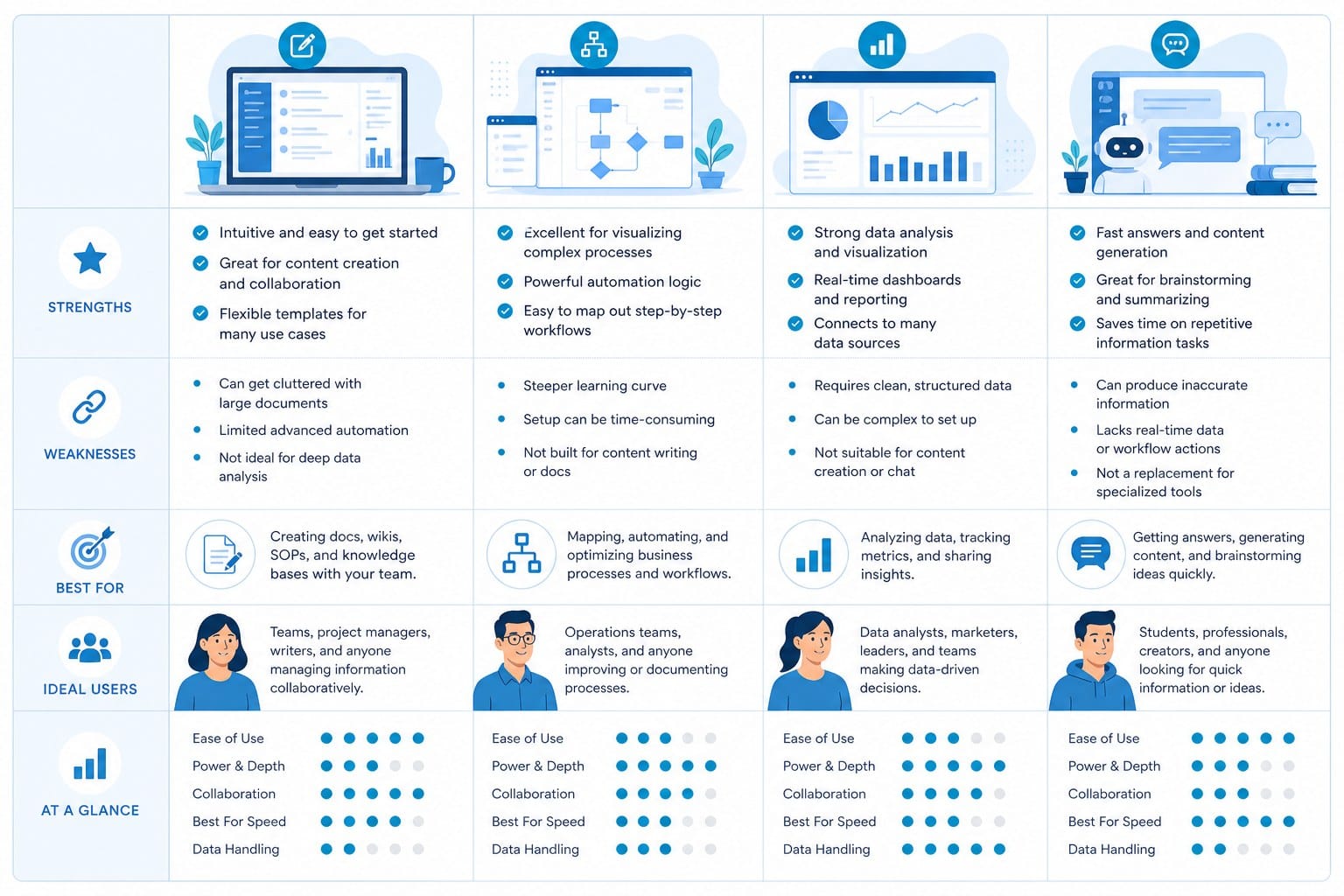
Here is a clear breakdown of who actually benefits from each platform.
Synthesia is a strong fit for: corporate HR and L&D teams producing training or onboarding videos, B2B product marketing teams who need multilingual explainers, internal communications teams who want a consistent on-screen presenter without putting real employees on camera, and companies that produce high volumes of structured, slide-based video content.
Synthesia is a poor fit for: YouTubers building public-facing channels, faceless content creators in visual niches, marketers who need dynamic footage and motion graphics, and anyone producing long-form content that needs to hold audience attention beyond a few minutes.
InVideo is a strong fit for: social media marketers who need short promotional clips quickly, small business owners creating simple branded content, creators who are comfortable with manual editing and want some AI assistance on scripts and stock footage, and teams producing high volumes of short-form content across multiple platforms.
InVideo is a poor fit for: solo creators trying to build a scalable long-form YouTube channel without spending hours per video in an editor, creators who need visually distinctive output rather than template-driven content, and anyone who wants a genuinely automated production workflow rather than AI-assisted manual editing.
If you are a faceless YouTube creator evaluating tools more broadly, it is also worth reading about HeadCast AI alternatives for AI-narrated video creation to see the full range of platforms designed specifically around narrated, footage-driven video production. That landscape is larger than most people realize, and several tools in that category are built for exactly the workflow that Synthesia and InVideo leave unaddressed.
A note on pricing and production economics
Both platforms use flat monthly subscriptions. That model works well when your production volume is consistent and high enough to justify the monthly cost. It becomes inefficient when your publishing schedule is variable, when you are testing a new niche and do not yet know how much you will produce, or when you are running multiple channels with different output rates.
If you produce 20 videos in one month and three the next, you pay the same amount either way. For independent creators and small teams operating on tight budgets, that pricing structure can quietly eat into margins without delivering proportional value. Usage-based pricing, where you pay per video produced rather than per month of access, tends to be more efficient for creators whose output fluctuates.
What to look for when neither tool fully fits your needs
After going through both platforms in detail, I want to address the situation that many creators find themselves in after testing Synthesia and InVideo: neither one actually solves the problem the way they hoped.
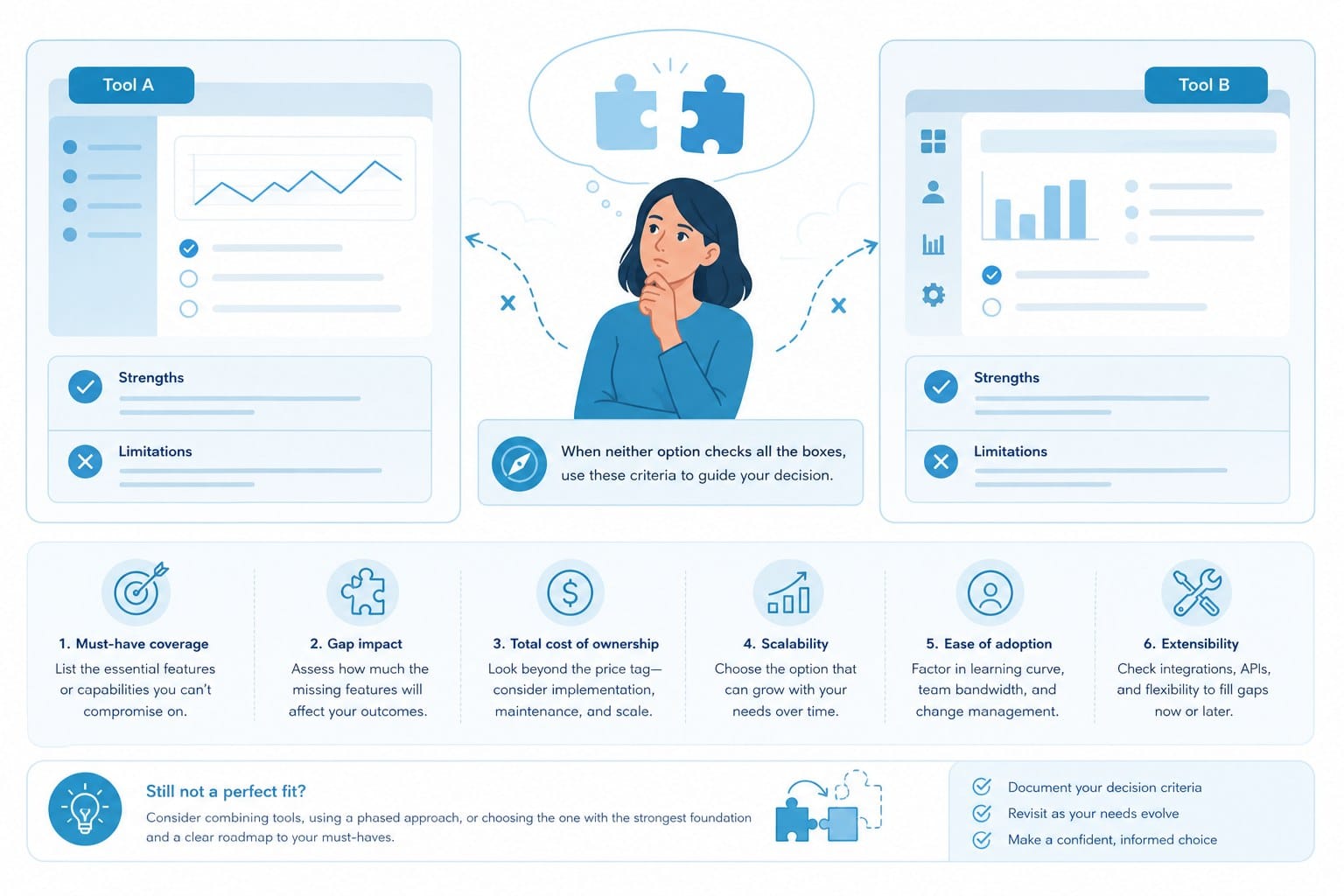
This happens most often with faceless YouTube creators who want to produce documentary-style content, educational explainers, niche listicle videos, or scripted deep-dives at a consistent pace. The Synthesia vs InVideo comparison is a useful starting point, but it only covers two platforms in a much larger ecosystem. Knowing what to look for beyond these two tools is just as important as understanding the tools themselves.
Decide how much of production you want to handle personally
The first question to ask is how much of the production process you are willing to own manually versus how much you need automated.
Synthesia automates the presenter but nothing else. You still write the script, build the visual structure, and manage the output. InVideo provides templates and AI-assisted scripts but requires manual assembly of everything else. Neither platform does full end-to-end production. Neither one takes a topic and returns a finished video ready to publish.
For solo creators and small teams, that gap matters a lot. Every hour you spend inside a video editor is an hour you are not spending on content strategy, keyword research, thumbnail testing, or audience engagement. The real leverage of AI video tools is not just producing videos faster. It is producing videos without needing to be a skilled editor in the first place.
If your goal is to publish consistently on YouTube, two or three videos per week at a quality level that earns views and watch time, you need a production system that does not bottleneck at the editing stage. Tools that require heavy manual assembly do not scale for a one-person channel operation.
Match the tool to your content format
Format is one of the most important variables and one that creators often overlook when choosing an AI video platform.
Synthesia is locked into the talking-head format. Full stop. If your content strategy requires anything else, you are working around a fundamental constraint.
InVideo handles short-form content reasonably well but becomes impractical for long-form. If your videos run 8 to 20 minutes, the manual assembly burden inside InVideo adds up to several hours per video. At that rate, publishing more than one or two videos per week is extremely difficult unless you have an editing team.
If your content format includes documentary-style YouTube videos with heavy visual storytelling, scripted educational deep-dives with varied footage, or long-form listicles where visual engagement needs to hold for 10 to 15 minutes, you need a platform built for that length and format specifically. Neither Synthesia nor InVideo was designed with that use case as the primary focus.
Think carefully about footage sourcing
Both Synthesia and InVideo rely on stock footage libraries or avatar graphics as the primary visual content in your videos. For some niches that works fine. Product demos, software tutorials, and certain corporate content types do not need visually specific footage.
But for content niches that depend on visual specificity, generic stock footage is a real problem. History channels need footage that matches specific time periods and locations. Science channels need visually accurate diagrams and demonstrations. Finance channels need charts, data visualizations, and contextually relevant imagery. Travel content needs footage from specific destinations.
When a viewer can tell that every clip in your video is a generic stock shot with no connection to the actual topic, the video feels cheap and unreliable. That perception affects watch time, subscriber growth, and your channel's ability to rank well in YouTube search.
A platform that intelligently sources and matches footage to your specific script content, rather than just letting you search a generic library manually, produces significantly better results. The difference shows in viewer retention numbers.
Understand monetization rights before you build anything
If you plan to monetize your YouTube channel through AdSense, brand sponsorships, or affiliate partnerships, you need to confirm two things before committing to any AI video platform.
First, do your AI-generated videos meet YouTube's monetization policies? YouTube has become more specific about AI-generated content disclosures and has policies around what qualifies as mass-produced or repetitive content. Reading those policies and understanding how your chosen tool's output fits within them is not optional if monetization is part of your plan.
Second, do you hold full commercial rights to the content produced by the platform? Some AI video tools have restrictions buried in their terms of service around commercial use, ownership of output, or use of AI-generated avatars in certain contexts. Reading the terms before you build a channel around any tool is worth the time. Finding out about a commercial use restriction after publishing 50 videos is a painful and avoidable situation.
Consider whether subscription pricing fits your production pattern
I mentioned this earlier, but it deserves more attention in the context of choosing beyond Synthesia and InVideo.
Flat monthly subscriptions work well when your production volume is high and consistent. They become inefficient when you are in a testing phase, when output fluctuates between months, or when you are running multiple channels at different production rates.
For independent creators especially, usage-based pricing tends to be more financially rational. You pay for what you actually produce rather than paying for access to a tool you may only use partially in a given month. If a platform charges you per video or per credit, you have direct visibility into the cost of each piece of content you create. That transparency makes it easier to evaluate whether the tool is delivering ROI.
This is particularly relevant for creators who are just starting a faceless channel and do not yet know what their sustainable publishing frequency will be. Locking into a high-tier subscription before you understand your own production rhythm can burn through budget before the channel gains traction.
Regional language considerations
For creators building content for non-English audiences, the tool selection problem gets harder. Most AI video platforms are optimized for English content and do a noticeably worse job with other languages, both in terms of AI narration quality and stock footage relevance.
If you are creating content for regional audiences in languages like Marathi, Tamil, Hindi, Bengali, or other languages with large YouTube audiences outside the Western market, you need to specifically evaluate how each platform handles your language before subscribing. I have written about this in the context of AI video generators for Marathi content creators, and the same evaluation framework applies across other regional languages. Do not assume that a platform's multilingual claims mean it performs equally well across all supported languages. Test it with your actual content before committing.
Where Cliptude fits into this picture
I want to close this section by giving you a full picture of the AI video landscape rather than stopping at a two-tool comparison.
Cliptude is an AI-powered text-to-video platform built specifically for the production workflow that Synthesia and InVideo leave unaddressed. The core idea is straightforward: you start with a prompt, a topic, or a finished script, and the platform handles the rest. Research, scripting if you need it, footage sourcing, motion graphics, pacing, and editing are all handled by the system. The output is a polished video ready to upload, not a draft that still needs hours of your time inside a timeline editor.
That distinction matters enormously for creators who want to publish consistently without hiring an editing team or spending their evenings in a video editor.
Cliptude supports a range of formats including long-form YouTube documentaries, educational explainers, scripted listicles, YouTube Shorts, TikTok videos, Instagram Reels, whiteboard animations, stickman animations, and music videos. That range is relevant because a serious content operation often spans multiple formats and channels. Having one platform that handles all of them is more practical than managing four or five separate tools.
Pricing at Cliptude is credit-based rather than a flat monthly subscription. You pay for what you produce rather than paying for access regardless of how much you use. For solo creators and small teams with variable output schedules, that model is more financially efficient than subscription pricing.
For faceless channel creators specifically, the value is clear. You do not need to appear on camera. You do not need editing skills. You do not need to source your own footage or know anything about motion graphics. You put in a topic or a script and get back a video that reflects the production quality of a small team, not a single person working manually in a browser-based editor.
That is a meaningfully different capability compared to what Synthesia or InVideo offers. It is not that those tools are without value. They serve specific use cases well. Synthesia is the right answer for corporate multilingual training content. InVideo is a reasonable choice for short social media clips with template-driven production. But if your goal is building a scalable YouTube channel or content operation using AI video without the overhead of manual production, you need a platform designed for that workflow from the ground up.
The Synthesia vs InVideo question is worth answering if one of those specific use cases matches your situation. For many creators, the more important question is what comes next once you realize neither tool gets you all the way to where you want to be.
Ready to take the next step?
If you are ready to move past template editors and avatar tools and want a platform that takes you from a single prompt to a finished, publish-ready video, Cliptude is built for exactly that. Visit cliptude.com to see the kinds of videos you can produce without editing experience, on-camera presence, or a large production budget.