AI video generator for faceless YouTube channels

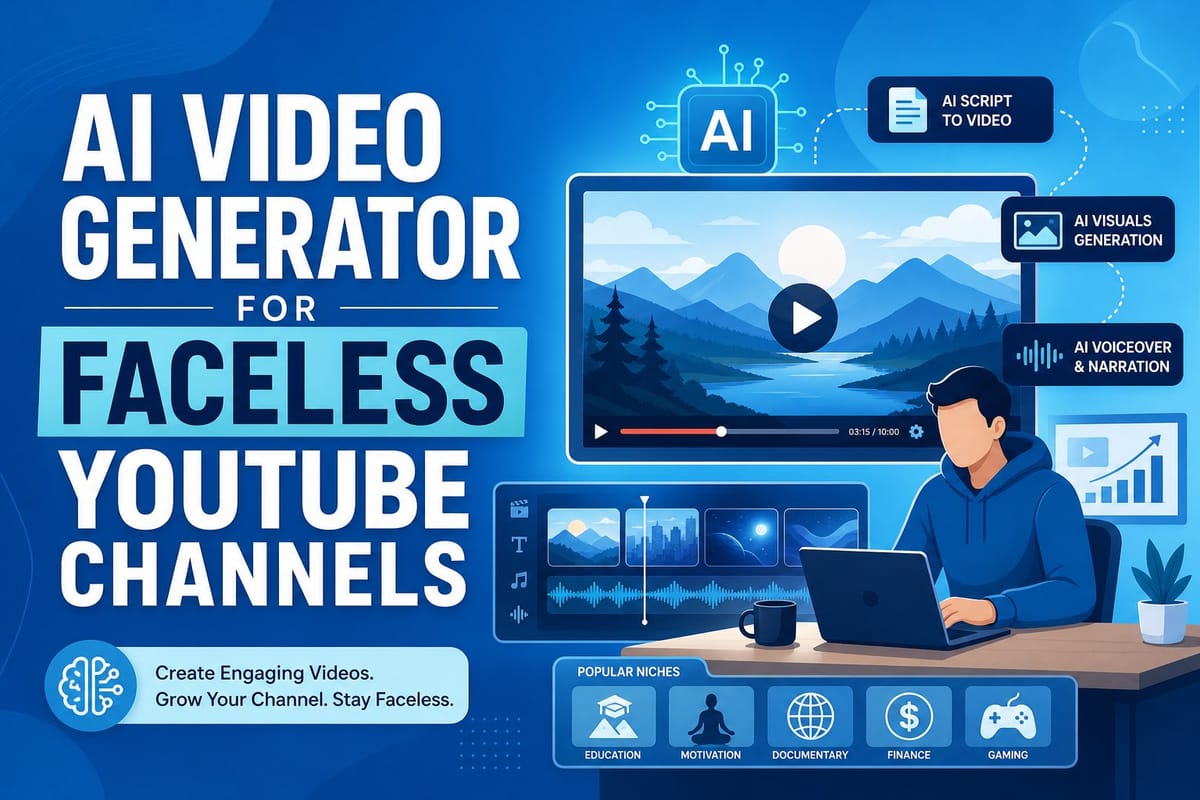
Table of contents
1. What a faceless YouTube channel actually needs from an AI video generator
2. How AI video generation works for documentary and listicle content
3. Why Cliptude works well for scaling a faceless channel
Running a faceless YouTube channel used to mean spending hours in a video editor, hunting for stock footage, and writing scripts from scratch before you even hit record. Most creators burned out long before their channel gained real traction. Today, a faceless YouTube channel AI video generator changes that equation entirely. Instead of doing every step by hand, you feed a prompt or a finished script into a platform and get a polished video back, complete with footage, motion graphics, voiceover, and edits. In this article, I want to walk through exactly how this technology works, what makes a good AI video tool for faceless content, and how Cliptude fits into that picture for creators who want to scale without showing their face.
What a faceless YouTube channel actually needs from an AI video generator
A faceless YouTube channel is built on one core idea: the content carries the audience, not the personality on camera. Think about the documentary channels that rack up millions of views covering true crime, history, or science. Think about listicle channels that break down the top ten anything with stock footage and a clean voiceover. Think about whiteboard explainer channels that turn complicated ideas into animated walkthroughs. None of those formats require a face. They do require a lot of production work, and that production work is exactly what burns creators out.
Writing a ten-minute documentary script alone can take three or four hours. Finding the right stock footage clips, trimming them, lining them up with a voiceover, adding lower thirds and motion graphics, and then exporting a file that meets YouTube's quality standards can add another four to six hours on top of that. If you want to publish two or three videos a week, you are looking at a full-time job just for a single channel. That math breaks most solo creators before their channel ever finds an audience.
A good faceless YouTube channel AI video generator has to handle all of those steps, not just some of them. A lot of tools on the market do one piece of the puzzle. Some generate scripts. Some convert text to a slideshow with images. Some add a synthetic voiceover to footage you already have. What faceless channel creators actually need is a platform that takes a topic or a script and produces a finished, publish-ready video without requiring you to open a separate editor, source footage from a stock library, or record anything yourself. Partial automation still leaves most of the work on your plate.
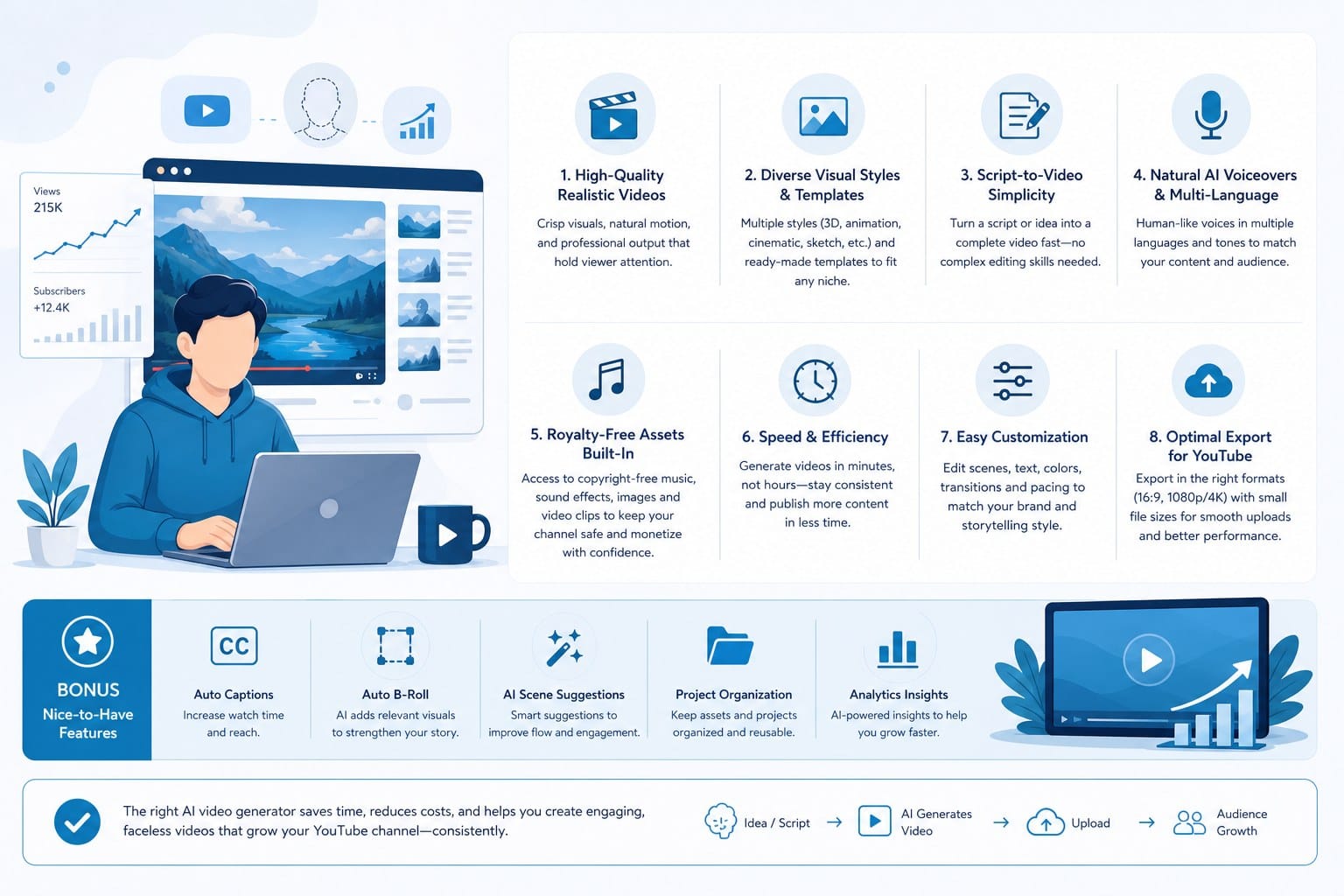
There are five specific capabilities that matter most for this format, and a platform that skips any one of them will create a bottleneck that slows you down.
The first is automatic research and scripting. If you want to produce a channel about geopolitics, ancient history, or personal finance, you do not necessarily have an expert-level script ready to go every single day. A platform that can research a topic and generate a structured, accurate script is a major time saver. The script needs to be written for video, meaning it flows naturally when spoken aloud and is paced for the length of the video you want to produce. A script that reads well on a page but sounds robotic when spoken creates a voiceover that audiences tune out within the first sixty seconds.
The second is footage sourcing that actually matches the script. A listicle about the world's most expensive cities needs footage of those cities. A documentary about a historical event needs period-appropriate visuals. The AI needs to understand the content well enough to pull footage that matches what the voiceover is saying at each moment, not just generic B-roll that happens to be available. Generic footage breaks the connection between what viewers hear and what they see, and that disconnect is one of the fastest ways to lose someone mid-video.
The third is motion graphics and text overlays. Faceless channels rely heavily on on-screen text, animated titles, lower thirds, and simple graphic elements to keep viewers engaged. This is especially true for educational content, where a key stat or name needs to appear on screen to reinforce the audio. A video that is only footage and voiceover with no on-screen text feels visually flat compared to what audiences expect from polished channels in 2024.
The fourth is a flexible output format. Long-form documentary content for YouTube is very different from a short-form clip for TikTok or Instagram Reels. A strong AI video platform needs to support both without requiring a completely different workflow for each. Creators who build a presence on multiple platforms without doubling their production time are the ones who compound their audience growth fastest.
The fifth is commercial rights to the output. If you are building a channel to monetize through YouTube's Partner Program, brand deals, or direct sales, you need to own the content you publish. A platform that restricts commercial use of AI-generated videos is a non-starter for serious channel builders. This point often gets buried in terms of service, so it is worth checking before you invest time learning any platform.
Once you know what you need, it becomes much easier to evaluate the tools available and find one that fits your specific content format and publishing schedule. The creators who scale fastest are the ones who pick a platform that covers the full workflow and then treat it as the engine their channel runs on, rather than experimenting with a different tool for every step.
How AI video generation works for documentary and listicle content
Let me walk through what the production process actually looks like when you use an AI video generator for a faceless channel, because the details matter more than most product descriptions let on. Understanding the pipeline helps you spot where different platforms cut corners and where a good one actually earns its cost.
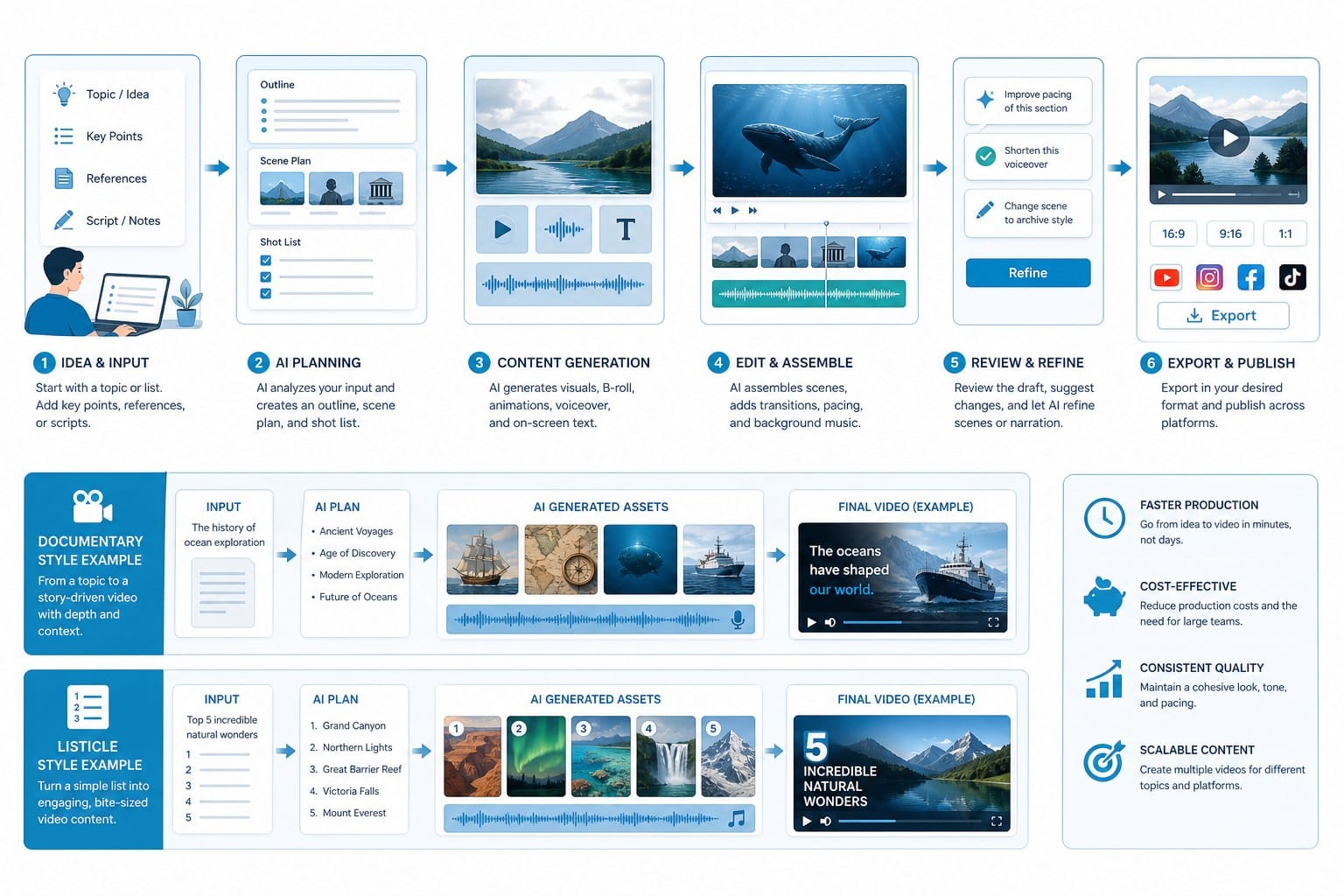
The process starts with input. You either give the platform a topic, like 'the rise and fall of the Roman Empire,' or you paste in a script you have already written. The platform's job from that point forward is to turn that input into a finished video without requiring you to make production decisions at every step.
If you start with a topic, the AI needs to do research before it can write anything. That means pulling accurate information about the subject, organizing it into a logical structure, and writing a script that is the right length for your chosen format. A ten-minute documentary needs roughly 1,400 to 1,600 words of scripted voiceover. A five-minute listicle needs somewhere around 700 to 800 words. The AI has to calibrate the script length to the video length you are targeting, because a script that runs long will either get rushed during voiceover generation or produce a video that overstays its welcome.
Once the script exists, the platform identifies what visuals belong in each section. This is called visual planning or storyboarding in a traditional production context. In an AI workflow, it happens automatically. The platform reads the script line by line and decides what kind of footage, graphic, or animation fits each moment. For a documentary about ancient Rome, that might mean aerial footage of the Colosseum for the opening, archival-style imagery for historical segments, and a simple animated map showing Roman expansion during the narration about military campaigns. The quality of this visual planning step is what separates videos that feel coherent from videos that feel like a random slideshow.
Footage sourcing then pulls from a licensed stock library. The AI matches each section of the script to footage that fits the visual plan. This is where a lot of cheaper tools fall short. They either use the same generic clips repeatedly, pull footage that does not match the topic, or lack enough variety to make a ten-minute video feel visually interesting throughout. A documentary about ocean conservation that keeps cutting to the same beach clip will lose viewers even if the script is excellent.
At the same time, a voiceover gets generated. Modern AI voiceover tools produce audio that sounds natural and clear enough for YouTube audiences, especially when the script is well-written and paced correctly. The rhythm of the voiceover drives the pacing of the entire video, so a well-timed synthetic voice is important for keeping viewers engaged past the first thirty seconds. A flat or robotic-sounding voice can undermine an otherwise strong video, so platforms that offer multiple voice styles and tones give creators more control over how their channel sounds.
Motion graphics and text overlays go on top of the footage during the editing phase. For listicle content, this usually means animated numbers and titles for each item on the list. For documentary content, it might mean lower thirds identifying a location, an animated timeline, or a simple stat card that appears over footage. These elements are not decorative. They serve a real function in keeping viewers oriented and reinforcing key information from the voiceover.
The platform then cuts everything together, aligns the voiceover with the footage, adds the graphics, and exports a finished file. The best platforms produce videos that look like they were edited by a human with solid production skills. The worst produce slideshows with text on images, which is a format YouTube audiences recognized and stopped watching years ago.
For faceless channel creators, the key question is how much control you have over this process. Being able to adjust the script before the video renders, choose a voiceover style, or swap out specific footage clips gives you the ability to maintain a consistent brand voice across dozens of videos without feeling like every video is a generic output from the same machine. That control is what keeps a channel feeling like a brand rather than a content mill.
I have seen creators use this kind of workflow to publish five or more videos a week on a single channel while holding down a separate full-time job. That output level is simply not possible with a manual production workflow unless you hire a full team. The AI handles the repetitive, time-consuming steps so the creator can focus on topic selection, channel strategy, and audience growth, which are the decisions that actually determine whether a channel succeeds long term.
For listicle channels, the AI workflow is particularly well-matched to the format. Listicles have a predictable structure: an intro, a series of numbered segments with consistent formatting, and a conclusion. AI platforms that understand this structure can produce listicle videos quickly and consistently because they are working from a template that the algorithm can fill reliably. The creator's job becomes picking strong topics and reviewing the output rather than building each video from scratch.
For documentary channels, the workflow is more demanding because the content is longer, the research requirements are higher, and the visual variety needs to sustain viewer attention for ten to fifteen minutes or more. A good AI platform handles this by generating a more detailed script structure, sourcing a wider variety of footage, and using motion graphics to break up long stretches of talking-head-free narration. The result should feel like a mini-documentary, not a news summary read over stock clips.
If you want to understand how platforms in this space compare on specific features, it is worth reading about the best Pictory alternative for full AI video creation and the best Vidu alternative for AI video generation without the limits to get a clearer picture of what different tools actually offer for documentary-style and long-form content. Feature comparisons in this space reveal meaningful differences that product pages tend to gloss over.
Why Cliptude works well for scaling a faceless channel
Cliptude is built as a text-to-video platform that handles the full production pipeline from a single prompt or script. I want to be specific about what that means in practice for a faceless channel creator, because the full-pipeline claim is the part that separates a genuinely useful platform from one that only automates two or three steps and leaves the hardest work to you.
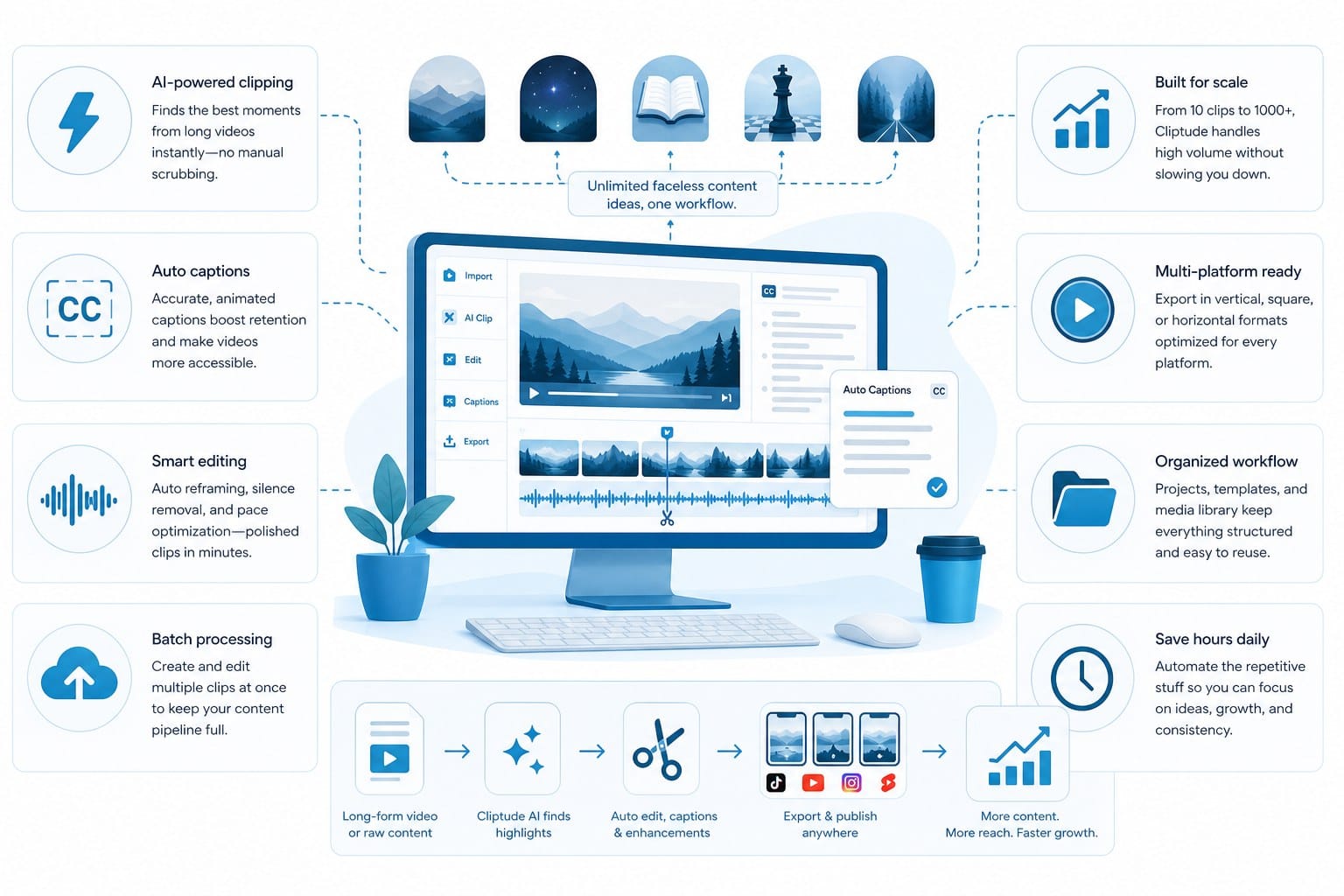
When you enter a prompt or paste a script into Cliptude, the platform handles research, scripting, footage sourcing, motion graphics, and final editing without requiring you to jump into a separate tool at any stage. That is a meaningful difference from tools that generate a script and then expect you to handle everything else yourself, or tools that add a voiceover to footage you have already assembled. Partial pipelines save some time, but they still require you to own the hardest parts of production.
For faceless channels specifically, Cliptude supports several video formats that match the most popular content styles in this space. Documentary-style videos are one of the highest-performing formats for faceless channels because they are long enough to generate significant watch time and ad revenue, and they work across a wide range of topics from history to technology to true crime to business. A single well-produced documentary video can drive meaningful watch time, which is one of the signals YouTube uses to determine how widely to distribute a video.
Listicle videos are the other dominant format, and they are especially well-suited to AI production because the structure is predictable and repeatable. A creator who builds a library of listicle videos across a specific niche builds topical authority faster than one who publishes irregularly across scattered subjects. AI production makes it practical to build that library quickly.
Cliptude also supports shorter formats including YouTube Shorts, TikTok clips, and Instagram Reels. That means a creator can produce a ten-minute documentary for their main channel and then generate a short-form clip based on the same content for cross-platform distribution, all within the same platform. Scaling across multiple platforms without managing separate workflows is a real operational advantage for solo creators and small teams who cannot afford to build a different production process for every platform they publish on.
For creators who want something beyond straight footage-based videos, Cliptude supports animation formats including stickman and whiteboard-style videos. These are particularly effective for educational channels that explain complex topics like science, economics, or personal finance. Animation keeps the visual style consistent across videos regardless of whether good stock footage exists for a given topic, and it gives channels a recognizable brand aesthetic that sets them apart from the dozens of other channels covering the same subject matter.
Consider a personal finance channel that wants to explain how compound interest works. Stock footage of people looking at spreadsheets or graphs is generic and forgettable. An animated explainer that shows money growing over time is visually clear, brand-consistent, and more likely to hold a viewer's attention through the full explanation. The animation format also works well for channels that cover topics where real-world footage simply does not exist, like historical events from centuries ago or abstract concepts in mathematics.
The credit-based pricing model is worth understanding if you are thinking about production costs. Usage-based pricing means you pay for what you produce rather than a flat monthly subscription that you may or may not fully use. For a creator who is just starting out and publishing one or two videos a week, that structure keeps costs manageable during the period when a channel is still building its audience and generating minimal revenue. For a creator who is scaling up and publishing daily, costs stay proportional to actual output rather than jumping to a higher subscription tier regardless of whether you use the added capacity.
The alternative, paying a fixed monthly fee regardless of volume, tends to either underserve heavy users who need more than the plan allows or overcharge light users who pay for capacity they never touch. Credit-based pricing aligns cost with output, which is a more logical structure for a business where production volume changes month to month.
Commercial rights matter for anyone building a monetized channel. Content published under YouTube's Partner Program needs to be content you have the rights to monetize. Cliptude's output comes with full commercial rights, which means you can publish AI-generated videos to a monetized channel, use them in brand deals, license them to other creators, or include them in a content package without running into rights issues down the line. This is not a given across all AI video platforms, and discovering a rights restriction after you have built a library of content on a platform is a problem you do not want to encounter.
One thing that is practically useful about a full-pipeline AI video platform is that it removes the skills barrier that stops a lot of would-be channel creators from ever getting started. Video editing is a learnable skill, but it takes months to develop and a reasonably powerful computer to run efficiently. Stock footage licensing requires understanding what licenses cover commercial use and what they do not. Voiceover work either means investing in a microphone and recording setup or paying a freelancer per video. A platform that handles all of those things means that someone with a good topic idea and solid writing instincts can start producing professional-quality content without first building an entirely separate skill set.
For creators who are already producing content but looking to move faster, the speed advantage is straightforward. Cutting a ten-hour manual production workflow down to a fraction of that time per video frees up hours that can go toward researching better topics, engaging with your audience, building your SEO strategy, or starting a second channel in an adjacent niche. The creators who compound their growth fastest are usually the ones who reinvest recovered time into strategic work rather than production work.
The platform is also directly relevant for creators who want to stay completely off-camera for personal or strategic reasons. Some creators choose a faceless format because they value privacy and do not want their identity attached to a public channel. Others choose it because they want the channel to feel like a media brand rather than a personal vlog, which tends to make the channel easier to sell or hand off to a team later. Either way, a platform that produces finished videos without any on-camera requirements fits that goal directly and removes the social friction that keeps some creators from publishing consistently.
If you are comparing options in the AI video editing space before committing to a platform, the breakdown at the best Gling alternative for AI video editing and production is a useful reference for understanding how full-pipeline platforms compare to tools that only handle the editing step. Knowing where a tool sits in the production pipeline helps you figure out what gaps you would still need to fill yourself.
The faceless YouTube channel space has grown significantly over the past few years, and there is no sign of it slowing down. Audiences are comfortable watching content from channels that never show a host on camera, partly because so much high-quality content now comes from faceless channels, and partly because YouTube's recommendation algorithm surfaces content based on watch time and engagement rather than whether a face appears on screen. A well-structured, well-paced documentary that holds viewers for nine out of ten minutes will outperform a vlog that loses viewers after two minutes regardless of how polished the on-camera presentation looks.
YouTube's algorithm rewards consistency and watch time more than it rewards any particular format. A creator who publishes high-quality, well-structured content on a reliable schedule has a real path to channel growth regardless of whether they appear on screen. The challenge is maintaining that consistency without burning through every hour of free time you have.
The creators who build the most successful faceless channels treat it as a systems problem from the beginning. The topic research system, the scripting system, the production system, and the publishing schedule all need to work together efficiently. A weak link in any one of those systems slows down every other part. Using a faceless YouTube channel AI video generator like Cliptude as the core of your production system means that the most time-consuming part of the operation runs reliably and at a consistent quality level, which frees you to focus on the strategic decisions that actually determine whether a channel grows. Topic selection, thumbnail strategy, title optimization, and audience retention analysis are the areas where a creator's judgment makes the biggest difference. Those are also the areas where no AI can fully substitute for a human who understands their audience. Automating production lets you spend more time on exactly those decisions.
Ready to take the next step?
If you are ready to start producing faceless YouTube videos without building a full production setup from scratch, Cliptude is worth a close look. You can explore the platform and see how the full text-to-video pipeline works for your specific content format at cliptude.com. Start with a prompt, see what the platform produces, and decide whether it fits the kind of channel you are building.