Best Gling alternative for AI video editing and production

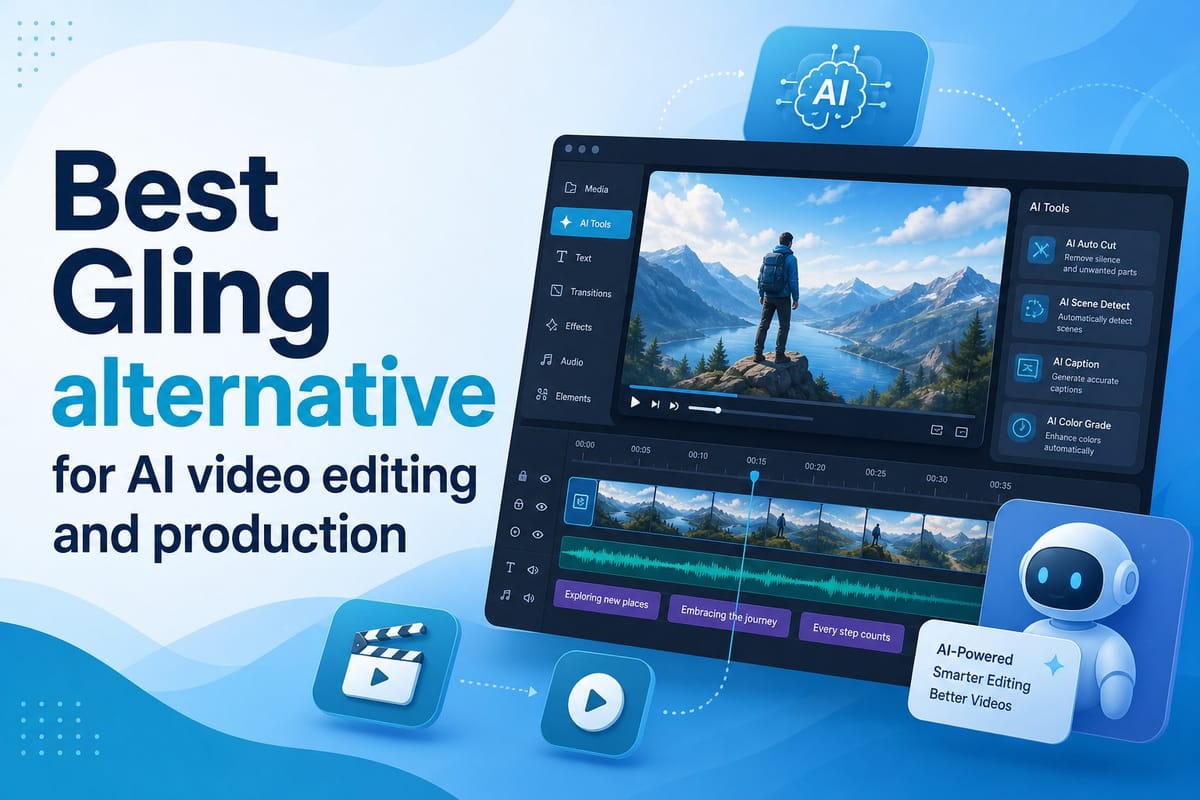
Table of contents
1. What Gling does well and where it falls short
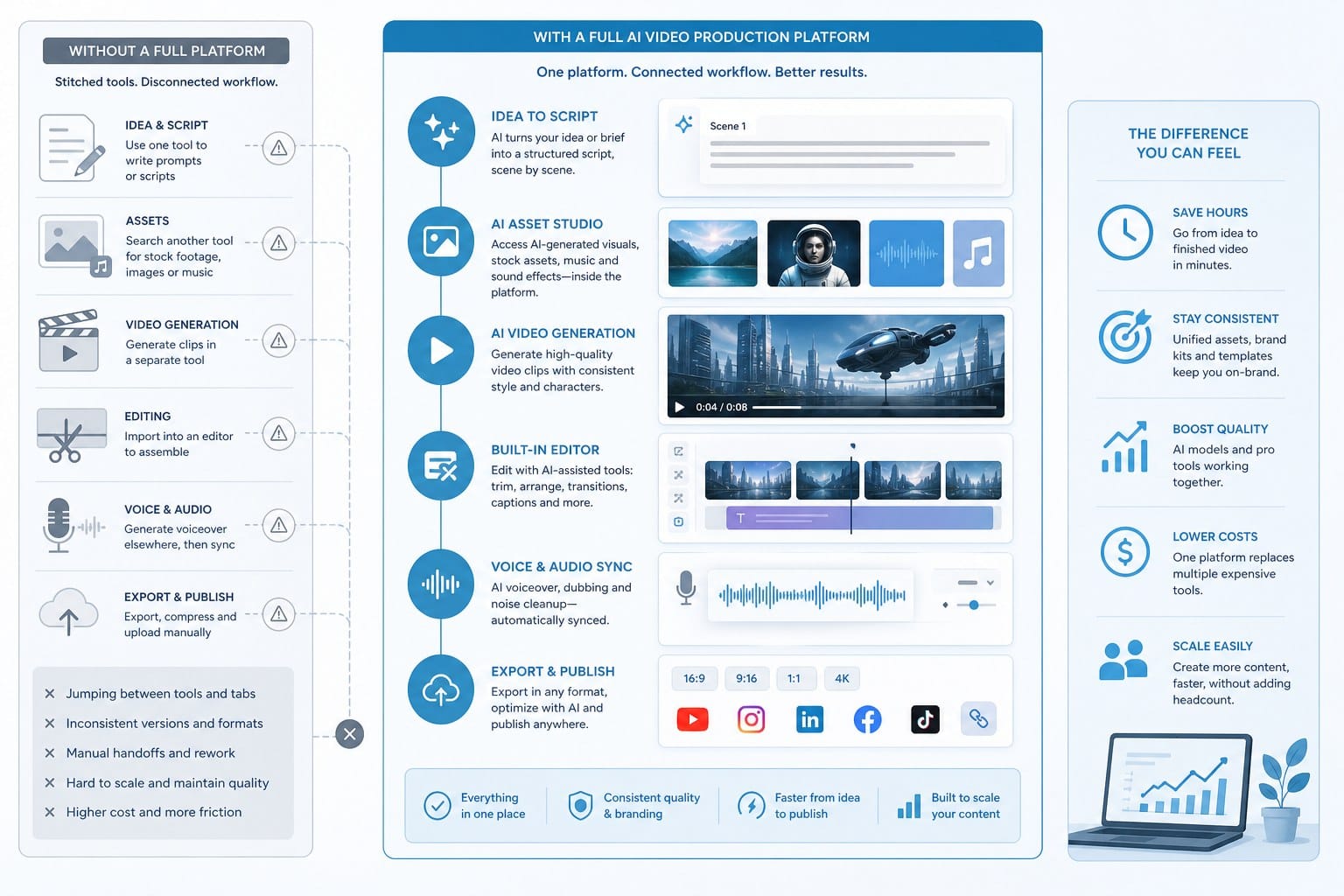
2. What a full AI video production platform actually does differently
3. How to decide which tool fits your actual workflow
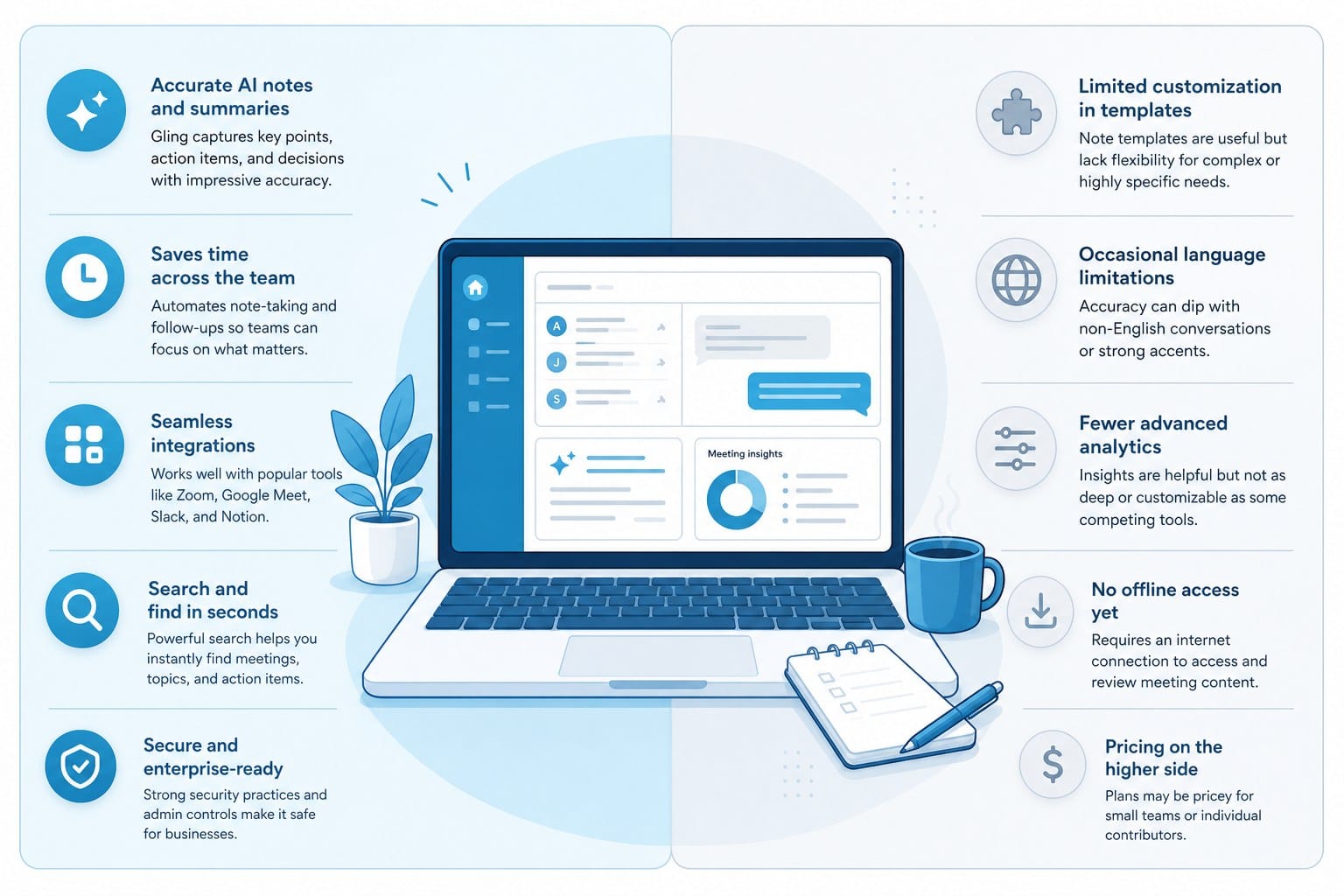
If you have been using Gling to clean up your raw footage, you have probably run into its limits pretty quickly. Gling does one thing: it removes silences and filler words from talking-head recordings. That is useful, but it is a narrow slice of what most creators actually need. I have spent time comparing tools across the full video production workflow, and I want to walk you through why so many creators are now looking for a solid Gling alternative that handles more than just audio cleanup. More importantly, I want to show you what a platform like Cliptude can do that Gling simply was not designed to do. Whether you run a faceless channel, publish educational content as a solo entrepreneur, or need to produce high volumes of short-form video across multiple platforms, the tool you pick shapes how much you can realistically publish and how fast you can grow.
What Gling does well and where it falls short
Gling built its reputation on a specific promise: upload your raw recorded video, and the AI will cut out the dead air, the ums, the ahs, and the awkward pauses. For a solo creator who films themselves talking to a camera, that saves a real chunk of editing time. You do not have to scrub through a timeline hunting for silence. The tool finds it for you, marks it for deletion, and exports a cleaner cut to whatever editor you use next.
That workflow makes sense if you are already recording yourself on camera and your finished script is sitting in front of you before you hit record. But a growing number of creators are moving away from that model entirely. Faceless YouTube channels have exploded in popularity because they let people build large audiences without ever appearing on screen. Documentary-style content, listicle videos, educational explainers, and animated shorts all fall into this category. None of those formats start with a talking-head recording, which means Gling has nothing to work with from the very beginning. The tool is simply not relevant to that production style.
Even creators who do film themselves often discover that silence removal is just one small part of the editing process. After Gling cleans up your audio cuts, you still need to source B-roll footage, add motion graphics, mix background music, write and revise your script, create a thumbnail, and export the final file at the right specs for each platform. Gling hands you a slightly cleaner raw cut and then leaves you to handle everything else on your own. That is a lot of work left on the table.
There is also the research and scripting stage that happens before any recording takes place. Most creators spend hours researching topics, outlining scripts, and planning which visuals will support each section of the narration. Gling does not touch any of that. So if you are looking for a tool that compresses the entire video production pipeline into something manageable, Gling is not designed to be that solution. It was never meant to be.
The creators who feel this gap most sharply fall into a few clear groups. Some run faceless channels and want to publish multiple videos a week without hiring a production team. Others are solo entrepreneurs who know their subject matter deeply but have no video editing background and no desire to develop one. Many are scaling content across YouTube, TikTok, and Instagram Reels at the same time and need a faster pipeline that does not require learning three different export formats and aspect ratios by hand. For all of these people, the search for a Gling alternative is really a search for something much more comprehensive.
It is also worth being honest about what the silence-removal category of tools can and cannot fix. If your videos are slow, removing pauses helps the pacing. But pacing problems often start earlier than the recording stage. A script that meanders, a hook that takes thirty seconds to land, or a structure that buries the most interesting information in the middle of the video will not be saved by cleaner cuts. The underlying content problems remain. A full production platform addresses those problems at the source by structuring the script before anything is recorded or generated.
Another practical limit is that Gling's output is only as good as what you put in. If the recording is good, the cleaned-up version will be good. If the script was weak, the lighting was poor, or the narration lacked energy, Gling cannot fix those things. Silence removal is a cleanup step, not a production step. Understanding that distinction helps clarify why so many creators are looking beyond it.
The cost structure also matters when you are deciding which tools to keep in your stack. Paying a monthly subscription for a single-function tool is manageable when that tool solves your biggest problem. When it only solves one small part of a much longer workflow and you are still paying for four other subscriptions to cover the rest, the math starts to look different. Consolidating more of the workflow into one platform is not just about convenience. It is about keeping production costs proportional to what you are actually producing.
For creators who are just starting out, there is also the learning curve to consider. Gling exports to Premiere Pro, DaVinci Resolve, and Final Cut Pro, which means you still need to know how to use one of those editors to finish your video. That is a real skill requirement that many new creators have not yet developed. A platform that handles the full production process removes that barrier entirely and lets someone publish a polished video without ever opening a professional editing application.
What a full AI video production platform actually does differently
The gap between a simple editing assistant and a full AI video production platform is significant, and it is worth understanding that gap clearly before you commit to a tool.
A tool like Gling sits at the tail end of the production process. You have already done your research, written your script, recorded your footage, and then you bring it in for one specific cleanup task. A full production platform starts at the very beginning and walks you through every stage, or in many cases, handles those stages for you automatically without requiring you to manage each step.
Cliptude is built around that idea. You start with a prompt or an existing script, and the platform takes it from there. It researches the topic, builds a structured script with a clear hook and logical flow, sources relevant footage from licensed stock libraries, generates motion graphics timed to the narration, lays in background music that fits the tone, and outputs a finished video. The goal is a polished, ready-to-publish piece of content without you having to open a timeline editor or manage individual cuts.
For a faceless YouTube channel, this changes the production math completely. Instead of spending six to ten hours on a single documentary-style video, researching the topic, writing a script, recording a voiceover, hunting for matching footage, and assembling it all in an editor, you can go from idea to finished video in a fraction of that time. The platform handles the parts of the workflow that most creators find the most time-consuming and technically demanding.
Cliptude supports several video formats that a silence-removal tool is simply not relevant to at all. Stickman animations and whiteboard-style explainer videos are built entirely from generated visuals, so there is no raw footage to clean up. Documentary videos pull from stock libraries and structure narration over visual sequences that match what the script is saying at each moment. Listicle videos follow a numbered format that the AI builds out automatically, including the segment structure and the visual pacing. Music videos, YouTube Shorts, and long-form documentary content all run through the same core workflow, adapted to the format.
The scripting layer matters more than people often realize when they are evaluating production tools. A well-structured script determines the pacing, the hook, the information density, and the call to action. Many creators who are confident in their knowledge still struggle to turn that knowledge into a tight, engaging script that holds attention for eight minutes on YouTube or fifteen seconds on TikTok. Having AI handle the first draft, structured around what works for a specific format and platform, removes a real creative bottleneck and gives you something concrete to react to and refine rather than a blank page.
The footage sourcing piece is another area where the difference becomes obvious once you have lived through the alternative. When you produce a documentary or educational video, you need B-roll that matches what the narration is saying at each specific moment. A script that talks about the 2008 financial crisis needs footage that looks like 2008. A script about deep-sea creatures needs footage of the ocean floor, not a generic nature clip. Finding that footage manually, checking the licensing terms, downloading the files, and placing them in the timeline at the right timecode is tedious, time-consuming work that adds hours to every video. Cliptude automates the matching so the visual layer stays aligned with the script without you managing each cut individually.
If you want to understand how this kind of platform compares to other tools in the AI video space, I covered that in more detail in this piece on the best Pictory alternative for full AI video creation. The comparison principles carry over directly to the Gling conversation as well, because the core question is the same: do you want a tool that handles one step, or a platform that handles the whole process?
The commercial rights question is something creators often overlook until it suddenly matters. When you sell a channel, license content to a brand, run ads on your videos, or include sponsored segments, you need to know that you own what you produced and that the assets inside it do not create licensing conflicts. Cliptude gives creators full commercial rights to the videos they produce on the platform. That means you can monetize that content directly without worrying about footage or music assets that were cleared for personal use but not commercial distribution.
For creators who are also building a personal brand or working in the influencer space alongside their content production, the speed advantage compounds quickly. Publishing more often with less effort per video is one of the most reliable ways channels grow faster. There is a real relationship between publishing frequency and channel growth on YouTube and TikTok, because both platforms reward consistent output in their recommendation algorithms. I covered some of the overlap between content creation and influence in this piece on are content creators and influencers the same thing, which might be useful context if you are thinking about how to position your channel and what kind of output pace makes sense for your goals.
Pricing works differently too, and that difference matters for creators whose output volume changes month to month. Gling charges a subscription, which means you pay the same monthly fee whether you produce one video or twenty. Cliptude uses usage-based credit pricing, so you pay for what you actually produce. For creators with variable schedules, those who are just ramping up their output, or those who want to run a high-volume month followed by a lighter one, that structure is often more practical and more honest about what you are getting for your money.
The platform also does not ask you to surrender creative judgment in exchange for speed. Cliptude generates a starting point based on your prompt or script, and you review, adjust, and refine the output before publishing. You decide whether the tone is right, whether the script structure serves the topic, and whether the footage choices match your vision for the video. The platform handles the production labor. The creative decisions stay with you. That balance is what separates a useful AI production tool from one that produces generic content you would be embarrassed to put your name on.
One more thing worth understanding is what happens when you need to produce content in a language or for an audience that most tools were not built with in mind. Finding footage, scripting in the right language, and matching cultural context all become significantly more complex when you are producing for a regional audience rather than a broad English-speaking one. I covered one specific example of this in detail in this article on AI video generator for Nepali content creators, which illustrates how a full production platform adapts to specific audience contexts in ways that a simple silence-removal tool could never address.
How to decide which tool fits your actual workflow
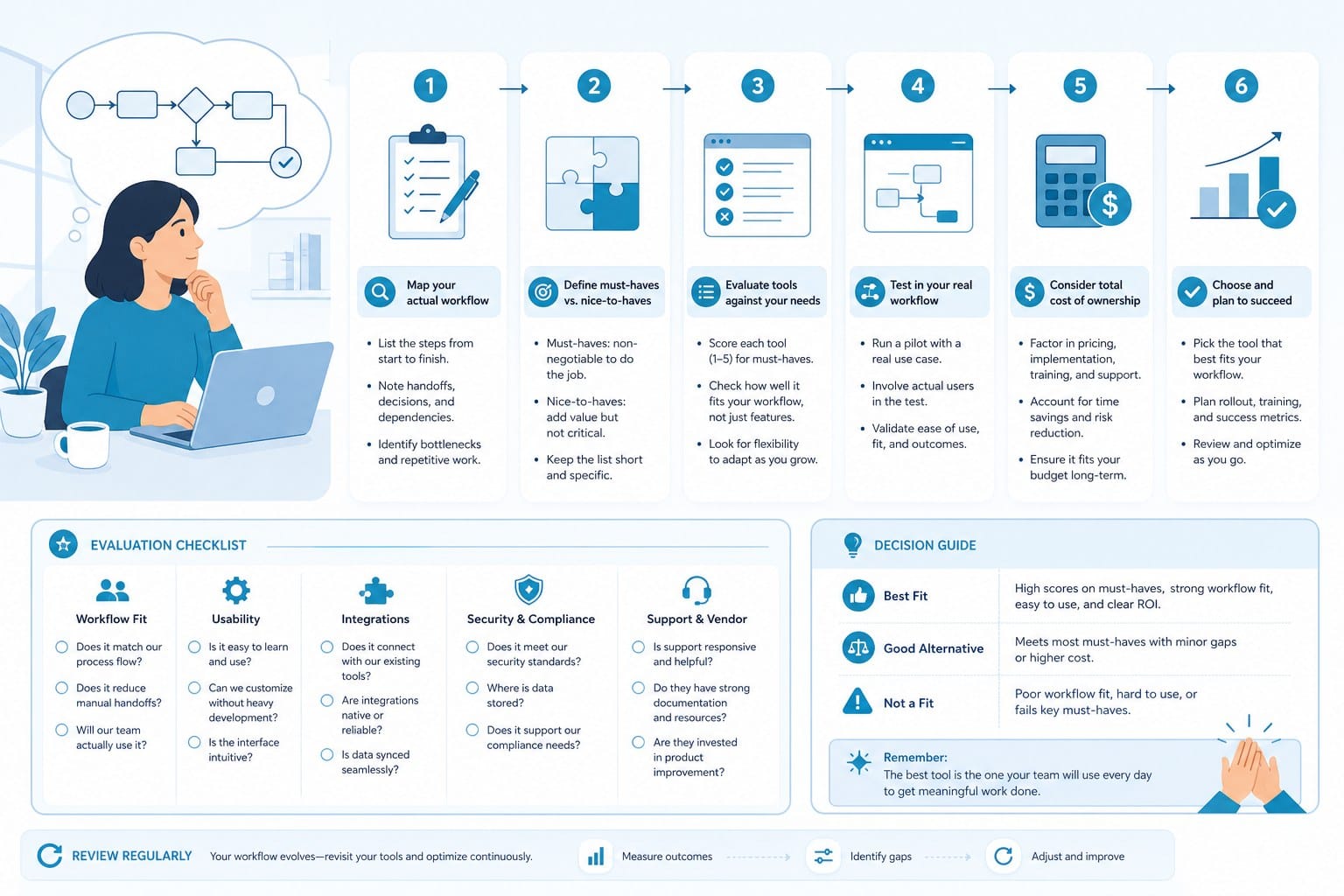
Choosing between a narrow editing tool and a full production platform really comes down to where you spend your time and where you are losing the most momentum in your production process.
If you film yourself on camera, already have a finished script before you hit record, and your only real problem is that post-production cleanup is slow and tedious, then a silence-removal tool like Gling solves that specific problem cleanly. It is a focused tool for a focused task, and there is nothing wrong with that if that task is genuinely your biggest bottleneck and the rest of your workflow is already running efficiently.
But most creators describe a different situation when you ask them where their time actually goes. They spend most of it before filming, not after. The research phase takes hours, sometimes days for a complex topic. The script goes through multiple drafts before it feels tight enough to record. They are not sure which footage to use, or they cannot afford a stock library subscription on top of their editing software and all their other tools. The actual editing is the part they eventually get done, but it is everything before and around the editing that slows them down and drains the energy they would rather put into the content itself.
If that sounds familiar, then what you need is not a Gling alternative in the narrow sense. You need a tool that compresses the entire workflow, not just one step of it.
Let me walk through several specific creator profiles and what working with Cliptude actually looks like for each one, because the answer changes depending on the kind of content you make.
The faceless documentary creator publishes long-form videos on topics like true crime, history, science, or personal finance. They never appear on camera. Their normal production process involves hours of research, writing a ten-to-fifteen minute script, recording a voiceover, hunting for matching footage across multiple stock sites, checking licensing on each clip, downloading files, and assembling everything in an editor. That process can easily consume a full work week for a single video. Gling is irrelevant to this workflow because there is no talking-head recording to clean up at any stage. Cliptude handles the research, writes the script with a structure suited to long-form YouTube content, sources the footage with matching that fits the narration, and assembles the video. The creator reviews and refines the output rather than building it from scratch, which is a fundamentally different relationship with the production process.
The short-form content creator is publishing on TikTok, Instagram Reels, and YouTube Shorts simultaneously and needs a high volume of short, punchy videos that work without sound as well as with it, since a large percentage of short-form viewers never turn the audio on. Speed is the priority, and variety matters because the same content repurposed across platforms performs differently on each one. Cliptude generates Shorts-format content from a simple prompt, meaning the creator can produce multiple pieces of content in the time it would normally take to edit one from raw footage.
The solo entrepreneur is an expert in their field but not a video editor and has no plans to become one. They want to publish educational content about their area of expertise, whether that is accounting, physical therapy, landscape design, or anything else, but they do not have the skills or time to learn professional editing software. They know exactly what they want to say but do not know how to package it visually in a way that looks professional and holds attention on YouTube. Cliptude lets them input their knowledge as a script or a prompt, and the platform handles the visual production entirely. They get a professional-looking video without touching a timeline or buying a stock footage subscription.
The animated explainer creator uses whiteboard or stickman-style animation to break down complex topics in a format that feels approachable and clear. This format does not involve any filmed footage at all, which means an editing tool designed for recorded talking-head video is not just less useful, it is completely irrelevant to the workflow. Cliptude supports these animation styles natively, generating the visuals in sync with the narration without requiring the creator to know how to animate anything.
The content monetization creator wants to build channels at scale and eventually sell them or earn significant ad revenue from a large library of published videos. This requires consistent publishing over months or years, commercial-grade output that can be licensed or sold without rights complications, and full ownership of the content they produce. Cliptude's commercial rights structure and credit-based pricing make it practical to produce a large volume of content without the overhead of a production team or the recurring cost of multiple tool subscriptions.
Across all of these profiles, the practical question to ask yourself is the same: when a video takes too long to produce, which step is eating the most time and causing you to publish less often than you want to? If your honest answer is the editing timeline after a recording session, a cleanup tool might help at the margin. If your answer is the research, the scripting, the footage sourcing, or the combination of all of the above, then you need a platform that handles those upstream steps and treats the whole process as one connected workflow rather than a series of separate tasks.
It is also worth thinking about what happens to your output quality and consistency over time with each type of tool. When you use a single-function cleanup tool, you are still responsible for every other creative and technical decision in the production. Your videos are only as good as the research you did, the script you wrote, and the footage you found. When you use a full production platform, the baseline quality is more consistent because the platform applies the same structural logic to every video it produces. You can still make individual videos better through your own creative input, but you are starting from a stronger foundation every time.
For creators who have been comparing tools and feel like nothing quite fits because they want more than basic editing but do not want to pay for enterprise-level software designed for production companies with full teams, the credit-based model is worth understanding before you dismiss it as just another subscription. You are not locked into a monthly flat fee for a fixed number of seats. You buy credits and use them on the videos you actually produce. If you produce more in one month and less in another, your costs reflect that reality. There is no penalty for having a slow month and no ceiling forcing you to upgrade when you have a productive one.
The broader shift happening in AI video production right now is moving toward tools that handle more of the process rather than tools that specialize in one narrow task performed well. A silence remover made perfect sense as a standalone tool when the rest of the editing process was already manageable and the main friction was in the cleanup stage. For most creators today, the whole process needs to be faster and more accessible, not just one corner of it. Research takes too long. Scripting is hard. Footage sourcing is expensive and tedious. Editing software has a steep learning curve. Each of those problems individually is manageable. All of them together is the reason so many creators burn out or publish far less than they planned to when they started their channel.
That is the reason the conversation about what makes a good Gling alternative keeps coming back to platforms that start at the script level and carry through to a finished, publishable video. The goal is not to replace your judgment about what makes good content. The goal is to handle the technical and time-consuming production work so that your creative decisions are the ones that actually drive results, and so that you can make more of them more often without running out of time or energy in the process.
Ready to take the next step?
If you are ready to move beyond single-step editing tools and want a platform that handles your videos from the first idea to the final export, Cliptude is worth trying. You can bring a prompt or an existing script and see what the platform produces before committing to anything. Head to Cliptude to get started and see how much of your production workflow you can hand off without giving up creative control over what you publish.