Best Vidu alternative for AI video generation without the limits

Table of contents
1. What Vidu does well and where it falls short for working creators
2. What separates tools that save time from tools that just add a new step
3. Why Cliptude fits a creator's actual production workflow
If you have been searching for a Vidu alternative, you already know the cycle. You find a tool with an impressive demo, you sign up, and then reality sets in. The output quality drops after a few generations. The credit system burns through your budget faster than expected. Or the platform simply cannot produce the kind of video you actually need for your channel or brand. Vidu is a generative AI video tool that turns text prompts into short video clips. The technology behind it is genuinely interesting, and for certain use cases, it performs well. But it was built with a specific output in mind, and that output is a clip, not a finished video. If you are running a faceless YouTube channel, scaling a short-form content operation, or trying to produce full documentary-style videos with narration, structure, and editing already handled, Vidu leaves a significant gap between what it produces and what you actually need to publish. This article walks through exactly why that gap exists, what capabilities actually separate useful tools from expensive detours, and why Cliptude is the most complete alternative for creators who want to stop assembling pieces and start publishing finished videos.
What Vidu does well and where it falls short for working creators
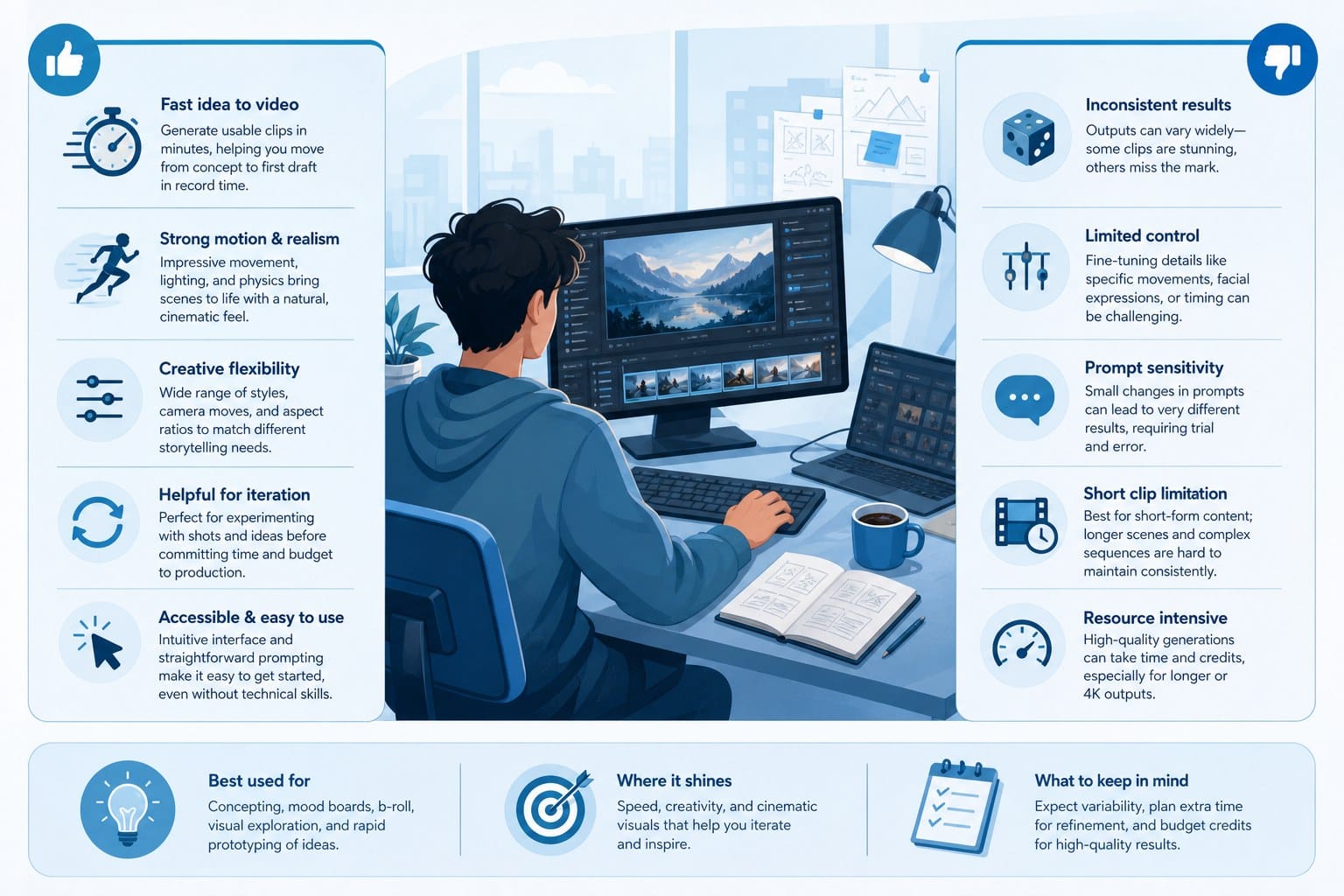
Vidu generates short video clips from text prompts using a generative AI model. The visual quality is genuinely impressive in specific contexts, particularly for abstract scenes, cinematic moments, and stylized imagery that does not require real-world accuracy. If you need a five-second clip of storm clouds rolling over a mountain range or a slow-motion splash of water with dramatic lighting, the tool can deliver something that looks polished.
That is its sweet spot, and it is a real one.
But here is what Vidu does not do. It does not research your topic. It does not write or refine a script. It does not source B-roll footage from a library of licensed material. It does not generate or record a voiceover. It does not add text overlays, lower thirds, or motion graphics. It does not mix audio, balance levels, or apply color grading. And it absolutely does not assemble everything into a coherent, edited timeline and hand you a file that is ready to upload.
You get a clip. Everything else is your problem.
For a professional motion designer or a video editor who needs a single generative asset inside a larger custom workflow, that is a reasonable trade-off. But for the majority of independent creators and small teams who are trying to build an actual content operation, that trade-off means Vidu is one more tool in an already complicated stack, not a solution to the underlying problem of how long video production takes.
Length is one of the most concrete limitations. Vidu's outputs are measured in seconds. If you want to produce a twelve-minute YouTube documentary with a coherent narrative arc, chapter structure, voiceover narration, and supporting footage, you are not going to build that from a collection of generative clips without doing most of the heavy production work yourself. The tool gives you raw material. Turning raw material into a finished video requires scripting, editing, audio work, and post-production that the platform does not provide.
For a creator publishing three to five videos per week, that gap compounds quickly. Each video represents hours of work that the tool is not eliminating. At some point, the question is not whether Vidu produces impressive clips. It is whether the platform is actually saving you enough time and money to justify its place in your workflow.
Credit limits and pricing unpredictability are a recurring frustration across the generative video space, and Vidu is not immune to this. Usage-based credit systems can sound reasonable when you are only producing a few clips per month. When you are trying to scale a channel and your output increases significantly, the cost structure can shift in ways that are hard to predict and budget around. A creator who goes from producing two videos a month to eight will not always find that costs scale linearly. Surprise overages and tier jumps are common enough that they show up regularly in community discussions.
Commercial rights are another area where clarity matters more than most creators initially realize. If you are monetizing a YouTube channel through AdSense, running sponsored integrations, selling video content to clients, or building an audience with the intention of eventually launching paid products, you need to know exactly what rights you hold over the content you produce with any given tool. Vague or ambiguous terms of service create genuine legal exposure. When you are building a business around content, that ambiguity is not a minor inconvenience. It is a risk you are taking on with every video you publish.
So what should you actually be looking for when you go looking for a better fit? The criteria that matter most are consistent across different types of creators: full-pipeline production capability that takes you from idea to finished file, pricing that is transparent and scales with your actual output, support for multiple video formats and lengths, animation formats for educational and explainer content, and commercial licensing terms that are explicit rather than open to interpretation. Let's look at what those criteria mean in practice and which platforms actually meet them.
What separates tools that save time from tools that just add a new step
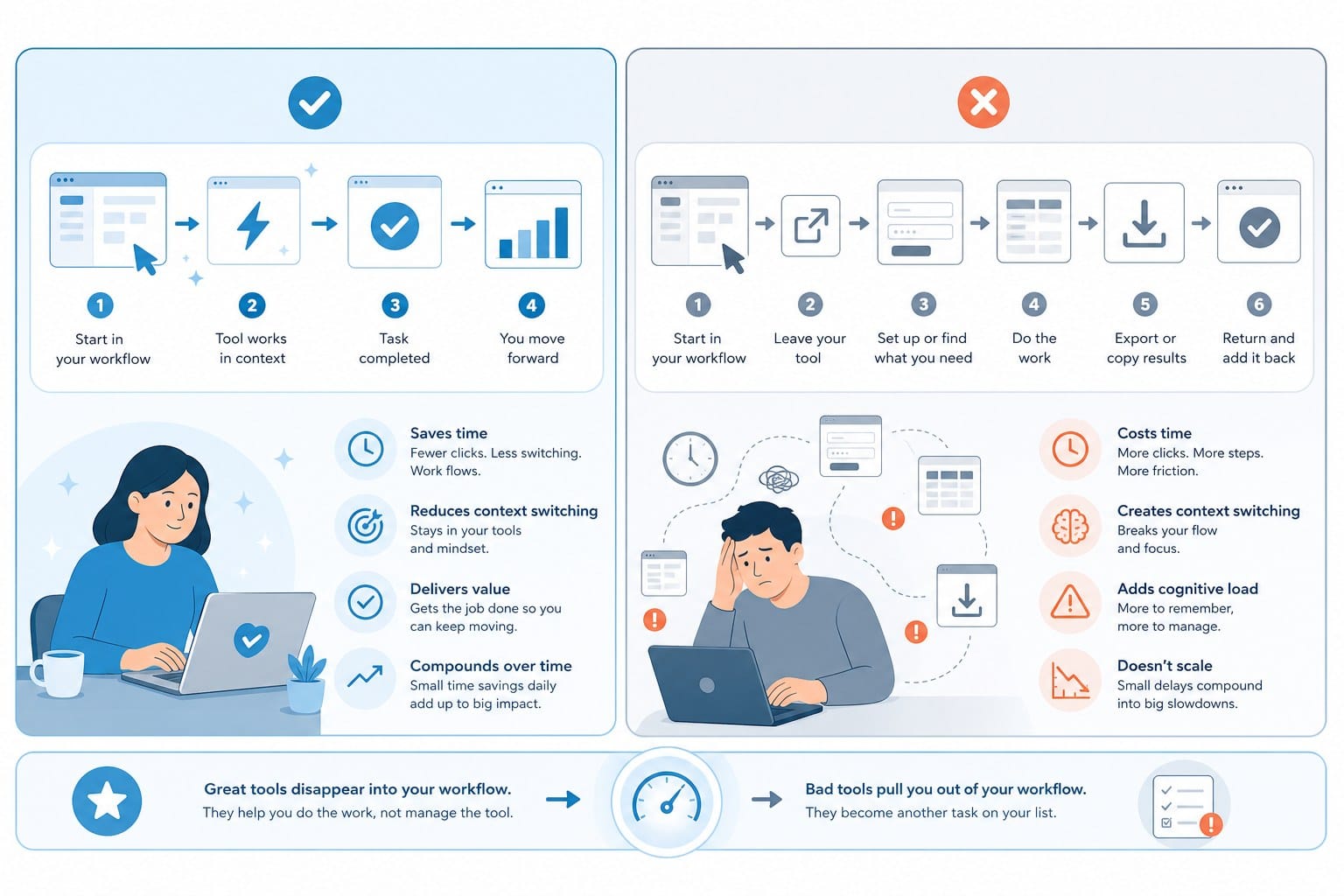
Not every creator has the same workflow or the same output goals, but certain capabilities consistently separate platforms that genuinely accelerate production from platforms that create the illusion of acceleration while adding new friction to the process.
The most important capability is end-to-end production. A tool that covers research, scripting, footage sourcing, voiceover generation, motion graphics, and final editing inside a single workflow is a fundamentally different kind of product than a tool that handles one part of that pipeline and leaves the rest to you. The value is not in any individual feature. It is in the elimination of the handoffs between features and tools, because those handoffs are where time disappears.
Consider what full production looks like for a creator running a faceless history documentary channel. Without end-to-end support, the process breaks down into distinct phases: researching the topic, writing the script, generating or recording voiceover, finding licensed footage that matches specific scenes, editing the timeline, adding text overlays and chapter markers, selecting and mixing background music, color grading the footage for visual consistency, and exporting at the right resolution and frame rate for YouTube. Depending on the creator's speed and experience, that process can take anywhere from eight to twenty hours per video.
With a full-pipeline tool, much of that collapses. The creator's job shifts from doing production work to directing it. You choose the topic, provide the angle, review the output, and make creative decisions. The platform handles the labor. That shift is what allows a solo creator to compete with small production teams in terms of output volume and consistency.
Format flexibility is the second capability that separates genuinely useful platforms from narrowly useful ones. The creator economy is not one platform. A channel might publish long-form documentary content on YouTube while simultaneously clipping highlights for Shorts, posting quick educational explainers on Instagram Reels, and occasionally producing longer-form content for a membership community. If your production tool is optimized for only one format, you are either limiting your distribution strategy or you are running parallel workflows with different tools for each format.
The best platforms handle both short-form vertical video and long-form horizontal video within the same system, with output settings that are appropriate for each format without requiring manual adjustment. This seems like a small quality-of-life detail, but across dozens of videos per month, it saves meaningful time and reduces the error rate that comes from managing multiple export configurations.
Animation support is an underappreciated differentiator. A significant portion of the educational content, explainer video, and kids programming markets relies on animation formats rather than real footage. Whiteboard animation, where concepts appear as hand-drawn illustrations on a white background, has been a staple of educational YouTube for over a decade. Stickman and character animation formats are widely used in explainer videos for software, finance, and business topics. These formats work because they can illustrate abstract concepts clearly and cheaply, without requiring real locations, actors, or expensive motion graphics.
Most AI video platforms are built around either real footage libraries or generative video clips. They have not invested in animation production pipelines. That means an educational creator who wants to produce a whiteboard-style explanation of how compound interest works, or a kids content producer who needs character animation without a team of animators, is out of luck with most tools in the market.
Pricing structure matters more than the advertised monthly price. A low headline price that comes with restrictive usage caps is not actually cheap for a creator who publishes consistently. Usage-based pricing, where you pay for what you actually produce rather than paying for a fixed monthly allotment that may or may not match your output, is a better fit for most working creators. It removes the penalty for slow months and removes the ceiling on fast months. For a creator who is just starting to scale, not being locked into a tier that assumes a specific output volume is a meaningful financial advantage.
Commercial rights should be explicit in the platform's terms of service, not buried in ambiguous language that could be interpreted either way. The specific language to look for is a clear statement that you own full commercial rights to the content you produce with the platform and that you can monetize, license, and sell that content without restriction. Anything short of that creates risk for creators who are building a business rather than experimenting with a hobby.
Accessibility for non-editors is the final capability worth calling out explicitly. A significant portion of the creator market is made up of people who want to produce professional video content but do not have professional video editing backgrounds. Solo entrepreneurs, consultants, coaches, small business owners, and first-generation creators who are building channels without production team support all need tools that produce professional results without requiring expertise in timeline editing, audio mixing, or color science. If a platform requires you to already know how to use Premiere Pro or After Effects to get useful output, it is solving a different problem than the one most creators actually have.
The same evaluation framework applies whether you are looking at Vidu alternatives or comparing other tools in the AI video space. The article on the best Pictory alternative for full AI video creation covers similar ground from a different starting point and is worth reading if you have been using Pictory and running into the same kinds of limitations. The underlying question is always the same: does this platform take you from idea to finished video, or does it hand you something you still have to finish yourself?
Why Cliptude fits a creator's actual production workflow
Cliptude was built on a premise that sounds simple but is actually difficult to execute: a creator should be able to enter a prompt or a script and receive back a finished, polished video without touching a timeline editor, sourcing footage manually, or recording a voiceover. The platform delivers on that premise, and the practical implications for how much time a creator spends on production are significant.
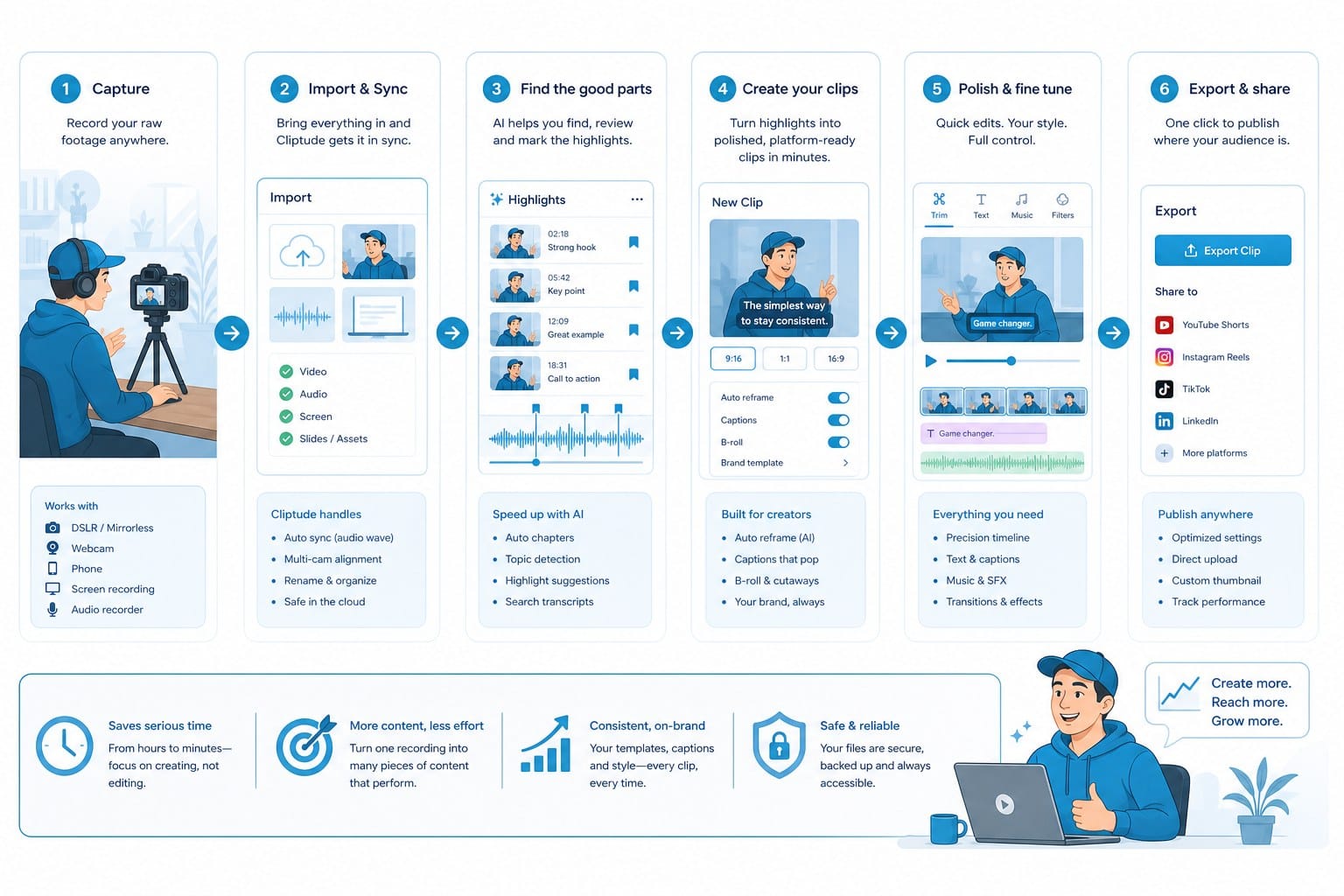
Here is what the workflow actually looks like. You start with either a text prompt describing the video you want to produce, or a full script if you already have one written. From that starting point, Cliptude handles automatic research to build context around your topic, writes or refines the script based on that research, sources relevant footage from its licensed library, generates motion graphics and visual elements appropriate for the content, adds voiceover narration, and assembles everything into a complete edited video. The output is not a draft, a rough cut, or a set of assets you still need to arrange. It is a finished file ready for upload.
For a faceless YouTube channel, that changes the production math entirely. A creator who previously spent a weekend producing one documentary can now produce multiple complete videos in the same time, because the labor-intensive middle stages of production are handled by the platform. That output acceleration is the difference between a channel that publishes inconsistently when the creator has time and a channel that publishes on a reliable schedule that algorithms and audiences can depend on.
The format range Cliptude supports is one of the clearest advantages over tools like Vidu. Full-length YouTube videos in the ten to twenty-minute range, including documentaries, listicle videos, and educational content with chapter structure, are within the platform's scope. YouTube Shorts and vertical video optimized for TikTok and Instagram Reels are also supported, with output settings appropriate for each platform. Music videos and animations, including whiteboard and stickman formats, round out the format library.
That breadth matters because serious creators are almost never working on just one platform or in just one format. A science education channel on YouTube is likely also producing Shorts to feed the algorithm and capture mobile viewers. A business explainer channel might be delivering content to YouTube, embedding videos on a client's website, and posting clips to LinkedIn. Being able to produce all of those from the same platform, without switching tools or rebuilding your workflow for each format, saves time that compounds across every video you publish.
The animation support is worth discussing in detail because it addresses a real gap in the market. Whiteboard animation has been one of the most durable formats in educational video because it works. The visual metaphor of ideas being drawn out in real time holds attention and communicates complex information clearly without requiring real locations or footage. Stickman animation works for similar reasons, particularly in explainer video contexts where character-driven storytelling makes abstract concepts more concrete. Most AI video platforms have not invested in building animation production pipelines because they are focused on footage-based output. Cliptude has built animation capability into its production system, which opens up creative directions that are simply not available on most competing platforms.
For an educational creator who wants to explain how the human immune system responds to a pathogen, whiteboard animation is often a better format than stock footage because it can illustrate processes that are invisible to a camera. For a business consultant who wants to explain a strategic framework to a client audience, stickman animation can communicate the concept more clearly than any combination of talking head footage and slide graphics. Having that format available inside the same platform you use for all your other video production is a meaningful capability, not a niche add-on.
Cliptude uses usage-based credit pricing, which means you pay for what you actually produce rather than committing to a fixed monthly tier based on a production volume you may not hit consistently. For creators who are building toward a regular publishing schedule but are not yet at full output, this pricing structure removes the risk of paying for capacity you are not using. For creators who are already publishing consistently and looking to scale, usage-based pricing grows with actual revenue rather than requiring a jump to a higher tier before the revenue to support it has arrived.
The practical effect is that a creator who has a busy month and publishes eight videos pays for eight videos. A creator who has a slow month and publishes two videos pays for two videos. That flexibility is genuinely valuable for solo creators and small teams whose output varies with their schedule, their inspiration, and the demands of other parts of their business.
Commercial rights on Cliptude are explicit. The videos you generate come with full commercial rights, which means you can monetize them through YouTube AdSense, include them in paid ad campaigns, deliver them to clients as work product, and build a business model around them without legal ambiguity. For any creator or media company treating video production as a revenue-generating activity rather than a hobby, this is a baseline requirement, and Cliptude meets it clearly.
The accessibility point is where a lot of creators underestimate the value of what a full-pipeline platform offers. Cliptude was designed for people who want professional output without professional video editing skills. You do not need to understand how to operate a non-linear editing timeline. You do not need to know how to color grade footage, balance audio levels, or set up motion graphics keyframes. What you bring to the process is the idea, the topic, the angle, and the creative judgment about what makes a video worth watching. The platform brings the production execution.
This matters most for solo entrepreneurs who need video content as part of their business but do not have a production background or a production team. A consultant publishing weekly educational content on YouTube to build an audience for a coaching program. A small media company producing branded content for multiple clients simultaneously. A first-generation creator who has the ideas and the subject matter expertise but not the technical skills to execute a professional post-production workflow. All of these use cases are well served by a platform that removes the technical barrier entirely and hands back a finished video instead of a set of tasks.
For creators who are also thinking through the broader business model of building an audience through consistent video content, the article on whether content creators and influencers are the same thing is worth reading. The distinction matters because it shapes what kind of content you produce, what metrics you optimize for, and what monetization paths are realistic for your channel. A platform like Cliptude supports both content-first creators building long-term audience relationships and volume-focused operations that need consistent output across multiple formats and topics.
One question that comes up regularly in conversations about AI video production is whether the output quality can actually compete with manually produced content when it comes to audience engagement. The honest answer depends on both the platform and the format. A tool that produces a raw generative clip and stops there is only as good as what you build around it. A tool that handles research, scripting, footage sourcing, narration, and editing inside a coherent production pipeline produces something that can stand up to manually produced content in formats where the quality of information and narrative structure matters more than cinematic visual style. Documentary content, educational videos, explainer formats, and listicle videos are all categories where that trade-off works in AI production's favor.
Cliptude is built to compete at that quality level. The narration is coherent and connected to the visual content. The footage is relevant to the topic being discussed rather than generically illustrative. The motion graphics add visual interest without looking like slide presentation templates from a decade ago. The overall output is something a creator can publish with confidence rather than something that needs significant remediation before it is ready for an audience.
If you are also evaluating tools from a video editing and post-production angle rather than a full generation angle, the article on the best Gling alternative for AI video editing and production covers that comparison in detail and is useful context for understanding where different tools fit in the broader AI video landscape.
The conclusion for anyone who has been searching for a Vidu alternative is direct. If what you need is a short generative clip for use inside a larger custom production workflow, Vidu may serve that specific purpose. But if what you need is a platform that takes you from topic to finished video, that supports long-form and short-form formats, that offers animation options, that prices based on your actual output, and that gives you unambiguous commercial rights to everything you produce, Cliptude is the platform that meets that description. It was built for creators who treat video production as a serious part of how they build their audience and their business, not as a side experiment they fit in around other work.
Ready to take the next step?
Ready to stop assembling clips and start publishing finished videos? Visit Cliptude to see how the full-pipeline production workflow works for your channel or content business.