Best Tubegen AI alternatives for automated video creation

Table of contents
1. What to look for in an AI video creation platform
2. The strongest tubegen AI alternatives on the market right now
3. How to choose based on your specific content goals
If you have been searching for a tubegen ai alternative, you are probably already familiar with the idea of using AI to build a faceless YouTube channel without ever turning on a camera. The promise is real: drop in a topic, let the software handle the script, the footage, the voiceover, and the edit, then upload and repeat. The question is which tool actually delivers that promise at a quality level that keeps viewers watching and advertisers happy. I have spent time digging into what creators need from this category of software, and in this guide I will walk you through the strongest options available right now, what each one does well, and where each one falls short. By the end, you should have a clear picture of which platform fits your workflow, your budget, and your goals.
What to look for in an AI video creation platform
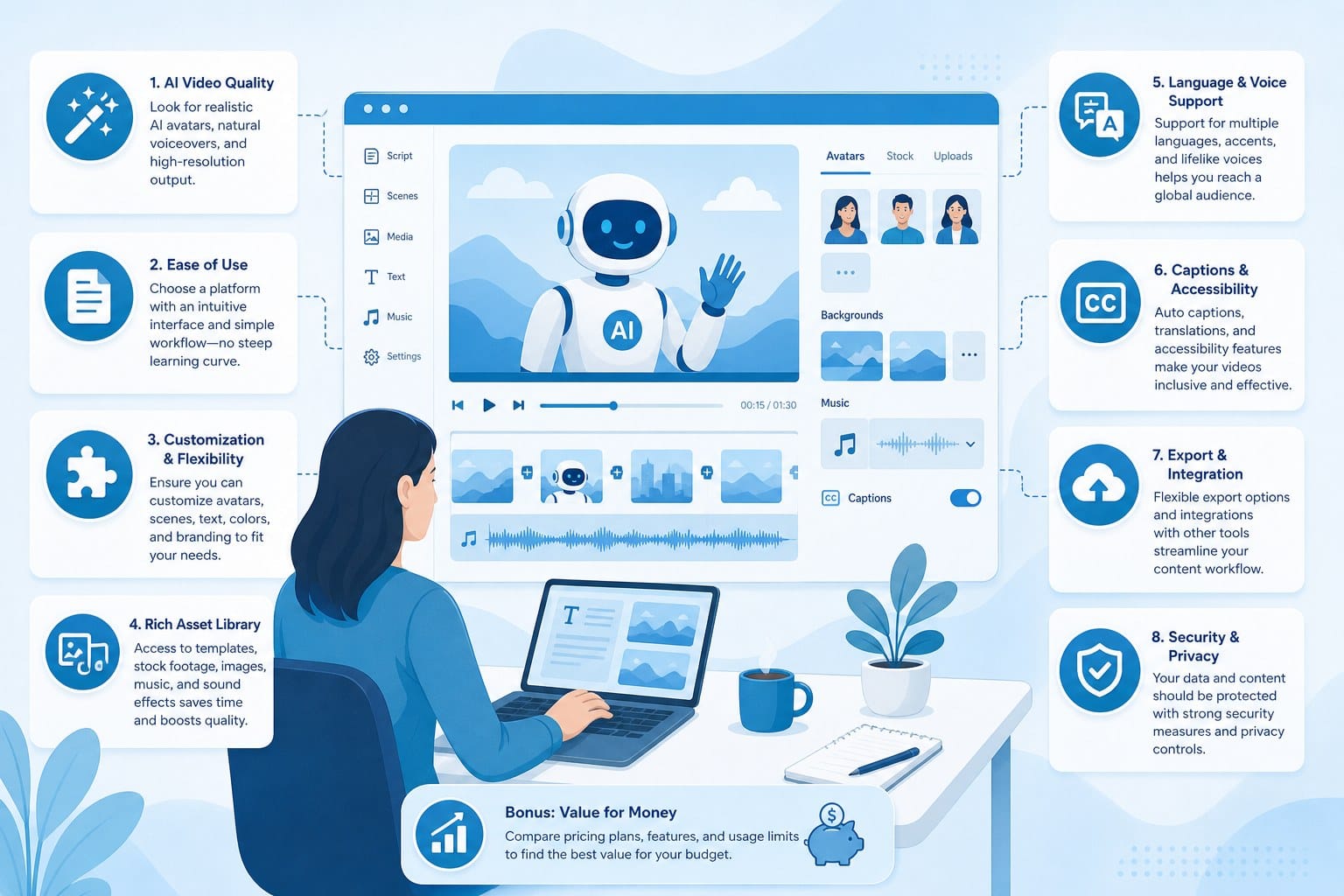
Before jumping to any specific tool, it helps to know what separates a genuinely useful AI video platform from one that just looks impressive in a demo. I have broken the key criteria into five areas that matter most for faceless YouTube channels, short-form content, and educational or documentary-style videos.
End-to-end automation. The best platforms do not just help with one step. They handle research, scripting, footage sourcing, voiceover, motion graphics, and final editing inside a single workflow. If you have to jump between five different apps to get one video done, you are not saving much time.
Output quality. A finished video needs to look like something a human editor would be proud of. That means smooth cuts, relevant B-roll, readable text overlays, and a voiceover that sounds natural. Low-quality output hurts watch time, and poor watch time hurts your channel growth and monetization eligibility.
Format flexibility. Some creators focus entirely on long-form YouTube documentaries. Others produce YouTube Shorts, TikTok clips, and Instagram Reels simultaneously. The right platform should support the formats you actually publish, not just one narrow use case.
Commercial rights. If you plan to monetize your channel or sell videos to clients, you need a platform that gives you full commercial rights to the finished content. Some tools are vague about this, so check the terms before you commit.
Pricing structure. Monthly subscription models can get expensive fast when you are producing videos at scale. Usage-based or credit-based pricing lets you pay for what you actually make, which is a much friendlier model for solo creators and small teams.
Niche format support. If your channel relies on a specific style, like whiteboard animation, stickman explainers, or cinematic documentary footage, you need a platform that actually supports that look rather than forcing you into a generic template.
Keeping these five areas in mind will help you evaluate any tool on this list honestly. A platform that scores well on all five is rare, but the ones that come closest are worth your attention.
One more thing worth mentioning before we get into specific tools: the AI video space moves quickly. Features that were missing six months ago often show up in updates, and pricing changes frequently. I recommend always checking the current feature list and pricing on each platform's website before making a final decision.
The strongest tubegen AI alternatives on the market right now
The market for AI video creation has expanded significantly over the past two years. Here is a detailed look at the platforms that are worth your time, along with honest assessments of what they do well and where they struggle.
Cliptude
Cliptude is the platform I want to highlight first because it covers the widest range of use cases I have seen in this category. It is a text-to-video platform that takes a simple prompt or a full script and handles every production step automatically: research, scripting, footage sourcing, motion graphics generation, and final editing. The finished product is a polished video ready to upload.
What sets Cliptude apart is the depth of format support. You can produce long-form YouTube documentaries, listicle videos, YouTube Shorts, TikTok clips, Instagram Reels, animations in stickman or whiteboard style, and even music videos. That range of output is unusual. Most tools in this space are strong in one or two formats and weak everywhere else.
For faceless channel creators specifically, Cliptude removes the two biggest friction points: coming up with well-researched content and handling the actual edit. You do not need to know anything about video editing software. You do not need a camera, a recording setup, or a team. You type a topic, and the platform builds the video.
The pricing model is usage-based credits, which I think is the right approach for this audience. If you are producing 20 videos a month, you pay for 20 videos. If you are testing the waters and only making two or three, you are not locked into a heavy monthly fee. This makes Cliptude accessible for solo creators who are still building their channel before it generates revenue.
Commercial rights are included, which matters if you plan to monetize on YouTube, license content to brands, or offer video production as a service.
For a deeper look at how the platform works from start to finish, the Cliptude review: AI video creation from prompt to polished edit walks through the full production process with real examples. And if documentary-style content is your focus, how to create YouTube documentaries with AI automation goes into specific detail on that workflow.
Where Cliptude could improve: like any AI platform, the output benefits from some human review before publishing. The more specific and detailed your prompt, the better the final video matches your vision. Creators who take five minutes to write a solid brief get noticeably better results than those who type a one-line topic.
Pictory
Pictory has been around for a while and is well known for turning long-form text content, like blog posts or scripts, into video. The core idea is straightforward: paste in your text, and Pictory finds stock footage clips that match your content, adds captions, and assembles a video.
It works well for creators who already have written content and want to repurpose it into video without a lot of extra work. The caption and subtitle generation is particularly strong, and the interface is clean enough that beginners can figure it out quickly.
Where Pictory falls short is in full automation. You still need to bring your own script. The platform does not research topics or write original content for you. If you are starting from a blank slate with just a topic idea, you will need to do the scripting work yourself before Pictory becomes useful.
For faceless channels that produce original content rather than repurposed blog posts, this gap is a real limitation. Pictory is better positioned as a repurposing tool than a full end-to-end production platform.
Pricing is subscription-based, with tiers that differ mainly in the number of videos you can produce per month and the quality of the AI voiceover options available.
InVideo AI
InVideo AI is one of the more capable tools in the mid-tier range. The AI can generate a script from a topic prompt and then build a video around it, pulling from a large stock footage library. The interface gives you the ability to make edits through text commands, which is a clever approach that keeps things accessible for people who are not comfortable with traditional video editing tools.
The platform supports a range of formats and has decent voiceover quality. For creators who want something that handles most of the production pipeline without requiring deep technical knowledge, InVideo AI is a reasonable choice.
The limitations show up in a few places. The stock footage library, while large, can feel repetitive if you are producing videos on niche topics. The motion graphics and animation capabilities are more limited than what a tool like Cliptude offers. And the finished videos sometimes need more manual cleanup than you might expect from a fully automated pipeline.
Pricing includes a free tier with watermarks and paid plans that remove watermarks and unlock higher usage limits. It is a subscription model, which can get expensive at higher output volumes.
Synthesia
Synthesia takes a different approach. Instead of relying on stock footage and graphics, it uses AI-generated avatars that appear on screen and deliver your script. The idea is to simulate the experience of a presenter without needing a real person on camera.
This works well for certain types of content, particularly corporate training videos, product explainers, and educational content where a talking-head format makes sense. The avatar quality has improved considerably and the lip-sync is reasonably convincing.
For faceless YouTube channel creators who want documentary or cinematic content, Synthesia is not the right fit. The avatar-based format is visually distinct and not well suited to the kind of broad, topic-based content that tends to perform well on YouTube at scale. It is also one of the more expensive options in this category, which can be a barrier for creators who are still building their revenue.
Steve AI
Steve AI is a text-to-video tool that covers basic automation needs. You enter a script or topic, and the platform generates a video using stock footage or animated elements. It supports a decent range of output formats and has options for both live-action style videos and animation.
The automation is functional, but the output quality tends to be inconsistent. Some videos come out looking clean and professional. Others feel generic and templated in a way that makes them look like stock promotional content rather than engaging channel content. For creators who need high output volume and are willing to review and refine each video, Steve AI can work. For creators who want a reliable, consistent production pipeline, the inconsistency is a real concern.
Steve AI also lacks the depth of research and scripting automation that the strongest platforms in this category offer. Like Pictory, it works best when you bring your own well-structured script.
What the right choice comes down to
For most creators looking for a true tubegen ai alternative, the core question is how much of the production process you want handled for you. If you want a platform that takes a topic and returns a finished, polished video with minimal input, Cliptude is the most capable option I have found for that specific use case. The combination of full automation, format range, animation support, and usage-based pricing is hard to match.
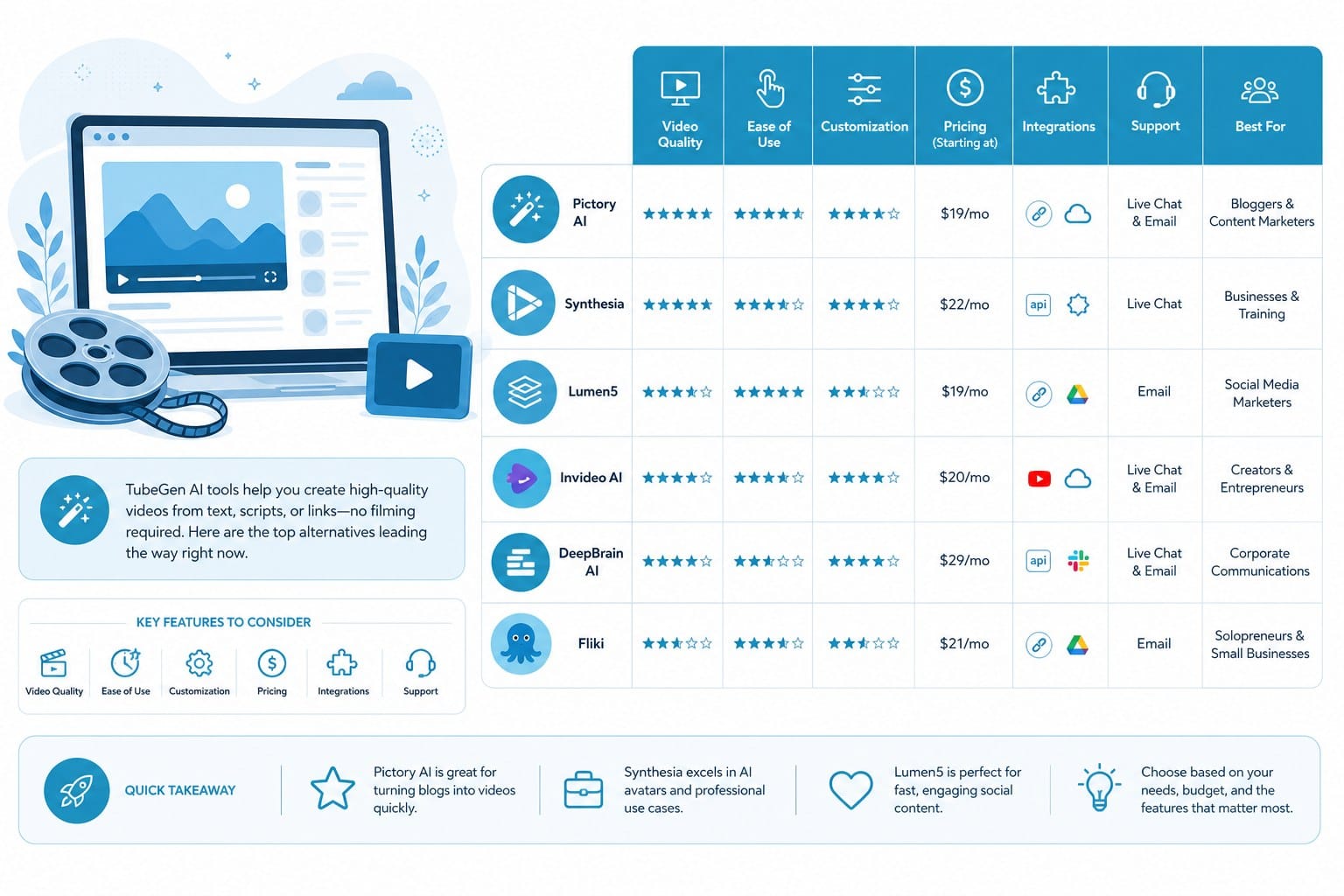
If you are primarily looking to repurpose existing written content into video, Pictory or InVideo AI may serve you better. If your content format is presenter-based and you want an AI avatar rather than stock footage, Synthesia is the strongest option in that niche.
The important thing is to match the tool to your actual workflow rather than picking the one with the most impressive feature list. A platform that handles 90% of your production needs automatically is far more valuable than one that promises 100% but requires constant manual correction.
How to choose based on your specific content goals
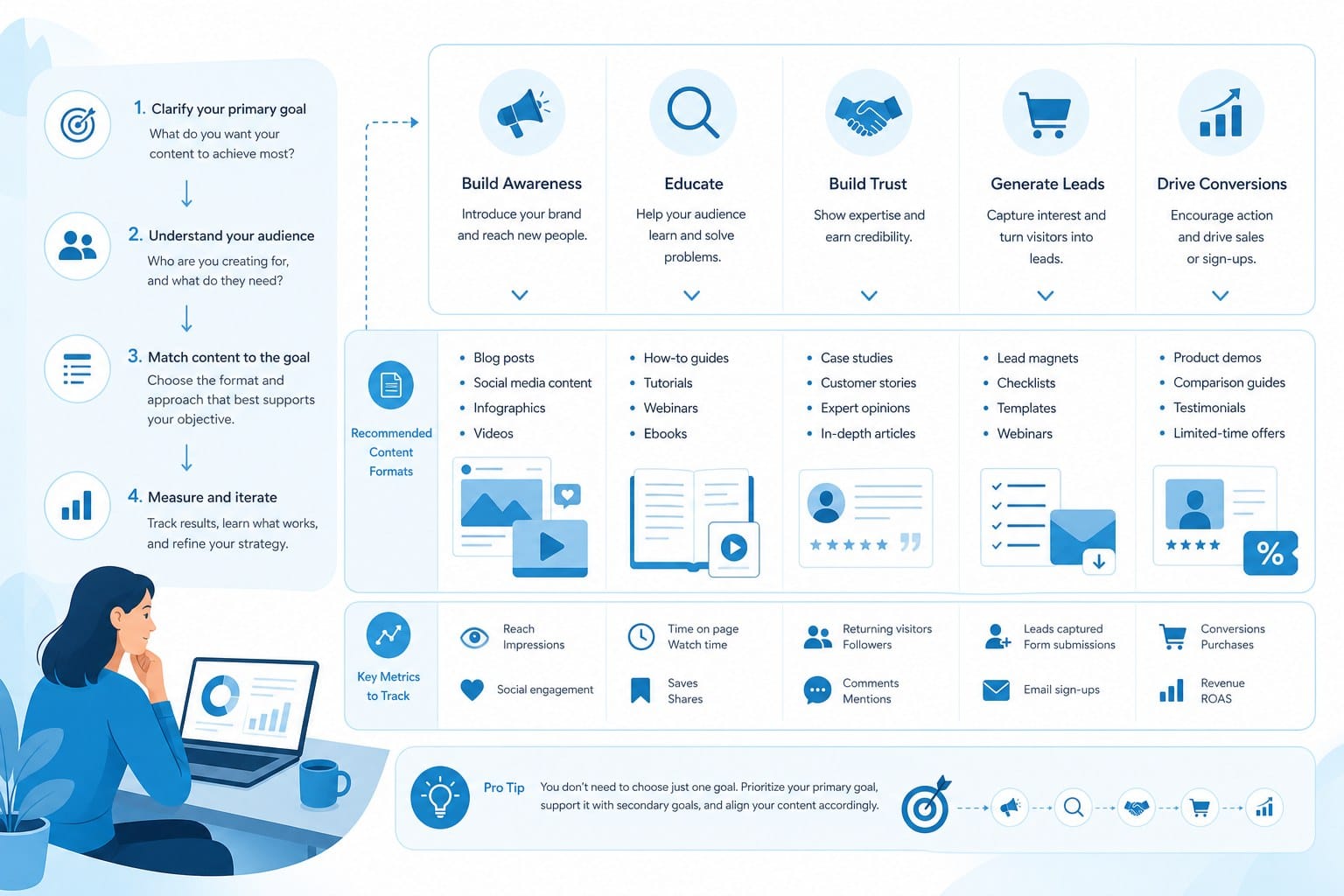
Every creator's situation is different, and the right platform depends heavily on what you are actually trying to build. Here is how I would think through the decision based on common creator goals and situations.
If you are building a faceless documentary or listicle channel
This is the use case where full end-to-end automation matters most. You are likely producing multiple videos per week on a wide range of topics. You need the platform to handle research so your content is accurate, scripting so your videos are structured well, and B-roll sourcing so the visuals match the subject matter. You also need a voiceover that sounds credible and natural, not robotic.
For this workflow, Cliptude AI: the text-to-video platform that does it all is worth reading before you make a decision. The platform was clearly designed with this exact use case in mind, and the depth of automation in the scripting and footage sourcing stages is well suited to the demands of running a high-volume channel.
One practical tip: even with strong automation, your best performing videos will come from prompts that include some context about the angle you want to take. Instead of typing just a topic name, include details about the tone you want, the audience you are targeting, and any specific points you want covered. This takes about two extra minutes and significantly improves the output.
If you are scaling short-form content across multiple platforms
YouTube Shorts, TikTok, and Instagram Reels operate on different dimensions and audience expectations than long-form content. You need a platform that can produce vertical format videos with strong hooks in the first three seconds, clean text overlays that work without sound, and fast pacing that holds attention.
Cliptude supports short-form formats alongside its long-form capabilities, which is useful if you are running both a main channel and a shorts channel from the same content strategy. Producing a long-form video and then generating a short from the same topic saves a significant amount of time compared to treating each format as a separate project.
If you are exclusively focused on short-form content and do not need long-form at all, InVideo AI is also worth evaluating. Its text command editing interface works reasonably well for quick short-form projects.
If you are an entrepreneur or small team without editing skills
The barrier to entry for video production has always been the technical learning curve. Learning video editing software takes months of practice before you produce work that looks professional. AI platforms remove that barrier almost entirely, but only if the automation is reliable enough that you do not need to understand what is happening under the hood.
For non-technical users, the interface and ease of use matter as much as the feature list. A platform with powerful features that requires a steep learning curve to operate is not actually saving you time. Cliptude's prompt-based approach is accessible by design. You describe what you want in plain language, and the platform builds it. That is the right model for creators who are skilled at their subject matter but have no interest in becoming video editors.
If you are unsure whether the output quality will meet your standards, most platforms offer some form of trial or limited free tier. Use it to test your most important use case, specifically the type of video you plan to produce most often, before committing to a paid plan.
If your channel relies on animation formats
Whiteboard videos and stickman animation have a large, loyal audience on YouTube, particularly in the educational and explainer space. These formats require specific animation capabilities that most general-purpose video platforms do not support well.
Cliptude's support for stickman and whiteboard animation formats is one of the more distinctive features in this category. If your channel is built around this visual style, it is worth testing specifically how the animation output looks before committing to any platform.
If commercial rights and monetization are your primary concern
This is a point that does not get enough attention in comparisons of AI video tools. If you plan to monetize your channel through YouTube's Partner Program, run ads, work with brand sponsors, or sell videos as a service, you need explicit commercial rights to the content you produce. Some platforms grant these rights clearly and completely. Others are vague or restrict commercial use to certain tiers.
Always read the terms of service before you produce videos at scale on any platform. Cliptude includes commercial rights, which makes it straightforward for monetization purposes.
If budget is a primary constraint
Usage-based pricing is almost always more efficient than subscription pricing for creators who are not yet producing at high volume. When you are starting out, you might make two to five videos per month while you figure out your content strategy. Paying a heavy monthly subscription during that period is wasteful.
As your channel grows and you scale to 15 or 20 videos per month, the per-video cost of a credit-based model often becomes very competitive with subscription pricing, sometimes lower. The flexibility to dial output up or down without penalty is valuable.
A note on realistic expectations
AI video creation is genuinely impressive and continues to improve, but it is not a magic button that produces viral content on demand. The platforms that work best are tools that make a skilled creator faster and more efficient, not replacements for creative judgment.
The creators who get the most out of these tools are the ones who invest time in learning how to write good prompts, review their output before publishing, and iterate based on what their audience responds to. The automation handles the production labor. The strategy, the niche selection, and the quality control still require a human who cares about the channel.
If you approach AI video creation with that mindset, the efficiency gains are real and substantial. A solo creator using the right platform can produce content at a volume that would previously have required a small production team. That is a genuine competitive advantage in a space where consistency and output frequency are major drivers of channel growth.
Ready to take the next step?
If you are ready to try a full end-to-end AI video platform that handles everything from research to final edit, visit Cliptude at https://cliptude.com to see how it works and start producing videos from your first prompt. The usage-based pricing means you can test the platform at low cost before committing to a high-volume workflow.